Logo
Why BearVPN
Features
Desktop
Mobile
See All >
Pricing
Blog>
Supports>
Tools>
Log in
Download Now
Toggle Menu
Features
  • VPN Servers
  • VPN for Streaming
  • VPN for Gaming
  • Access Any Websites
  • Free VPN for iOS
  • Free VPN for Android
Tools
  • What Is My IP
  • IP Lookup
  • IPV6 Lookup
  • Website Down Checker
VPN Servers
  • USA VPN
  • Turkey VPN
  • Iraq VPN
  • Syria VPN
  • Egypt VPN
VPN for Gaming
  • Roblox VPN
  • Brawl Stars VPN
  • Oculus Quest VPN
  • Epic Games VPN
  • Clash of Clans VPN
VPN for Apps
  • TikTok Live VPN
  • Facebook VPN
  • Telegram VPN
  • Chaturbate VPN
  • OmeTV VPN
VPN for Streaming
  • Netflix VPN
  • World Cup Vpn
Resources
  • Blog
  • Contact Us
About BearVPN
  • About Us
  • Transparency Report
  • Privacy Policy
  • Terms of Service
  • Refund Policy
Best Free VPNs for PCBest VPN for OmeTVBest VPNs for AndroidBest VPNs for StreamingBest Free VPN for iPhoneIs VPN Legal in Saudi ArabiaApps Banned in the USVPN Not Working in QatarVPN Not Working for TikTokIs Chaturbate Safe?
Windows
Windows
macOS
macOS
Android
Android
iOS
iOS
Follow us
  • X IconX Icon
  • Youtube IconYoutube Icon
  • TikTok IconTikTok Icon
  • Discord IconDiscord Icon
  • Telegram IconTelegram Icon
Payment methods
  • Payment provider icon
  • Payment provider icon
  • Payment provider icon
  • Payment provider icon

© 2026 BearVPN. All Rights Reserved.

 > VPN Servers > USA
 > Tampa

Put Your Connection Back in Tampa with a VPN

A Tampa IP keeps your connection anchored in Florida when travel or network rules push local sites, regional content, and familiar online services out of reach. Connect through BearVPN’s Tampa location to switch your visible IP, reach location-dependent content, encrypt your traffic, and browse with more control without exposing your home IP to every site you visit.

Go PremiumGet BearVPN
30-day money-back guarantee
Go PremiumGet BearVPN
30-day money-back guarantee
Free DownloadDownload Now
Available on:
Free DownloadDownload Now
Available on:
Free DownloadDownload Now
Available on:
BearVPN
Icon
BearVPN
Icon

Why Do You Need a VPN in Tampa?

Local Pages Stop Looking Local

Local Pages Stop Looking Local

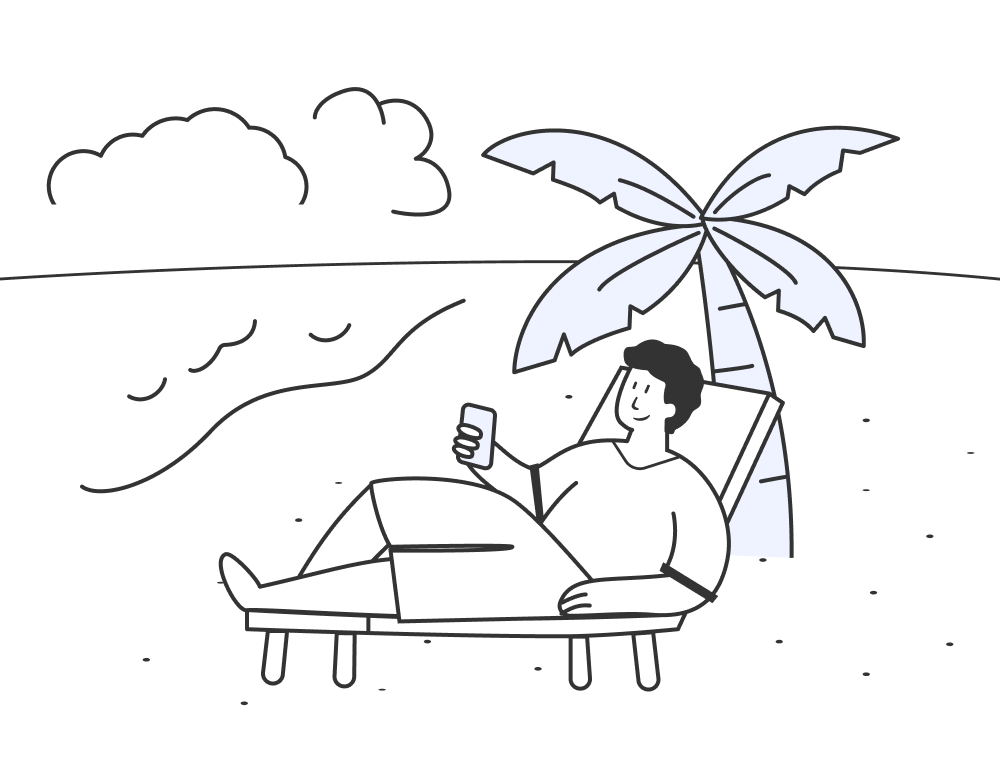
Travel outside Tampa and IP-based websites may replace Florida results, redirect you to another region, or limit local content. News, listings, account pages, and other familiar services can behave differently simply because your connection now appears to come from somewhere else.
Go PremiumGet BearVPN
Free DownloadDownload Now

Local Pages Stop Looking Local
Regional Streaming Rules Follow Your IP

Regional Streaming Rules Follow Your IP

Tampa Bay news, sports coverage, and streaming libraries can change when your IP leaves Florida. Blackout policies, subscriptions, account regions, device location, and provider rules may also restrict playback, leaving travelers with fewer viewing options even after they sign in.

What Can You Do with a Tampa VPN?

Switch to a Tampa IP

Switch to a Tampa IP

Connect through Tampa to replace your visible home IP with a Tampa IP address. Websites then see the VPN server’s approximate Florida location instead of the network you are actually using.
Reach Tampa Bay Content While Away

Reach Tampa Bay Content While Away

Open Florida-facing news and regional streaming pages while traveling. Availability still depends on your subscription, blackout policies, account settings, device location, and each platform’s rules for VPN connections.
Preview the Web as a Tampa Visitor

Preview the Web as a Tampa Visitor

Check regional redirects, localized pages, search results, ads, and location messages from a Tampa-facing IP. It is a practical tool for marketers, developers, and businesses serving customers around Tampa Bay.

Compatible with all platforms

One account works on all devices.

Explore Our Global Server Network

Connect to any corner of the world in seconds. BearVPN operates high-speed, secure servers across all major continents, ensuring seamless access to global content and ultra-low latency wherever you are.
USAUSA
CanadaCanada
El SalvadorEl Salvador
BahamasBahamas
CubaCuba
DominicaDominica
Dominican RepublicDominican Republic
Costa RicaCosta Rica
GuatemalaGuatemala
HondurasHonduras
JamaicaJamaica
MexicoMexico
PanamaPanama
Puerto RicoPuerto Rico
NicaraguaNicaragua
CuracaoCuracao
ArubaAruba
Optimized for regional content access, privacy needs, and network conditions. Explore >
MacedoniaMacedonia
AlbaniaAlbania
ArmeniaArmenia
AustriaAustria
BelgiumBelgium
BulgariaBulgaria
CroatiaCroatia
DenmarkDenmark
EstoniaEstonia
FranceFrance
GermanyGermany
GreeceGreece
IcelandIceland
IrelandIreland
ItalyItaly
KosovoKosovo
LatviaLatvia
LuxembourgLuxembourg
MaltaMalta
MoldovaMoldova
NetherlandsNetherlands
NorwayNorway
PolandPoland
PortugalPortugal
RomaniaRomania
RussiaRussia
SpainSpain
SwedenSweden
SwitzerlandSwitzerland
UKUK
UkraineUkraine
HungaryHungary
SloveniaSlovenia
SerbiaSerbia
FinlandFinland
LiechtensteinLiechtenstein
LithuaniaLithuania
San MarinoSan Marino
SlovakiaSlovakia
Vatican CityVatican City
AndorraAndorra
CyprusCyprus
BelarusBelarus
Optimized for regional content access, privacy needs, and network conditions. Explore >
EgyptEgypt
TurkeyTurkey
QatarQatar
Saudi ArabiaSaudi Arabia
IranIran
IsraelIsrael
YemenYemen
UaeUae
LebanonLebanon
KuwaitKuwait
AfghanistanAfghanistan
OmanOman
ArmeniaArmenia
JordanJordan
BahrainBahrain
State of PalestineState of Palestine
SyriaSyria
Optimized for regional content access, privacy needs, and network conditions. Explore >
ArgentinaArgentina
BrazilBrazil
ChileChile
ColombiaColombia
PeruPeru
EcuadorEcuador
UruguayUruguay
ParaguayParaguay
BoliviaBolivia
Optimized for regional content access, privacy needs, and network conditions. Explore >
BangladeshBangladesh
BruneiBrunei
IndiaIndia
IndonesiaIndonesia
JapanJapan
KazakhstanKazakhstan
MalaysiaMalaysia
MongoliaMongolia
MyanmarMyanmar
NepalNepal
PakistanPakistan
PhilippinesPhilippines
Hong KongHong Kong
SingaporeSingapore
South KoreaSouth Korea
Sri LankaSri Lanka
TaiwanTaiwan
ThailandThailand
UzbekistanUzbekistan
VietnamVietnam
AzerbaijanAzerbaijan
BhutanBhutan
LaosLaos
CambodiaCambodia
kyrgyzstankyrgyzstan
TurkmenistanTurkmenistan
Optimized for regional content access, privacy needs, and network conditions. Explore >
AustraliaAustralia
New ZealandNew Zealand
Optimized for regional content access, privacy needs, and network conditions. Explore >
SenegalSenegal
EthiopiaEthiopia
ZambiaZambia
AlgeriaAlgeria
EgyptEgypt
GhanaGhana
KenyaKenya
MauritiusMauritius
MoroccoMorocco
NigeriaNigeria
South AfricaSouth Africa
ChadChad
TunisiaTunisia
LibyaLibya
AngolaAngola
TanzaniaTanzania
UgandaUganda
SomaliaSomalia
SudanSudan
MadagascarMadagascar
MaliMali
MauritaniaMauritania
ComorosComoros
Congo Democratic RepublicCongo Democratic Republic
DjiboutiDjibouti
Equatorial GuineaEquatorial Guinea
EritreaEritrea
Ivory CoastIvory Coast
CameroonCameroon
Optimized for regional content access, privacy needs, and network conditions. Explore >

Frequently Asked Questions

    Open BearVPN, find Tampa in the server list, and connect. Your traffic will be routed through the Tampa VPN location, and websites will see the server’s Florida-facing IP instead of your normal IP. IP databases are approximate, so some services may display Tampa or a nearby Florida area.
    BearVPN offers a free mobile option that can be used without creating an account. However, selecting a specific location such as Tampa may require access to the paid server-selection feature. Avoid any provider that promises a “free Tampa IP” without clearly explaining server choice, data handling, or usage limits.
    A Tampa VPN can change the location associated with your IP and help you reach Florida-facing streaming pages while traveling. It cannot guarantee playback or bypass every blackout. Subscription status, broadcast rights, account region, GPS data, cookies, device settings, and platform VPN policies may still determine availability.
    A VPN adds encryption and sends traffic through another server, so some speed change is possible. The result depends on your distance from Tampa, server load, local connection, ISP routing, and the destination service. If Tampa is not required, BearVPN’s server recommendations can help you find another suitable route.
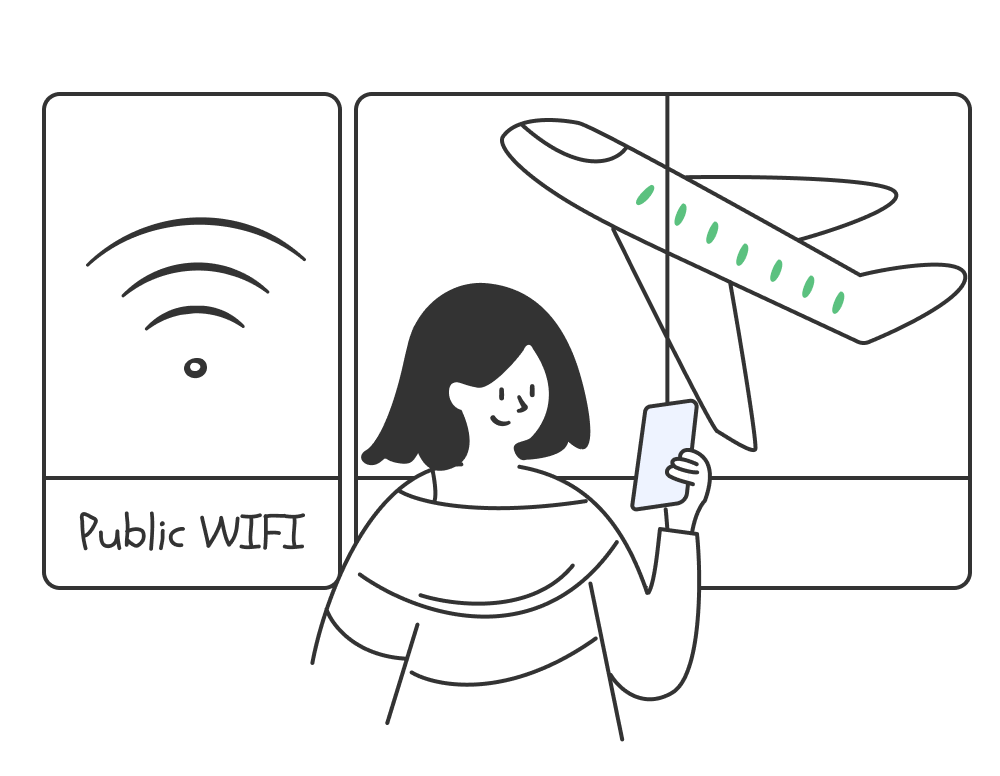
    A VPN adds an encrypted tunnel between your device and the VPN server, which is useful on airport and other shared networks. It does not replace HTTPS, software updates, strong passwords, multifactor authentication, or caution around fake hotspots and phishing pages.
Go PremiumGet BearVPN
Free DownloadDownload Now
Regional Streaming Rules Follow Your IP
Shared Networks Reduce Your Control

Shared Networks Reduce Your Control

Airport, hotel, café, and event Wi-Fi puts your connection on a network you do not manage. HTTPS already protects most website traffic, but network operators can still see connection metadata, and poorly configured or fake hotspots create extra exposure for Tampa travelers and remote workers.
Go PremiumGet BearVPN
Free DownloadDownload Now
Shared Networks Reduce Your Control
Your IP Influences What Sites Show

Your IP Influences What Sites Show

Websites, advertisers, and analytics platforms use IP addresses to estimate location and shape ads, prices, search results, and recommendations. Without changing your IP, every visit can reveal your approximate area and reinforce a location profile that follows your browsing activity.
Go PremiumGet BearVPN
Free DownloadDownload Now
Your IP Influences What Sites Show
Protect Remote Work Traffic

Protect Remote Work Traffic

Encrypt work traffic before it leaves your device and reduce exposure on shared connections. Company security controls, approved access methods, and employer VPN requirements still apply when handling business systems.
Add Protection on Travel Wi-Fi

Add Protection on Travel Wi-Fi

Turn on BearVPN at Tampa International Airport, hotels, cafés, or other shared hotspots. The encrypted VPN tunnel adds protection between your device and the VPN server while you browse or communicate.
Test a Different Gaming Route

Test a Different Gaming Route

Route gaming traffic through Tampa or switch to another available location when your normal path feels congested. Results depend on server distance, game infrastructure, ISP routing, and current network conditions.
Go PremiumGet BearVPN
Free DownloadDownload Now

Why Choose BearVPN for Tampa?

Enjoy these advantages when using our VPN servers in Tampa.
Global Coverage

Global Coverage

Reconnect through Tampa when you need a Florida-facing IP, then switch among 2,000+ servers across 50+ locations when travel, work, or content needs change.
Smart Server Selection

Smart Server Selection

Skip manual trial and error when you do not specifically need Tampa. BearVPN recommends a suitable server based on current conditions, helping you connect with fewer unnecessary switches.
Kill Switch

Kill Switch

If the VPN connection unexpectedly fails, Kill Switch blocks internet traffic to help prevent your real IP and unprotected activity from leaking onto the current network.
AES-256 Encryption

AES-256 Encryption

AES-256 encryption protects traffic moving through the VPN tunnel, adding a strong security layer on Tampa airport Wi-Fi, hotel networks, cafés, and other shared connections.
Smart Split Tunneling

Smart Split Tunneling

On supported mobile devices, route selected apps through the Tampa VPN while other apps use the regular connection—useful when only part of your activity needs a Florida IP.
No-Logs Policy

No-Logs Policy

BearVPN does not keep logs of your browsing activity, so connecting through Tampa does not create a stored record of the websites you visit through the VPN.
Go PremiumGet BearVPN
Free DownloadDownload Now
Is It Legal to Use a VPN in Tampa?

Is It Legal to Use a VPN in Tampa?

Using a VPN is generally legal in Tampa and throughout Florida. No general federal or Florida rule prohibits consumers from encrypting their traffic, masking an IP address, or connecting through a VPN server for privacy, travel, remote work, or lawful access to online content.
A VPN does not override other legal obligations. Copyright law, fraud statutes, unauthorized-access rules, age requirements, and other state or federal laws still apply regardless of the IP address displayed online. Streaming platforms, employers, schools, and online services may also impose their own VPN restrictions or account-location rules.
Use BearVPN for lawful purposes, respect applicable service terms, and do not assume that changing your apparent location makes prohibited activity legal or guarantees access to a restricted platform.
WindowsWindows
macOSmacOS
AndroidAndroid
iOSiOS

Popular Locations in USA

Popular locations
BearVPN
 Flag Icon

City:

  • Chicago
  • New York
  • Los Angeles
  • Dallas
  • Miami
  • Tampa
  • Phoenix

State:

  • California
  • Michigan
  • New Jersey
  • Texas
  • Nevada
  • Iowa
  • Wisconsin
  • Florida
  • Hawaii
  • Ohio
  • Utah

Related Articles & News

Stay informed with our latest articles, step-by-step privacy tutorials, and expert tips on navigating the digital landscape safely.
BearVPN App Store rating
4.8/5 (11K Ratings) on App Store
BearVPN App Store

Trusted by millions of customers

Slimshaider

Slimshaider

Great app

"Great app - super easy to use. Doesn't make you go through a ton of confusing options and lets you connect for free."

Testimonial ratingTestimonial ratingTestimonial ratingTestimonial ratingTestimonial rating
Amin1342

Amin1342

Thank you

"Hello, I just want to let you know that letting me use your free VPN means a lot and make a difference in our life. Thank you!"

Testimonial ratingTestimonial ratingTestimonial ratingTestimonial ratingTestimonial rating
K Yatanar

K Yatanar

Thanks a lot

"Very supportive that especially for Firewall burn as civil war happening ASIA country."

Testimonial ratingTestimonial ratingTestimonial ratingTestimonial ratingTestimonial rating
Aadnan779

Aadnan779

Love it

"I am a user of this vpn. it's super fast and best vpn I have ever seen..."

Testimonial ratingTestimonial ratingTestimonial ratingTestimonial ratingTestimonial rating
Kentucky #23

Kentucky #23

AN AMAZING APP!

"It's honestly such a good connection!"

Testimonial ratingTestimonial ratingTestimonial ratingTestimonial ratingTestimonial rating
Mila McSabbu

Mila McSabbu

Very Good

"Not really tech-savvy but BearVPN was easy to get running. Glad I can keep my browsing private without much fuss."

Testimonial ratingTestimonial ratingTestimonial ratingTestimonial ratingTestimonial rating
Anonymous Browsing: Enhance Your Privacy for Safer Surfing
Home icon

May 6, 2026

Clock icon

10 mins

Anonymous Browsing: Enhance Your Privacy for Safer Surfing

BearVPN Team

Best VPNs for Streaming: Great Options for 4K and Live Sports
Home icon

Dec 25, 2025

Clock icon

9 mins

Best VPNs for Streaming: Great Options for 4K and Live Sports

BearVPN Team

How to Change VPN Location
Home icon

Jun 2, 2025

Clock icon

6 mins

How to Change VPN Location

BearVPN Team

How to Change IP Address on iPhone
Home icon

Jun 2, 2025

Clock icon

6 mins

How to Change IP Address on iPhone

BearVPN Team