Hide Your IP Address With BearVPN
Replace your public IP address with a BearVPN server IP to keep your home network and approximate location out of view. BearVPN also encrypts traffic between your device and the VPN server, giving you more privacy from websites, network observers, and advertisers—without claiming to make you completely anonymous.

Hide Your IP Across Your Devices
Use one BearVPN account to replace your public IP address and protect your connection across your supported devices.


How to Hide Your IP Address With a VPN
Connect to a BearVPN server in three steps. Websites and apps will see the server's public IP address instead of the one assigned to your network.
1

Download and install the BearVPN app on your device.
2

Open BearVPN and select a server in your preferred available location.
3
Select Connect. Once the VPN is active, websites will see the server IP instead of your network's public IP.
Check your IP address
Check your IP address
Go PremiumGet BearVPN
Free DownloadDownload Now
How to hide your IP address without a VPN
A proxy, Tor, or another network can change the public IP that websites see, but each method has tradeoffs in encryption, coverage, speed, and ease of use.
Why Hide Your IP Address With a VPN?
Reduce IP-Based Tracking
Websites and ad networks can use your public IP as one signal for recognizing a connection and estimating its location. A VPN replaces that IP with a server IP, making direct IP-based tracking and profiling more difficult.
Encrypt Your Connection
A VPN does more than mask your IP. It encrypts traffic between your device and the VPN server, reducing what people on the same network and other local observers can read while your connection is in transit.
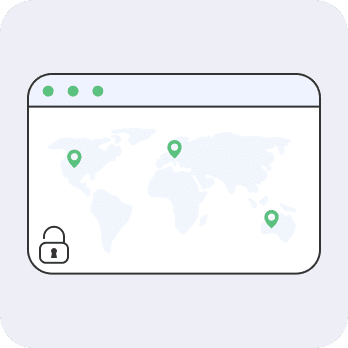
Change Your Virtual Location
Choose a server in another available location and websites will generally see that server's IP location. This is useful while traveling, although services may still use account details, cookies, GPS, or other signals to determine location.
Keep Your Home IP Private
Streaming, gaming, calls, and online communities can expose your network IP to services or other participants. Routing traffic through a VPN keeps your home IP out of direct view and shows the VPN server IP instead.
Limit ISP Visibility
Your ISP can see that you are connected to a VPN, but the encrypted tunnel limits its visibility into the websites and services you access. The destination sees the VPN server IP rather than your network IP.

Protect Traffic on Public Wi-Fi
On hotel, airport, or café Wi-Fi, a VPN helps protect your traffic from local snooping and replaces the hotspot's public IP. It adds privacy, but you should still use HTTPS, strong passwords, and two-factor authentication.
Check Whether Your IP Address Is Hidden
Your IP address:

Your IP address is exposed! Your Internet Service Provider and others can monitor your online activities.
Hide My IP Address
Approximate IP location:
Unknown
Internet service provider:
Unknown
Privacy Features That Work Together
Combine IP masking with connection controls and privacy features that help protect your traffic before, during, and after you connect.

Kill Switch
Cuts internet access if the VPN connection drops, helping prevent your real IP address and unencrypted traffic from being exposed.

Hide IP
Replaces the public IP assigned to your network with the IP address of the BearVPN server you choose.

Split Tunneling
Choose which apps use the VPN and which connect directly. Apps excluded from the VPN will use your regular network IP, so only bypass the VPN for traffic that does not need IP masking.

AES-256 Encryption
Uses AES-256 encryption to protect traffic traveling between your device and the BearVPN server.

No-Logs Policy
BearVPN does not log your browsing activity, helping keep the sites and services you access private.

Up to 10 devices
Protect up to 10 devices at the same time with one BearVPN account for home, work, and travel.
Dedicated IP
Use a fixed IP reserved for you to support allowlisting and reduce some shared-IP CAPTCHAs or reputation issues.
Double VPN
Routes your connection through two VPN servers for an additional layer of separation between you and the destination.

Fast VPN
Connect through high-performance servers designed for responsive browsing, streaming, gaming, and everyday downloads.
Frequently asked questions
A VPN hides your public IP address from websites and apps by replacing it with the VPN server's IP while you are connected. However, it does not make you completely anonymous. Accounts, cookies, browser fingerprinting, GPS data, or an interrupted VPN connection may still reveal information about you.
Both can replace the public IP address seen by a website. A VPN typically routes and encrypts traffic from your device, while a proxy usually handles traffic from a specific browser or app and may not encrypt it. A VPN therefore provides broader protection, although neither option guarantees complete anonymity.
A public IP address can indicate your approximate country, region, or city, as well as your internet service provider or organization. Websites may also use it with cookies, account activity, and other signals to recognize or profile a connection. An IP address alone usually does not reveal your name, precise street address, or exact GPS location.