Logo
Why BearVPN
Features
Desktop
Mobile
See All >
Pricing
Blog>
Supports>
Tools>
Log in
Download Now
Toggle Menu
Features
  • VPN Servers
  • VPN for Streaming
  • VPN for Gaming
  • Access Any Websites
  • Free VPN for iOS
  • Free VPN for Android
Tools
  • What Is My IP
  • IP Lookup
  • IPV6 Lookup
  • Website Down Checker
VPN Servers
  • USA VPN
  • Turkey VPN
  • Iraq VPN
  • Syria VPN
  • Egypt VPN
VPN for Gaming
  • Roblox VPN
  • Brawl Stars VPN
  • Oculus Quest VPN
  • Epic Games VPN
  • Clash of Clans VPN
VPN for Apps
  • TikTok Live VPN
  • Facebook VPN
  • Telegram VPN
  • Chaturbate VPN
  • OmeTV VPN
VPN for Streaming
  • Netflix VPN
  • World Cup Vpn
Resources
  • Blog
  • Contact Us
  • Research
About BearVPN
  • About Us
  • Transparency Report
  • Privacy Policy
  • Terms of Service
  • Refund Policy
Best Free VPNs for PCBest VPN for OmeTVBest VPNs for AndroidBest VPNs for StreamingBest Free VPN for iPhoneIs VPN Legal in Saudi ArabiaApps Banned in the USVPN Not Working in QatarVPN Not Working for TikTokIs Chaturbate Safe?
Windows
Windows
macOS
macOS
Android
Android
iOS
iOS
Follow us
  • X IconX Icon
  • Youtube IconYoutube Icon
  • TikTok IconTikTok Icon
  • Discord IconDiscord Icon
  • Telegram IconTelegram Icon
Payment methods
  • Payment provider icon
  • Payment provider icon
  • Payment provider icon
  • Payment provider icon

© 2026 BearVPN. All Rights Reserved.

 > VPN for Streaming
 > World Cup VPN
BearVPN App Store rating
4.8/5 (11K Ratings) on App Store
BearVPN App Store
BearVPN App Store rating
4.8/5 (11K Ratings) on App Store
BearVPN App Store

World Cup VPN for Matches, Replays, and Highlights Abroad

Regional rights can block the World Cup coverage you normally use when you travel. Connect to BearVPN in your broadcaster's home region to access available matches, replays, and highlights with a private, stable connection.

A VPN does not include a streaming subscription, and access still depends on the broadcaster's availability, account rules, and terms.
  • Access your usual World Cup coverage while traveling
  • Switch between 50+ server locations in seconds
  • Stream with no bandwidth or data limits
Go PremiumGet BearVPN
Refund policy varies by plan
Go PremiumGet BearVPN
Refund policy varies by plan
Free DownloadDownload Now
Available on:
Free DownloadDownload Now
Available on:
Free DownloadDownload Now
Available on:
BearVPN
Download Icon
BearVPN
Download Icon

How to Use a VPN for World Cup Streaming
Set up BearVPN in three quick steps, then open a legal World Cup stream, replay, or highlights page from a broadcaster you are entitled to use.
1
Download BearVPN
Download BearVPN
Download and install BearVPN.
2
Choose the Broadcaster's Region
Open BearVPN and connect to a server in the country where your usual broadcaster is available, such as the UK or Australia.
3
Open the Official Stream
Open the broadcaster's website or app, sign in if required, and watch any live coverage, replay, or highlights currently available to your account.

Where to Find Official World Cup Coverage
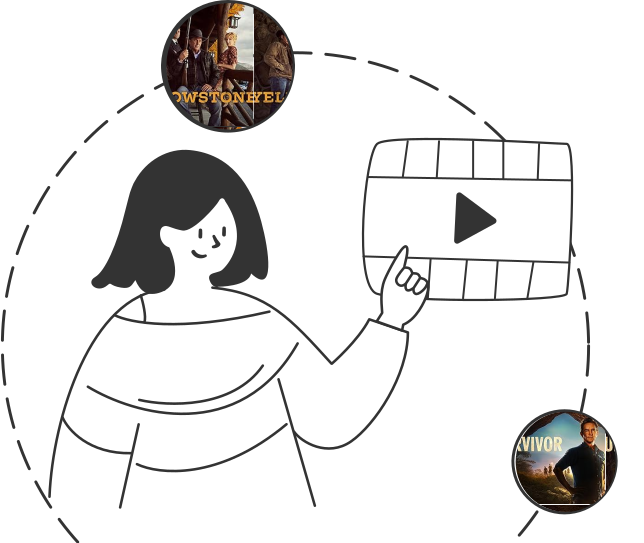
    World Cup rights vary by country, tournament, and match. For the 2026 tournament, official coverage included BBC and ITV in the UK, SBS in Australia, ARD and ZDF in Germany, and ServusTV in Austria. Some offered every match; others carried selected games only.
    If you are traveling, connect to a server in your usual broadcaster's country, then check whether its live stream, replay, or highlights are still available. Registration, a valid subscription, or local eligibility may be required.
Watch Your Usual World Cup Coverage Abroad

Watch Your Usual World Cup Coverage Abroad

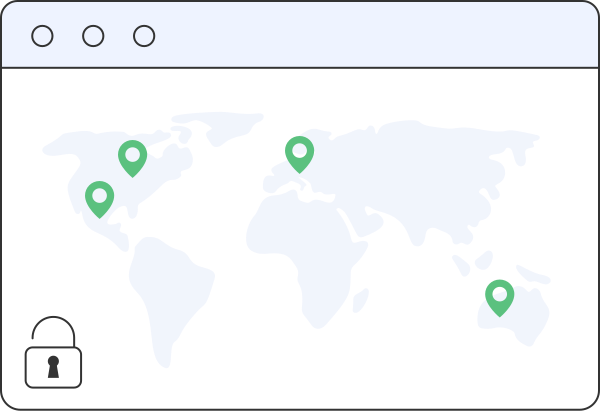
A World Cup stream that works at home may become unavailable when your IP address changes abroad. BearVPN lets you connect through your broadcaster's home region, helping you regain access to coverage available under your account.

For the 2026 tournament, viewers used services including BBC iPlayer and ITVX in the UK, SBS On Demand in Australia, ARD and ZDF in Germany, and ServusTV On in Austria. Rights, replay windows, language options, and account requirements vary, so confirm current availability with the broadcaster before connecting.
Go PremiumGet BearVPN
Free DownloadDownload Now
Keep World Cup Streaming Stable While Traveling

Keep World Cup Streaming Stable While Traveling

Live sports leaves no room for a slow server or unnecessary rerouting. BearVPN offers 2,000+ servers across 50+ locations, so you can choose the region required by your broadcaster and switch servers if one route feels congested.

A VPN cannot fix weak Wi-Fi, limited bandwidth, or general network congestion. It may, however, reduce the impact of throttling based on identifiable traffic types while encrypting your connection on hotel, airport, or other shared networks.
Go PremiumGet BearVPN
Free DownloadDownload Now

One Account for Your Match-Day Devices

BearVPN supports Windows, macOS, Android, and iOS. Use one account on up to 10 devices and stream available World Cup coverage wherever your broadcaster supports playback.
WindowsWindows
macOSmacOS
AndroidAndroid
iOSiOS

Why Choose BearVPN for World Cup Streaming?

Change regions fast, protect your streaming traffic, and keep World Cup coverage within reach when travel takes you away from home.

Streaming-Optimized Servers

Streaming-Optimized Servers

Connect through servers configured for heavy streaming traffic and switch routes when a location feels crowded. BearVPN cannot fix weak Wi-Fi or broadcaster-side issues, but it helps you avoid an unnecessarily slow route.

Strong Obfuscation

Strong Obfuscation

Strong obfuscation makes VPN traffic look more like ordinary web traffic, improving the chance of connecting on networks that restrict VPN use. It cannot guarantee access when a broadcaster blocks an IP or account.

Change Your Streaming Region

Change Your Streaming Region

Replace your public IP with one from the selected server region. This can help you access World Cup coverage from your usual broadcaster while traveling, subject to its availability and terms.

Connect Up to 10 Devices

Connect Up to 10 Devices

Sign in to one BearVPN account on up to 10 devices, so your household can protect multiple connections and follow available World Cup coverage without buying a separate VPN plan for each device.

2,000+ Servers in 50+ Locations

2,000+ Servers in 50+ Locations

Choose from 2,000+ servers across 50+ locations. Connect where your broadcaster operates, use a nearby route when privacy is the priority, or switch servers if the current route is congested.

Unlimited Streaming Data

Unlimited Streaming Data

Watch the available matches, replays, and highlights you want without a VPN data cap cutting the session short. Your speed still depends on your network, server route, and broadcaster.

Go PremiumGet BearVPN
Free DownloadDownload Now

Frequently asked questions

    A VPN can help you reach a free official broadcaster you normally use when traveling, but it does not make paid coverage free or create viewing rights. In 2026, free coverage was available through services such as BBC iPlayer and ITVX in the UK and SBS On Demand in Australia. Current access, replay windows, registration rules, and terms vary by service.
    VPNs are legal in many countries, but local laws vary. A broadcaster may also restrict location changing in its terms. Use legal streams, keep any required subscription, and follow the laws and service rules that apply to you.
    Look for servers in the broadcaster regions you need, enough capacity for streaming, unlimited data, strong encryption, obfuscation, and support for your devices. BearVPN offers 2,000+ servers across 50+ locations and supports up to 10 simultaneous connections per account.
    The server IP may be blocked, the selected region may be wrong, or the broadcaster may require an eligible account. The problem can also come from weak Wi-Fi, congestion, or the broadcaster itself. Confirm the correct region, reconnect, try another server, clear old location cookies, and check the broadcaster's status. Obfuscation can help on networks that restrict VPN traffic, but it cannot guarantee access.