RedGIFs is an adult media platform built around short videos, images, and clips that are frequently shared on Reddit. People searching for a RedGIFs alternative usually want one of three things: another adult video library, a host for sharing clips, or a mainstream tool for finding and creating GIFs.
The nine options below do not all serve the same purpose. The first four are closer alternatives for adult viewing, while the remaining five are general GIF platforms and creation tools. Compare their main use and limitations before opening an account or uploading content.
Why You Need More Sites Like RedGifs
“Are there any alternatives to use to post videos besides Redgifs? Redgifs doesn’t seem to want to work on Reddit today… are there any alternatives I can use to post videos I’d love to know.” – A user reported on Reddit.
Users commonly look for sites similar to RedGIFs when:
- RedGIFs is unavailable or unreliable on their current network.
- A clip appears as a plain link instead of an embedded Reddit player.
- Regional access or age-verification requirements affect the site.
- They need a different content library or a simpler GIF creation tool.
- They want an alternative upload or sharing workflow.
Before switching platforms, identify the actual problem. A third-party proxy will not fix a RedGIFs outage, and a general GIF search engine will not replace an adult video host.
Is There an Official RedGIFs Mirror or Proxy?
Use the official redgifs.com address or RedGIFs’ own Help Center. Treat any other website advertising itself as a “RedGIFs mirror,” “RedGIFs proxy,” or cloned login page as unverified.
A proxy may change how the connection appears, but it cannot repair a RedGIFs outage, restore a deleted clip, guarantee a working Reddit embed, or satisfy an age check. RedGIFs also warns that VPNs and proxies can sometimes make a connection appear to come from a restricted location, causing sign-up or verification problems.
If RedGIFs is not loading:
- Open the official site directly instead of following a mirror.
- Check whether the problem affects one browser, network, or device.
- Disable extensions temporarily to identify conflicts.
- If a Reddit embed fails, open the original RedGIFs link and allow time for Reddit’s cache to update.
- Contact RedGIFs support if the account or verification problem continues.
Never enter a RedGIFs password or payment information into an unofficial mirror.
BearVPN hides your home IP and encrypts the connection, but it cannot verify a clone or block every malicious download.

9 RedGifs Alternatives in 2026
These RedGIFs alternatives fall into two groups: adult video platforms and mainstream GIF tools. The table gives you the closest use case and the most important limitation of each option.
If you mainly want adult clips, start with the first four options. If you want to create a reaction GIF or share mainstream content, skip to Imgur, GIPHY, Tenor, MakeAGIF, or GIFbin.
1. Pornhub

As the most recognizable name in adult entertainment, Pornhub offers a massive, highly organized library that dwarfs most competitors. While RedGifs focuses heavily on short, looping clips and Reddit integration, Pornhub is the go-to destination for full-length professional and verified amateur videos. Its interface is highly refined, offering excellent search filters, curated playlists, and personalized recommendations based on viewing history. The site also boasts a robust Model Program, ensuring a steady stream of high-quality, verified creator content.
Pros:
- Massive Library: Millions of videos spanning every conceivable category.
- High-Quality Player: Reliable streaming with up to 4K resolution options.
- Verified Creators: A safe, verified ecosystem for independent models and major studios alike.
Cons:
- Highly Commercialized: Can feel heavily corporate, with fewer raw, spontaneous clips compared to RedGifs.
- Intrusive Ads: Free users face frequent pre-roll ads and banners.
- Strict Content Purges: Aggressive content moderation has resulted in some niche or older, unverified videos being permanently removed.
Also read: How to download videos from Pornhub
2. XGROOVY
XGROOVY operates as a streamlined, user-friendly tube site that emphasizes a clean viewing experience. While it doesn’t have the mainstream brand recognition of the industry giants, it has built a solid reputation for its fast-loading player and straightforward navigation. It serves as a great bridge between short-form teaser content (like what you’d find on RedGifs) and full-length scenes, offering a mix of both amateur uploads and studio releases.
Pros:
- Clean Interface: Less cluttered and easier to navigate than many older tube sites.
- Fast Loading: The video player is lightweight, making it great for mobile browsing on slower connections.
- Niche Discovery: A good algorithm for surfacing lesser-known creators and unique content.
Cons:
- Smaller Database: Lacks the sheer volume of videos found on top-tier competitors.
- Fewer Community Features: Doesn’t offer the robust commenting or forum engagement found elsewhere.
- Variable Quality: Because it relies heavily on varied uploads, video resolution can be inconsistent across the site.
3. XHamster
XHamster is one of the oldest and most community-driven platforms in the adult space. If you enjoy the social and interactive elements of Reddit and RedGifs, XHamster offers a similar community feel but for full-length videos. It has a massive focus on amateur content, user-generated playlists, and active comment sections. The platform also features a robust photo and GIF section, which directly appeals to users looking for RedGifs alternatives.
Pros:
- Strong Community: Active forums, comments, and user interaction make it feel highly social.
- Amateur Focus: One of the best libraries for genuine, user-generated amateur content.
- Diverse Media: Hosts millions of photos and short-form GIFs alongside standard videos.
Cons:
- Cluttered UI: The homepage and category pages can feel overwhelming and visually busy.
- Aggressive Advertising: Pop-ups and redirect ads can be frustrating for free users.
- Inconsistent Tagging: User-generated tags can sometimes make finding specific, highly niche content difficult.
Related Article:Top 8 xHamster Alternatives You Can Access Safely
4. XVideos

XVideos prioritizes speed and volume above all else. It is famous for its simple, utilitarian design that hasn’t changed much in years—but that simplicity is exactly why millions of users prefer it. The site loads in almost zero time, making it incredibly snappy to scroll through. For users used to quickly swiping through RedGifs, XVideos offers a similarly frictionless browsing experience, powered by an incredibly simple tagging system that just works.
Pros:
- Lightning Fast: Minimalist design ensures pages and videos load almost instantly, even on mobile.
- Enormous Volume: One of the largest video databases on the internet, updated by the minute.
- Simple Tagging: Easy-to-read red tags make filtering and finding specific niches incredibly straightforward.
Cons:
- Outdated Design: The visual aesthetic is stuck in the late 2000s and feels incredibly basic.
- Basic Player Features: Lacks the advanced playback options and UI polish of modern competitors.
- Less Curation: Because of the sheer volume, you often have to dig through low-quality uploads to find premium content.
Related topic: Is XVideos safe?
5. Imgur

Imgur is a mainstream image-hosting and sharing platform rather than a direct adult alternative to RedGIFs. It supports images, animated GIFs, and short visual posts, making it useful when you want to share non-explicit content through a direct link or browse community posts.
Imgur no longer permits pornography, explicit nudity, or sexually explicit uploads, including content marked as mature. Choose it for mainstream GIF and image sharing—not for replacing RedGIFs’ adult library.
Pros:
- Offers a variety of GIF templates.
- Easy upload and download process.
Cons:
- Occasionally unstable.
- Can’t upload explicit content anymore.
6. GIPHY

GIPHY is one of the most widely integrated platforms for finding and sharing mainstream GIFs, stickers, and short clips. Its searchable library and creation tools make it useful for reactions, memes, branded media, and messaging.
However, GIPHY is not a direct adult-content alternative to RedGIFs. Its Community Guidelines prohibit pornography and explicit nudity, although mildly suggestive content may receive a higher content rating. Do not upload explicit material or describe GIPHY as an NSFW hosting service.
Pros:
- Free to use.
- Offers a wide range of GIF content, including various categories.
Cons:
- Some GIFs can be low quality.
7. Tenor

Tenor is best for discovering reaction GIFs and adding them to messages, social posts, and conversations. It offers a simple search experience and is closely integrated with mobile keyboards and online platforms.
Tenor should be treated as a mainstream reaction-GIF service, not as a replacement for RedGIFs’ adult uploads. Search results may contain suggestive themes, but that does not make it a dedicated adult media host.
Pros:
- Allows GIF and video uploads.
- Quick and easy text editing for GIFs.
- No sign-up required.
Cons:
- Some GIFs may be low-quality.
8. MakeAGIF

If you’re looking to create GIFs rather than just browse them, MakeAGIF is the platform for you. While sites like GIPHY and Imgur are great for browsing, MakeAGIF focuses on GIF creation. You can make GIFs from YouTube, Facebook videos, or even videos you upload yourself.
It also offers a selection of GIFs, including NSFW content, so it’s another solid alternative for RedGIFs users.
Pros:
- Various GIF creation tools (YouTube to GIF, video to GIF, etc.).
- Includes a mix of movie, celebrity, and NSFW GIFs.
Cons:
- Ads are present (even with a free account).
- Free users may experience lower-quality GIFs.
9. GIFbin

GIFbin features an old-school interface but is still a great place to find funny and adult GIFs. It allows for GIF downloading and embedding, making it easy to share your favorite content.
Although the interface might feel outdated, the site still offers plenty of GIFs, including some NSFW options.
Pros:
- Free to use.
- Supports GIF downloads and embedding.
Cons:
- Ads can be intrusive (including pop-ups).
- No option to upload your own GIFs.
How to Create a GIF
Wondering how to create your own GIF? It’s easier than you think! Here’s how you can make one using GIPHY:
- Go to GIPHY and create an account (if you don’t have one yet).
- Click on “Create” at the top of the page.
- Upload your GIF from your computer or paste a link to a GIF from GIPHY, YouTube, etc.
- Edit your GIF—add text, filters, stickers, and more!
Now you’re ready to share your creations with friends!

How to Turn a Video Into a GIF
Turning a video into a GIF is simple, and one of the best tools for this is Ezgif. Here’s how you can do it:
- Go to Ezgif.com and select “Video to GIF.”
- Upload the video from your device and click “Upload Video.”
- After the video uploads, click on the “Convert to GIF” button.
- Once the conversion is complete, download your GIF to your device.
How to Browse RedGIFs Alternatives Safely
Adult websites may use advertising networks, analytics scripts, pop-ups, and third-party redirects. Before visiting a RedGIFs alternative, confirm that you are on the correct domain, keep your browser updated, avoid unexpected downloads, and never reuse an important password.
BearVPN adds an encrypted tunnel between your device and its VPN server, masks your public IP address, and can reduce what the local network or internet provider can see about your browsing destinations. It does not block every tracker, detect every malicious page, make an unsafe website trustworthy, or replace legally required age verification.
Why use BearVPN in this situation?
- AES-256 encryption for the VPN connection
- IP masking and DNS/IP leak protection
- Kill Switch protection if the VPN connection drops
- 2,000+ servers across 50+ locations
- Unlimited bandwidth
- Split Tunneling on supported mobile apps
How to get started:
Step 1: Download and install BearVPN on a supported device.
Step 2: Open the app and connect to a suitable server.
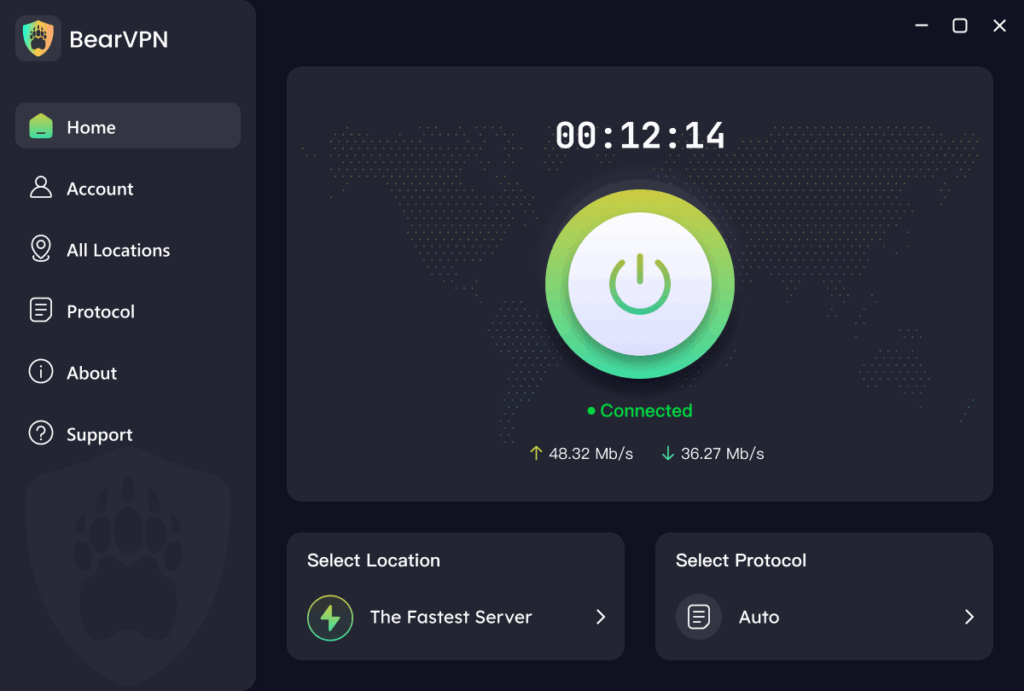
Step 3: Confirm that the VPN connection is active before opening the website.
Step 4: Visit only the platform’s official domain and follow its age requirements, local laws, and terms.
Connection speed and platform availability can vary by server, network, location, and the website’s own policies.
Conclusion
The closest RedGIFs alternatives for adult viewing are XGROOVY, XHamster, XVideos, and Pornhub, although each focuses more heavily on conventional video than RedGIFs-style loops. For mainstream GIF search, sharing, and creation, Imgur, GIPHY, Tenor, MakeAGIF, and GIFbin are more suitable—but they should not be treated as equivalent adult-content hosts.
Choose an official platform based on what you actually need, and avoid unknown RedGIFs mirrors, cloned login pages, or downloads promoted through pop-ups. If you want additional connection privacy, BearVPN can encrypt your traffic and mask your IP address. It cannot guarantee that every site will load, bypass an age check, or make a third-party platform risk-free.
- Mask your home IP on the platform’s official domain.
- Encrypt traffic on public or shared networks.
- Keep DNS leak protection and Kill Switch enabled.

Related articles:
Is RedGIFs Safe? What You Should Know Before You Click
How to Save Videos from RedGIFs
FAQs About RedGifs Alternatives
XGROOVY is one of the closer options for short adult clips, while XHamster, XVideos, and Pornhub are better suited to larger adult video libraries. If you only need mainstream reaction GIFs or creation tools, use GIPHY, Tenor, Imgur, or MakeAGIF instead. The best option depends on whether you want to watch, upload, share on Reddit, or create a GIF.
Use redgifs.com and the official RedGIFs Help Center. Treat other domains claiming to be RedGIFs mirrors or proxies as unverified unless RedGIFs identifies them through an official channel. Do not enter your login credentials on a copied site, and avoid any mirror that asks you to download an extension, media player, or unknown application.
Check the rules of the subreddit where you plan to post because communities may restrict domains or post formats. RedGIFs officially supports copying a media link or sharing directly to Reddit. With another host, confirm that Reddit generates a preview before relying on it; a supported link can occasionally appear as plain text because of caching or processing delays.
A static article cannot reliably confirm RedGIFs’ current status. If the site does not load, try its official address in another browser or network and check a current status service. If only a Reddit preview is broken, open the original RedGIFs link—the hosting site may still be online even when the embed is delayed.
RedGIFs currently documents a home-screen web app rather than requiring a conventional app-store download. On iOS, open RedGIFs in Safari and choose Add to Home Screen. On Android, open it in Chrome and use the same option. Follow the current instructions in the official Help Center because mobile availability may change.
RedGIFs currently states that it no longer supports direct .gif or .webm uploads. It accepts modern video formats such as .mp4 and .mov, so an animated GIF may need to be converted before uploading. Upload access and options can also differ between verified and non-verified accounts.
A VPN changes your visible IP address and encrypts the connection, but it does not prove your age or guarantee access. RedGIFs says VPN or proxy routing can sometimes make a user appear to be in a restricted location and may contribute to verification or sign-up problems. Adults should complete required verification and follow applicable laws rather than attempting to evade it.