


Downloading can eliminate buffering and keep a permitted video available offline, but the tool matters as much as the method. Verify the downloader before installing anything or granting permissions. BearVPN can hide your public IP and encrypt transfer traffic, but it cannot make a malicious downloader safe or grant permission to save copyrighted content.
This guide is for informational purposes only. Download only content you own or have permission to save, and follow the platform’s terms and applicable copyright laws.
BearVPN masks your public IP and encrypts traffic while the downloader transfers the file. Keep antivirus protection active and use only a downloader you trust—a VPN will not make a malicious tool safe.

How to Download Pornhub Videos: 4 Working Methods
How to Download a Pornhub Video in 3 Steps
- Copy the full Pornhub video URL from your browser’s address bar.
- Paste the URL into a compatible downloader, or open the video with a browser extension.
- Choose an available MP4 resolution and save the file to your device.
Downloader compatibility changes frequently. If one method fails, try another method instead of installing unknown software or providing account credentials.
Method 1: Online Pornhub Video Downloaders (Quick & Easy)
Online downloaders are often the quickest way to save Pornhub videos directly from your browser, requiring no software installation.
1. SavePorn

SavePorn (www.saveporn.net) remains a popular, free online Pornhub downloader known for its simplicity. It generally allows you to rip videos from the Pornhub website in MP4 format.
- Pros: No installation required, simple copy-and-paste process, and MP4 output when available.
- Cons: Reliability varies, some videos may not be supported, and users may encounter ads, pop-ups, redirects, or conversion failures.
How to Use SavePorn:
Step 1: Open your web browser and navigate to the SavePorn website: https://www.saveporn.net/
Step 2: Go to the Pornhub video you wish to download. Copy its URL from your browser’s address bar.
Step 3: Paste the copied Pornhub video link into the search bar on the SavePorn website.
Step 4: Click the “Download” button. The site will process the video. Once ready, you’ll be able to choose your download quality (usually MP4) and save the video directly to your computer.
2. Yes Downloader

Yes Downloader(https://yesdownloader.com/en1/) is another free and user-friendly online Pornhub downloader that typically supports MP4 format and claims up to 1080p quality. In practice, results can vary by video, and the site may show ads or redirects during the download process.
- Pros: Free, supports 1080p quality (when functional), simple interface.
- Cons: Can be prone to numerous ads, redirects, or inconsistent performance.
How to Use Yes Downloader:
Step 1: Copy the link of your desired Pornhub video from the Pornhub website.
Step 2: Open the Yes Downloader website: https://yesdownloader.com/en1/ and paste the copied link into the designated search bar.
Step 3: Click the “Convert It” button to initiate the conversion of the link into an MP4 download format.
Step 4: Once the conversion is complete, follow the prompts to save the video to your computer.
Method 2: Download from Browser Extension – Video DownloadHelper (Free, No Software Needed)
If you want something more reliable than online downloaders without paying for desktop software, Video DownloadHelper (VDH) is the sweet spot. It’s a browser extension for Chrome and Firefox that detects video streams automatically, including Pornhub’s HLS streams, and lets you download them without leaving your browser.
In our use, the browser-extension workflow felt cleaner than many online download sites because it avoided repeated pop-ups and redirect-heavy pages.
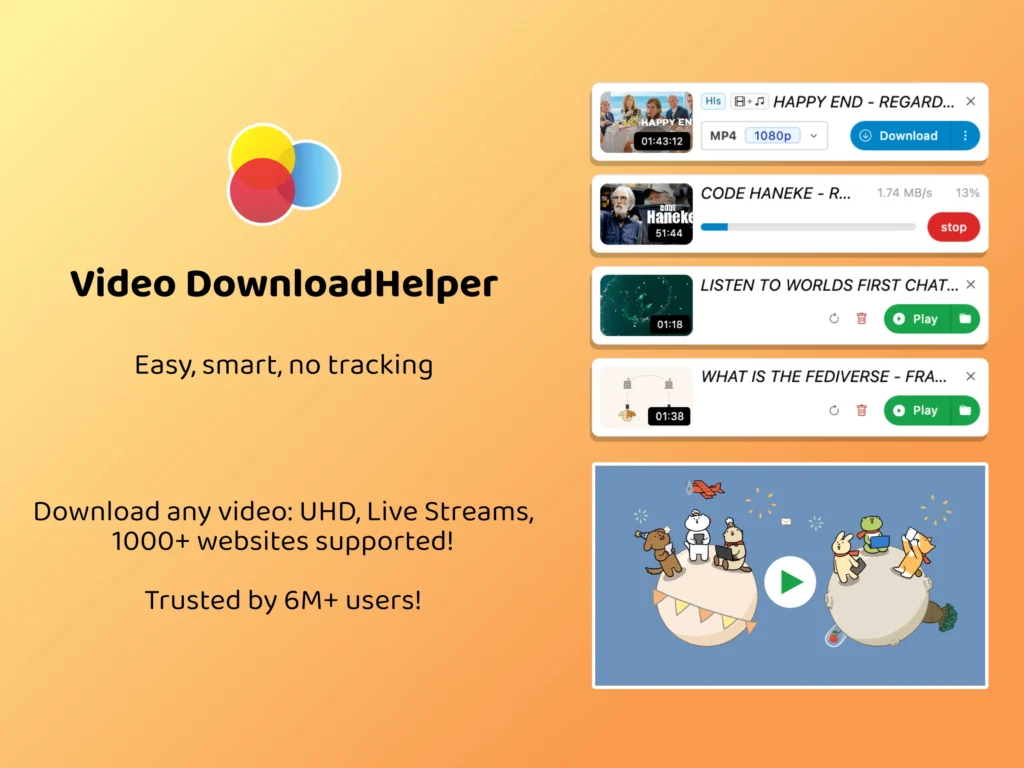
How to Use Video DownloadHelper
Step 1. Install Video DownloadHelper from the Chrome Web Store or Firefox add-ons. Search “video downloadhelper” or go to v10.downloadhelper.net directly.
Step 2. Open the Pornhub video you want to download and let it play for 3–5 seconds. The VDH icon in your toolbar will turn from grey to colorful — that means it has detected a downloadable stream.
Step 3. Click the VDH icon. You’ll see a list of available formats and resolutions. Select one of the available formats and resolutions. MP4 is usually the most broadly compatible when available.
Step 4. Click the download arrow next to your chosen format. The file saves to your default Downloads folder.
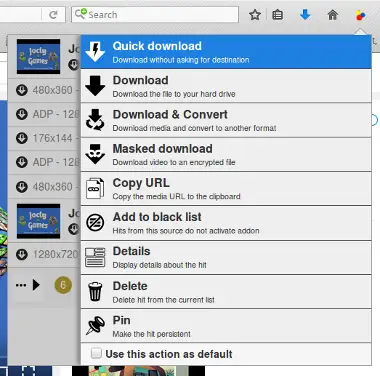
If the icon stays grey, try refreshing the page and letting the video buffer for a few more seconds before clicking. Some videos require a brief playback period before the stream is exposed.
Method 3. How to Download Pornhub Videos on Mobile Devices
On Android and iPhone, start with a browser-based downloader before installing an APK or third-party Shortcut. Browser-based methods require fewer permissions and are easier to remove if they stop working.
1. For Android Users: Best App for Downloading Porn Videos
We prioritize apps that are reliable, support various qualities, and have a good track record for updates.
Vidmate
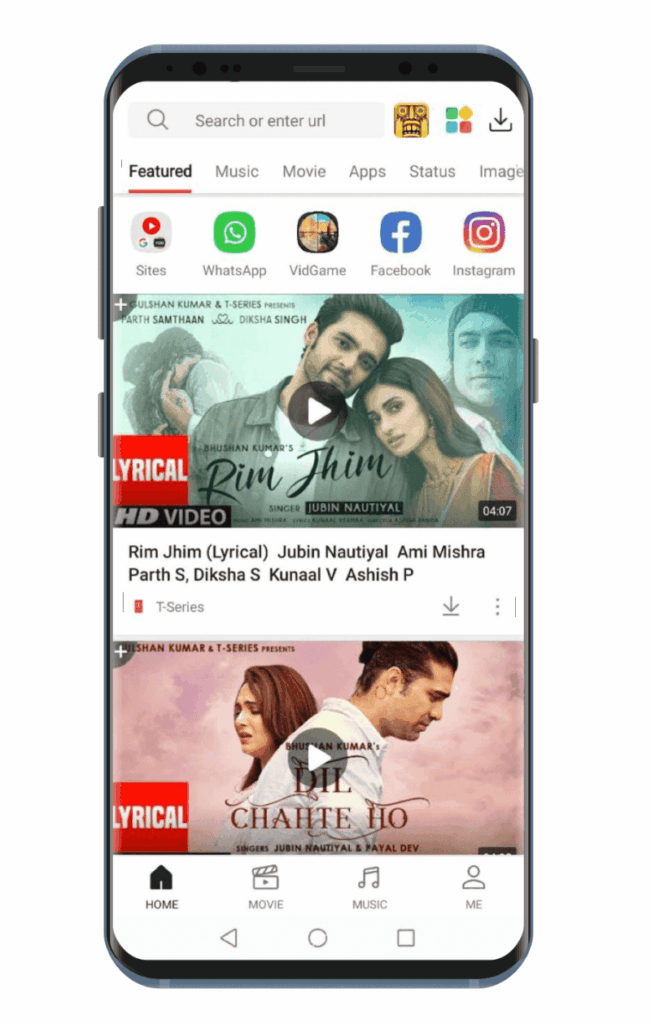
Vidmate is a widely recognized third-party app for Android that allows you to download videos from numerous platforms, including Pornhub. It supports batch downloads and various qualities.
- Pros: Supports batch downloads, offers multiple quality options, user-friendly interface.
- Cons: Not available on Google Play Store (must download APK), potential for ads, always verify download source for safety. In our use, VidMate remains a practical Android option, but because it is distributed outside Google Play, the download source and requested permissions should be checked carefully.
How to Use Vidmate on Android:
Step 1: Safely Download and Install Vidmate: Since it’s not on Google Play, visit the official Vidmate website (search “Vidmate official site”) to download the APK file.
Step 2: Copy the link of the Pornhub video you want to download from your mobile browser.
Step 3: Open the Vidmate app, paste the video link into its search bar, and tap the download button.
Step 4: Select your desired resolution and format, then confirm the download. You can download pornhub videos on android directly to your phone’s storage.
2. For iOS Users: Browser-Based Solutions for iPhone
Reliable dedicated Pornhub downloader apps are difficult to find on iPhone, so browser-based tools and Shortcuts are often more practical. One method we found practical is the Chrunos Multi Downloader Shortcut, although third-party Shortcuts can change or stop working over time.
The shortcut is called Chrunos Multi Downloader (also listed as PN Ripper on RoutineHub). It’s free, and once installed it saves videos straight to your Photos app — no middle apps, no online downloader inside a file manager.
How to set it up:
Step 1. Open Safari on your iPhone and search for “Chrunos Multi Downloader RoutineHub” to find the shortcut page, or go to routinehub.co directly.
Step 2. Tap “Get Shortcut.” Your iPhone will ask if you want to add it, tap Add Shortcut.
Step 3. The first time you run any third-party shortcut, iOS may prompt you to allow untrusted shortcuts. Go to Settings → Shortcuts → toggle on “Allow Untrusted Shortcuts” if prompted.
Step 4. Open Pornhub in Safari, find your video, and copy the URL.
Step 5. Run the Chrunos Multi Downloader shortcut from your Shortcuts app. Paste the URL when prompted. The shortcut will ask to connect to its API server — Review the permission request and allow only the access needed for the Shortcut to run.
Step 6. Once the checkmark appears, open your Photos app. The video will be there.
In our view, a video-downloader Shortcut should not need unrelated permissions such as Contacts, Location, or Microphone. If it requests them without a clear reason, avoid using it.
Method 4. How to Batch Download Pornhub Videos on Desktop
For higher-quality options, batch downloads, or a more consistent workflow, dedicated desktop software can be more practical than an online downloader. The catch: most good options aren’t free.
Why desktop software works when online tools fail:
Online downloaders parse Pornhub’s video link externally. In our experience, online downloaders can stop working when Pornhub changes how its video streams are delivered or authenticated, while desktop tools with built-in browsers may remain usable more often. Desktop apps with built-in browsers load Pornhub directly, which means they authenticate the same way your browser does. That’s why they’re far more consistent.
Recommended options:
- CleverGet: Built-in browser, auto-detects video on playback, supports 4K and batch download. Free trial available; full version is paid.
- StreamFab Downloader: Strong 4K support, also handles VR content. Paid, with free trial.
Let’s take CleverGet as an example to show you how to use it to download a Pornhub video:
Step 1. Download and install CleverGet from its official website.
Step 2. Open CleverGet and navigate to Pornhub.com using its built-in browser.
Step 3. Find and play the video you want. CleverGet will automatically detect the stream and show a download prompt.
Step 4. Select your quality (up to 4K if available), choose MP4 format, and click Download. The built-in download manager shows real-time progress.
If you’re archiving VR content, set your output container to MKV in settings. MP4 sometimes strips spatial metadata that VR headsets need.
Pornhub Downloader Not Working? Here’s How to Fix It
One common reason downloaders stop working is that Pornhub changes how video streams are delivered or authenticated. In our experience, browser-based download sites tend to break more often after these changes than tools that detect streams directly in the browser.
Here’s what to try, in order:
1. Switch tools first: If SavePorn or Yes Downloader is returning blank results, try Video DownloadHelper (browser extension) — it loads Pornhub directly through your browser instead of parsing an external link, so it’s less affected by CDN changes.
2. Check the video URL: Make sure you copied the full URL from the address bar, not a share link or shortened URL.
3. Change your VPN server: A 403 error can have several causes. In some cases, changing your IP by switching VPN servers may help, but if the problem continues, try another downloader or reload the original video page.
4. Clear your browser cache: In our experience, clearing the browser cache or restarting the session can sometimes resolve temporary downloader errors.
5. Use desktop software as a last resort: Tools like CleverGet use a built-in browser to load Pornhub natively, which means they authenticate exactly like a real user, making them far more resilient to CDN changes.
Is It Legal and Safe to Download Pornhub Videos?
Short answer: It depends.
Download only videos you own or have permission to save, and follow Pornhub’s current terms as well as applicable copyright law.
Personal use does not automatically make a download legal or qualify it as fair use. Copyright laws and exceptions vary by country, so check the rules that apply where you live.
Pro Tip: Use a reliable VPN and ensure your download tool is safe and ad-free. We’ll show you how.
Key Considerations
- Legal Risks: Downloading copyrighted content may be illegal. Know your local laws—this guide is for educational purposes only.
- Avoid Malware: Use trusted download tools and antivirus protection to stay safe.
- Use a VPN: A VPN can add network privacy by masking your public IP and encrypting traffic between your device and the VPN server, but it does not make an unsafe downloader trustworthy.
- Storage Space: HD videos require significant storage—check your device’s capacity beforehand.
Use BearVPN to Protect the Pornhub Download Connection
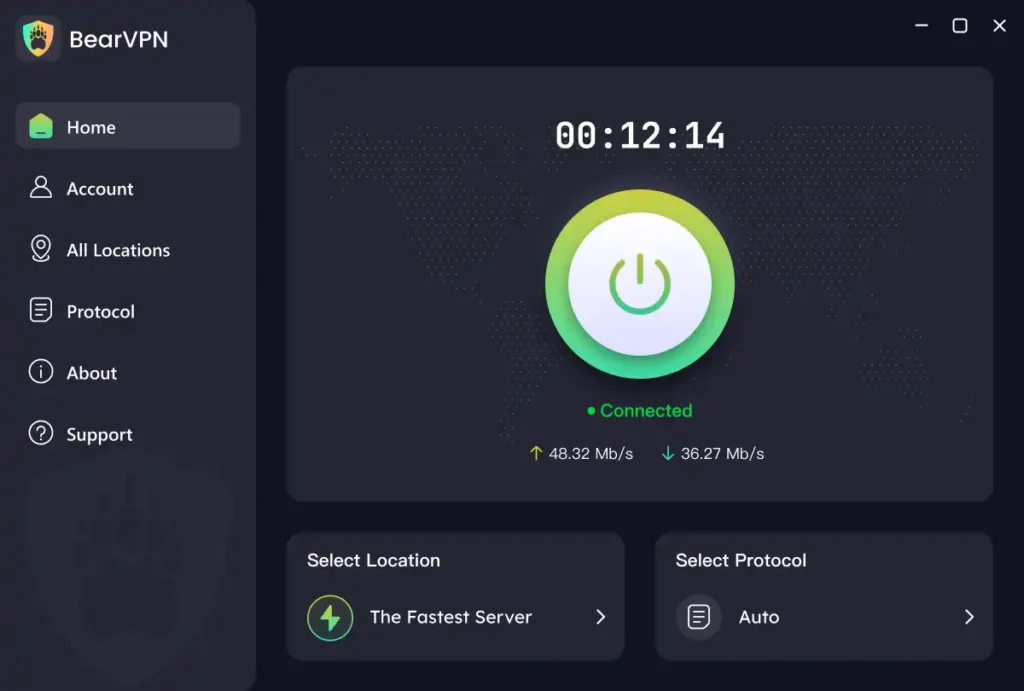
A VPN is not a video downloader, malware scanner, or copyright licence. Its job here is to protect the network path: BearVPN masks the public IP exposed to Pornhub and the downloader, and encrypts supported traffic between the device and the VPN server.
On Android and iOS, BearVPN offers a limited no-sign-in experience with ads and one route; server selection requires paid access. Windows and macOS require a subscription. Features and available routes can vary by platform.
What BearVPN Can Do During the Download
- Mask the public IP used for the transfer.
- Encrypt traffic on public or shared Wi-Fi.
- Let you test another server when a 403 error is IP-related.
- Keep DNS/IP leak protection and Kill Switch available where supported.
Do not confuse connection privacy with file safety. BearVPN cannot verify an online downloader, remove malware from an APK or extension, guarantee faster downloads, or make an unauthorized copy legal.
Conclusion
Downloading a permitted video kills buffering and keeps it available when the connection disappears—but the wrong tool can turn one saved file into a device compromise. Verify the downloader, reject suspicious permissions and redirects, and scan unexpected files before opening them.
Once the tool is trustworthy, use BearVPN to mask the public IP and encrypt the transfer connection. It will not clean a malicious file or grant download rights, but it stops the network path from being the weakest part of the process.
Ready to protect the connection before the next download starts?
FAQ
Official download availability varies by video and account. The third-party methods in this guide may provide additional options for supported videos.
In our experience, browser extensions from official stores generally provide a cleaner workflow than ad-heavy download sites, but every tool should still be checked for permissions, redirects, and unexpected downloads. A VPN can mask your public IP and add network privacy, but it cannot protect you from malicious ads, unsafe files, or excessive app permissions.
The App Store has no reliable Pornhub downloader apps — Apple’s review process blocks them. The method that works in 2026 is the iOS Shortcut approach: install the Chrunos Multi Downloader shortcut from RoutineHub, copy the video URL from Safari, and run the shortcut. The video saves directly to your Photos app with no third-party apps or file managers needed.
The link may be incomplete, the video may be private or restricted, or Pornhub may have changed how it delivers video streams. Copy the full URL from the address bar, let the video play for several seconds, refresh the page, and try another download method. If an online downloader fails, try a browser extension or reputable desktop downloader.


![How to Change YouTube TV Location [Still Works in 2026]](/_next/image/?url=https%3A%2F%2Fcms.bearvpn.com%2Fwp-content%2Fuploads%2F2026%2F06%2Fhow-to-change-location-youtube-tv.webp&w=640&q=75)



