


An OmeTV ban can kill the chat without warning and leave you staring at a timer, ban ID, or useless error message. Do not panic, pay a random “unban expert,” wipe your phone, or start manufacturing new accounts.
Start with the evidence on the screen. The wrong fix can turn one restriction into a longer lockout: changing networks will not overturn a moderation decision, while repeatedly reinstalling the app will not repair an ordinary ISP or connection failure. Diagnose first, then use the route that can actually reach the problem.
You may also like: Best OmeTV alternatives 2026
What Kind of OmeTV Ban Do You Have?
The hard truth: changing an IP is not the same as being unbanned. OmeTV’s terms allow it to block IP addresses and prohibit attempts to circumvent its technical measures. If a ban ID or moderation state follows you, stop switching servers and use the official route.
Why OmeTV Bans Users
Before diving into the solutions, it is necessary to understand why bans happen. OmeTV employs both automated AI monitoring and human moderators to maintain a safe environment. A ban is usually triggered by a violation of their strict community guidelines.
Common reasons for OmeTV bans
- Inappropriate Behavior: Nudity, obscene gestures, or sexual content are the fastest ways to get a permanent ban.
- Verbal Abuse: Harassment, hate speech, or using profanity in the text chat can trigger a block.
- Spamming: Sending the same message repeatedly or promoting external advertising or phishing links is strictly prohibited.
- Age Restrictions: OmeTV is intended for 18+ only. If the AI suspects you are a minor, or if a minor appears in your camera frame, it will ban you instantly for OmeTV safety concerns.
- User Reports: If multiple people report you, the system may automatically flag and ban your IP.
- AI Recognition Error: Sometimes the AI algorithm may mistakenly recognize your behavior as risky.
How to Get Unbanned from OmeTV – 3 Methods
There are 3 effective ways you can try to recover your OmeTV account, including using a VPN, resetting your device ID, or appealing the banned account. The effectiveness of each method depends on how you get banned from OmeTV.
Comparison of the 3 Methods to Get Unbanned from OmeTV
Method 1. Use a VPN to Hide Your IP Address
This is the most reliable and popular method. OmeTV primarily identifies users by their IP address. When you get banned, your specific IP is blacklisted. A VPN routes your internet traffic through a server in a different location, assigning you a new IP address that isn’t on OmeTV’s blacklist.
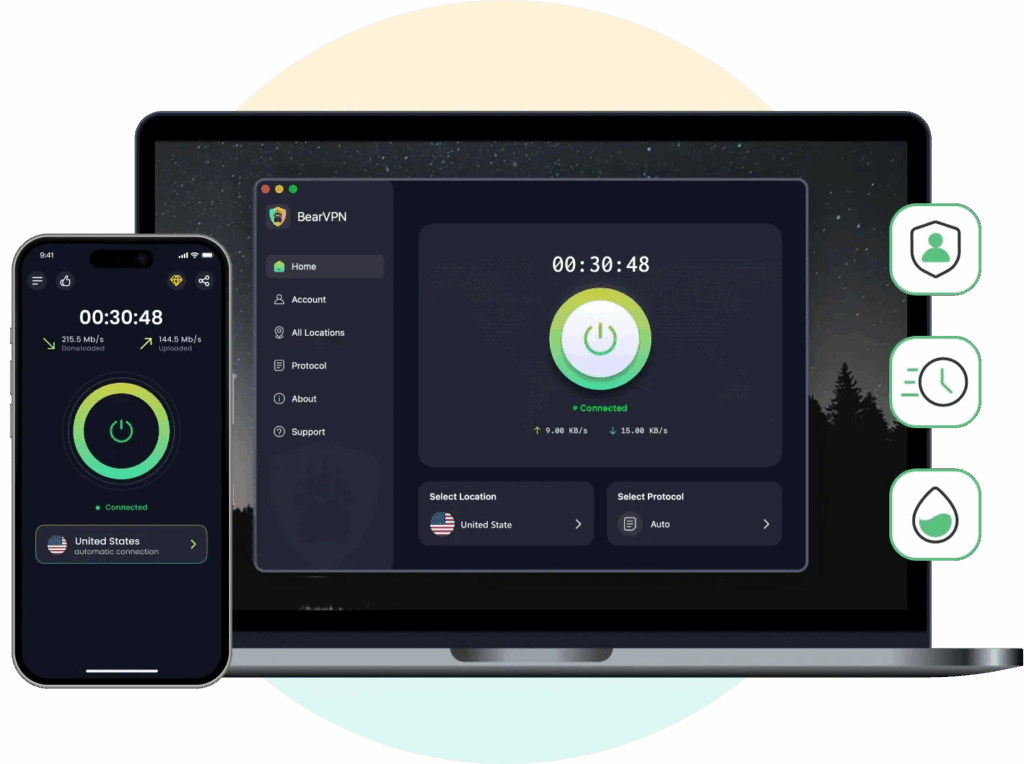
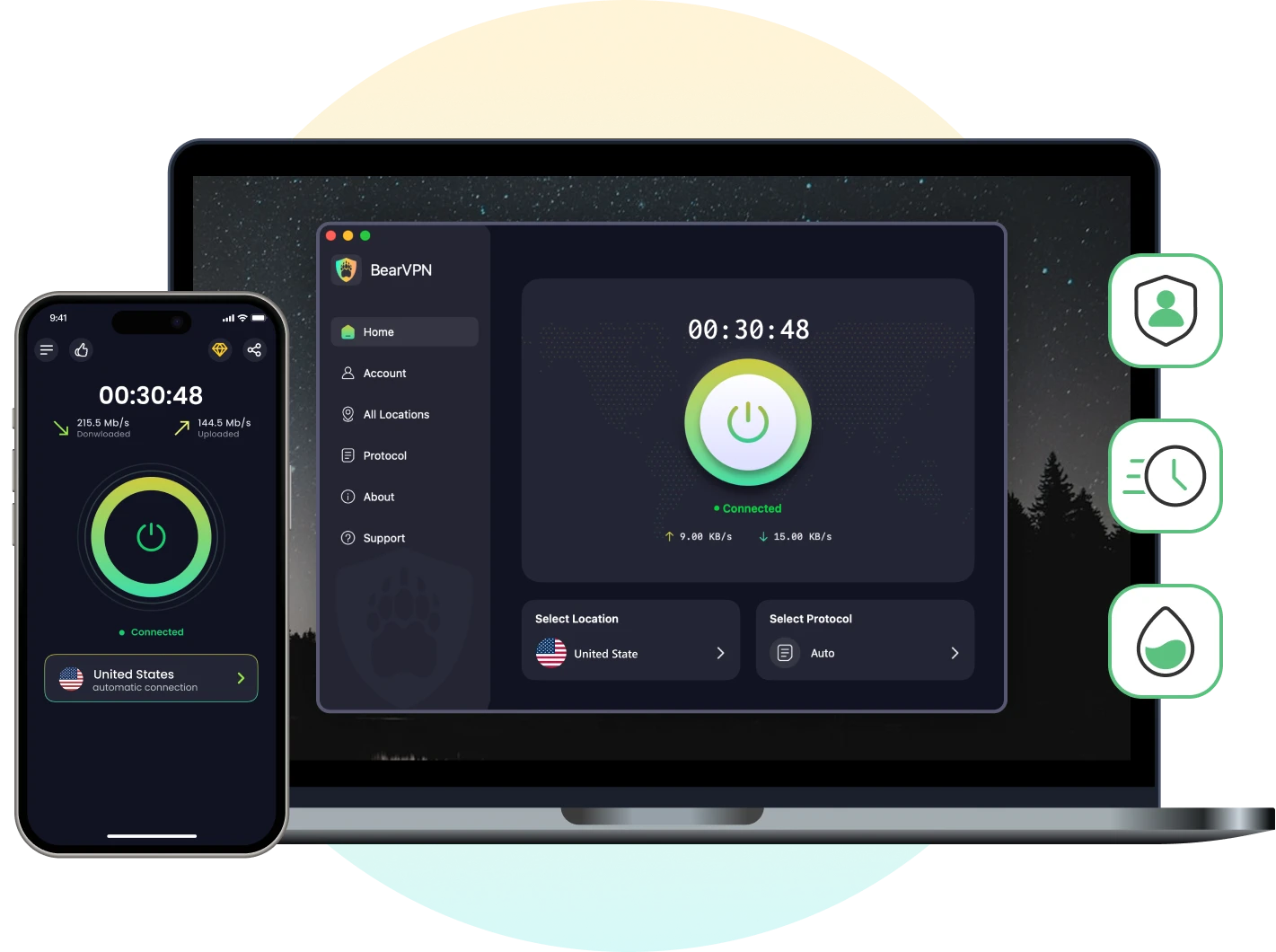
BearVPN is the best free VPN for OmeTV that you can try to mask your original IP address directly. With 2000+ servers in more than 50 locations, bearVPN ensures a fast and stable connection when you chat on OmeTV. Moreover, the advanced encryption protocol will protect your online privacy, which prevents hackers or strangers from accessing your sensitive data.
Benefits of using BearVPN:
- 100% hide your IP address to ensure an anonymous connection.
- Enjoy unlimited data on your Android, iOS, Windows, and Mac computers.
- Strict no-log policy to prevent any online records.
- One-click connect to worldwide servers without complicated techniques.
- Use one account on up to 10 devices simultaneously.
Step-by-Step Guide to Use BearVPN:
Step 1. Download and install on any of the supported devices.
Step 2. Clear your browser’s cookies and cache, or the app’s cache on your mobile, to remove any stored location data.
Step 3. Open the BearVPN app and connect to a server.
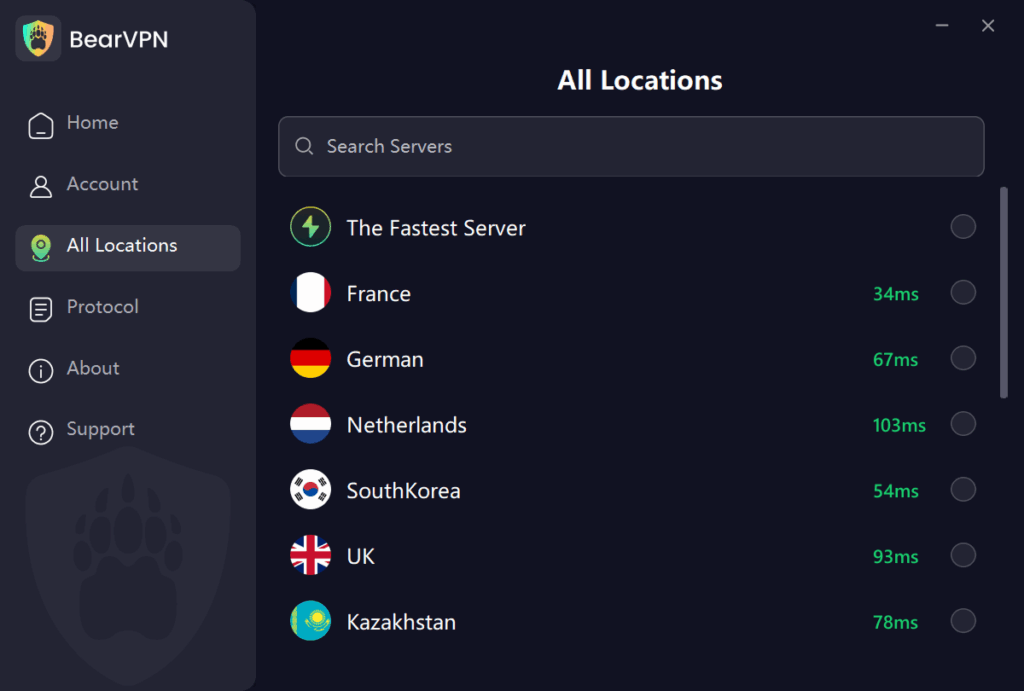
If you want faster speeds, choose a server close to your real location. You can define the server by the ping value.
Step 4. Open the OmeTV app and start chatting as a new user. If you are using a browser, you can also log in to your account in incognito mode.
In very few cases, the ban screen shows after connecting to a VPN server. It might be that OmeTV has flagged both your IP address and the device ID. You can proceed to Method 2 and combine it with the BearVPN solution.
You may also like: How to fix OmeTV not working with VPN
Method 2. Reset Your Device ID
Once OmeTV has banned your device ID, it will block the unique code linked to your phone, computer hardware, or your browser cookies. Then you can try to reset these identifiers to appear as a completely new device. Here’s how:
For Android Users
Step 1. Go to Settings > Apps > OmeTV > Storage and tap Clear Data and Clear Cache.
Step 2. Go to Settings > Google > Ads > Reset advertising ID.
This generates a new profile for ad tracking, which OmeTV sometimes uses to identify repeat users.
Step 3. Uninstall OmeTV and reinstall it from the Play Store. Then log in to your account.
For iOS Users
Apple doesn’t provide an option to clear the cache on iOS devices directly. You should reinstall the app to reset the device ID.
Step 1. Remove OmeTV completely. Then install it from the App Store.
Step 2. If you have enabled iCloud sync on your device, you may also need to factory reset your iPhone to get a new unique identifier because iCloud Keychain might have remembered you.
You should back up your iPhone before factory resetting, and do not restore from a backup immediately. This might restore the banned ID.
For PC / Web Browser Users
Step 1. Press Ctrl + Shift + Delete in your browser and clear cookies, cached images, and site settings for all time.
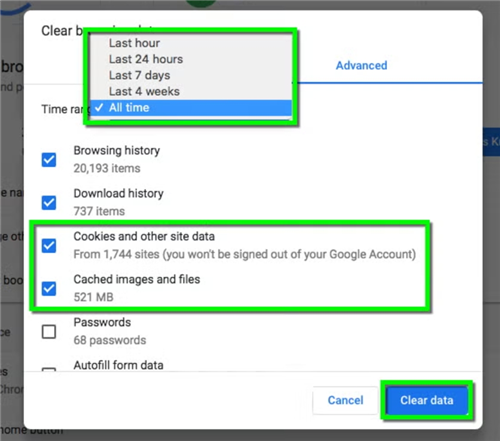
Step 2. Use a different browser from which you have been banned, as OmeTV tracks browser fingerprints. Switching browsers changes this fingerprint.
Method 3. Appeal Your Ban
As we have mentioned above, some bans happen when the AI recognition mistakenly. If this is the case, you can try to appeal. This is the official unban method, but it can be very slow. This method works best for:
- Users who believe their ban was a mistake or overly harsh.
- Users who want to avoid the risk of being banned again for “evasion”.
- Temporary bans that may be lifted after a short review.
Here’s how to appeal:
Step 1. Prepare the materials that identify your legal actions on OmeTV.
Step 2. Contact the OmeTV support team on the website or inside the app. Submit the evidence to them.
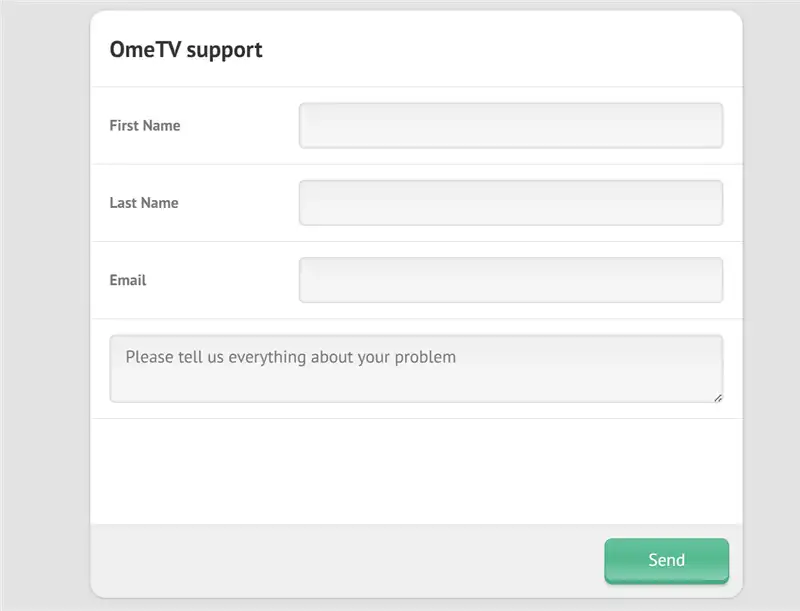
Step 3. Wait for their reply patiently. It may take days or weeks for a response.
You can also send an email directly to contact@ome.tv with your account ID or linked phone number, and a polite explanation of the account ban situation.
This method is available for a confirmed wrong ban. If you were banned for a serious violation, you likely won’t receive a reply.
- Connect through a nearby BearVPN server.
- Protect live video traffic with AES-256 encryption.
- Compare the connection, then stop if OmeTV shows a real ban ID.

BearVPN can troubleshoot an ISP, DNS, or routing problem. It cannot remove or circumvent an OmeTV moderation, account, device, IP, or age restriction.
How Long Does an OmeTV Ban Last?
OmeTV does not publish one universal ban duration. The most reliable answer is the timer or expiry information on your own ban screen. Duration may depend on the reported behavior, complaint history, moderator decision, and whether the restriction is temporary or permanent. If no expiry appears and you believe the decision is wrong, contact OmeTV with the ban ID instead of trusting a third-party duration chart.
How to Avoid Future Bans on OmeTV
Since the bans are common in OmeTV, prevention is better than cure. Here are some tips you should acquire when using the OmeTV platform.
- Obscene language, insults, threats, discrimination, or rude gestures.
- Nudity, underwear, sexual gestures, suggestive language, or camera angles focused below the chest.
- Pointing the camera at screens, photos, text signs, games, or altered/virtual video.
- Covering the face, using masks, avatars, filters, webcam emulators, or prerecorded content.
- Advertising, repeated messages, external links, engagement manipulation, or spam.
- Multiple complaints in a short period; OmeTV says this can trigger an automatic ban.
- Underage use; OmeTV currently permits adults only according to the legal age in their country.
OmeTV’s rules are brutally literal: an accidental violation is still a violation, and a brief violation can still trigger a ban. Keep your face visible, stay fully dressed, control everything inside the camera frame, and disconnect before stepping away.
Conclusion
Getting unbanned from OmeTV is possible, but requires the right approach. While using a reliable VPN is the fastest and most effective solution for most IP-based bans, stricter bans may require you to reset your device ID or switch browsers. Always remember that the best way to protect account security is to respect the community guidelines. Additionally, it’s better to hide your IP with BearVPN and keep your online chatting privacy without interruption. Download BearVPN now and unban yourself from OmeTV hassle-free.
- RAM-only Diskless Servers
- DNS Leak Protection
- Double VPN
- Ultra Fast & Stable for Online Chats
FAQs About OmeTV Ban
No, the incognito mode only prevents your browser from storing new history and cookies. It does not hide your IP address. However, using Incognito mode in combination with a VPN is highly recommended because it ensures no old cookies reveal your identity to OmeTV.
OmeTV may display an official paid removal option for some bans, but availability and price can vary. Trust only the option shown inside the official OmeTV service. Do not publish a fixed $10–$15 figure without current evidence, and never pay a third-party “unban agent.”
Generally, the OmeTV soft ban duration lasts from 2 hours to 7 days. However, if you have severely violated the rules, you might be permanently banned from both your IP address and your device.
Only OmeTV can overturn its moderation decision. Send one clear appeal containing the ban ID, exact reason, device details, screenshot, and factual explanation. Do not promise success: OmeTV publishes a contact route but no guaranteed appeal outcome.
No. A VPN only helps if your ban is mainly IP-based. If OmeTV also blocked your device ID or account, changing your IP alone may not work. In those cases, you may need to combine a VPN with a different device, browser profile, or a new account.
If you don’t get a response after 5–7 days:
*Send one polite follow-up email referencing your original message and including your details again (ID, date/time of ban, etc.).
*Make sure you used the correct, official support contact and not a third‑party form.
If there’s still no reply, you may need to consider other options (like using a different device or IP), but be aware that repeatedly trying to evade bans can lead to new restrictions.
Technically, you can create a new account, but OmeTV may link it to your previous one via IP, device, or behavior patterns. If you’re banned for serious violations, creating new accounts to bypass the ban may violate their terms and could lead to further bans. The safer approach is to appeal first and, if allowed, use a new account only after your issue is resolved.


![How to Change YouTube TV Location [Still Works in 2026]](/_next/image/?url=https%3A%2F%2Fcms.bearvpn.com%2Fwp-content%2Fuploads%2F2026%2F06%2Fhow-to-change-location-youtube-tv.webp&w=640&q=75)



