Google Drive movie links can appear in ordinary Google results, Reddit discussions, Telegram channels, forums, or links shared directly by a file owner. The fastest search is site:drive.google.com "movie title", but it only surfaces pages Google has indexed—it does not search every private Drive or reveal files that were never made discoverable.
A Drive link gives you technical access, not automatic permission to copy or redistribute the movie. Use these methods for your own files, public-domain films, open-licensed works, or content the owner has authorized you to view or download. The sections below keep the original search, playback, download, storage, privacy, and troubleshooting detail in one workflow.
You may also like: How to fix “This video is currently unavailable”
Use authorized links: Only stream, download, or share a movie when you own it, have permission, or the licence allows that use. Public visibility alone does not remove copyright.
Method 1: Find Google Drive Movie Links with Google Search
Google Search is the quickest place to start because it can surface Drive files or folders that owners made public and that Google indexed. It cannot reveal a Restricted file, and an Anyone with the link file may not appear unless its URL has already been published on an indexable page.
1. Basic Google Search for Drive Links
To begin, open your preferred web browser and go to Google.com. In the search bar, you can type a movie title followed by “Google Drive” or “GDrive.”
Start with the title, release year, and one Drive keyword:
"movie title" "Google Drive""movie title" GDrive"movie title" "drive.google.com""public-domain movie title" Google Drive
Add the year when multiple films share the same name. Quotation marks force Google to keep the title together and usually reduce unrelated Docs, reviews, and trailers.
2. Use site:drive.google.com Movie Searches

For more precise and effective results, leverage Google’s advanced search operators to filter for publicly accessible Google Drive links. These commands allow you to pinpoint shared movie files more accurately.
Copy one of these queries into Google and replace movie title with the exact title you want:
- Exact Drive-domain search:
site:drive.google.com "movie title"
Limits results to indexed pages on Google Drive.
- Drive URL search:
inurl:drive.google.com "movie title"
Finds indexed pages whose URL contains the Drive domain.
- Title-focused search:
intitle:"movie title" site:drive.google.com
Prioritizes Drive results carrying the title in the indexed page title.
- Video-file search:
site:drive.google.com filetype:mp4 "movie title"
Can narrow results toward indexed MP4 files, although Drive pages are not always labelled with a searchable file type.
- Reddit-hosted Drive links:
site:reddit.com "drive.google.com" "movie title"
Searches indexed Reddit pages that mention both the title and a Drive URL.
Combine the title with a year, language, edition, or legitimate source name when the result set is noisy. For example: site:drive.google.com "public-domain title" 1936.
Tips for Effective Search & Discovery
- Be Specific: The more precise your search query, the better your results.
- Try Variations: If a direct search doesn’t yield results, try variations of the movie title or common abbreviations.
- Include Genre/Year: Adding a genre (e.g., “sci-fi movies Google Drive”) or release year can help refine your search.
- Look for Collections: Sometimes users share entire folders or Google Drive movie collection links. Try searching for terms like “movie collection,” “film library,” or specific genre collections alongside site:drive.google.com.
Read the permission screen before trusting the result. You need access means the file is Restricted; request access from the owner rather than looking for a workaround. A preview page with no Download option may mean the owner disabled downloading for viewers.
Method 2. Finding Google Drive Movies via Online Communities
Beyond direct Google searches, various online communities serve as hubs where users share links to movies hosted on Google Drive. These can be excellent resources for finding films that might be harder to locate otherwise.
1. Reddit: The Community Hub for Google Drive Movie Links
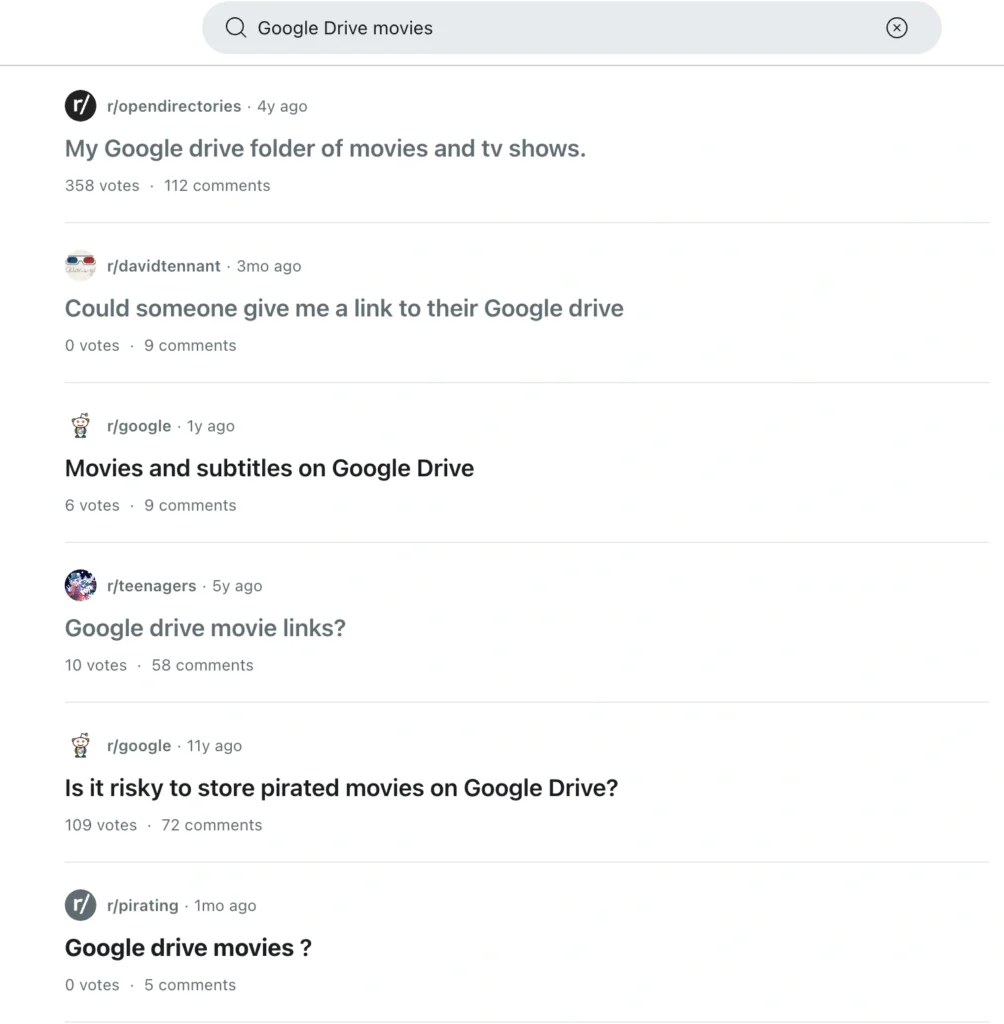
Reddit can reveal recent Drive links and discussions that a plain site:drive.google.com search misses. Links disappear quickly, subreddits change rules, and high-traffic files often hit Google’s temporary viewing limit, so search current posts instead of relying on a permanent “best subreddit” list.
Use Google for the widest indexed search:
site:reddit.com "drive.google.com" "movie title"site:reddit.com/r/opendirectories "movie title"site:reddit.com "Google Drive movies" "genre"
Or use Reddit’s own search:
- Search the exact title plus
Google Drive,GDrive, ordrive.google.com. - Sort by New when you need a recent working link.
- Sort by Top to find established discussions, then check whether the link still works.
- Read comments for reports of access requests, wrong files, low quality, redirects, or malware warnings.
- Confirm the final hostname is
drive.google.combefore signing in to Google.
Keep r/OpenDirectories only as a discovery example, not as an endorsement of every link. Delete the claim that r/MovieSuggestions routinely shares direct Google Drive movie links; that community is primarily for recommendations, and direct file sharing may violate community rules.
2. Telegram: Large Files, Larger Collections of Google Drive Movies
Telegram is a popular messaging app renowned for its robust file-sharing capabilities, making it a significant platform for Telegram movie channels Google Drive and groups. These communities can be a fantastic resource for finding niche or rare movies.
- Telegram Channels vs. Groups:
- Channels: Primarily one-way broadcasts from admins to subscribers, often used for sharing curated lists of links.
- Groups: Allow two-way communication, enabling discussions and requests among members.
- How to Join Telegram Movie Groups / Channels:
- Use Telegram’s internal search function with keywords like “Google Drive movies,” “movie links,” or specific genres.
- Search engines can also help you find public Telegram channels and groups.
- Trusted Telegram Groups for Google Drive Movies:
- Choose active communities carefully: Prefer channels with a visible posting history, consistent admin identity, clear rules, and comments that expose dead or redirected links. Leave immediately if a bot demands payment, a seed phrase, remote-access software, or a Google password before revealing a Drive link.
3. Exploring Other Platforms for Google Drive Links
While Reddit and Telegram are prominent, you might occasionally find Google Drive movie collection links on other platforms like:
- Discord Servers: Some private Discord servers are set up for file sharing.
- Niche Forums & Blogs: Dedicated movie forums or specific blogs might share links, often with discussions around them.
When using any third-party platform for finding links, the risk of encountering malicious content increases. Always proceed with extreme caution and follow the safety tips outlined later in this guide.
Reddit, Telegram, and public Drive pages can be blocked by the network you are using. Connect BearVPN before you search to change your visible IP location, encrypt the route, and get back to the movie-link sources your local network keeps closing off.
How to Watch Movies on Google Drive
Once you’ve found a movie link on Google Drive, watching it is usually straightforward.
1. Streaming Movies Directly from Google Drive
Google Drive offers a built-in media player for direct streaming of many common video formats.
Step-by-Step Guide to Streaming Movies:
- Open the Link: Click on the Google Drive link that leads to the movie file.
- Preview the File: Google Drive will typically open a preview window.
- Click Play: If the movie is in a compatible format, a play button will appear. Click it to start streaming.
Supported playback: Google lists WebM; MPEG4/MP4, 3GPP, and MOV with supported H.264/MPEG4 and AAC codecs; AVI with MJPEG/PCM; MPEGPS; WMV; and FLV. Not every codec works on every device, so two files with the same extension can behave differently. Drive’s current maximum playback resolution is 1920 × 1080, although the stored upload can be higher resolution.
For smoother playback: Use a stable connection, close other bandwidth-heavy apps, and allow a newly uploaded video time to finish processing. If a shared link buffers only on the current school, office, hotel, or ISP network, switch routes with BearVPN and retry.
2. Using External Players & Apps for Google Drive Movies
Use an external player when Drive cannot decode an authorized file or when you need stronger subtitle and codec support. The most reliable workflow is to download the permitted file through Drive first and open the local copy; do not paste private, tokenized, or account-only Drive links into an unknown third-party player.
Best Media Players for Google Drive Movies:
- VLC Media Player: Free and available on Windows, macOS, Linux, Android, and iOS, with broad local-format and subtitle support.
- MX Player: A common Android option for locally downloaded video formats and subtitles.
- nPlayer: An iOS media player with broad format and network-storage support; review its current cloud permissions before connecting an account.
Watching on a TV: If the Drive player or trusted media app exposes a Cast/AirPlay option on your device, use it. Otherwise download the authorized file and play it through a supported TV app, media server, or HDMI connection. Do not promise that every Drive link can cast directly.
Troubleshooting Common Playback Issues
Encountering issues like buffering or “video unavailable” messages is common. Here’s how to address some Google Drive movie playback issues:
- “Too many users have viewed or downloaded this file recently”: Google says this is a temporary high-volume restriction and it typically resets within 24 hours. Try again later. If you have permission to view and copy the file, open it from Shared with me, choose Make a copy, find the copy in My Drive, and play or download that copy. Do not use this method to evade an owner’s permissions.
- Unsupported File Format: If Google Drive’s native player can’t play the file, it will prompt you.
- Solution: Download the file and play it with a versatile external player like VLC.
- Buffering Issues:
- Solution: Check your internet connection, reduce video quality if possible, or try downloading the movie first.
If Drive works on mobile data but not on the current Wi-Fi, connect BearVPN and test another route before downloading a second copy.
How to Download Movies from Google Drive
If you prefer to download movies from Google Drive to watch offline or to use with specific software, the process is straightforward once you have the link.
1. Simple Steps for Google Drive Movie Download
- Open the Movie Link: Click the shared link to open the movie file in Google Drive.
- Locate Download Icon: On the upper right corner of the preview window, you’ll typically see a download icon (a downward arrow).
- Click to Download: Click this icon to initiate the download.
- Wait for Completion: The download will begin, and once complete, you can access the movie on your device.
If Download is missing or greyed out, the owner may have disabled downloading for viewers/commenters. Ask the owner for permission; a VPN changes the network route but does not change Drive file permissions.
2. Fix Slow, Interrupted, or Blocked Downloads
Start with Google Drive’s own Download control. Third-party download managers can lose authenticated links, request excessive permissions, or expose a private share URL. Use one only for files you are authorized to download and only after checking the software source and permissions.
- Confirm the owner allows downloads. A hidden button is a permission issue, not a speed issue.
- Allow Drive’s required cookies. Google says blocking third-party cookies can prevent Drive Web from communicating with its secure download server. Add an exception for
drive.google.cominstead of disabling cookie protection everywhere. - Test browser extensions. Temporarily disable conflicting download, privacy, or ad-blocking extensions one at a time.
- Handle the viewer limit. Wait up to 24 hours, or make a copy in your Drive only when Google offers that action and you have permission.
- Change a blocked network route. If the download works on one network but not another, connect BearVPN, select a suitable server, and restart the permitted download.
- Keep the file local for offline playback. On Android or iOS, use the official Drive app’s available-offline option where shown; on Windows/macOS, download the file or use Drive for desktop.
3. Managing Google Drive Storage for Movies
A personal Google Account generally includes up to 15 GB shared across Google Drive, Gmail, and Google Photos. Large movies can consume that shared allowance quickly.
- Understanding Storage Limits: Be mindful of your Google Drive storage limits movies can impose. A single high-definition movie can take up a significant portion of your free allowance.
- Managing Large Files:
- Organize: Create dedicated folders for your movies.
- Delete Old Files: Regularly review and remove movies you’ve already watched or no longer need.
- Compress or re-encode carefully: ZIP/RAR compression usually saves little space on an already compressed movie. Re-encoding with a modern video codec can reduce size, but it takes time and may reduce quality. Keep an original copy until the smaller file has been checked.
- External Storage & Alternatives: If you frequently download movies from Google Drive or store many films, consider:
- External Hard Drives: A cost-effective solution for local storage.
- Other Cloud Storage Services: Services like Dropbox, OneDrive, or specialized media cloud storage offer additional space, sometimes with free tiers or affordable paid plans, providing cloud storage for movies free or at a low cost.
Staying Safe: Privacy & Legal Considerations
While the convenience of finding movies via Google Drive links is appealing, it’s paramount to prioritize your safety, privacy, and be aware of legal implications.
1. Avoiding Scams, Malware, and Phishing Links
When searching for movies on Google Drive or any other platform, always be extremely cautious.
- Signs of Malicious Links:
- Unexpected File Types: A link promising a movie but downloading an .exe, .zip (containing executables), or other suspicious file types.
- URL Redirects: Clicking a link that redirects you through multiple suspicious websites before reaching a Google Drive page.
- Requests for Personal Information: Any Google Drive link asking for your login credentials, personal data, or payment information is a red flag.
- Pop-up Overload: Excessive pop-up ads or new tabs opening when you click a link.
- Protect Yourself:
- Antivirus Software: Keep your device’s antivirus software up-to-date. It can help detect and block malicious files.
- Browser Security Extensions: Use reputable browser extensions that warn about suspicious websites or downloads.
- Know the scan limit: Google says its phishing/malware scanning can fail, has a 100 MB scanning limit, and does not support every file type. A Drive-hosted movie is not automatically safe. Never run an
.exe, installer, browser extension, or script that claims to be a required video codec. - Verify Sources: Only click on links from trusted communities or individuals.
2. Privacy Best Practices When Using Google Drive
- Check the final hostname: A real Drive file should open on
drive.google.comor an expected Google domain. Do not enter a Google password into an imitation page reached through redirects. - Separate Public from link-only sharing: Public files may appear in search.
Anyone with the linkmeans anyone who obtains the URL may open it, while Restricted files require granted access. - Keep edit rights private: If you share your own legal movie file, use Viewer access unless collaboration is necessary. Do not expose edit access publicly.
- Mask the browsing route: Turn on BearVPN before opening unfamiliar Reddit, Telegram, forum, or Drive links. It encrypts supported traffic, masks your public IP, and can bypass local network restrictions on those services.
- Protect the Google account too: Use a unique password and two-step verification. A VPN protects the connection; account security controls protect the Drive login.
BearVPN encrypts your connection and masks your public IP before you open shared movie links. Switch across 2,000+ physical servers in 50+ global locations when a local network blocks Drive, Reddit, or Telegram.
3. Legal & Ethical Considerations of Movie Sharing
- Public does not mean copyright-free: A file appearing in Google or opening without sign-in does not prove the uploader owns distribution rights.
- Use authorized content: Stream or download your own files, public-domain works, open-licensed films, or movies the rights holder has permitted you to access. Copyright remedies vary by country and circumstances.
- Legal Ways to Get Movies:
- Legitimate Streaming Services: Subscribe to official streaming services like Netflix, Hulu, Max, Disney+, etc.
- Digital Purchases/Rentals: Buy or rent movies from platforms like Google Play Movies & TV, Amazon Prime Video, Apple TV, etc.
- Public Domain Films: Some older films are in the public domain and are legal to download and share.
- Personal Content: Uploading your own home videos or legally acquired content to your private Google Drive is permissible.
Conclusion
The fastest way to find Google Drive movie links is to start with site:drive.google.com "movie title", then search indexed Reddit pages with site:reddit.com "drive.google.com" "movie title". Add the release year, language, or edition to remove unrelated results, and remember that Google can only surface public or otherwise indexed pages—not every link-only or Restricted Drive file.
Once you find an authorized link, Drive can stream supported formats, download files when the owner permits it, and temporarily limit high-volume public files. Connect BearVPN before exploring shared links to mask your public IP, encrypt the route, and break through local network blocks on Drive, Reddit, or Telegram. Then verify the hostname, file type, permissions, and viewing rights before you press Play or Download.
FAQs About Google Drive Movies
Open the authorized Drive link, select the file, and choose Download from the preview or right-click menu. If Download is missing, the owner may have disabled it for viewers. Do not use another tool to override the owner’s permission.
Search Google for site:reddit.com "drive.google.com" "movie title", replacing the placeholder with the exact film name and year. You can also search Reddit for the title plus Google Drive or GDrive, sort by New, and read recent comments before opening the link.
Yes, you can. For Google Drive files, simply click the download arrow to download them. For purchased or rented content, use the Google TV app and tap the download button for offline viewing.
You can rent or buy movies on Google TV or YouTube, or stream files directly from a shared Google Drive link using the built-in media player.
Yes, you can use the official Google Drive app’s “Make available offline” feature or use a third-party download manager app compatible with your mobile device.
Google temporarily limits files that receive unusually high viewing or download volume. Google says the restriction typically resets within 24 hours. Wait and retry, or—if you have permission and Drive offers the option—make a copy in your own Drive and use that copy.
It depends. Downloading or streaming copyrighted movies without permission is illegal and can lead to penalties. It is legal to download public domain films, your own content, or content for which you have explicit permission.
MP4 with supported H.264 video and AAC audio is usually the most compatible choice. Drive also supports specific WebM, MOV, AVI, MPEGPS, WMV, FLV, and 3GPP combinations. The extension alone is not enough: an unsupported codec can still prevent playback, in which case download the authorized file and use a trusted local player such as VLC.
Ensure you have a stable internet connection, close other bandwidth-heavy applications, try reducing the video quality (if available), or download the movie first to watch offline.


![How to Change YouTube TV Location [Still Works in 2026]](/_next/image/?url=https%3A%2F%2Fcms.bearvpn.com%2Fwp-content%2Fuploads%2F2026%2F06%2Fhow-to-change-location-youtube-tv.webp&w=640&q=75)