If you have genuinely moved, check Settings → Account Info, use Roblox from your normal connection in the new country, and make sure your Apple App Store or Google Play region is correct. If the location still does not update, contact Roblox Support. A VPN can change your visible IP address and may influence Roblox’s location estimate, but it does not guarantee a permanent change to your Account Location.
Change your visible IP, protect your connection, and connect through a VPN server that fits your location and network needs.
How Roblox Determines Your Account Location
Roblox says it automatically estimates your account’s general regional location from device signals, including your IP address. It does not rely on precise geolocation for this Account Location field, and the result can update gradually rather than immediately.
You can view the detected location under:
- Log in to Roblox.
- Open Settings.
- Select Account Info.
- Find the Account Location field.
Roblox says this location may affect:
- The regional version of the Roblox app you should use
- Default account settings
- The ads shown to eligible users
- Other region-dependent platform experiences
Do not confuse Account Location with your language, phone-number country code, billing information, age, or the physical location of a particular game server. Changing one of those settings does not necessarily change the Account Location displayed by Roblox.
Related Article: Roblox Banned Countries: Is It Blocked In Your Region >
Can You Change Your Country on Roblox?
You cannot normally select an arbitrary country for your Roblox account. Roblox automatically detects and updates Account Location, so the correct process depends on why the displayed country is wrong.
If You Recently Moved
- Open Settings → Account Info and confirm the current Account Location.
- Use Roblox normally from your new country without repeatedly switching networks or VPN regions.
- If you use the mobile app, make sure your Apple App Store or Google Play Store is set to the correct country.
- Allow time for Roblox to update its general regional estimate.
- Contact Roblox Support if the old location remains displayed.
Roblox’s public help page does not promise that Support will manually change the country or specify which residency documents it will accept. Submit only the information Support explicitly requests.
If You Have Not Moved
There is no official method for freely switching Account Location between countries. Changing your IP address may influence one of the signals Roblox sees, but it does not guarantee that the Account Location field, billing region, app version, or regional pricing will change.
Can a VPN Change Your Roblox Account Location?
A VPN changes the IP address Roblox sees, so it can affect one input used to estimate your region. However, Roblox specifically warns that a VPN may reduce Account Location accuracy. It is therefore useful for changing your network route or protecting your connection, but it should not be presented as a guaranteed Account Location editor.
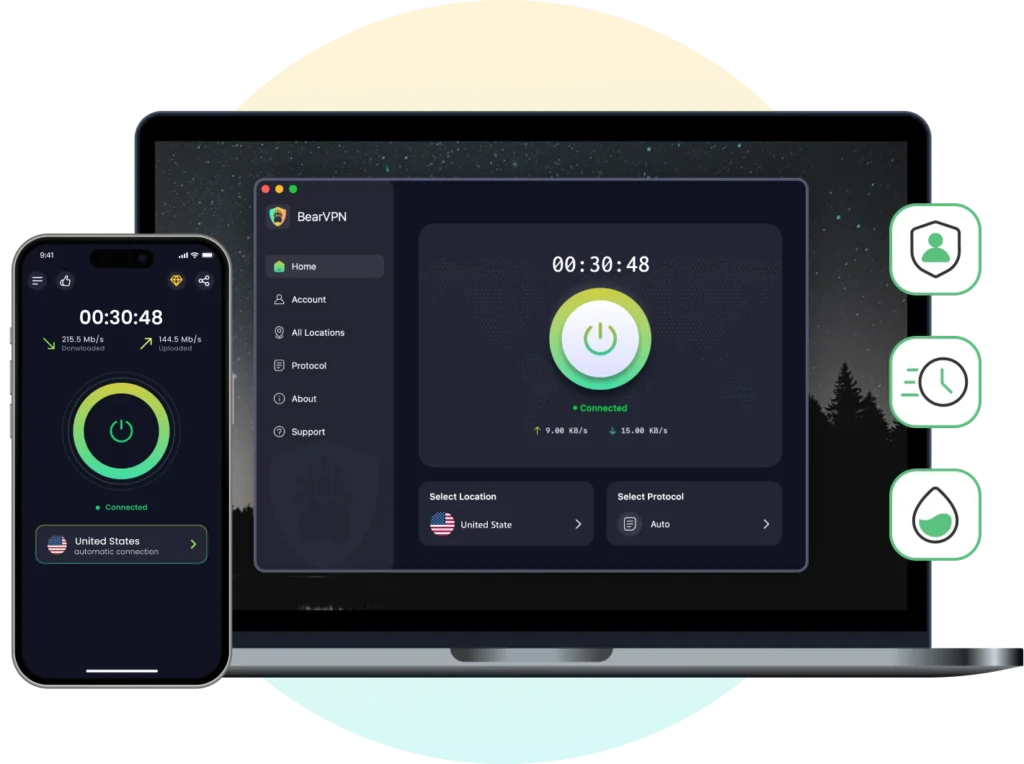
If you use BearVPN while traveling or playing on a restricted network:
Step 1: Download & Install BearVPN
Download BearVPN on the device you use for Roblox. BearVPN is available on Windows, macOS, Android, and iOS.
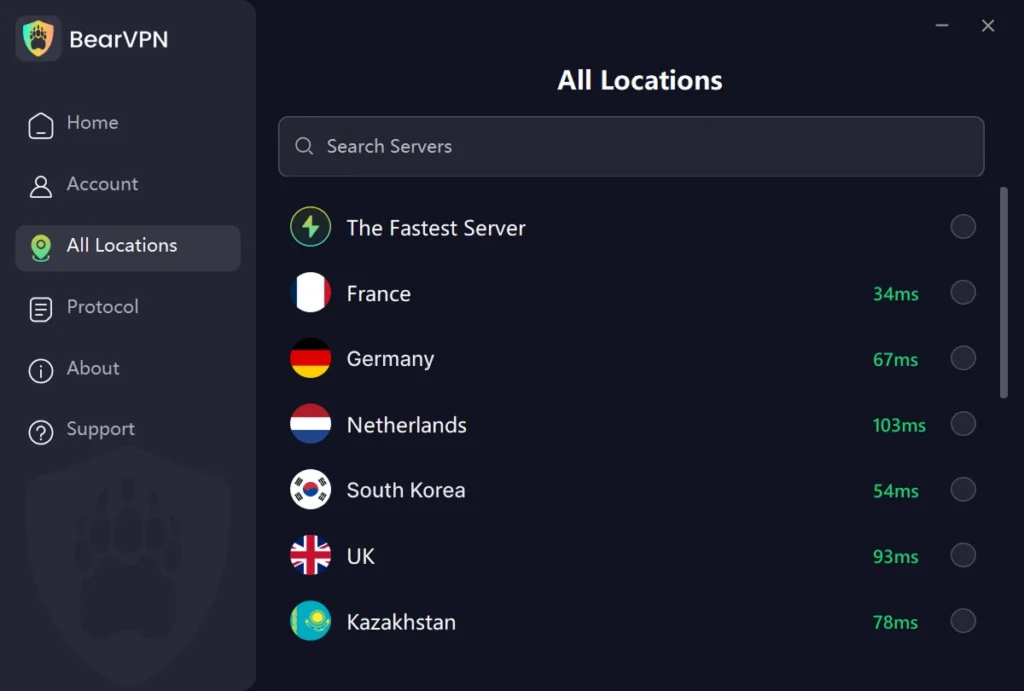
Step 2: Choose an Appropriate Server
Select a server in your actual destination country when available, or choose a nearby location for a shorter route. A distant server can increase latency, so the United States or Singapore should not be recommended to every player by default.
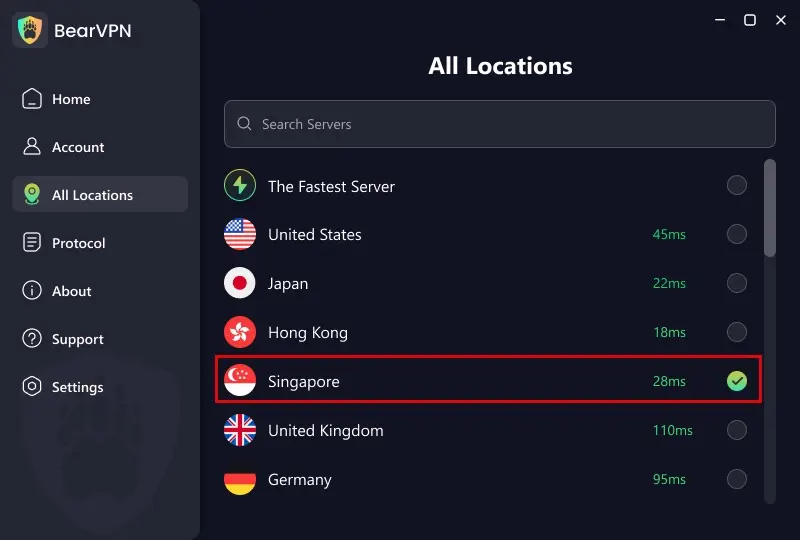
Step 3: Connect Before Opening Roblox
Connect to BearVPN first, then completely close and reopen Roblox. Keep the same server during the session instead of repeatedly jumping between countries.
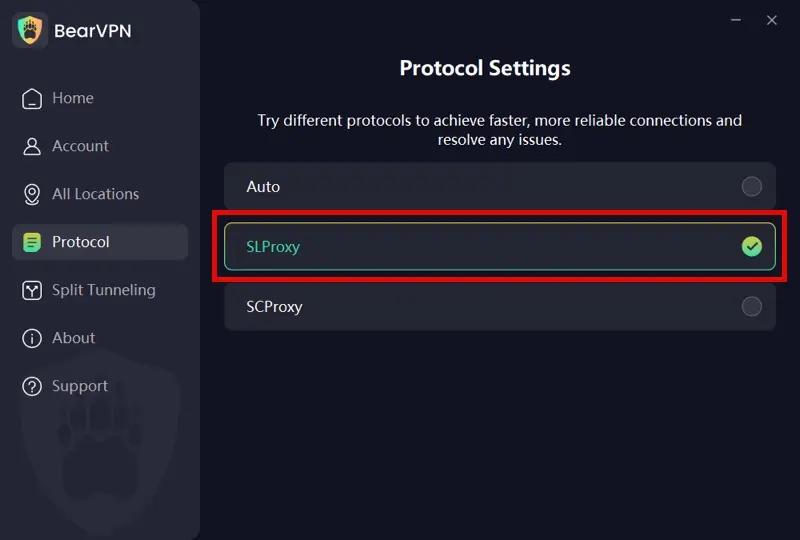
On Windows and macOS, BearVPN supports SLProxy and SCProxy. Android and iOS additionally support Y2Proxy. Start with the automatic or recommended connection mode unless you are troubleshooting a specific network problem.
Step 4: Check Account Info
Open Roblox Settings → Account Info and check the displayed Account Location. Do not assume that a changed IP means the account field has changed. Roblox may continue using signals collected over time, and no fixed update period is guaranteed.
BearVPN can change your visible IP address, but it cannot guarantee a permanent Roblox Account Location change. Do not use it to evade age checks, parental controls, platform enforcement, or regional pricing rules.
Why BearVPN is the Best Choice for Roblox Gamers
Not all VPNs are created equal, especially when it comes to high-speed gaming. Roblox requires a constant, low-ping connection to prevent “rubber-banding” or getting kicked from a server with Error Code 277.
1. Low-Latency Servers Optimized for Gaming
BearVPN operates a global network of 2,000+ high-speed servers across 50+ locations, allowing players to choose routes with minimal delay. Its intelligent routing technology automatically selects efficient paths, helping maintain smooth gameplay even when connecting across long distances, such as from the Middle East to North America or Southeast Asia.
2. Reliable Access in Restricted Regions
In countries where Roblox access is limited or blocked, many VPNs fail due to aggressive filtering or firewall detection. BearVPN is built to remain stable in high-restriction environments by minimizing detectable VPN signatures. This helps users maintain uninterrupted access to Roblox without frequent disconnects or blocked logins.
3. Stable Performance Across All Devices
Roblox players often switch between platforms—PC, mobile, or tablet. BearVPN supports Windows, macOS, iOS, and Android, allowing users to keep the same protected connection across their entire gaming setup. Unlimited bandwidth ensures that long play sessions, updates, and in-game events are not interrupted by data caps.
4. Privacy Protection Without Compromising Speed
BearVPN uses industry-standard encryption to secure all data traffic while maintaining fast connection speeds. Its strict no-logs policy ensures that browsing and gaming activity is not recorded, which is especially important for users accessing Roblox from shared networks or restricted regions.
5. Affordable Protection for Valuable Accounts
For players with years of progress, rare items, or purchased Robux, account access is valuable. BearVPN offers an affordable way to protect that access, providing consistent performance and privacy at a cost far lower than the value of most established Roblox accounts.
Keep your connection private and secure while playing Roblox. BearVPN helps protect your traffic and gives you a reliable VPN connection wherever you play.
How Long Does It Take for Roblox Account Location to Change?
Roblox does not publish a fixed update time. Its official guidance only says that Account Location is based on a general regional location collected over a period of time and that users who recently moved should allow time for the system to update.
This means the change is not guaranteed to happen instantly, within 24 hours, or after a specific number of logins. Reports from individual players vary and should not be presented as an official timeline.
If your Roblox Account Location is still wrong:
- Turn off any unnecessary VPN or proxy. Roblox says VPN use may affect location accuracy.
- Use a consistent local connection. Repeatedly switching countries can give the system conflicting regional signals.
- Check Account Info. Confirm that you are looking at Account Location rather than language, phone code, or another regional setting.
- Confirm your app-store country. Roblox advises mobile users to set the Apple App Store or Google Play Store to the correct region before downloading the appropriate regional app.
- Update or reinstall the official Roblox app. This can help if the wrong regional app version is installed.
- Contact Roblox Support. Explain that you relocated and that the detected Account Location remains incorrect. Follow only the verification instructions Support provides.
Clearing cookies may fix a stale page display, but it does not force Roblox to recalculate Account Location. DNS leak protection and Split Tunneling can change how traffic is routed, but neither feature guarantees an account-region update.
Is It Safe to Use a VPN with Roblox?
Using a VPN for ordinary connection privacy is different from using one to misrepresent your residence or bypass Roblox rules. Roblox’s Account Location help page acknowledges that users may have a VPN connection, but it warns that a VPN can make the detected location less accurate. It does not promise that VPN use will be risk-free or that a VPN address will become your account’s official region.
Use only the official Roblox app, follow the Roblox Terms of Use and Community Standards, and comply with local law. Do not use a VPN to evade account enforcement, age checks, parental controls, payment restrictions, or regional pricing rules.
A VPN can also add latency because traffic travels through an additional server. For better Roblox performance, select a nearby BearVPN location and change servers if the route becomes unstable. Results depend on your distance, ISP, selected server, and current network conditions.
FAQs About Roblox Account Location
Usually, no. Roblox automatically detects and updates Account Location from general device and network signals. You can view it under Settings → Account Info, but most accounts do not have a country selector that lets them freely choose another region.
Roblox does not publish a fixed timeframe. Its official guidance says the location is determined over a period of time and asks users who recently moved to allow time for it to update. Claims that it always changes within 24 hours or after several logins are not official.
No guaranteed method exists. A VPN changes your visible IP address, which is one signal Roblox may use, but Roblox warns that VPN connections can affect location accuracy. A changed IP does not prove that your Account Location, billing country, regional app, or pricing has changed.
Use Roblox consistently from your new location, check Settings → Account Info, and make sure your Apple App Store or Google Play Store uses the correct region. If the old country remains after allowing time for an update, contact Roblox Support.
Roblox prices and subscription fees can vary by country or region, but Account Location is not the only information involved in purchases. Your payment method, app-store country, taxes, and platform may also matter. Do not provide false residence or payment information to obtain another region’s pricing.
Yes. BearVPN supports Android and iOS. Connect before opening Roblox if you want to protect the network connection or change the IP address visible to online services. This does not guarantee that Roblox will permanently change the Account Location shown in Account Info.
Conclusion: Reclaim Your Freedom in the Metaverse
Roblox Account Location is now detected automatically, not freely selected from a country menu. After a real move, check Settings → Account Info, use Roblox consistently from your new country, confirm your app-store region, and allow time for the system to update. Contact Roblox Support if the displayed country remains incorrect.
BearVPN can protect your connection and change the IP address Roblox sees, but it cannot guarantee a permanent Account Location change. Use it for legitimate privacy and network-access needs—not to evade Roblox safety controls, enforcement, or regional payment rules.
Ready to get back into the game?
Get BearVPN for just $1.67/mo and regain access to the global Roblox metaverse today.


![How to Change YouTube TV Location [Still Works in 2026]](/_next/image/?url=https%3A%2F%2Fcms.bearvpn.com%2Fwp-content%2Fuploads%2F2026%2F06%2Fhow-to-change-location-youtube-tv.webp&w=640&q=75)