VRChat has fundamentally changed how we interact in the metaverse. For years, it was the Wild West of social VR—a chaotic digital playground where anime avatars, stormtroopers, and knuckles indiscriminately mixed in public worlds. However, as the platform has matured, safety, moderation, and dedicated adult-oriented spaces have become top priorities.
Enter the VRChat Age Verification (Age Assurance) system.
If you are reading this, you’ve likely hit a wall. Maybe you’re trying to join a “Verified 18+” nightlife instance, only to be blocked at the portal. Maybe you tried to verify, but the system throws endless “Connection Timed Out” errors. Or perhaps you are holding your government ID in your hand, hesitating, wondering if it’s truly safe to upload a passport or driver’s license to a video game platform.
You are not alone. Thousands of users face these exact hurdles daily.
This guide is your definitive resource for navigating the VRChat Age Verification landscape in 2026. We will break down exactly how the system works, why “glitches” are often actually network blocks, and why protecting your connection during this sensitive process is essential.
What Is VRChat Age Verification? (And Why Do You Need It?)
Before diving into technical fixes, it is vital to understand how this system operates under the hood and why VRChat implemented it.
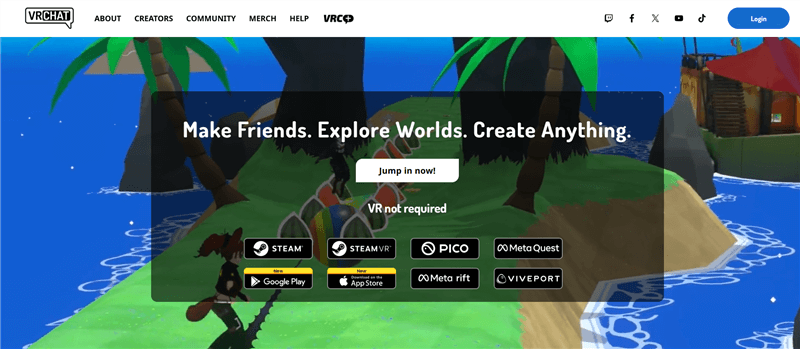
The “Persona” System Explained
VRChat does not verify or store your age data directly. Handling millions of government IDs is a massive cybersecurity liability that game developers actively avoid. Instead, VRChat partners with Persona, a specialized third-party identity verification service trusted by major platforms like LinkedIn, Roblox, and Square.
The entire verification ecosystem follows a specific multi-step workflow:
- The VRC+ Requirement: To initiate age verification, VRChat currently requires an active VRC+ subscription. You must start the process while subscribed to VRC+ (either on the VRChat website or via the in-game profile menu). Crucially, if you choose to cancel VRC+ later, your age-verified status remains permanently attached to your profile.
- The Handoff: Once triggered, VRChat generates a unique, temporary link that redirects your browser to Persona’s secure verification portal.
- The Scan: Using your smartphone, you scan the on-screen QR code to open a camera interface where you must capture a clear photo of an official government-issued ID (Passport, Driver’s License, or National ID Card).
- The Selfie (Liveness Check): You perform a real-time facial scan. Persona’s AI checks your facial biometric data against the ID photo to confirm you are the legitimate holder of the card.
- The Hash: Once confirmed, Persona sends VRChat a cryptographic “hash”—a unique digital token proving you are 18+. Persona deletes the raw ID images after processing, and VRChat never receives your physical photo or document details.
Why Verify? The Benefits of the Blue Badge
In 2026, the VRChat social scene is heavily tiered based on verification status. Going through the process unlocks key platform perks:
- Access to 18+ Age-Gated Instances: Popular virtual nightclubs, drinking worlds, bar hangouts, and mature roleplay instances (Public, Group, or Group+) frequently mandate verified status. Unverified players are completely locked out of these adult social spaces.
- Profile Badges: Successful verification grants you an “Age Verified” or “Verified 18+” badge on your nameplate. This badge can be toggled on or hidden on your profile at any time depending on your preference.
- Access to Restricted Community Groups: Many private adult communities enforce strict age gating to ensure a safe, moderated environment for mature members.
Is VRChat’s Age Verification Safe? The Privacy Dilemma
This is the question burning in every user’s mind: “Is it truly safe to give my government ID to a social VR platform?”
The short answer is: It’s complicated. The long answer is: You need to take extra steps to make it safe.
While VRChat and Persona state that they delete sensitive image data after processing, digital privacy is never guaranteed. In the age of massive data breaches, handing over a high-resolution scan of your passport requires a significant amount of trust.
The Hidden Risk: Metadata Correlation
There is a secondary, highly critical risk that few users talk about: Metadata Correlation.
When you connect to Persona’s servers to upload your ID, you are creating a direct digital link between two distinct data points:
- Your Government Identity: Your legal name, date of birth, and photo.
- Your IP Address: Your exact physical location (your house, your dorm, your city).
Even if Persona deletes the photo, the connection logs may still exist. If a bad actor were to intercept that data stream or access a leaked server log, they wouldn’t just know who you are; they would know exactly where you live. For users who value the anonymity of the metaverse, tying their physical home address to their virtual avatar is a nightmare scenario.
The BearVPN Solution: Your Digital Privacy Shield
You cannot fake your ID—you must use a real one—but you can and absolutely should protect the metadata surrounding it. This is where BearVPN becomes an essential privacy tool.
By running BearVPN before you scan the verification QR code, you deploy a suite of enterprise-grade security features:

- Mask IP Address: By connecting to a BearVPN server, you decouple your physical location from your digital identity. Persona receives your ID, but they log the IP address of a server in New York or London, not your home IP in Ohio or Berlin.
- Double VPN & AES-256 Encryption: Verification often happens on mobile devices connected to vulnerable Wi-Fi networks (like a coffee shop or a shared dorm). BearVPN secures your connection with military-grade AES-256 Encryption. Even if someone is sniffing the local Wi-Fi traffic, your ID upload looks like a stream of random gibberish. For maximum paranoia, enabling Double VPN routes your traffic through two separate encrypted servers, making tracking impossible.
- Zero Footprint: Operating under a strict no-logs policy, BearVPN’s entire network runs exclusively on volatile RAM-only servers. Once the verification is complete and you disconnect, your connection history is instantly wiped. Nothing is ever saved to a hard drive.
Always enable BearVPN on your mobile device before scanning the verification QR code. If you switch networks or turn on the VPN halfway through the process, the Persona verification will likely fail and time out due to an IP mismatch.
Why You Need a VPN for VRChat Verification (Fixing Errors)
Privacy is critical, but for many users, the problem is purely functional. The Persona verification system is notorious for throwing endless errors. In reality, many of these “glitches” are actually network blocks that a premium VPN can solve instantly.
1. Bypassing “Persona” Region Blocks & Censorship
Persona is a US-based company bound by strict US export laws and sanctions. Furthermore, VRChat must comply with complex international data laws (like GDPR in Europe). If you live in any of the following regions, you may find the verification page simply refuses to load:
- Sanctioned Nations: Russia, Iran, Syria, North Korea, Cuba.
- Strict Internet Censorship Zones: Parts of the Middle East (UAE, Saudi Arabia) and China often block foreign encryption or identity services.
- Conflict Zones: Users in certain disputed territories frequently report an inability to access the Persona API.
If you are staring at a blank white screen, you need to bypass restrictions by virtually relocating your device. BearVPN provides Support for 50 locations globally. By connecting to one of its 2,000+ servers in a “neutral” region (like Switzerland or Canada), you appear to be browsing from a compliant country. Furthermore, because BearVPN uses high-speed Bare-Metal physical servers, the connection remains stable enough to handle the heavy image handoff without crashing.
2. Fixing “Connection Timed Out” & Upload Errors
Have you ever tried to upload your ID, watched the progress bar hit 99%, and then fail? This is often caused by ISP Throttling or Packet Filtering:
- School/University Wi-Fi: Campus networks are aggressive. They often block domains associated with “Gaming” or throttle high-bandwidth uploads to unrecognized servers.
- Strict ISPs: Some Internet Service Providers throttle upstream bandwidth (upload speed) on residential connections, causing the heavy high-res image upload to time out before it reaches Persona’s servers.
Use BearVPN’s Advanced obfuscation technology. This feature masks your VPN traffic to look like regular HTTPS web browsing. Your ISP or School Admin cannot see what you are accessing, nor can they detect the massive image packet. They cannot block the specific Persona URL or throttle the upload because they don’t know what it is, ensuring your ID glides through the network without interference.
3. Avoiding IP “Chain Bans”
VRChat and Persona use aggressive fraud detection. If you attempt verification and fail multiple times (perhaps due to bad lighting or a blurry camera), the system will flag your IP address as “suspicious.” Once flagged, even a perfect subsequent attempt with a clear ID photo will be auto-rejected.
If you have failed verification twice, stop spamming the verify button. Switch to a new BearVPN server or utilize a Dedicated IP to present a completely clean, unflagged identity to the Persona system. Ensure the Kill switch is enabled so your real, flagged IP doesn’t accidentally leak during the server transition, allowing you to bypass the “suspicious IP” block as a fresh user.
Step-by-Step Guide: How to Verify Safely with BearVPN
Ready to get that Blue Badge without exposing your data? Follow this exact workflow to ensure a smooth, secure, and successful verification.
Phase 1: Preparation
- Download BearVPN: Install the app on the mobile device (iOS or Android) you will use to take the photos.
- Check VRC+ Status: Ensure you currently have an active VRC+ subscription, as this is now required to initiate the Persona verification.
- Prepare Your ID: Valid IDs include a Driver’s License, Passport (the most reliable option globally), or National ID Card. (Note: Student IDs, Library cards, and Bus passes will NOT work.)
- Set the Scene: Find a room with bright, even lighting. Glare on the plastic ID card is the #1 cause of upload failure.
Phase 2: The Secure Connection
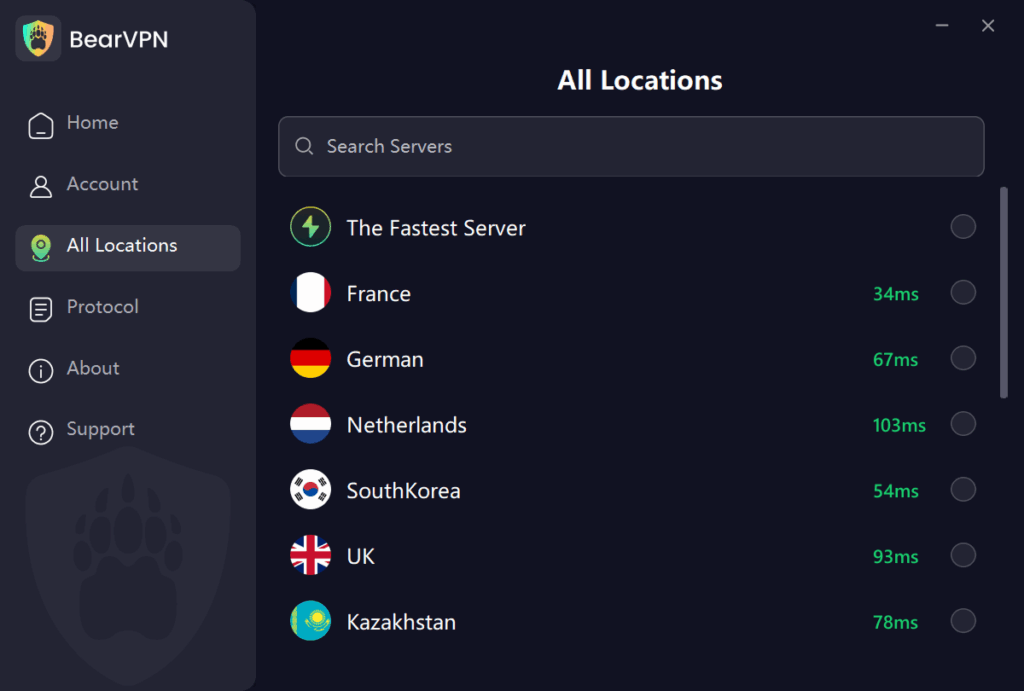
- Launch BearVPN: Open the app on your phone and select a server.
- Enable Split Tunneling (Pro Tip): Use BearVPN’s Split tunneling feature. You can set your mobile web browser (Chrome/Safari) to route through the encrypted VPN specifically for the ID upload, while allowing other background apps to stay on your local network.
Phase 3: Verification
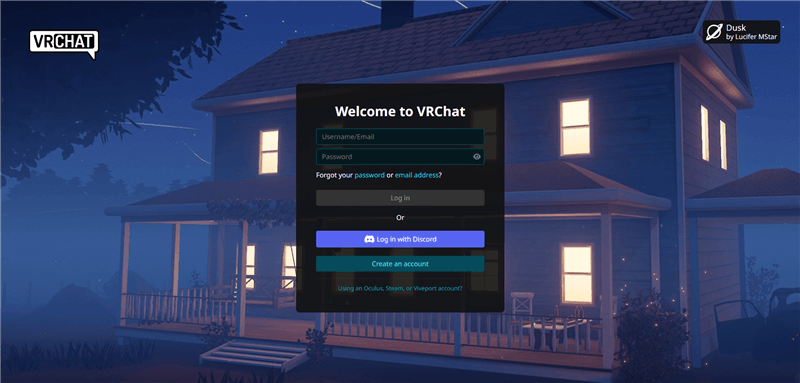
- Start in VRChat: Go to the VRChat website or your in-game profile menu and click the “Get Age Verified” button.
- Scan the QR Code: Use your phone to scan the code on your screen. Your phone’s browser will securely open the Persona link. Because you are using BearVPN, this should bypass any local ISP blocks and load instantly.
- Capture ID: Place your ID on a dark, non-reflective surface (like a mousepad or bedsheet), align the corners, and snap the photo.
- Liveness Check: Hold the phone at eye level and follow the instructions to scan your face.
- Submit: Wait for the upload to complete. Do not disconnect the VPN until you see the “Success” screen.
Phase 4: Confirmation
Once you see the success message on your phone, check your VRChat profile on your PC. You should see the status update to “Verified 18+” within minutes. You can now disconnect the VPN on your phone (though keeping it active on your PC is highly recommended to mask your IP address and protect yourself during gameplay).
Troubleshooting Common Errors
Even with a secure connection, physical factors can cause failures. Keep these quick fixes in mind:
- “Verification Failed”: This is almost always caused by glare on the plastic ID card or a blurry lens. Wipe your camera, disable the flash, and place the ID on a dark, non-reflective background (like a mousepad).
- “Service Unavailable in Your Region”: You are hitting a geo-block. Ensure BearVPN is connected to a US or European server and refresh the browser.
- “Camera Permission Denied”: Your mobile browser lacks camera access. Go to your phone’s app settings, allow the camera for your browser, and reload the link.
FAQ: Common Questions & Mythbusting
To get verified, you need an active VRC+ subscription, a valid government-issued ID, and a smartphone. You will initiate the process in your VRChat profile, scan a QR code to securely upload your ID via Persona, and complete a real-time facial scan to prove your identity.
No. As of the current system design, you must have an active VRC+ membership to initiate the verification process. However, once you successfully pass the Persona verification and receive your 18+ badge, you can cancel your VRC+ subscription. Your age-verified status will permanently remain on your profile.
To get verified, you need an active VRC+ subscription, a valid government-issued ID, and a smartphone. You will initiate the process in your VRChat profile, scan a QR code to securely upload your ID via Persona, and complete a real-time facial scan to prove your identity.
Yes! Age verification is optional for the core game. You can still play VRChat, upload avatars, and visit public worlds. However, you will be restricted from entering specific “18+ Verified” instances and groups.
No. A VPN changes your virtual location, not your biological age. You still need to upload a valid government ID. Using a VPN to try and trick the system into accepting a fake ID will likely result in a permanent ban. BearVPN is a tool for privacy and access, not fraud.
Generally, no. VRChat does not ban users simply for using a VPN (many players use them to reduce ping or stop DDoS attacks). However, if you use a VPN to evade a previous ban, that is a violation of TOS. For age verification, using a VPN to secure your connection is a smart security practice, not a bannable offense.
This is a classic symptom of a DNS block or ISP routing issue. Your internet provider is struggling to resolve the Persona domain. Turning on BearVPN forces your device to use the VPN’s secure DNS servers, which instantly resolve the domain and load the page.
No. As of the current system design, you must have an active VRC+ membership to initiate the verification process. However, once you successfully pass the Persona verification and receive your 18+ badge, you can cancel your VRC+ subscription. Your age-verified status will permanently remain on your profile regardless of your subscription status.
From a data storage perspective, it is reasonably safe. VRChat never receives your physical ID photo, and Persona deletes the images after generating a cryptographic hash. However, from a metadata perspective, you should never upload government documents on your bare home IP address. Always use a secure VPN to mask your physical location during the process.
Conclusion
The “Wild West” era of VRChat is evolving, and Age Assurance is the new norm for accessing the platform’s most popular adult spaces. While this introduces some friction, no user should have to trade away their privacy or battle endless network errors just to hang out in a virtual nightclub.
With BearVPN, the entire verification process becomes significantly more secure and reliable. By leveraging advanced encryption, RAM-only servers, and global network obfuscation, you can sever the link between your real-world location and your digital identity. Secure your connection today, get your Blue Badge safely, and explore the metaverse without limitations.


![How to Change YouTube TV Location [Still Works in 2026]](/_next/image/?url=https%3A%2F%2Fcms.bearvpn.com%2Fwp-content%2Fuploads%2F2026%2F06%2Fhow-to-change-location-youtube-tv.webp&w=640&q=75)