


Streaming your favorite playlists on Spotify should be a seamless experience, but encountering a “Spotify VPN not working” error can instantly ruin your groove. Whether you are traveling abroad and trying to access your home music library, or simply trying to protect your online streaming privacy, Spotify’s aggressive security filters often block secure connections entirely.
When Spotify detects your VPN, it can trigger infinite login loops, playback freezes, or frustrating geo-restriction messages. Fortunately, you do not have to sacrifice your internet privacy just to listen to your favorite artists. In this updated 2026 guide, we will break down exactly why Spotify blocks certain connections and provide a step-by-step troubleshooting playbook to get your music playing again.
Why Is Your Spotify VPN Not Working? (Detection Methods)

Before rushing to fix the problem, it is crucial to understand exactly why your Spotify VPN is currently not working. Unlike standard websites, streaming giants invest heavily in anti-proxy technologies.
Spotify does not officially support VPN usage because it is legally bound to strictly enforce regional licensing agreements with global record labels. If users freely cross digital borders, Spotify violates these copyright contracts. To prevent this, Spotify utilizes a highly sophisticated tracking system to detect and block VPN traffic. Here is exactly how they catch you:
- Aggressive IP Address Blacklisting
The most common reason your Spotify VPN is not working is that you are using a shared IP address. Standard VPN providers route thousands of users through the exact same server. When Spotify’s security algorithms see massive amounts of traffic originating from a single IP address, they instantly flag it as a data center proxy and blacklist it. Once blacklisted, any login attempt from that IP will result in a connection error.
- DNS Requests and WebRTC Leaks
Sometimes, your VPN might successfully hide your primary IP address, but fail to secure your background data. If your VPN has a DNS leak, it means your device is still sending location requests to your local Internet Service Provider (ISP). When Spotify detects a mismatch—for example, your IP says you are in the US, but your DNS request comes from Europe—it immediately knows you are using a proxy and blocks the stream.
- Deep Packet Inspection (DPI)
If you are asking yourself, “Why is Spotify not working with my VPN turned on?”, the answer often lies in Deep Packet Inspection. Spotify’s firewall actively analyzes the metadata of your internet traffic. Outdated or basic VPN protocols (such as standard OpenVPN or basic proxy extensions) leave obvious cryptographic signatures. Spotify’s firewall reads these signatures, identifies the traffic as a VPN connection, and terminates the playback.
5 Ways to Fix the “Spotify VPN Not Working” Error
When you are caught in a playback loop, facing a blank screen, or receiving an “offline” message despite having an internet connection, it means your current setup has triggered Spotify’s security alarms. Here is the ultimate step-by-step guide to resolving the Spotify VPN not working issue and getting your music back on track.
1. Clear the App Cache and Re-Sync Your Account
Before changing any network settings, you must clear out corrupted temporary data. If Spotify detects a VPN once, it might cache that error locally, causing the Spotify VPN not working problem to persist even after you disconnect or change servers.
- On Desktop (Windows/macOS): Log out of your account. Press
Windows + R, type%appdata%, locate the Spotify folder, and delete the “Cache” folder. Restart the app and log back in to force a fresh sync with Spotify’s servers. - On Mobile (iOS/Android): Open the Spotify app, navigate to Settings > Storage, and tap “Clear cache.” Log out, close the app completely from your multitasking menu, and log back in.
2. Enable Split Tunneling (The Fastest Local Fix)
If you are using a VPN to protect your web browsing or secure your crypto transactions, but you do not actually need it to change your Spotify music region, Split Tunneling is your best tool. This feature allows you to route Spotify’s application traffic completely outside the encrypted VPN tunnel while keeping the rest of your device protected. By letting Spotify connect directly to your local network, you instantly bypass the Spotify not working with VPN error without sacrificing your system-wide privacy.
3. Switch to a Clean Server Location
As we discussed, Spotify aggressively blacklists shared data center IPs. If your Spotify VPN is not working, the specific server node you are connected to has likely been burned. Open your VPN application and disconnect. Instead of choosing the same city or relying on the “Quick Connect” feature, manually select a different server location in the same country. This assigns you a fresh IP address that has not yet been added to Spotify’s blocklist.
4. Check the 14-Day Travel Rule (Update Your Region)
If you are traveling abroad and using a free Spotify account, the platform only allows you to stream music in a foreign country for exactly 14 days. After this period, playback will freeze entirely. If you are using a VPN to simulate being in your home country but it keeps failing, you have two choices: find a premium VPN that can reliably bypass the geo-block, or turn off the proxy, log into your Spotify account via a web browser, navigate to “Edit profile,” and update your “Country or Region” to your current physical location (Note: you may need a local payment method to do this).
5. Upgrade Your VPN Protocol to Defeat DPI
If you have tried all the steps above and your Spotify VPN is currently not working, the core issue is your VPN provider’s underlying technology. Basic protocols are easily caught by Spotify’s Deep Packet Inspection (DPI). To successfully bypass these advanced filters permanently, you must abandon generic proxies and upgrade to a service that utilizes proprietary obfuscation protocols. These advanced protocols mask your VPN traffic to look like regular HTTPS web browsing, making it invisible to Spotify’s radar.
Stop the “Spotify VPN Not Working” Loop with BearVPN
When basic proxy tools fail, you need a resilient infrastructure to keep your music playing. BearVPN is engineered from the ground up to bypass aggressive streaming blocks with zero buffering, ensuring you never have to deal with Spotify VPN not working errors again.
We do not rely on easily detectable, generic configurations. Instead, we offer a transparent, tailored solution depending on the device you use to stream:

100% Free Mobile Apps: Listen to Spotify on the go without paying a dime. Our iOS and Android apps require zero registration, instantly allowing you to Mask IP address and bypass detection with a single tap.
Premium Desktop Protection: For Windows and macOS users, our premium desktop applications provide the ultimate privacy shield. Secured by military-grade AES-256 Encryption and an automatic Kill Switch, your connection is completely protected from Spotify’s DPI tracking.
Next-Gen Infrastructure: BearVPN delivers massive Global coverage (Support 50+ locations, 2,000+ servers). Powered entirely by Bare-Metal Physical Servers and ram-only servers, we guarantee lightning-fast streaming speeds alongside a strict no-logs privacy policy.
Advanced Bypassing & Routing: Defeat firewalls effortlessly with advanced Obfuscation. Whether you use split Tunneling to route Spotify locally, enable double vpn for maximum anonymity, secure a Dedicated IP to avoid shared blacklists, or simply rely on Smart server recommendations, BearVPN provides a flawless, uninterrupted streaming experience.
How to Fix Spotify VPN Errors with BearVPN (Quick Setup)
Getting your music back without triggering proxy blocks takes less than a minute. Choose your device and follow these simple steps:
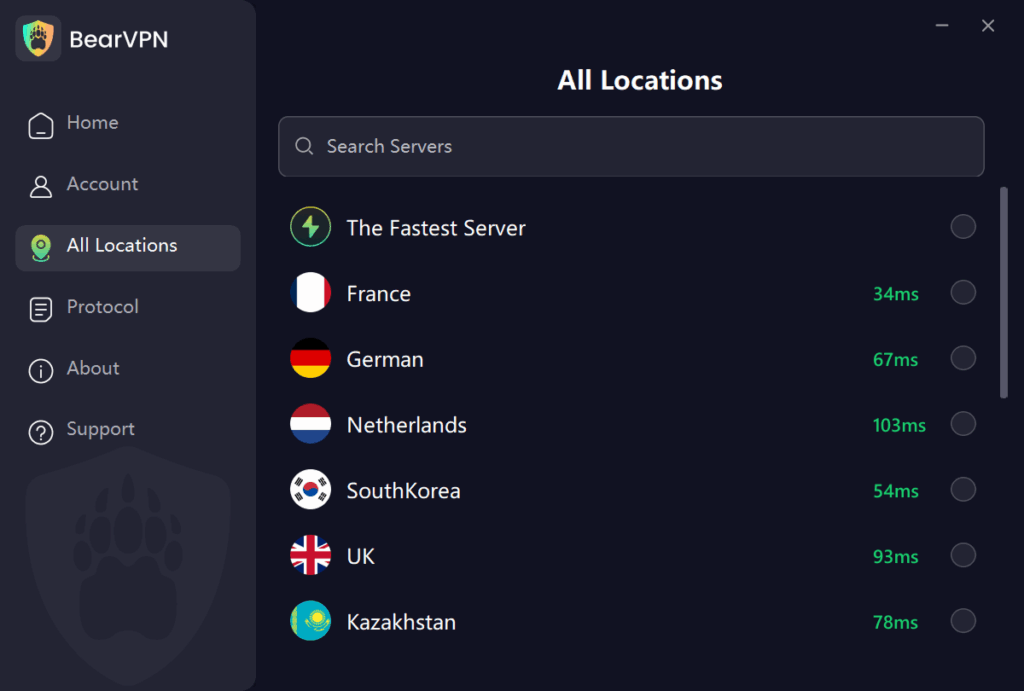
For iPhone & Android (100% Free & No Registration):
- Download: Get the BearVPN app from the official iOS App Store or Google Play Store.
- One-Tap Connect: Open the app and tap connect. Because it requires zero registration, your IP is instantly masked without any log-in friction.
- Stream: Open Spotify and start playing your favorite playlists with complete privacy.
For Windows & macOS (Premium System-Wide Protection):
- Install: Download and launch the premium BearVPN desktop client.
- Optimize: Select Smart server recommendations or choose from 50+ global locations. Ensure advanced Obfuscation is active to completely hide your VPN signature from Spotify’s firewalls.
- Listen: Fire up the Spotify desktop app or web player and enjoy unrestricted streaming backed by AES-256 Encryption and a strict Kill Switch.

FAQs About Spotify and VPNs
If your VPN is not working on Spotify, it likely uses outdated routing methods or shared IP addresses that the platform has already identified and blacklisted. Switching to a secure bare-metal server with advanced obfuscation usually resolves this immediately.
Spotify does not permanently ban or suspend your account for using a VPN. However, they actively block the IP addresses associated with them to enforce regional music licensing. You will typically just experience a login loop or playback failure until you turn off the VPN or switch to a superior provider.
Free Spotify accounts can only be used in a different country for up to 14 days. To continue listening abroad, you must either update your profile’s country settings or use a secure VPN with advanced obfuscation to reliably route your connection back to your home region.
Final Thoughts: Stream Your Playlists Uninterrupted
Dealing with Spotify VPN not working errors can be incredibly frustrating when you just want to enjoy your favorite music or podcasts. While clearing your app cache or changing your server location might offer a temporary fix, the most reliable solution is upgrading your privacy toolkit to a service that respects both speed and stealth.
Stop wrestling with easily detectable proxies and infinite login loops. Download BearVPN today, leverage our proprietary protocols, and enjoy unrestricted, secure streaming on all your devices.


![How to Change YouTube TV Location [Still Works in 2026]](/_next/image/?url=https%3A%2F%2Fcms.bearvpn.com%2Fwp-content%2Fuploads%2F2026%2F06%2Fhow-to-change-location-youtube-tv.webp&w=640&q=75)



