


In today’s digital world, it’s no secret that many schools and workplaces block access to gaming sites. But that hasn’t stopped students and casual gamers from looking for ways to bypass those restrictions. Enter Unblocked Games 76—a wildly popular gaming portal that hosts hundreds of free-to-play games that work on restricted networks.
If you’re wondering how to access Unblocked Games 76 safely and reliably—especially on school Wi-Fi—this guide is for you. We’ll walk you through exactly what it is, how to access it, and how to do so safely using a VPN like BearVPN.
What Is Unblocked Games 76?
Unblocked Games 76 is a shared label used by multiple browser-game portals rather than one clearly authenticated company or domain. Many versions run HTML5 games directly in the browser, but their operators, ads, redirects, and hosted copies can differ. Judge the exact URL in front of you—not the familiar “76” name.
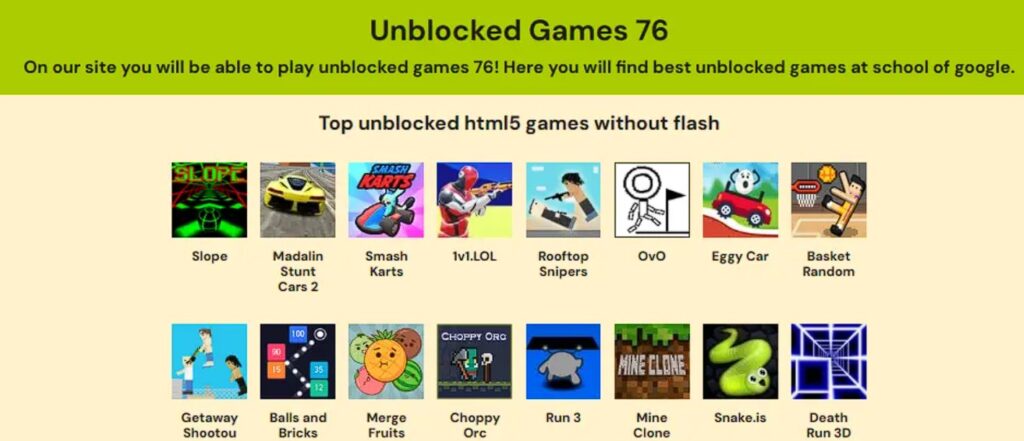
Popular games include:
- Minecraft Classic
- Happy Wheels
- 1v1.LOL
- Among Us (browser version)
- Slope
- Basketball Legends
- Run 3
Catalogs vary by site. A legitimate browser version should launch without an unexpected installer, extension, account password, payment card, or disabled security warning.
Is There an Official Unblocked Games 76 Website?
No single domain is clearly established as the official source for every site using the Unblocked Games 76 name. Search results contain unrelated domains, Google Sites pages, GitHub-hosted copies, and portals with nearly identical branding. A high search position, HTTPS padlock, or the number “76” in the URL does not prove ownership or safety.
Do not publish a permanent list of “working mirrors.” These domains can change owners, redirect elsewhere, disappear, or serve different content later. Verify the exact address each time and prefer the original publisher’s website when a game has one.
Unblocked Games 76 Safety Check
HTTPS is not a safety certificate. It encrypts the connection to that domain; it does not prove that the operator, ads, downloads, or game files are trustworthy.
Why Is It Blocked on School or Work Wi-Fi?
Many schools and workplaces use firewalls, content filters, or proxy blockers to restrict access to websites they consider non-educational or distracting. Gaming sites like Unblocked Games 76 are often blocked for several reasons:
To Improve Focus and Reduce Distractions
Schools and companies want students and employees to stay focused on learning or work. Games can be distracting, especially during class or office hours, so blocking them helps maintain productivity.
To Save Bandwidth
Online games, especially those with high-quality graphics or multiplayer features, use a lot of internet bandwidth. Blocking gaming sites helps keep the network fast for more important tasks like video calls or online learning.
To Protect Against Security Risks
While Unblocked Games 76 is generally safe, some gaming sites may contain harmful ads or malware. To reduce cybersecurity risks, administrators often block all gaming websites.
Because of Pre-Set Filters
Many schools use filtering tools like GoGuardian or Securly, which automatically block websites that contain gaming-related keywords or domains. This means even lesser-known game sites can be filtered out.
To Follow Rules and Meet Expectations
Schools may be required to follow laws like the Children’s Internet Protection Act (CIPA), and they also want to meet parents’ expectations for a focused learning environment.
Even with these restrictions, some users find safe and legal ways to access games during breaks, such as using a VPN—though they should always follow their institution’s rules.
How to Access Unblocked Games 76: Step-by-Step
BearVPN is a powerful, user-friendly virtual private network that helps you bypass school or office restrictions without compromising on speed or security. Whether you’re trying to access a blocked website or enjoy smooth gaming, BearVPN makes it simple.
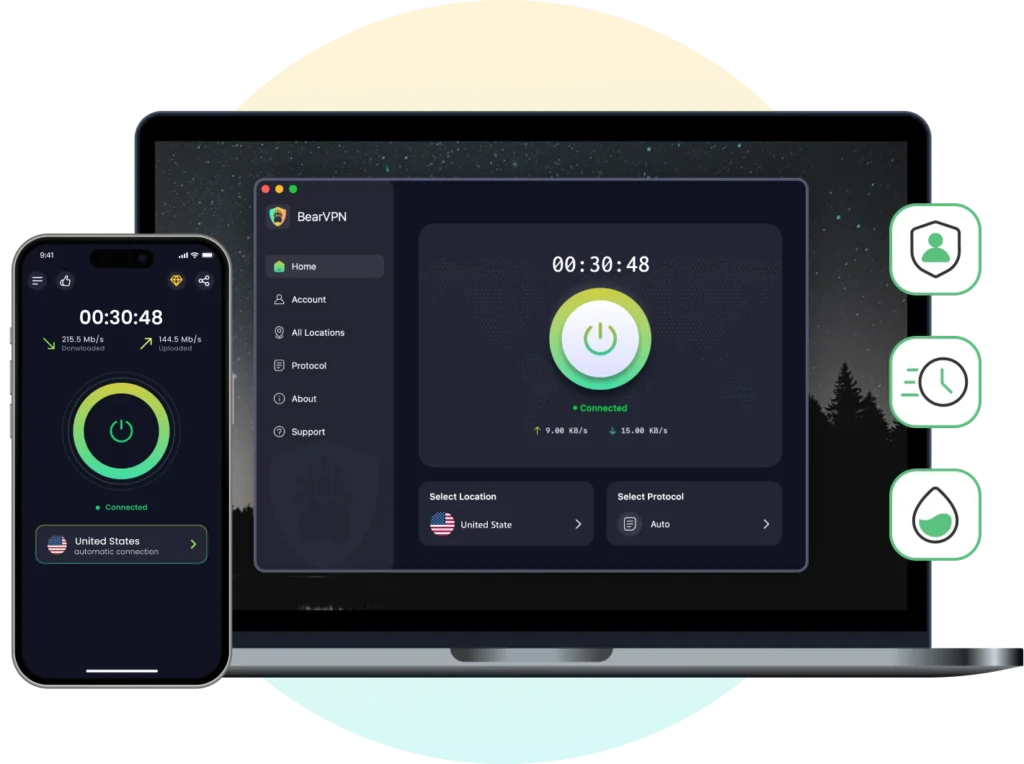
Key Features of BearVPN:
- 2,000+ Global Servers: Access high-speed nodes worldwide to find uncongested routes and maintain ultra-low ping during multiplayer sessions.
- Smart Protocol Routing: Utilize advanced protocols (like SLProxy and SCProxy) that disguise your gaming traffic as standard HTTPS web browsing, slipping past deep packet inspection (DPI).
- Strict No-Logs Policy: Your gaming habits, browsing history, and personal data are never recorded, tracked, or shared.
- 10 Simultaneous Connections: Protect your smartphone, laptop, and tablet all under a single account subscription.
Now, let’s walk through exactly how to use BearVPN to access Unblocked Games 76.
Here’s how to access Unblocked Games 76 from a restricted network, like your school or workplace:
Step 1: Install BearVPN
Start by free download and install BearVPN. It is designed for fast, secure, and anonymous browsing—even on school Wi-Fi.
- Available on Windows, iOS and Android
- No logs, no tracking, and unlimited free access
- Optimized servers for fast gaming connections
Pro Tip: BearVPN offers dynamic IP rotation to help bypass even the most aggressive filters.
Step 2: Connect to a Server Location
Open the BearVPN app and click Quick Connect, or manually choose a server from a region where content filters are more relaxed (like the U.S. or Europe).
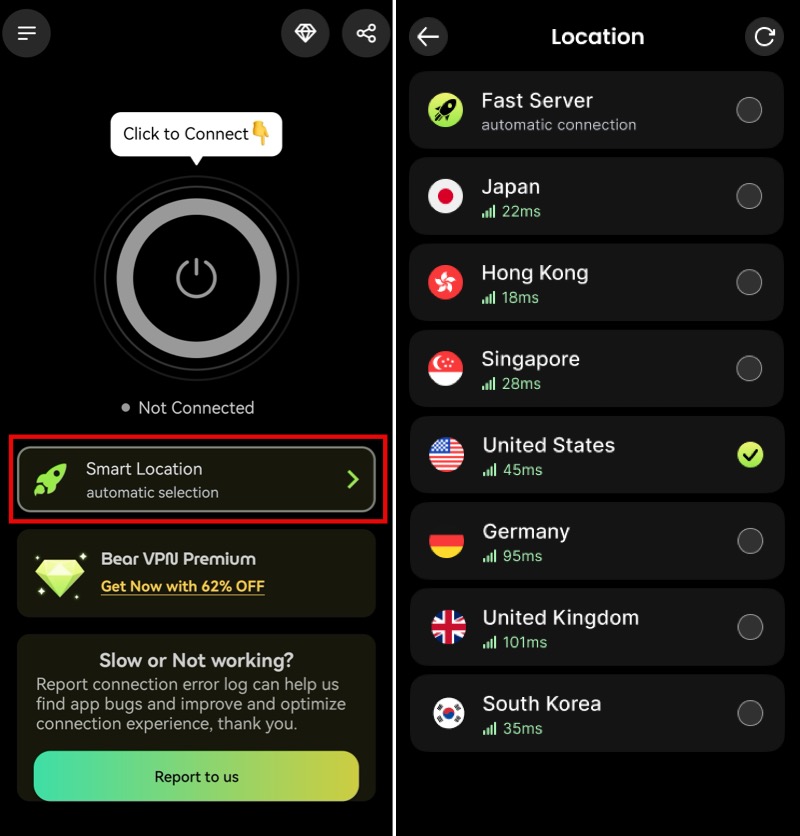
Step 3: Visit the Site
Use a search engine to find a working Unblocked Games 76 mirror. Look for links like:
- sites.google.com/view/unblockedgames76
- classroom-76.github.io
- unblockedgames66.games (sister sites)
Click the link—and you’re in.
Why Use BearVPN Instead of a Proxy or Extension?
There are other options out there, like browser extensions or free web proxies, but here’s why BearVPN is superior:
Is Unblocked Games 76 Safe?
It depends on the exact domain. The “76” name, an HTTPS padlock, a high Google ranking, or a working game does not verify the operator, advertising network, redirects, or hosted files. A VPN encrypts the route to a site; it does not inspect every ad, extension, or download served by that site.
Leave immediately if the page opens forced redirects, shows fake virus alerts, requests notifications without a clear need, demands a login or payment for a simple browser game, or tells you to install Flash, an extension, an APK, or an EXE. Chrome automatically blocks some dangerous and suspicious downloads for a reason—do not disable Safe Browsing just to force one through.
Top Games You Can Play on Unblocked Games 76
The catalog varies because different sites use the Unblocked Games 76 label. You may see names such as Slope, Run 3, Retro Bowl, 1v1.LOL, Shell Shockers, or Minecraft-style games—but the copy on a mirror may not come from the original developer. Search for the game’s official publisher before trusting a clone, especially when the page asks for a download or login.
BearVPN may protect the connection and provide another network route on a supported personal device, but it cannot guarantee uninterrupted play, lower ping, Chromebook support, or the safety of a rehosted game.
Alternative Sites Like Unblocked Games 76
Can’t access the main Unblocked Games 76 site? Don’t worry—there are plenty of similar sites that offer the same variety of browser-based games, many of which also work through school or work filters when paired with BearVPN.
Here are some top alternatives:
1. Unblocked Games 66 EZ
One of the most popular mirror sites, Unblocked Games 66 EZ offers a clean, mobile-friendly interface and hundreds of HTML5 games. Categories range from sports and shooting to puzzles and multiplayer modes. The site is fast and frequently updated.
2. Unblocked Games Pod
Focused more on arcade-style games, Unblocked Games Pod delivers nostalgic and fast-paced titles. It’s known for simple controls and quick loading times. Great for short gaming breaks.
3. Tyrone’s Unblocked Games
A student favorite, this site has a solid collection of 2-player games, action titles, and classroom-friendly puzzles. It also features a modern UI and includes many versions of classics like Run, Stickman Hook, and Shell Shockers.
4. Owen Haley’s Games
With a polished interface and support for multiplayer gameplay, Owen Haley’s Games is great for users who want a more premium feel. Many of the games here are indie-style, with smooth performance and controller support.
5. Classroom 6x / 76
These are often hosted on GitHub or Google Sites and act as updated mirrors of Unblocked Games 76. They usually include new game uploads and updated server links.
You May Also Like: 25+ Best Unblocked Game Websites >
FAQ: Quick Answers for Curious Gamers
Is using a VPN at school illegal?
No—but check your school’s policy. Using a VPN for casual gaming isn’t illegal, but violating a school’s tech policy may have consequences.
Is BearVPN really free?
Yes. BearVPN offers unlimited free access, no credit card required. You can also upgrade for higher speeds and more control.
Will a VPN slow down my games?
BearVPN uses speed-optimized servers, so in many cases, it can actually improve latency if your school throttles gaming traffic.
Can I use BearVPN on my phone or Chromebook?
Absolutely. BearVPN works on iOS, Android, Windows, macOS, and ChromeOS (via extension).
Is it safe to play games on Unblocked Games 76?
While the site hosts popular HTML5 and arcade games, public networks often expose you to tracking. Using an encrypted VPN connection safeguards your browsing activity from local network monitoring.
Why are gaming sites blocked on school or work Wi-Fi?
Network administrators employ web filters, domain blacklists, and DNS blocking to prevent bandwidth congestion and enforce institutional productivity policies.
Will a VPN increase my ping or cause lag while gaming?
All encryption introduces a minor overhead, but BearVPN’s optimized high-speed servers and low-latency routing minimize delay, ensuring smooth performance for browser-based games.
Do I need to create an account to use BearVPN?
On mobile devices (Android and iOS), BearVPN offers a streamlined experience where you can utilize the free version instantly with zero registration or personal data required.
How many devices can I connect at the same time?
A single BearVPN account supports up to 10 simultaneous device connections, allowing you to protect your entire mobile and desktop ecosystem.
Final Thoughts: Play Safe, Play Smart
Unblocked Games 76 can mean very different sites wearing the same familiar label. Do not let a five-minute break turn into a stolen Google account, a notification-spam nightmare, or a mystery installer buried on a managed device. Verify the exact domain, keep browser protection enabled, and prefer games that run without downloads or invasive permissions.
On your own supported device and a permitted network, BearVPN can encrypt the connection, mask your public IP, and test another route to a verified browser-game source. It cannot certify a mirror, remove school management, guarantee lower ping, or make malware safe.
Description:
Use BearVPN to encrypt your connection, mask your IP, and try another network route.



![How to Change YouTube TV Location [Still Works in 2026]](/_next/image/?url=https%3A%2F%2Fcms.bearvpn.com%2Fwp-content%2Fuploads%2F2026%2F06%2Fhow-to-change-location-youtube-tv.webp&w=640&q=75)



