


Twitch has grown into a massive hub for livestreamed entertainment, but stricter regulatory requirements around the world mean age-based restrictions are catching more viewers in the net—sometimes even adults.
Whether you are facing mandatory facial scan prompts in regions like the UK or hitting network blocks on school Wi-Fi, getting locked out of your favorite mature-labeled streams can be frustrating. Below, we show you what is happening on Twitch in 2026 and how to restore smooth access safely.
What Is Twitch Age Verification?
Twitch’s age verification system combines platform-wide account settings with regional enforcement checks:
- Global Honor System: In most countries, Twitch relies on the birthdate entered during account registration. Users must be 13 or older, and those aged 13–18 require parental consent.
- Regional Facial Scans: To comply with local regulations (such as the UK’s Online Safety Act and Australian laws), Twitch uses third-party technology (k-ID) to require a quick facial age scan before loading streams marked with Content Classification Labels (CCLs) like mature themes or gambling.
- Content Classification Labels (CCLs): Streamers tag content under specific categories (e.g., Sexual Themes, Violent Content, Drugs/Alcohol). Depending on your account age or IP location, Twitch may restrict search results or display a warning card stating “Due to your age and/or region, you cannot access this content.”
Why Are More Users Being Blocked by Age on Twitch?
Here are some possible reasons.
Strict Regional Compliance & Face Scans
Twitch applies region-specific checks based on your IP address. If you are browsing from the UK or other regulated jurisdictions, you will encounter mandatory facial estimation prompts before viewing mature streams.
Content Classification Labels (CCLs)
Twitch’s granular CCL tags (Gambling, Violent Content, Sexual Themes) automatically lock out accounts registered under 18 or unverified visitors, triggering the familiar banner: “Due to your age and/or region, you cannot access this content.”
School, Campus, and Workplace Network Filters
Local network firewalls use Deep Packet Inspection (DPI) to block gaming or streaming categories. This happens at the Wi-Fi level, making streams fail to load regardless of your Twitch account age.
Account State Mismatches & Stale Cookies
Incorrect birthdates entered at sign-up, lingering browser cookies, or privacy-blocking browser extensions often cause permanent age-gate loops even for adult users.
Does Twitch Require ID to Verify Age?
As of now, Twitch does not require ID for most users. However, several trends suggest that could change:
- The UK’s Online Safety Act may require age assurance mechanisms for platforms hosting adult content.
- Australia is pushing legislation that could force platforms (like Twitch) to verify user age with government-issued ID or face scans by the end of 2025.
- Platforms like YouTube are already testing stricter ID-based verification in some regions.
Will Twitch Add ID Verification?
Possibly. It depends on how global laws evolve. If implemented, this could:
- Force users to upload documents
- Link personal information to Twitch accounts
- Introduce privacy and security risks
Many users are already looking for privacy-first alternatives, including using a VPN for Twitch to maintain access without sharing sensitive personal data.
Did You Know? When the UK previously tried to enforce ID checks for adult content sites, VPN usage spiked by 1,800% in response.
Common Twitch Age Restriction Issues
Let’s look at real scenarios that cause frustration for Twitch users:
How to Bypass Regional Twitch Age Restrictions Using BearVPN
If regional age enforcement or local network filters are blocking streams you are legally eligible to watch, using a VPN provides a privacy-focused solution:
- Avoid Biometric Prompts: Switching your IP address to a region without mandatory face-scan requirements (like the US or Canada) allows you to bypass intrusive verification prompts.
- Unblock Campus Wi-Fi Filters: Encrypts network traffic so institutional firewalls cannot detect or block Twitch streaming endpoints.
- Lower Latency Streaming: Fast server routing ensures high-definition stream playback without buffering or frame drops.
BearVPN is a free and reliable VPN tool that lets you switch IP addresses with a single tap—giving you unrestricted access to the global internet. With access to a vast network of high-speed servers across 50+ regions, BearVPN is your go-to solution for bypassing content restrictions and enhancing your online privacy.
Using BearVPN to bypass age-based blocks is simple:
Step1. Download BearVPN on your device (available for desktop and mobile).
Step 2. Launch the app — it connects automatically with one tap. Choose a region, such as the United States or Canada (where Twitch age gating is less strict).
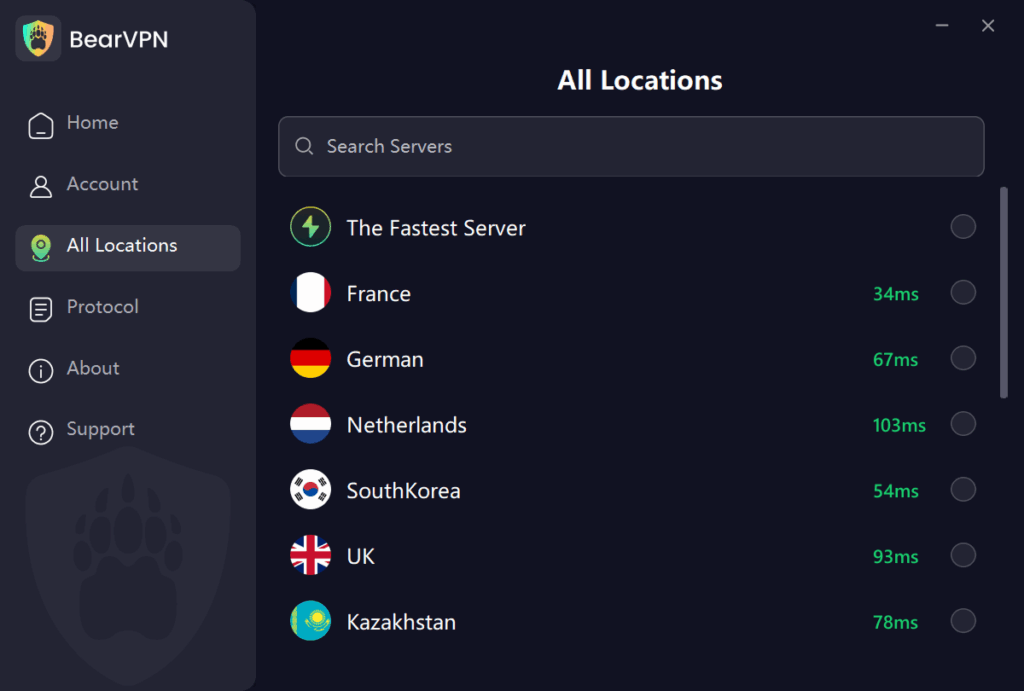
Step 3. Open Twitch and enjoy full access to mature content streams.
Step 4. Optional: Switch server regions if a stream is still restricted.
BearVPN encrypts your connection end-to-end, hides your IP address, and keeps no logs—meaning your viewing habits stay private, and you avoid unnecessary content blocks.
Is It Legal to Use a VPN with Twitch?
Yes, using a VPN to access Twitch is legal in most countries. Twitch doesn’t forbid VPN use by default.
However, misrepresenting your age by falsifying account info or using a VPN to evade a personal ban could violate Twitch’s terms of service.
If your goal is to:
- Maintain access to content you’re legally allowed to view
- Avoid intrusive age verification systems
- Bypass unnecessary blocks from region or network settings
Frequently Asked Questions
Yes, in certain regions like the UK, Twitch requires a facial age scan (powered by k-ID) to watch streams marked with mature Content Classification Labels.
This error occurs when your registered account age is under 18 or your IP address is in a restricted region. Connecting to a VPN server in the US or Canada resolves regional locks instantly.
No. Twitch does not allow users to change their birthdate directly in account settings. You must submit an appeal request through Twitch Support if your DOB was entered incorrectly.
Yes, using a VPN for personal privacy and overcoming regional network blocks is legal in most countries. However, using a VPN to evade account bans violates Twitch’s Terms of Service.
Twitch and its verification provider (k-ID) state that facial scan video selfies are processed on-device to estimate age and are not stored or retained on remote servers.
Final Thoughts: Take Control of Your Twitch Experience
Twitch’s current age verification system is minimal—but that’s changing fast.
Between new classification labels, region-based blocks, and looming international age laws, it’s more important than ever to stay in control of how and where you access Twitch.
Whether you’re trying to watch a mature content stream, avoid ID verification, or unblock Twitch at school, BearVPN gives you the privacy and access you need—no account, no fuss.


![How to Change YouTube TV Location [Still Works in 2026]](/_next/image/?url=https%3A%2F%2Fcms.bearvpn.com%2Fwp-content%2Fuploads%2F2026%2F06%2Fhow-to-change-location-youtube-tv.webp&w=640&q=75)



