


You sit down to stream your favorite show, only to be greeted with a cryptic message: “Missing Error JSON Structure.”
As many users on r/VPN and streaming forums point out, this error rarely happens on pristine, local connections. It usually hits right when your IP transitions or when an ISP stealthily throttles encrypted streaming traffic, leading to half-baked API responses. This issue can halt Hulu’s operations, rendering the app unable to load content or authenticate users. While many guides will tell you to restart your app, there’s a hidden culprit few talk about: unoptimized network interference and aggressive geo-filtering.
In this guide, we’ll unpack what this Hulu error means, why it occurs, and how to fix it, especially if you’re using a VPN to watch Hulu from abroad. By the end, you’ll not only know how to resolve the error, but you’ll also understand why a streaming-optimized VPN like BearVPN can help you avoid it in the first place.
What Does “Missing Error JSON Structure” Mean?
This error usually appears when Hulu fails to return a properly formatted JSON (JavaScript Object Notation) response to the app or browser. JSON is a lightweight data format Hulu uses to deliver key content like error messages, account info, video playback parameters, and metadata.
When this structure is missing or malformed, Hulu’s front-end client doesn’t know what to display—and in some cases, it simply fails to load.
What You Might See:
- A blank screen with no error code
- Repeating loading spinners
- UI elements failing to render
- Error logs referencing:
“missing error json structure”,
“cannot parse JSON”,
or “expected JSON but got null”
Why Is “Missing Error JSON Structure” Happening?
While the message seems obscure, the causes usually fall into one of several categories:
1. Server-Side Issues from Hulu
- CDN (Content Delivery Network) disruptions
- Temporary API outages or malformed backend responses
- High traffic events (e.g., Hulu crashed during the 2025 Oscars with this exact issue)
2. Corrupted App Data
- Old or cached data preventing fresh JSON loads
- Outdated app versions that can’t interpret newer data formats
3. VPN or Proxy Interference
- Using a VPN that Hulu detects or blocks can lead to unexpected responses
- Blocked or throttled requests return blank or malformed JSON structures
- Region-mismatch between your IP and Hulu’s expected region can trigger token or payload issues
8 Common Fixes for the “Missing JSON Structure” Error
If you’re seeing the dreaded “missing error JSON structure” message while trying to stream Hulu, don’t panic. This issue often stems from data communication failures between Hulu’s servers and your device. The good news? Most users can fix it in a few steps, without diving into complex developer settings.
Here’s a breakdown of the most effective troubleshooting steps:
1. Check Hulu’s Server Status
Before adjusting any settings on your device, start here. This error often occurs during outages on Hulu’s end, especially when there’s high traffic or a temporary CDN issue.
Step 1. Visit DownDetector or Hulu Support’s Twitter.
Step 2. Look for reports of:
- “App not loading”
- “Video not playing”
- “Error JSON structure missing”
If Hulu is down globally or regionally, you’ll need to wait until their engineering team resolves the issue.
2. Restart the Hulu App Completely
This may sound basic, but simply closing and reopening the app can reset corrupted session data or cache issues.
Mobile (Android/iOS): Swipe up or use the app manager to fully close Hulu. And open it again.
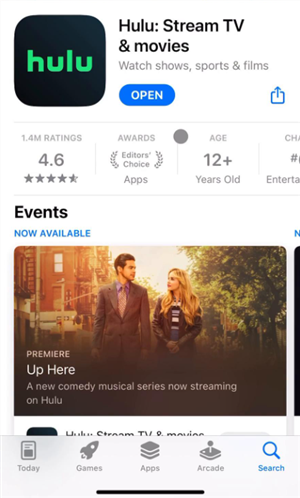
Smart TVs / Streaming Sticks: Use the settings menu to “Force Close” or reboot the device.
Browser: Close the tab or window completely and reopen Hulu in a fresh session.
Why it works:
Restarting clears temporary memory (RAM) and forces the app to reinitialize connection requests, including API calls that load JSON content.
3. Clear the App or Browser Cache
Cached files can store outdated tokens or incomplete data responses from previous sessions, especially if Hulu made a backend change.
On Android: Go to: Settings > Apps > Hulu > Storage > Clear Cache & Clear Data
On Browser (Chrome, Firefox, etc.):
- Open Developer Tools (F12 or Right Click > Inspect)
- Click “Application” → “Clear Storage” → Check “Cookies,” “Local Storage,” “Cache,” then click “Clear site data” or Settings > Privacy > Clear Browsing Data → Select only for Hulu if possible
Pro Tip: If you use Hulu across devices (e.g., phone and laptop), make sure to clear cache on all of them to eliminate lingering cross-device tokens.
4. Reinstall Hulu
A clean install is often the most reliable fix if cached data is corrupted at a deeper level. Following the steps below:
- Uninstall the Hulu app.
- Restart your device (smartphone, TV, Roku, Fire Stick, etc.).
- Reinstall Hulu from the official app store.
- Log in and test again.
5. Restart Your Device and Network Hardware
Sometimes, it’s not the app—it’s your internet connection or system memory.
Restart both your streaming device and your network hardware (modem and router)
Full Power Cycle Process:
- Unplug modem and router from power for at least 60 seconds.
- Power off your device.
- Plug modem and router back in. Wait for all lights to stabilize.
- Turn your streaming device back on.
- Launch Hulu.
This flushes temporary DNS records and refreshes your local network environment, reducing request timeouts or blocked packets that might cause JSON response failures.
6. Check for App & System Updates
Outdated software can’t always interpret new JSON payloads or UI elements Hulu deploys.
You need to update: Hulu app (via Google Play Store, Apple App Store, or smart TV’s store) and your device’s operating system (iOS, Android, tvOS, FireOS, Windows/macOS)
Example: A March 2025 Hulu update changed token handling in certain Apple TV devices, causing JSON parsing errors for users who hadn’t updated their tvOS software.
7. Disable Ad Blockers or Extensions (Browser-Only)
If you’re using Hulu in a browser and have privacy extensions, content blockers, or developer tools enabled, those may interfere with how Hulu fetches or displays JSON error responses. You can try This:
- Temporarily disable extensions like uBlock Origin, Ghostery, or Privacy Badger
- Whitelist *.hulu.com
- Refresh the Hulu tab or restart the browser
8. Log Out and Log Back In
A corrupted or expired token in your current session may be causing Hulu’s servers to send invalid or blank data responses.
Step 1. Go to Hulu settings and log out.
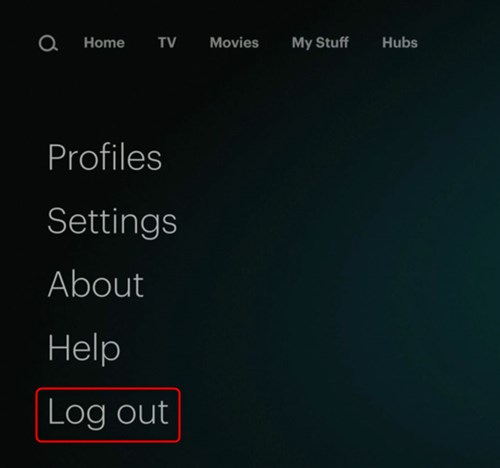
Step 2. Fully close the app or browser.
Step 3. Reopen Hulu and sign in again with your credentials.
This can help reset session metadata and force new JSON configurations tied to your account.
How to Fix It If You’re Using a VPN
VPNs and the JSON Error: Are They Connected? Yes. VPNs are a significant but overlooked cause of the “missing error JSON structure” problem due to IP blacklisting or token payload mismatches. Here is how to resolve it:
Step 1: Disable Your Current VPN.
Temporarily turn off your current VPN and try loading Hulu. If the error disappears, your previous provider’s IP was flagged.
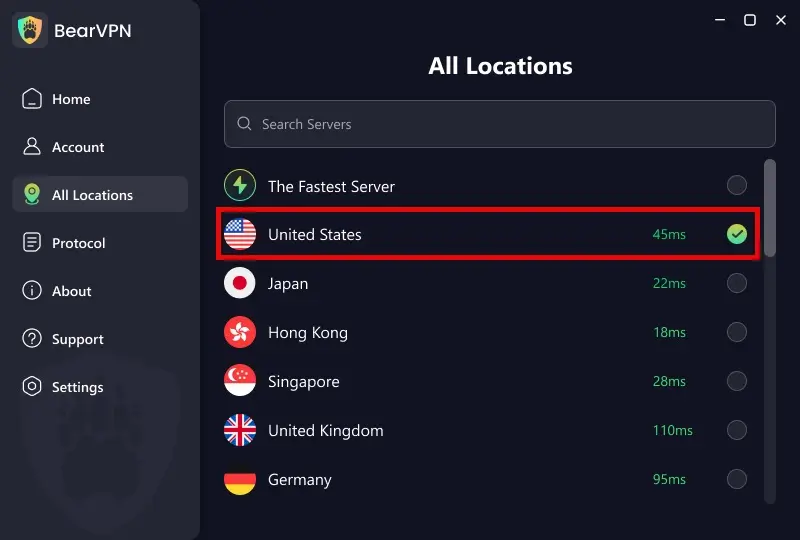
Step 2: Switch to a Streaming-Optimized Server.
Open your VPN client dashboard, navigate to the Server List, and select a U.S.-based node specifically labeled for streaming or media bypass.
Step 3: Enable Obfuscation / Stealth Mode.
If standard connection protocols trigger backend payload mismatches, toggle on Stealth Mode or Obfuscation in settings to mask your VPN traffic as regular HTTPS traffic.
Streaming Hulu while abroad or behind a restricted network can be a frustrating experience. Whether you’re traveling outside the U.S., living overseas, or trying to bypass throttling from your local ISP, chances are you’ve encountered playback errors, buffering issues, or—increasingly—cryptic errors like “missing error JSON structure.”
At the heart of these problems is Hulu’s strict VPN detection system, which actively blocks traffic from known or suspicious IP addresses. Most free VPNs, public proxies, or even generic premium VPNs eventually get flagged and blacklisted. When that happens, Hulu might fail to authenticate your session or respond with malformed data.
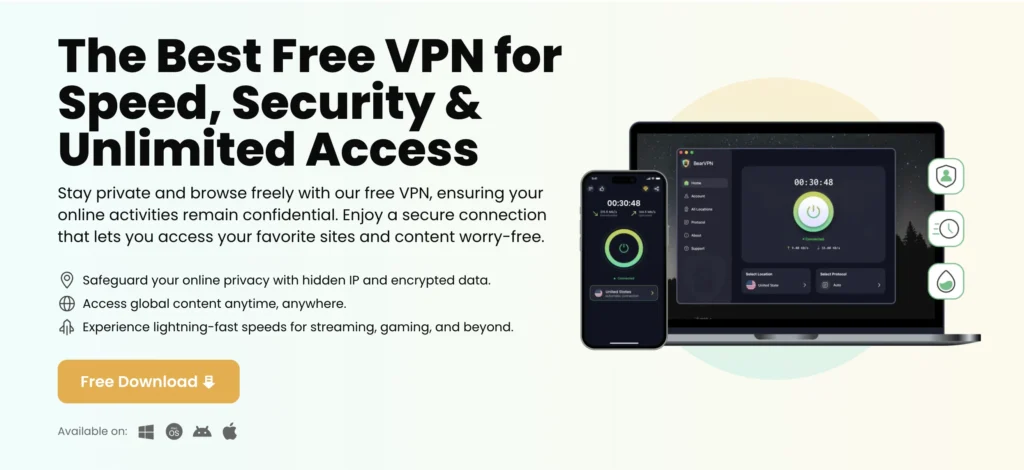
That’s where BearVPN comes in. Purpose-built for secure, high-speed, and streaming-friendly VPN access, BearVPN is designed to bypass Hulu’s geo-restrictions without triggering playback or backend data errors.
Let’s dive into why BearVPN stands out from the competition—and how it helps you stream Hulu reliably, even when others fail.
BearVPN was engineered with streaming in mind—and that includes Hulu. Here’s why BearVPN stands out:
By connecting through BearVPN’s dedicated streaming servers, you reduce the chance of malformed API responses or server mismatches that lead to Hulu JSON issues.
FAQs: Hulu’s JSON Errors
Is the “missing JSON error” a Hulu-side problem or user issue?
It can be either. If it’s widespread (e.g. after a major event), it’s likely a Hulu server error. Otherwise, local caching, outdated apps, or VPN conflicts are the likely causes.
Can free VPNs cause this error?
Yes. Free VPNs are frequently blocked by Hulu, and their servers often return corrupted or incomplete tokens, leading to malformed JSON responses.
Does BearVPN work with Hulu reliably?
Absolutely. BearVPN uses a rotating pool of optimized U.S. servers designed to bypass geo-restrictions and avoid playback errors like this one.
What if none of the steps work?
Try a full reinstall of Hulu, clear DNS cache on your device, and contact Hulu support. Or, if using a VPN, switch to a premium provider like BearVPN.
Final Thoughts
Hulu’s “Missing Error JSON Structure” isn’t just a weird tech glitch—it’s often a symptom of broken communication between your device and Hulu’s servers. That breakdown can come from outdated data, app-side bugs, or region-based blocking caused by unreliable VPNs.
While basic troubleshooting may solve it, the real fix often involves reliable access—which is where BearVPN comes in. With fast, secure U.S. servers and full streaming support, BearVPN ensures you stay connected, authenticated, and ready to binge.


![How to Change YouTube TV Location [Still Works in 2026]](/_next/image/?url=https%3A%2F%2Fcms.bearvpn.com%2Fwp-content%2Fuploads%2F2026%2F06%2Fhow-to-change-location-youtube-tv.webp&w=640&q=75)



