Want to know how to watch porn safely and anonymously? Start BearVPN before opening the site, then combine it with a private browser session, tracker blocking, separate account habits, and updated security software. Each layer handles a different risk: BearVPN hides your public IP and encrypts the local network route; private mode limits history left on the device; safe-site habits and antivirus reduce malware exposure.
This guide is for adults viewing lawful, consensual content. Follow the laws that apply where you live and never access exploitative, non-consensual, or illegal material.
Is It Safe to Watch Porn Online?
Watching lawful adult content can be reasonably safe, but the risk depends on the site, device, network, account state, ads, and downloads. The three biggest problems are tracking, network visibility, and malware—not the video stream alone.
1. Privacy Risks on Adult Sites
Adult sites can receive your public IP address and may use first-party cookies, third-party analytics, advertising IDs, browser characteristics, and account activity to recognize a session. A VPN replaces the home IP seen by the site, but cookies, fingerprinting, and a signed-in account can still reconnect activity to the same user.
2. Data Tracking and Exposure
Incognito mode does not hide traffic from the network. With HTTPS, an ISP or network administrator can generally see that your device connected to a site’s domain or infrastructure, but not the exact page content in transit. BearVPN encrypts traffic between your device and the VPN server, so the local ISP sees the VPN connection rather than the adult-site destination.
3. Virus and Malware Risks
The highest malware risk usually comes from malicious ads, fake play buttons, browser-notification prompts, “required” codecs, cracked apps, archives, and executable downloads. A VPN cannot disinfect a file or block every malicious script; use an updated browser, real-time security software, and strict download habits alongside BearVPN.
How to Watch Porn Online Anonymously
No single switch creates perfect anonymity. The safest practical setup uses all six methods below: protect the network route first, limit local traces, reduce tracker exposure, separate identities, reject unsafe sites, and keep the device patched.
Method 1. Use a VPN Before Opening the Site
A VPN is the first layer because it changes what the adult site and local network can see. Connect BearVPN before opening the browser: the site receives a BearVPN server IP instead of your household IP, while your ISP or Wi-Fi operator sees an encrypted connection to BearVPN rather than the adult-site destination.
Why BearVPN fits private adult browsing:
- Public IP Masking: Keeps the home or mobile IP out of the adult-site session.
- AES-256 + DNS/IP Leak Protection: Encrypts the local route and keeps DNS requests on the protected connection.
- Automatic Kill Switch: Stops traffic if the tunnel drops instead of exposing the normal IP mid-session.
- RAM-Only and No-Logs: Reduces persistent data on the VPN side; it does not erase cookies, browser history, or records held by a website.
- 2,000+ Bare-Metal Servers in 50+ Locations: Uses physical infrastructure rather than building the network around cheap shared VPS endpoints.
- Strong Obfuscation: Helps the VPN keep connecting when a school, hotel, workplace, ISP, or restrictive country blocks adult sites or recognizes ordinary VPN traffic.
- Optional DoubleVPN: Routes traffic through two VPN servers for a higher-privacy session. Start with one nearby server for streaming because the second hop may add latency.
BearVPN can also change your visible IP location and bypass access or age-verification pages triggered by an IP region or local network. It cannot change a user’s real age or complete an account-bound ID check.
How to use BearVPN for a private session:
- Install BearVPN from the official website or verified app store. Mobile apps are free, require no registration, and include unlimited data.
- Open Settings and enable Kill Switch plus DNS/IP leak protection.
- Use Smart Server Selection or choose a nearby server for normal streaming. Select another supported location when an IP-based restriction is the problem.
- Connect before opening the adult site, then confirm that the public IP and visible location have changed.
- Open a new private/incognito window and keep personal email, social, cloud, and work accounts signed out.
- If ordinary VPN traffic is blocked, enable Strong Obfuscation and reconnect. Use Double VPN only when the extra privacy is worth slower video loading.
- When finished, close every private tab, disconnect BearVPN, and delete any files that were intentionally downloaded.
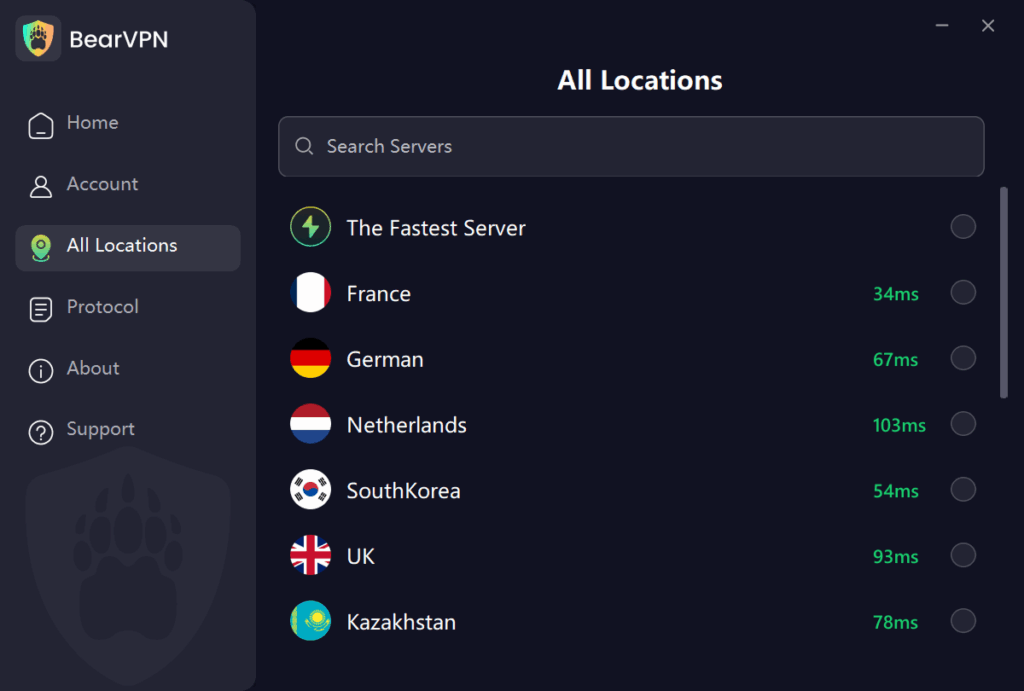
Connect BearVPN before opening the site. Mask your public IP, encrypt the local route, and stop traffic if the VPN tunnel drops.
Method 2. Private / Incognito Browsing
Private or Incognito mode creates a temporary browser session. After every private window is closed, the browser removes that session’s local history, cookies, site data, and form entries. It does not hide activity from the websites, ISP, employer, school, router owner, or monitoring software on the device.
Tips
- Start BearVPN first, then open the private window.
- Close all private windows when finished; one remaining window can keep the session alive.
- Do not sign into personal accounts, because the site can then identify the account regardless of the IP.
- Downloads and bookmarks remain after Incognito closes. Delete unwanted files separately and empty the trash/recycle bin.
- On a managed work, school, or family device, assume monitoring tools can still record activity. Use your own authorized device.
Method 3. Use Secure, Privacy-Focused Browsers
A privacy-focused browser reduces cookie, ad, tracker, and fingerprint exposure. Brave or a hardened Firefox setup is the practical choice for everyday video playback. Tor Browser offers stronger network separation and anti-fingerprinting, but video can be slower, exit IPs may be blocked, and only traffic inside Tor Browser uses Tor.
Tips
- For everyday streaming, use Brave or Firefox with strict tracking protection and third-party cookies blocked.
- For stronger anonymity, use the official Tor Browser without extra extensions; expect slower loading and possible playback failures.
- Do not log into personal accounts in the same private session.
- Disable browser autofill, saved passwords, site notifications, and automatic downloads for adult sessions.
- Keep the browser updated. A “privacy browser” with old security patches is not a safe browser.
Method 4. Minimize Personal Exposure (No account reuse)
Creating accounts or using personal details on adult sites creates direct links between your identity and your activity. Minimizing account creation and never reusing passwords prevents cross-site linking and reduces the chance that an account leak will expose your identity.
Tips
- Avoid creating accounts on adult sites unless absolutely necessary.
- If an account is needed, use a unique email and a strong, unique password.
- Keep other accounts logged out while browsing adult content to avoid accidental linking.
- Do not reuse a profile photo, username, phone number, or recovery email from social or work accounts.
- Payment details and account verification can identify the customer even when the network IP is masked. Use only lawful platforms and accurate account information.
Method 5. Safe Site Practices
HTTPS encrypts data between the browser and the site, which prevents ordinary network eavesdropping on the specific page and stream. It does not prove that the operator, advertisements, scripts, or downloads are trustworthy. Use established lawful services and leave immediately when a page behaves like a trap.
Tips
- Reject pages that demand a new player, codec, browser extension, mobile profile, or executable before playback.
- Close fake play buttons, forced notification prompts, crypto offers, and “device infected” warnings.
- Never submit payment or login details on a lookalike domain reached through an ad or redirect.
- Prefer sites with clear ownership, privacy terms, abuse reporting, HTTPS, and a consistent domain—not merely positive anonymous reviews.
Method 6. Anti-Virus Tools and Browser Extensions
Real-time endpoint security can stop known malicious files, scripts, and unwanted software that a VPN does not inspect. Tracker or content blockers can reduce dangerous advertising, but every extension also receives browser privileges and adds another supply-chain risk.
Tips
- Keep the operating system, browser, BearVPN, and antivirus updated automatically.
- Enable real-time scanning and scan every intentional download before opening it.
- Install as few extensions as possible and use only maintained extensions from verified publishers.
- Remove extensions that request access unrelated to their purpose or inject new ads/search pages.
- If a site says security software must be disabled, close the site instead.
Extra Safety Tips Wrap-Up
The safest setup is layered: BearVPN handles the IP and network route, a private browser session limits local traces, and security software plus disciplined clicking protects the device. Use this final check before every session.
Tips
- Connect BearVPN and verify the public IP before opening the site.
- Use a separate private window or dedicated browser profile with personal accounts signed out.
- Block third-party cookies, trackers, pop-ups, notifications, and automatic downloads.
- Never install a player, codec, APK, desktop app, or extension promoted by an adult-site pop-up.
- Close all private windows and delete downloaded files when finished.
- For the strongest separation, use your own updated device rather than a work, school, family, or shared computer.
Your browser can clear local history. BearVPN protects the IP and network trail.
Is Watching Porn Online Legal?
The legality of viewing adult content depends on the user’s age, location, and the content itself. Lawful consensual adult material may be permitted in one jurisdiction and restricted or blocked in another.
Understanding Local Laws and Regulations
Check current local rules before accessing adult content. Never view, save, request, or share material involving minors, exploitation, non-consensual distribution, or anything else prohibited where you live.
Avoiding Legal Risks
Adults can use BearVPN to protect their connection, change the visible IP location, and bypass blocks or age-verification pages triggered by a local network or IP region. A VPN does not change a user’s real age, make prohibited content legal, or replace an account-bound identity check.
Related article: How to Watch Porn Sites Without Age Verification
FAQ: Watching Porn Online Safely and Anonymously
It depends on your age, country, and the content. Adults should use lawful, consensual platforms and follow current local rules. A VPN protects the connection but does not make prohibited content legal.
Connect BearVPN before opening the site, verify that the public IP changed, use a private browser window, stay signed out of personal accounts, block trackers and pop-ups, and never install files promoted by the site.
Incognito mode does not hide network traffic. With HTTPS, the ISP can generally see the site connection but not the exact page content in transit. BearVPN encrypts the device-to-VPN route so the ISP sees the VPN connection instead of the adult-site destination.
Yes. Malicious ads, fake play buttons, phishing pages, notification prompts, and downloads can infect or compromise a device. A VPN does not replace browser updates, antivirus, and safe download habits.
Use an updated browser and antivirus, reject all required-player or codec downloads, block pop-ups and notifications, and use established HTTPS sites. BearVPN hides the IP and encrypts the route, while endpoint security handles malicious files.
Use BearVPN to mask the public IP, a private browser session to limit local history, tracker blocking to reduce third-party collection, and separate account habits so personal logins do not identify the session.
Do not assume so. A site may still use IP addresses, cookies, account data, browser characteristics, analytics, or payment records. BearVPN plus private browsing reduces several tracking layers, but no platform should promise perfect anonymity.