There is no hidden Roblox unban method. If a temporary ban is still active, you must either wait for the expiration time shown in the moderation notice or use the official appeal option provided by Roblox. If the account was deleted or received an enforcement action, only Roblox can reverse it.
Do not download an “unbanner,” pay an unban service, create another account to evade the action, or assume that changing your IP address will restore the account. This guide shows you how to identify the ban, use the correct Roblox appeal channel, and submit the strongest factual case available.
Understand Roblox Ban Types and What “Unbanned” Really Means
Before you try to get unbanned from Roblox, you need to identify the exact moderation action on your account. Short suspensions, permanent deletions, and inexperience bans are different things with different remedies. Confirming your situation prevents wasted appeals and sets the right expectations from the start.
Platform-level actions you may see
- Warning or Temporary Ban (e.g., 1/3/7/14 days): Typically tied to specific violations. These expire automatically, but repeated violations can escalate penalties.
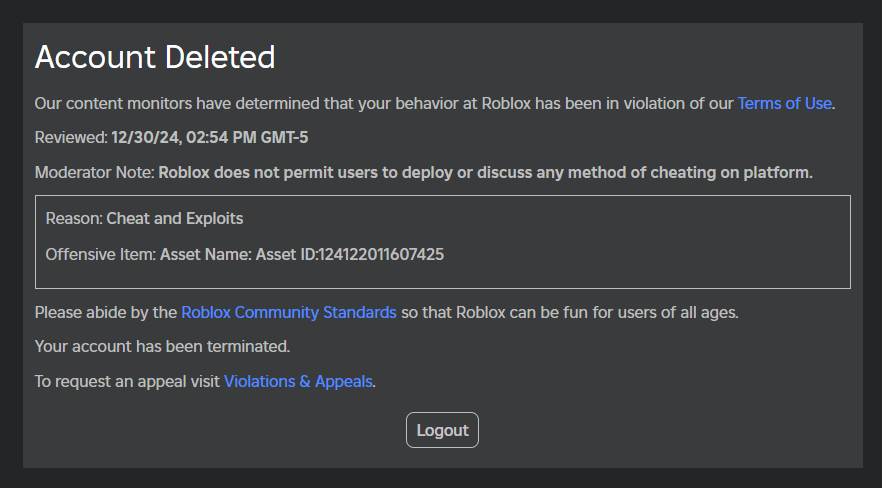
- Account Deletion/Termination: A more serious action for severe or repeated violations. The account becomes inaccessible unless an appeal is successful.
- Content Moderation (asset-specific): Individual experiences, clothing, or other assets may be moderated or removed; appeals may focus on the content rather than the entire account.
In-experience (game) bans vs. platform bans
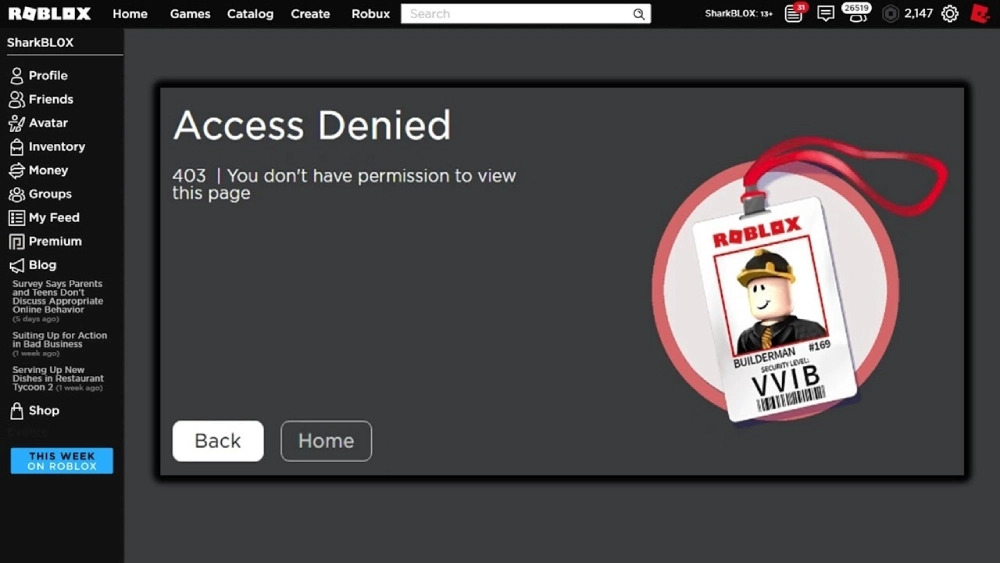
A game-specific ban (from a single experience) is set by that experience’s moderation system or developer policies. It does not necessarily mean you are banned from Roblox as a platform. Conversely, a platform ban affects your entire account and requires going through Roblox’s official support—contacting game staff won’t resolve a platform-wide action.
What “unbanned” can realistically mean
If you’re on a temporary ban, “getting unbanned” may simply be waiting for the timer to end while ensuring no further violations occur. If your account was deleted, the only legitimate path is a formal appeal. There is no guaranteed method or third-party tool that can force a reversal—only the moderation team can reconsider a decision.
The Truth About Roblox Unban Tools and Getting Unbanned Without Appealing
There is no official Roblox unban tool. An external program, browser extension, Discord seller, or paid “unban service” cannot edit the moderation status attached to your Roblox account.
Treat any service that asks for your password, browser cookie, two-step verification code, backup code, payment, or downloaded executable as unsafe. Roblox warns users never to share these account-security details, and Roblox employees will not ask for them.
Can you get unbanned from Roblox without appealing? Only in limited situations:
- A temporary ban reaches the expiration time shown in your moderation notice.
- The creator of a specific experience removes a game-only ban.
- Roblox independently corrects or withdraws an action.
For an active platform ban, account deletion, or enforcement action, there is no legitimate user-controlled bypass. Follow the appeal option shown in the moderation notice. Creating or using another account to avoid enforcement—and using a VPN to gain unauthorized access to an account or feature—can itself violate Roblox Community Standards.
Map the Moderation Notice and Deadlines Before You Appeal
Rushing an appeal is a common mistake when people try to get unbanned from Roblox. Your moderation notice contains crucial details that shape your appeal. Capturing those details first prevents errors, duplicate submissions, and missed deadlines.
What to record from your moderation message
- Timestamp and action type: Warning, 3-day ban, 14-day ban, or account deletion.
- Violation category or reason: For example, inappropriate content, scamming, or exploiting.
- IDs and links: Your username, UserID, and any affected asset/experience links.
- Any “Appeals” references: Some notices include a pointer to policies or appeal options.
Choose the Appeal Route Shown in Your Notice
Roblox uses two official appeal routes. Do not guess which one applies:
- Open the moderation notification and read the appeal instructions.
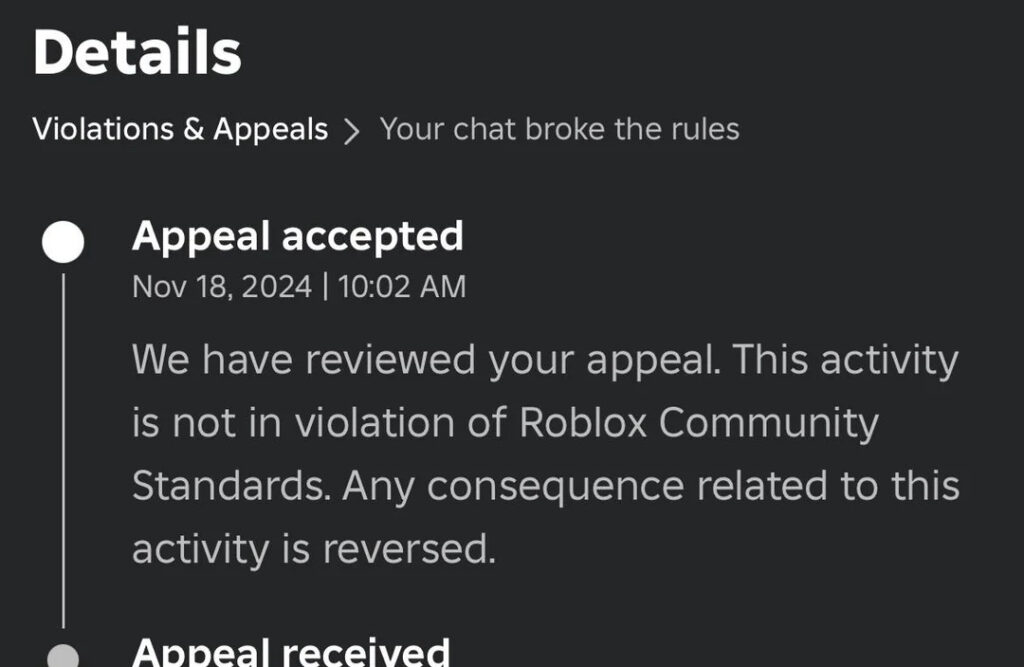
- If the notification links to Violations & Appeals, sign in, select the eligible violation, choose Appeal, and explain why the decision should be reviewed.
- If the violation is not listed there, use the official Roblox Support Form.
- For an account appeal, include the account username and a brief statement explaining the reason for the appeal.
- For moderated content, also include the Asset ID and a direct link to the content.
Appeal Deadline and Review Limits
Submit the appeal within 30 days of the moderation action. EU users have up to 6 months for an initial moderation action. Only the account owner may appeal, and a valid email address associated with the account should be used.
Roblox states that once a moderation action has been reviewed, it cannot be reviewed again. Duplicate appeals for the same action will not be reviewed, so gather the relevant information before submitting.
Prepare These Details
- The exact wording and date of the moderation notice.
- Your Roblox username.
- The violation category shown in the notice.
- Relevant Asset IDs or Roblox links for content cases.
- A concise timeline explaining what happened.
- Evidence that directly supports your explanation.
- If the account may have been compromised, the security steps you took after discovering it.
Example Roblox Ban Appeal
Subject: Appeal of Moderation Action on [Username]
Hello Roblox Appeals Team,
I am requesting a review of the moderation action applied to my account, [Username], on [date]. The notice states that the action was taken for [reason shown in the notice].
I believe the decision should be reviewed because [brief factual explanation]. The relevant details are:
- Moderation date and time: [date and time]
- Asset or experience link, if applicable: [link]
- Supporting context or evidence: [brief description]
I understand the applicable Roblox Community Standards and will follow them going forward. Please review the moderation action and the information above.
Thank you for your time.
Customize this example to match your actual notice. Do not invent evidence, copy an unrelated appeal, threaten support staff, or admit to conduct that did not occur.
File a Clear, One-Time Appeal with Evidence That Matches the Violation
When you want to get unbanned from Roblox, quality beats quantity. A concise, respectful appeal that directly addresses the cited violation is far more effective than sending multiple messages or emotional essays.
Where and how to submit
- Use the official Roblox Support/Appeals channel. Choose the category that best matches your issue (e.g., Account Moderation or Content Moderation).
- Submit only one appeal per moderation action. If you send duplicates or spam follow-ups, you risk delays or dismissal.
Structure of a strong appeal
- Short opener (1–2 sentences): State you’re appealing a moderation action and include your username and UserID.
- Factual summary (3–5 sentences): Briefly describe what led to the action using neutral language. Avoid speculation or blame.
- Evidence (bullet format):
- Screenshot filenames and what each shows.
- Asset or experience links.
- Any logs or timestamps that clarify context.
- Screenshot filenames and what each shows.
- Policy alignment (1–2 sentences): Acknowledge Roblox Community Standards. If you made a mistake, own it and describe how you’ll avoid it in the future.
- Polite close (1 sentence): Thank the team for reviewing; no demands.
Tone and content tips
- Be specific: If the reason was “scamming,” explain the transaction and provide proof of intent or misunderstanding.
- Don’t copy templates: Recycled, generic appeals look insincere and may not address your case.
- Avoid admissions you don’t mean: If you truly didn’t do it, state that clearly and stick to verifiable facts. If you did, apologize briefly and outline corrective steps.
Common pitfalls to avoid
- Submitting multiple times for the same action.
- Irrelevant attachments (memes, unrelated screenshots).
- Aggressive or sarcastic language.
- Offering bribes or “donations.”
- Third-party “unban services.” These are risky and ineffective; only Roblox can reverse a moderation decision.
How to Appeal a Roblox Enforcement Ban
If your notice says the account was moderated for avoiding an enforcement action, use the appeal route specified in that notice. Do not create another account, switch IP addresses, or repeatedly submit the same appeal.
In your appeal:
- Quote the exact reason and date shown in the moderation notice.
- Clearly identify which account you own and control.
- Explain any relevant shared-device, shared-network, family, school, or compromised-account circumstances.
- Include only verifiable details that directly support your explanation.
- Ask Roblox to review whether the enforcement action was correctly applied.
Roblox does not publicly document every technical signal used to associate accounts, so avoid claiming that an IP address, device, email address, or other single factor definitely caused the action.
What About a Voice Chat Restriction?
If Roblox issued the voice or communication restriction, follow the appeal instructions in the moderation notice. If the restriction applies only inside one creator’s experience, contact that experience’s creator. Use the Bug Report category only when you are reporting an actual technical malfunction—not as a substitute for a moderation appeal.
Ban Timelines, “Stacking,” and What to Do While You Wait
A big part of how to get unbanned from Roblox is understanding what you can and can’t influence. Temporary bans end automatically; appeal responses arrive on their own schedule. Use this time to secure your account and avoid repeat issues.
How durations typically work
- Warnings: No downtime, but subsequent violations may escalate.
- Temporary bans: Common lengths include 1, 3, 7, or 14 days. These usually lift once the timer ends—no appeal needed unless you believe the action is mistaken.
- Account deletions: The strictest action. Only a successful appeal can reverse this.
About “stacking” and repeat violations
While Roblox hasn’t publicly disclosed every internal rule for penalty escalation, community experience suggests that repeat violations in a given period tend to increase ban lengths and the likelihood of deletion. Treat each warning or short ban as a serious signal to review behavior, content, and security.
What to do while waiting
- Secure your login: Change your password, enable 2-step verification, and review connected devices/sessions.
- Audit your content: Check experiences, clothing, and descriptions for anything that might trip moderation again (inappropriate language, IP infringement, off-platform links to scams).
- Clean up communications: If chat or group messages were involved, adopt stricter rules for trading, giveaways, and role-play content.
- Educate collaborators: If you run a group or develop with friends, align on standards so one person’s mistake doesn’t affect everyone.
If your appeal is denied
At that point, accept the outcome and focus on prevention. Attempting to create alternate accounts to bypass enforcement can violate Roblox rules and lead to further restrictions. The safest long-term strategy is to comply fully and rebuild trust through positive play and creation.
Protect Your Roblox Connection After Account Access Is Restored
BearVPN cannot unban a Roblox account or change a moderation decision. Once you are allowed to use the account again, however, BearVPN can help protect the network connection you use for normal gameplay.
Do not use BearVPN—or any VPN—to evade an active Roblox moderation action, create replacement accounts, or gain unauthorized access to an account or feature.
- Encrypt traffic on shared or public Wi-Fi.
- Mask your public IP during normal gameplay.
- Test a nearby route if your usual path is congested.

For setup instructions and responsible-use guidance, see the BearVPN Roblox VPN guide.
Download BearVPN to make your regular Roblox connection more private.
FAQ
Roblox does not publish one universal ban schedule. The length and type of restriction depend on the violation, its impact, and the account’s previous behavior. Check the moderation notice for the exact expiration time or account action. Repeated violations may result in more severe consequences.
A temporary ban may end automatically at the time shown in the notice, so no appeal is required if you are willing to wait. A creator may also remove a ban from a specific experience. However, an active platform ban, account deletion, or enforcement action cannot be legitimately bypassed; Roblox must reverse it through the official review process.
No official Roblox unban tool exists. Software, extensions, paid services, and VPNs cannot edit your Roblox moderation status. Never give an “unban service” your password, browser cookie, two-step verification code, backup code, or payment information.
Read the moderation notice and use the appeal route it provides—either Violations & Appeals or the Roblox Support Form. Quote the exact action, explain why it may have been applied incorrectly, and include relevant, verifiable evidence. Submit within 30 days in most regions and avoid duplicate appeals.
If you are banned from only one experience, contact that experience’s creator or moderation team. Error Code 600 indicates a creator-issued experience ban, not a platform ban. Roblox Support says it cannot remove these bans or contact the creator on your behalf.
The standard Roblox appeal window is 30 days from the moderation action. EU users have up to 6 months to appeal an initial moderation action. Outside an applicable extended legal right, Roblox does not promise that a late appeal will be reviewed, so submit as soon as possible.
No. A VPN changes the network route and public IP address; it does not change the moderation status attached to a Roblox account. Roblox Community Standards prohibit using a VPN to gain unauthorized access to Roblox, including a specific feature or account.
Roblox does not publish a guaranteed appeal-response time. It can vary by case and support volume. Monitor the email address used for the appeal and the status shown in Violations & Appeals, if available. Do not submit duplicate appeals for the same action.
Conclusion
The only legitimate route to get unbanned from Roblox is through a careful, one-time appeal grounded in facts and respectful tone. Start by identifying the exact moderation action, gathering precise evidence, and following the official process without spamming or shortcuts. While you wait, secure your account, clean up risky behavior, and teach collaborators or family members how to avoid future violations. Use privacy tools like VPNs responsibly—and never for ban evasion. With a clear understanding of policies and a focused appeal, you’ll give yourself the best chance of returning to play the right way.