


Whether you want to delete your OnlyFans account permanently or just deactivate OnlyFans temporarily, the process is straightforward once you know the right steps. This guide covers exactly how to delete your OnlyFans account — including how to cancel subscriptions, back up your content, and protect your personal and payment data — for both subscribers and creators. We’ll also cover the difference between deletion and deactivation, what happens to your data afterward, and how to fix common issues if the delete option isn’t working.
You may also like: Which country banned OnlyFans in 2026

Why Delete or Deactivate Your OnlyFans Account
Deciding to remove your OnlyFans profile could come from many reasons:
- Privacy concerns: Maybe you no longer want your activity or financial details tied to the platform.
- Financial control: Subscriptions add up, and removing your account helps you stop recurring charges.
- Taking a break: You may not be ready to delete everything forever and prefer to pause instead.
- Content control: You might want all your content and data removed to start fresh or protect your digital footprint.
When considering how to close your OnlyFans account safely, you should know the difference between permanent deletion and temporary deactivation. Each has pros and risks, especially in how it affects your content, subscriptions, and data.
Related article: Is OnlyFans Age Verification Safe?
Creators vs. Subscribers: What’s Different
The steps to delete your account are the same for both, but the consequences aren’t:
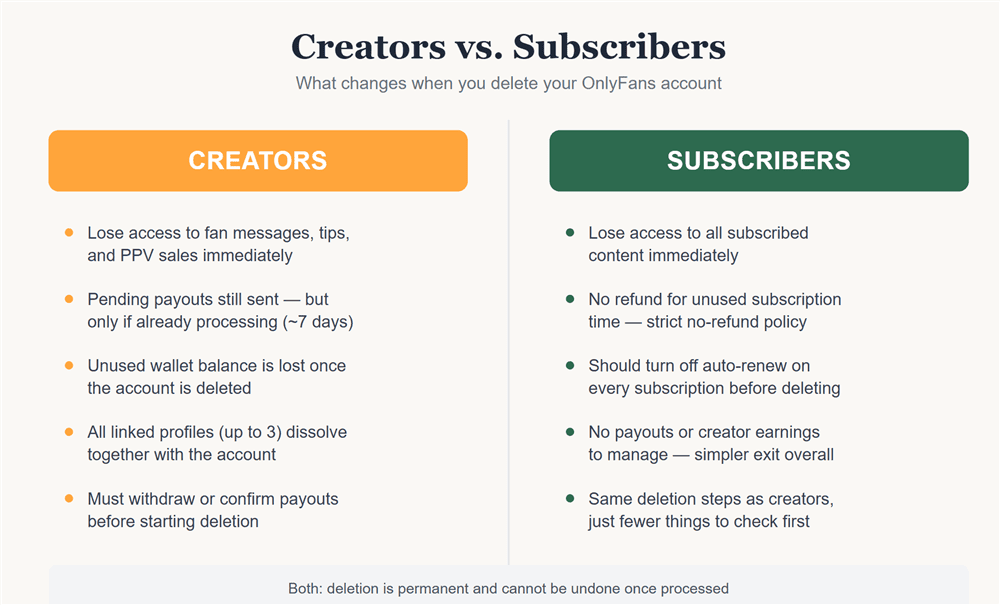
- Subscribers lose access to all subscribed content immediately and will not be refunded for unused subscription time — OnlyFans has a strict no-refund policy.
- Creators additionally lose access to fan messages, tips, and PPV sales the moment the account is gone. Any pending payouts are still sent to your linked payout method, but only if the payout was already processing before deletion — typically within about 7 days. Withdraw or confirm any pending balance before you delete.
- If you have unused funds sitting in your OnlyFans wallet, request a refund before deleting — once the account is gone, any remaining wallet balance is gone with it.
- An account can have up to three linked profiles (paid or free); deleting the account dissolves all of them together.
How to Delete Your OnlyFans Account Permanently
Here are the most up-to-date OnlyFans account removal steps for permanent deletion, along with key privacy tips:
Step 1: Back Up Your Content (Optional but Recommended)
- Download any posts, images, or videos you want to keep.
- Once your account is deleted, OnlyFans may permanently erase your content — so saving copies gives you control over your digital footprint.
Step 2: Cancel Active Subscriptions
Log in to OnlyFans and go to Settings → Subscriptions. Then, for each creator, turn off the Auto-Renew toggle.
Important: OnlyFans does not automatically cancel your subscriptions when you delete your account — you must manually stop each one.
Confirm your cancellations, because if you don’t, you could still be charged.
Step 3: Access OnlyFans Settings to Delete
Go to your profile → Settings → Account.
Scroll down to find the “Delete Account” option. According to previous user reports and policy summaries, this is where you submit your deletion request.
OnlyFans may ask you to confirm your password or verify your decision.
Step 4: Submit Deletion Request
Confirm you want to permanently delete your OnlyFans account.
According to user reports and policy summaries, once deletion is initiated, the account deletion may only complete after your last active subscriber’s subscription ends, especially for creators.
OnlyFans typically emails you when the deletion is processed.
Step 5: Confirm and Secure Your Data
After receiving the confirmation email, try logging in. You should get a message indicating your account no longer exists.
For extra data safety, remove any saved payment methods (cards, PayPal) from your browser or device. Some users report that payment data may persist if not deleted manually.
Clear autofill settings, remove saved passwords, and ensure no linked accounts remain.
How to Deactivate OnlyFans Account Temporarily
If you don’t want to fully delete your account, temporary deactivation might be a safer option. While OnlyFans doesn’t always clearly label a “pause” feature, some users suggest deactivation or deletion with the intent to restore later — though this depends heavily on the status of subscriptions and the platform’s process.
Here’s a general approach based on community feedback:
1. Log in, go to Settings → Account, and look for “Deactivate” or similar wording.
2. Submit the deactivation request. Users have reported that their account will “stay open until the last paying subscriber’s subscription ends.”
3. To reactivate, simply log back in (if possible) and follow any prompts. Note: OnlyFans may offer a link in your deletion confirmation email to cancel the deletion request, depending on timing.
Tip: Before deactivating, back up your content (as with permanent deletion), and cancel auto-renew subscriptions if you don’t want them running while your account is inactive.
What to Know About OnlyFans Privacy
Protecting your personal data is a big part of both deleting and deactivating your OnlyFans account. Here are concrete ways to secure your information:
- Unlink payment methods: Remove cards or PayPal from your account. Some guides suggest that failing to do this could leave your billing info stored.
- Clean your device: Clear saved passwords, cookies, and autofill entries related to OnlyFans.
- Manage your email: After deletion or deactivation, update or remove any OnlyFans‑related email alerts so your data isn’t inadvertently exposed.
- Review data retention policy: Official statements are limited, but some user reports suggest OnlyFans may continue storing certain data for a period even after account deletion.
- Log out from all sessions: Make sure you’re logged out of all devices for added security.
Troubleshooting OnlyFans Account Deletion
Here are common issues people face when trying to delete or deactivate their account, and practical solutions:
1. OnlyFans Delete Account Not Working
Try clearing your browser cache or using a different device.
Make sure you have canceled all your active subscriptions first — failing to do so might block deletion.
If errors persist, contact OnlyFans Support via their help center.
2. Forgotten Password or Login Issues
Use the “Forgot Password” feature to reset your login credentials: OnlyFans supports email-based password recovery.
Make sure you have access to the registered email address so you can receive the reset link.
3. Subscription Still Active After Deletion
Double-check that auto-renew was turned off on every creator’s subscription. OnlyFans will not cancel all subscriptions automatically
If you still see pending charges, reach out to OnlyFans Support or your payment provider to dispute them.
Comparison: Permanent Deletion vs. Temporary Deactivation
How to Delete OnlyFans Account Without Age Verification
You’ve made the decision to delete your account—but what happens when you’re hit with an “Access Denied” error?
If you live in a region or are using a network (like a campus or public Wi-Fi) that has blocked or restricted access to OnlyFans, you are essentially locked out. You can’t delete what you can’t reach, leaving your personal information and profile active indefinitely.
The Fix: A Digital Key to Unlock Your Account
A VPN is the simplest, fastest solution to this problem. It works as a digital key that instantly bypasses network walls and geo-restrictions by rerouting your connection through a foreign country.
This gives you guaranteed access to the OnlyFans site so you can log in and finally click the delete button.
Recommended Tool: BearVPN
For reliable access and unblocking, we recommend BearVPN. Its extensive global network makes it a perfect tool for overcoming restrictions when you need to finalize your account deletion.
How to unblock OnlyFans with BearVPN:
Step 1. Download BearVPN: Get the application for your device.
Step 2. Connect First: Before opening your browser, connect the VPN to a server in a country known to have open access (e.g., the United States or Germany).
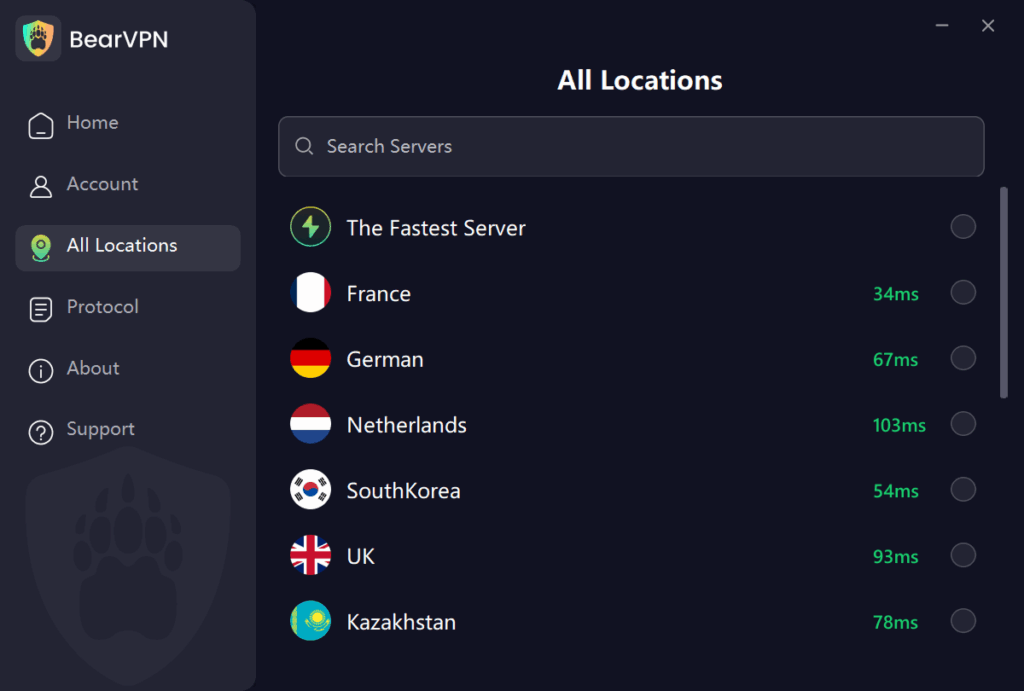
Step 3. Finalize Deletion: With the VPN running, log into OnlyFans and follow the remaining steps in the main guide. You should now have full, unrestricted access.
Step 4. Confirm Secure Exit: You can disconnect the VPN once you receive the confirmation that your account has been scheduled for deletion.
Conclusion
Knowing how to delete your OnlyFans account — or simply deactivate it — puts you back in control of your subscriptions, your content, and your personal data. If you’re ready for a clean break, permanent deletion removes your profile for good; if you just need a pause, temporary deactivation lets you step away without losing anything.
For those who want to delete OnlyFans account without age verification, we recommend using BearVPN to bypass it and finish the deletion. Whichever you choose, remember to:
- Cancel your subscriptions manually.
- Save any content you care about.
- Remove payment details and clear saved data.
- Reach out to OnlyFans support if anything goes wrong.
Following these steps lets you delete or deactivate your OnlyFans account with confidence, knowing your privacy, content, and finances are handled properly.
Frequently Asked Questions
Go to Settings → Account → Delete Account, verify your password/code, and confirm. Back up content and check your subscriptions/payouts first — it can’t be undone.
Yes, you can pause your account so it remains inactive until you decide to reactivate it. Availability depends on subscription states.
This isn’t fully consistent across user reports — to be safe, manually turn off auto-renew on every active subscription before deleting rather than assuming it will be handled for you.
Your account and content may be permanently removed. For extra privacy, remove saved payment methods and clear device data.
It can vary; in some cases, the process only completes once your last active subscriber’s billing cycle ends.
No — OnlyFans has a strict no-refund policy for subscribers. If you have unused funds in your wallet, request a refund before deleting, since wallet balances aren’t recoverable afterward.
No — age/identity verification isn’t required to delete your account. It’s only needed for signup or accessing certain content. Deletion just requires logging in, confirming your password, and completing the standard verification code step.


![How to Change YouTube TV Location [Still Works in 2026]](/_next/image/?url=https%3A%2F%2Fcms.bearvpn.com%2Fwp-content%2Fuploads%2F2026%2F06%2Fhow-to-change-location-youtube-tv.webp&w=640&q=75)



