How to bypass Pornhub age verification depends on what is actually stopping you. For an adult facing a page triggered by an IP address in a restricted country or state, BearVPN can mask that IP, switch the visible location, and load Pornhub through a region where the same gate is not being served.
A verification loop is different: old Pornhub cookies, browser location, DNS filtering, or a blocked VPN server may keep returning the same page after your route changes. Those problems can usually be tested and fixed without handing personal details to a suspicious third-party page.
An account- or device-bound age check is a separate layer. BearVPN changes the network location; it does not create an Apple age credential, correct a birth date stored on an account, or submit a third-party verification result. The steps below show adults how to identify the layer first and use the strongest fix for it.
Disclaimer: This guide is for educational and privacy-optimization purposes only; it does not encourage the violation of local laws, and users are solely responsible for ensuring their online activities comply with local regulations.
What is Being Checked Under Age Verification Rules?
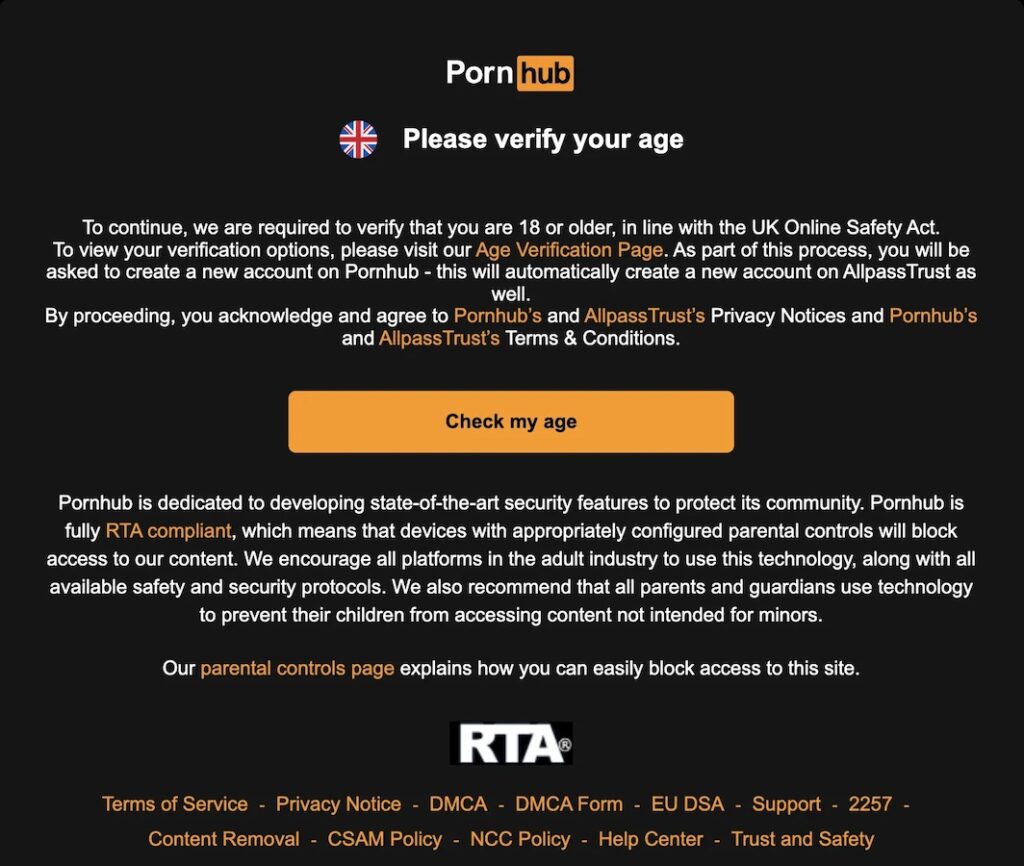
Start with the exact page in front of you. A notice naming your country, state, or region is usually being selected from your public IP. A page that reloads after you have already completed a step may be holding a stale cookie or mismatched location signal. A prompt inside a signed-in account—or one requesting an approved age credential—belongs to the account or device layer.
Age-assurance methods vary by region and can change. They may include a device age signal, mobile-network confirmation, payment or banking checks, email-based estimation, or a third-party identity flow. Do not assume that every Pornhub visitor receives the same method, and do not upload an ID or payment detail to a clone domain, pop-up, extension, or APK claiming to be a “Pornhub bypasser.”
How to Bypass Pornhub Age Verification with BearVPN
If the Pornhub page changes according to your country, state, ISP, or Wi‑Fi, the trigger is at the network or IP-location layer. BearVPN can replace the public IP Pornhub sees and route the request away from a regional block. Use the following steps on your own supported device.
Step 1: Read the Pornhub message before changing anything
Look for a named country or state, not available in your region, access denied, an age-check provider, or a normal browser error. Take a screenshot if you may need to compare the result later. If the message is inside an account and refers to the account’s age, skip to the account-age fix below.
Step 2: Download BearVPN from the official source
Install BearVPN for Windows, macOS, Android, or iOS and sign in. Avoid cracked VPN apps, browser “Pornhub unblocker” extensions, and proxy pages that ask for Pornhub credentials; they add another party between you and a highly sensitive browsing session.
Step 3: Connect outside the location triggering the gate
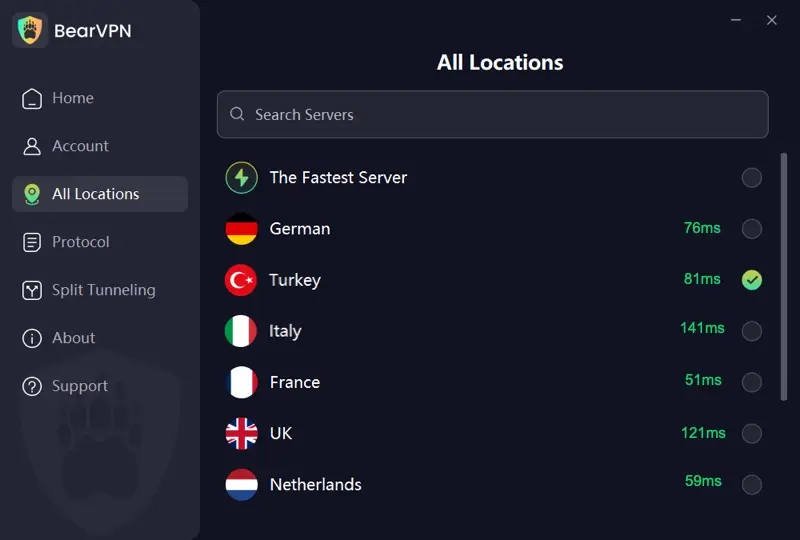
Use Smart Server Selection for a responsive route, or choose a nearby BearVPN location where Pornhub is available without the same regional page. BearVPN masks the original public IP, so Pornhub evaluates the new server location instead.
Step 4: Turn on obfuscation if the network blocks the VPN
If BearVPN itself will not connect on the current ISP, hotel, campus, or shared network, enable Strong Obfuscation and reconnect. This disguises the VPN tunnel so restrictive networks have a harder time identifying and interrupting it.
Step 5: Remove stale Pornhub location data
Close every Pornhub tab. Clear cookies and site data for the official Pornhub domain, revoke unnecessary browser location permission, then open a fresh Private/Incognito window. Do this after connecting so an old regional cookie does not keep serving the previous gate.
Step 6: Reopen the official site and check the result
Load Pornhub directly—never through a mirror—and confirm that the regional message has disappeared. If the same page remains, switch to another nearby BearVPN server once, repeat the site-data reset, and test again. If Pornhub now asks the signed-in account or device for a supported age credential, the IP bypass has worked as far as the network layer can go; complete or correct that separate account/device flow if you choose to use it.
Mask your current IP and reopen Pornhub through another BearVPN location. Strong obfuscation keeps the tunnel moving when the network fights back.
Why BearVPN Fits Private Adult Browsing
Changing the visible region solves only half of the problem. Adult browsing exposes a particularly sensitive combination of IP address, DNS lookups, connection history, and account activity. A free proxy may swap one IP while leaving the rest of that route exposed—or create an even less trustworthy record of it.
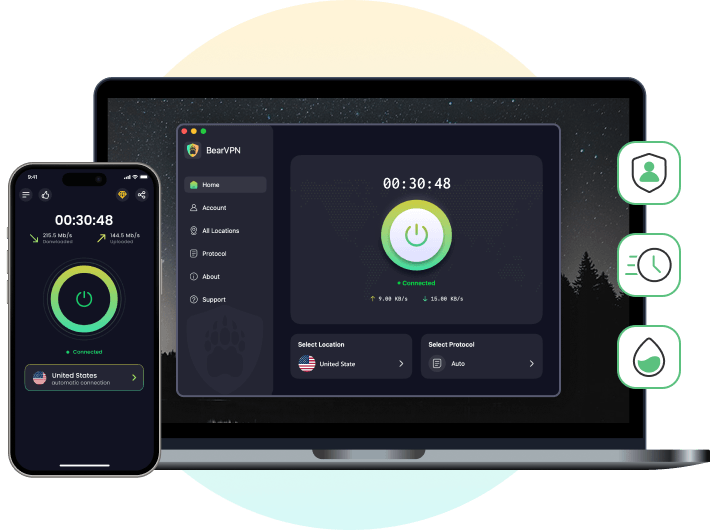
BearVPN combines the bypass tools required for a regional Pornhub gate with privacy controls that remain useful after the page loads:
- IP masking and 50+ locations: Replace the home or mobile IP and choose among 2,000+ servers when the current region receives a Pornhub restriction page.
- Strong Obfuscation: Helps the encrypted tunnel connect when an ISP or local network blocks recognizable VPN traffic.
- AES-256 encryption and private DNS: Keep traffic and DNS lookups inside the encrypted route instead of exposing the destination to the local Wi‑Fi or default DNS resolver.
- DNS leak protection and Kill Switch: Reduce accidental fallback to the unprotected IP or DNS route if the VPN connection drops.
- Split Tunneling: Route the browser through BearVPN while leaving apps that do not need a location change on the normal connection.
- Bare-metal, RAM-only infrastructure and a no-logs policy: Reduce reliance on unknown proxy operators and minimize persistent session data on the VPN side.
Start with the feature that matches the block: change the visible IP for a regional gate, add obfuscation when the VPN connection itself is interrupted, and use leak protection when privacy matters throughout the session. BearVPN cannot edit an age stored in a Pornhub account, but it can decisively remove the original IP location from the access path.
Proxies, Smart DNS vs. VPN: Which Offers Real Privacy?
You’ll also see advice to “just use a proxy,” “switch DNS,” or “try Tor.” Each has trade-offs:
- HTTP/HTTPS proxies can change your apparent IP but may expose traffic to the proxy operator if it’s not end-to-end encrypted. Free proxies are notorious for injection and logging.
- Smart DNS can reroute certain lookups for speed, but it doesn’t encrypt traffic. It’s less about privacy and more about region-based content routing.
- Tor routes through multiple relays for anonymity, which can be excellent for research and activism. For streaming or heavy video, though, performance may not meet expectations, and some sites block Tor exits.
If you’re an adult concerned primarily with reducing casual tracking while maintaining performance, a well-implemented VPN tends to be the simplest, most balanced tool—again, without guarantees or license to break rules.
If You Choose a VPN, Choose Features That Serve Privacy First
Not all VPNs emphasize the same things. If you are an adult looking for a smoother, safer browsing baseline, prioritize features that measurably reduce exposure:
- DNS-leak protection and IP masking to avoid accidental information leaks.
- RAM-only servers to reduce long-term data persistence.
- Traffic obfuscation that makes encrypted flows look more ordinary on restrictive networks.
- No-logs policy is stated clearly and consistently across platforms.
- Per-app routing so you can send only sensitive apps through the tunnel and leave latency-critical ones off it.
- Broad platform support across iOS, Android, macOS, and Windows for consistent habits on every device.
BearVPN focuses on these elements alongside a one-tap connection UI and wide server coverage for flexible IP changes. It’s built for fast browsing, streaming, and gaming performance while maintaining a privacy-first posture. Still, as with any VPN, it does not promise 100% success on any particular site.
Pornhub Age Verification Not Working? Fix the Exact Error
Do not keep changing random settings when Pornhub age verification is not working. Match the visible symptom to its layer, then change one variable at a time. That tells you whether the block belongs to the browser, network, region, or account.
The age verification page keeps looping
- Confirm BearVPN is connected before opening Pornhub.
- Close all Pornhub tabs and clear only Pornhub cookies/site data.
- Block or revoke browser location access for the site if it conflicts with the VPN location.
- Temporarily disable content blockers for the official verification page; a blocked script can prevent completion.
- Open a fresh Private/Incognito window and retry the official domain.
- If the loop began after changing VPN servers, stay on one server during the entire verification session so the IP does not change mid-flow.
Pornhub says it cannot verify your age
Check which method the official page is offering. Available methods differ by country and can include device, mobile-network, payment, banking, email-estimation, or third-party assurance. Complete the chosen flow without switching IPs halfway through. If a method is unavailable or rejects valid adult details, use Pornhub’s official support route; BearVPN cannot manufacture the credential that provider expects.
403 Forbidden, Access Denied, or a location notice
- Disconnect the current server.
- Choose another nearby BearVPN location outside the region named by the notice.
- Clear Pornhub site data after connecting.
- Reopen the official domain and confirm the visible notice changes.
A changed or removed location notice confirms that the original IP route was the trigger. If only a signed-in age prompt remains, proceed with that separate account flow.
ERR_CONNECTION_RESET or DNS_PROBE_FINISHED_NXDOMAIN
These codes do not prove ISP tampering. They can also come from a broken resolver, firewall, security app, router, outage, or failed route. First test another normal website, reconnect BearVPN, and retry another server. BearVPN’s encrypted DNS route can bypass a local DNS block; Strong Obfuscation can help if the network is interrupting recognizable VPN traffic. If every site fails, fix the underlying connection before treating Pornhub as the cause.
An adult account was marked underage or has the wrong birth date
Changing IP addresses will not rewrite account data. Do not create fake verification documents or repeatedly submit conflicting details. Save the exact account notice, sign out and back in once, then use Pornhub’s official account or support process to correct an error or appeal a mistaken restriction. This is the right branch for the GSC query about restoring an account after an underage ban; it should not be mixed with regional bypass instructions.
Recommended: Porn Sites without Age Verification
FAQs
For an adult, a Pornhub age gate triggered by IP location can be bypassed by connecting BearVPN to a region where that gate is not being served, then clearing stale Pornhub site data and reopening the official domain. If the check is tied to a signed-in account, device age credential, or third-party identity result, changing IP location will not create that credential; use one of the official methods offered to your account.
Use the non-ID option shown on Pornhub’s official verification page, if one is available in your region. Depending on location and current rollout, options may include a device age signal, mobile-network check, payment or banking confirmation, email-based age estimation, or another approved provider. Availability changes, so do not assume that a method listed for the UK or another market will appear on your account. Never submit payment details, a selfie, or identity data to a mirror, pop-up, extension, or APK.
Conclusion
For adults, bypassing Pornhub age verification starts by separating a regional IP gate from a browser loop and an account-bound age check. BearVPN directly handles the first layer: it masks the IP that triggered the restriction, moves the connection to another visible location, encrypts the route, and can use obfuscation when the network tries to block the tunnel. Clear stale site data after connecting, stay on one server during any official verification flow, and never hand sensitive information to a fake bypass page.