


Grindr age verification (also called “age assurance”) is the one‑time check that asks users to prove they are 18 or older. In some regions, like the UK, this is now required by law, and Grindr uses third‑party tools such as FaceTec to analyze a short video selfie and optionally a government ID.
This guide first explains what Grindr’s age verification is, how it works, and what data is collected. Then, for adults who already meet the age requirement, we show how a VPN can help you avoid or bypass Grindr age verification if you prefer not to share your identity.
Safety & Legal Notice
- Grindr is an adults‑only service. You must be at least 18 years old to use it. This guide is only for adults who already meet the age requirement.
- Bypassing age verification may violate Grindr’s Terms of Service and could lead to account restrictions or bans. Minors should not use this method. Always follow local laws and platform rules.
What Is Grindr Age Verification?
Grindr age verification is a system that checks whether users appear to be 18 or older before they can fully access the app. The system uses a combination of video selfie analysis and, in some cases, ID confirmation.
The goal is to keep minors off the platform while still allowing adults to use it. However, many users worry about connecting their real identity to a pseudonymous LGBTQ+ profile, which is one reason some look for ways to bypass the check or use a VPN.
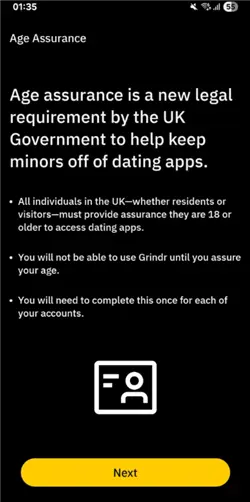
Why Is Grindr Asking for My ID Now?
It’s not just you, and it’s not a bug. Grindr’s sudden demand for age verification is a direct response to new internet safety laws sweeping across the UK and the United States since late 2024.
1. The UK Online Safety Act
If you are in the United Kingdom, this is the main culprit. Fully enforced as of July 2025, the Online Safety Act legally requires platforms hosting “adult content” to verify that all users are over 18.
- The Rule: Grindr must verify every user in the UK.
- The Method: You are asked to provide a video selfie (for age estimation AI) or a photo of your government ID (Passport/Driver’s License).
2. US State Verification Laws
In the US, there is no single federal law yet, but a patchwork of state laws has created a digital border crisis. As of December 2025, if your IP address places you in any of the following states, you are legally required to verify your age to access adult platforms:
- Texas, Virginia, Utah, Louisiana, Arkansas, Mississippi, Montana, North Carolina
- Newer additions (late 2024/2025): Florida, Georgia, Ohio, Arizona, and Tennessee.
3. The “App Store Accountability Act”
A new bill proposed in the US Congress (December 2025) aims to force Apple and Google to handle age verification at the App Store level. While not yet a law, apps like Grindr are rolling out stricter checks now to prepare for future compliance.
Grindr is checking your location (IP address and GPS). If you appear to be in London or Texas, you will undergo an ID check. If you appear to be in Amsterdam or New York, you don’t.
Is Grindr’s Verification (FaceTec) Safe?
Grindr has partnered with a third-party company called FaceTec to handle these biometric scans.
- The Official Claim: Grindr states that FaceTec analyzes the video/ID to confirm age and then deletes the raw data. Grindr only keeps the “Verified” status.
- The Privacy Reality: For many in the LGBTQ+ community, “trust us” isn’t enough. Grindr has faced massive data privacy controversies in the past (including sharing HIV status data).
The Risk: Even if FaceTec is secure, linking your real-world government identity to a pseudonymous dating profile creates a permanent digital link. If a data breach occurs, your private dating life could be de-anonymized.
For safety-conscious users, the best data protection strategy is simple: Don’t share data you don’t have to.
Official Ways to Verify Age on Grindr
If you want to stay fully within Grindr’s rules and avoid bans, the safest route is to verify age through the official process.
To start official verification:
- Open the Grindr app and go to your profile.
- Look for any “Verify your age” or “Age Assurance” prompts.
- Follow the on‑screen instructions to record the video and, if required, upload your ID.
- Wait for the system to confirm your age.
If you’re already blocked and sent to a form, you may need to use Grindr’s “Confirming your age” page to submit additional information. These official paths are designed to be compliant with local laws, but they also mean sharing more personal data with Grindr and its partners.
How to Bypass Grindr Age Verification with BearVPN
Using a VPN like BearVPN can change your apparent location and IP address, which may affect whether Grindr triggers the age verification wall. If Grindr’s system sees you as being in a region where age verification is not enforced, you may be able to use the app without going through the full verification flow.
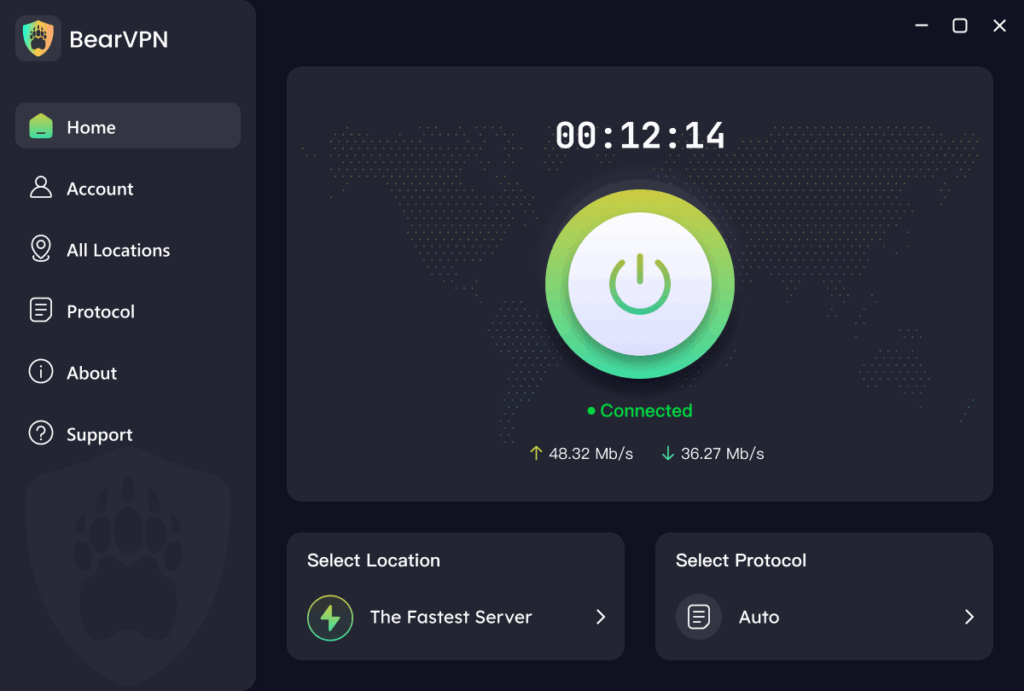
BearVPN is a reliable, high-speed VPN service designed to help you navigate global internet restrictions with ease. With coverage spanning 50+ regions and over 2,000 servers, it provides the specific infrastructure needed to “hop” from a restricted zone (like the UK or Texas) to a safe zone (like Switzerland).
Key Features for Grindr Users:
- Massive Server Network: Access 2,000+ high-speed servers globally. This ensures that if one server is blocked, you have hundreds of alternatives.
- Total Privacy Protection: BearVPN strictly adheres to a No-Logs Policy. We do not record your browsing history or app usage, ensuring your dating life remains private.
- High-Speed Connection: Our smart routing technology ensures smooth performance, so profile photos and video chats load instantly without buffering.
- Multi-Platform Support: Whether you use Grindr on iOS, Android, or via the web on macOS/Windows, BearVPN has a dedicated app for your device.
- Industry-Leading Encryption: Your data is secured with advanced encryption standards, protecting your identity from ISPs and potential snoops.
Step-by-Step Guide: The Bypass Method
Method 1: The App Reset (For Mobile Users)
Simply turning on a VPN often fails because the Grindr app “remembers” your old location. You must follow this specific sequence to wipe that memory:
Step 1. Download and Install BearVPN
Get the app for your device (iOS or Android) from the official website.
Tip: Ensure you have a Premium account so you can manually select a specific “Safe Zone” country.
Step 2. Force Stop Grindr
Close the Grindr app completely. Do not just swipe it away—go to your phone’s settings and select “Force Stop” to ensure it isn’t running in the background.
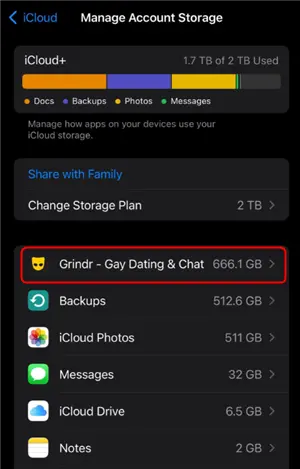
Step 3. Clear App Data & Cache (Critical Step)
This is where most users fail. You need to wipe the location data stored on your phone.
- Android: Go to Settings > Apps > Grindr > Storage > Clear Cache & Clear Data.
- iOS: Apple stores cache differently. You may need to uninstall the app and wait until Step 5 to reinstall it.
Step 4. Connect BearVPN to a “Safe Zone”
Open BearVPN and manually select a server in a country with strong privacy laws and no age verification mandates.
- Recommended Locations: Switzerland, Netherlands, Germany, or Sweden.
- US Options: If you are in the US, choose a state without verification laws like California, New York, or Washington.
- Wait for the “Connected” indicator to ensure your IP is fully masked.
Step 5. Re-open (or Re-install) Grindr
Launch the app. Since your IP now shows a “safe” location and the local cache is clear, the ID prompt should disappear, allowing you to log in normally.
Method 2: The “Web Browser” Trick (High Success Rate)
If the mobile app is still stubbornly asking for ID (often because it’s reading your phone’s GPS, which a VPN alone cannot hide), use the Web version.
Why this works: Web browsers primarily rely on IP addresses for location, not GPS sensors. BearVPN masks your IP perfectly.
- Open BearVPN and connect to a location like Switzerland.
- Open your mobile browser (Chrome, Safari, or Brave) in Incognito/Private Mode.
- Navigate to Grindr Web.
- Log in with your credentials. You will likely bypass the age verification wall entirely because the browser sees you as a user in Switzerland.
Troubleshooting: “I’m Using a VPN But Still See the ID Prompt”
If you are connected to BearVPN but still see the “Verify Age” screen, one of two things is happening:
- GPS Leak (Mobile Users)
Your phone’s internal GPS is telling Grindr you are still in the UK/Texas, even though your IP says Switzerland.
On Android, you can use a “Mock Location” app (Developer Settings) to match your GPS to your VPN location. On iOS, this is harder—switch to Method 2 (Web Version).
- DNS Leak
Low-quality or free VPNs often leak your real location through DNS requests.
Ensure you are using BearVPN. Our built-in “Kill Switch” and private DNS servers ensure that not a single packet of data reveals your true location.
Conclusion: Take Back Your Privacy
Grindr age verification is a necessary safeguard in many regions, but it also raises real privacy concerns for adults who want to use the app without linking their real identity.
If you are 18+ and want extra privacy, a VPN like BearVPN can help reduce the chances of triggering the verification wall, though it is not a guaranteed solution. Always use these tools responsibly, follow local laws, and respect Grindr’s rules to keep your account safe.
- RAM-only Diskless Servers
- DNS Leak Protection
- Double VPN
- AES-256 Encryption
Frequently Asked Questions on Grindr Age Verification
Generally, no. Using a VPN to protect your privacy is legal in the UK and the US. However, you must legally be an adult (18+) to access Grindr. Bypassing the check to access the app as a minor is a violation of Grindr’s Terms of Service and the law.
Grindr does not ban users solely for using a VPN (many people use them for security on public Wi-Fi). However, they do block low-quality VPN IP addresses. Using a premium service like BearVPN minimizes the risk of connection errors.
No. FaceTec’s AI is sophisticated enough to detect “liveness” and match the face on the ID to the selfie video. Using fake documents can get your account permanently banned.
Refusing verification can lead to restricted access, limited functionality, or even account suspension. Grindr’s policy is that the app is for adults 18+ only.
Officially, you should verify if required. Some users use a VPN to avoid triggering the check, but this is not guaranteed and may violate Grindr’s Terms of Service.


![How to Change YouTube TV Location [Still Works in 2026]](/_next/image/?url=https%3A%2F%2Fcms.bearvpn.com%2Fwp-content%2Fuploads%2F2026%2F06%2Fhow-to-change-location-youtube-tv.webp&w=640&q=75)



