X applies age checks unevenly across regions and accounts: some adults see nothing, while others lose access to ordinary posts or get trapped in a verification flow that never completes. When the gate follows your detected location, changing the IP region with BearVPN and reopening a clean session can be faster than fighting the same broken prompt. Account-level restrictions and incorrect profile information still need to be fixed inside X.
- Replace the IP location that triggered the age gate.
- Encrypt your connection before reopening X.
- Start a fresh session without uploading an ID or selfie first.
Why Does X (Twitter) Require Age Verification?
Like most big social media platforms, X faces a lot of pressure from governments and app stores to make sure younger users can’t access explicit or sensitive content. To stay compliant with these rules, X has introduced stricter age checks—especially if you’re trying to view NSFW posts or change certain account settings. Sometimes, this means you’ll need to upload a government-issued ID, take a selfie for verification, or simply confirm your birthdate.
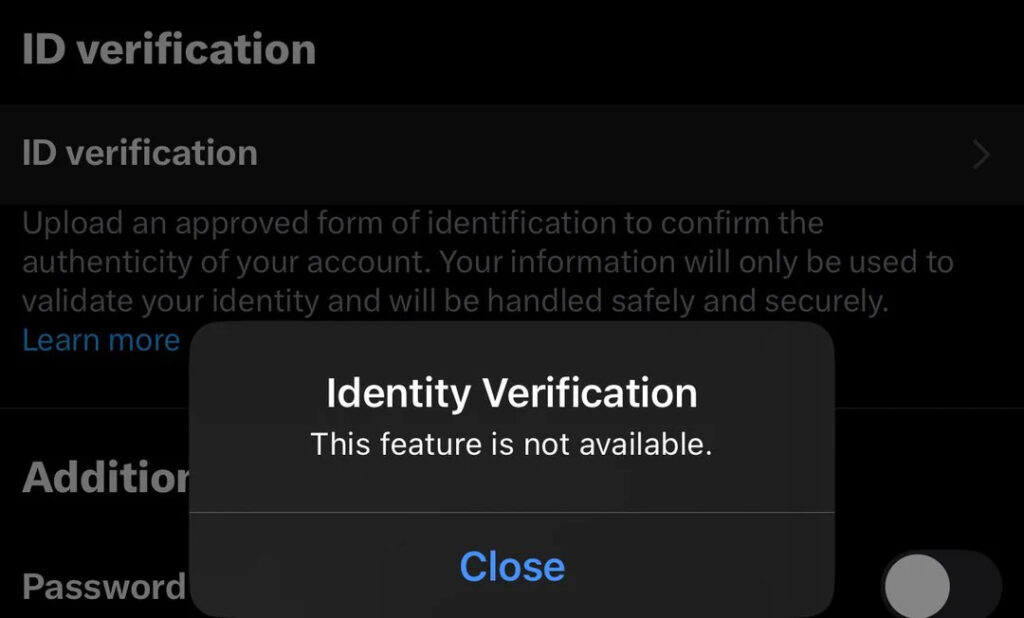
While the intent is to protect younger users, these restrictions sometimes create barriers for legitimate adult users. You might encounter issues if:
- Your profile data is incomplete or seems suspicious
- You’re accessing X from a new device or region
- Your account was created before certain verification requirements
This leads to a surge in searches for terms like “bypass X age verification,” “how to get around X age check,” or “X age verification not working fix.”
Common Issues with X Age Verification
You may be wondering why bypassing X age verification has become such a popular topic. Based on user reports and trending queries, here are the most common pain points:
Verification Fails or Gets Stuck
Many users report that even after submitting legitimate documents, their verification is either rejected or remains pending for days. Sometimes, the automated system misreads IDs, or technical glitches block progress.
No Acceptable ID Available
If you’re a privacy-conscious user, you might not want to upload personal identification to a social app. Some users simply don’t have government-issued IDs available at the time, or are using an account created under a pseudonym.
Regional Restrictions
In certain countries, X’s age verification can be even more stringent, sometimes tied to local digital ID systems or requiring additional steps. This drives up searches like “bypass X age verification mobile” and “get around X age restriction Android.”
Access on Multiple Devices
Even if you verify on one device, you may be prompted again when logging in on a new phone or after a VPN/IP change. This inconsistency leaves many users seeking persistent, device-based solutions.
4 Best Methods to Bypass X Age Verification
If you’ve hit a wall with X’s age check, don’t worry—there are practical ways to work around these restrictions, especially on mobile devices. Below, we’ll walk you through the most effective, up-to-date strategies.
Heads-up: free accounts often can’t verify at all. X’s manual age-verification flow is largely tied to X Premium, and even paying subscribers have reported being asked for two forms of ID — or hitting a verification system that’s simply offline. If you’re on a free account, there may be no way to complete the check directly, which makes the VPN route less of a shortcut and more of the only practical option.
1. Double-Check Your Profile Settings
Before you try more technical solutions, review your account profile. Make sure your birthdate is correct and matches any information you might be submitting for verification. Sometimes, simply updating your profile or clearing old data can resolve minor issues.
2. Try Incognito or Private Browsing
Occasionally, cached data or cookies in your mobile browser can trigger repeated age checks. Try logging in using your device’s private or incognito mode to see if the prompt disappears.
3. Change Your Device Region or Language
X’s age verification requirements can differ depending on your device’s region settings. Switching your mobile device’s language or region to a country with less strict age verification can sometimes bypass additional checks.
4. Use a Reliable VPN App
One of the most effective and popular methods to bypass X age verification is to use a VPN (Virtual Private Network). By changing your device’s IP address and appearing to connect from a different country or region, you can often avoid region-specific restrictions and reset problematic verification flags.

Why does a VPN work here?
X’s system uses your IP address and sometimes device data to determine your location and risk profile. If you’re frequently traveling or using public WiFi, your account might get flagged for suspicious activity. Using a VPN allows you to set your virtual location, reduce geo-based age checks, and improve privacy.
Can You Get Around X’s Selfie (Face) Age Check?
When X can’t confirm your age from your account history, it asks for one of two things: a photo of your government ID, or a live selfie that its AI scans to estimate your age. Plenty of people are uncomfortable with both — and for good reason. These checks are handled by outside providers, and one of them, Au10tix, was already breached once in 2024. A passport scan or a face photo sitting in a third party’s system is a far bigger privacy risk than most people realize.
The cleaner route is to avoid triggering the selfie request in the first place. Because X only asks once it thinks you’re in a regulated region, connecting through a VPN server in a location without these rules usually means the age gate never appears — no ID, no selfie, nothing to upload. If you’re already staring at the selfie screen, close the app, connect your VPN to a US or Canada server, clear the X app’s cache (or use a fresh browser session), and reopen X.
Why Use a VPN to Bypass X Age Verification?
A VPN isn’t just a workaround—it’s also a robust privacy and security tool. Here’s how using a VPN, such as BearVPN, can help you bypass X age verification smoothly on your mobile device or PC:
- Change Your Virtual Location: Connect to a server in a region where age checks are less strict, or where X is fully accessible without repeated prompts.
- Hide Your Real IP: Prevent tracking and reduce the likelihood of your account being flagged for region-based suspicious activity.
- Protect Your Identity: VPN encryption ensures your browsing activity and account data are kept private, even if you’re using public WiFi or shared networks.
- Avoid Account Lockouts: If X temporarily blocks or flags your account due to location or device changes, a VPN can help you restore access more easily.
Why Choose BearVPN for This Task?
BearVPN is a great way to bypass X age verification on iOS, Android, and Windows. It’s easy to use and offers strong privacy with smooth performance across all devices.
- One-tap connection: Instantly connect with a single tap—no technical skills required.
- Fast global servers: Enjoy high-speed access and low-latency browsing, no matter your location.
- Strict no-log policy: BearVPN never stores your usage data, ensuring true privacy.
- Advanced security features: Benefit from DNS leak protection, RAM-only servers, traffic obfuscation, and more.
- App-specific routing: Choose which apps use VPN traffic, optimizing your mobile experience.
- Stream & game without limits: Unlock restricted content, including global streaming services and games, from anywhere.
How to Bypass X Age Verification with BearVPN
Ready to try it for yourself? Here’s a simple, practical guide to bypassing X age verification on your mobile device or PC using BearVPN.
Step 1: Download and Install BearVPN
Download and install BearVPN for your device. BearVPN supports iOS, Android, Windows and macOS, making it easy to get started on your phone or PC.
- Connect to a BearVPN server in the US or Canada.
- Reopen X only after the VPN is active.
- Works across iOS, Android, Windows, and macOS.
Step 2: Open and Launch the App
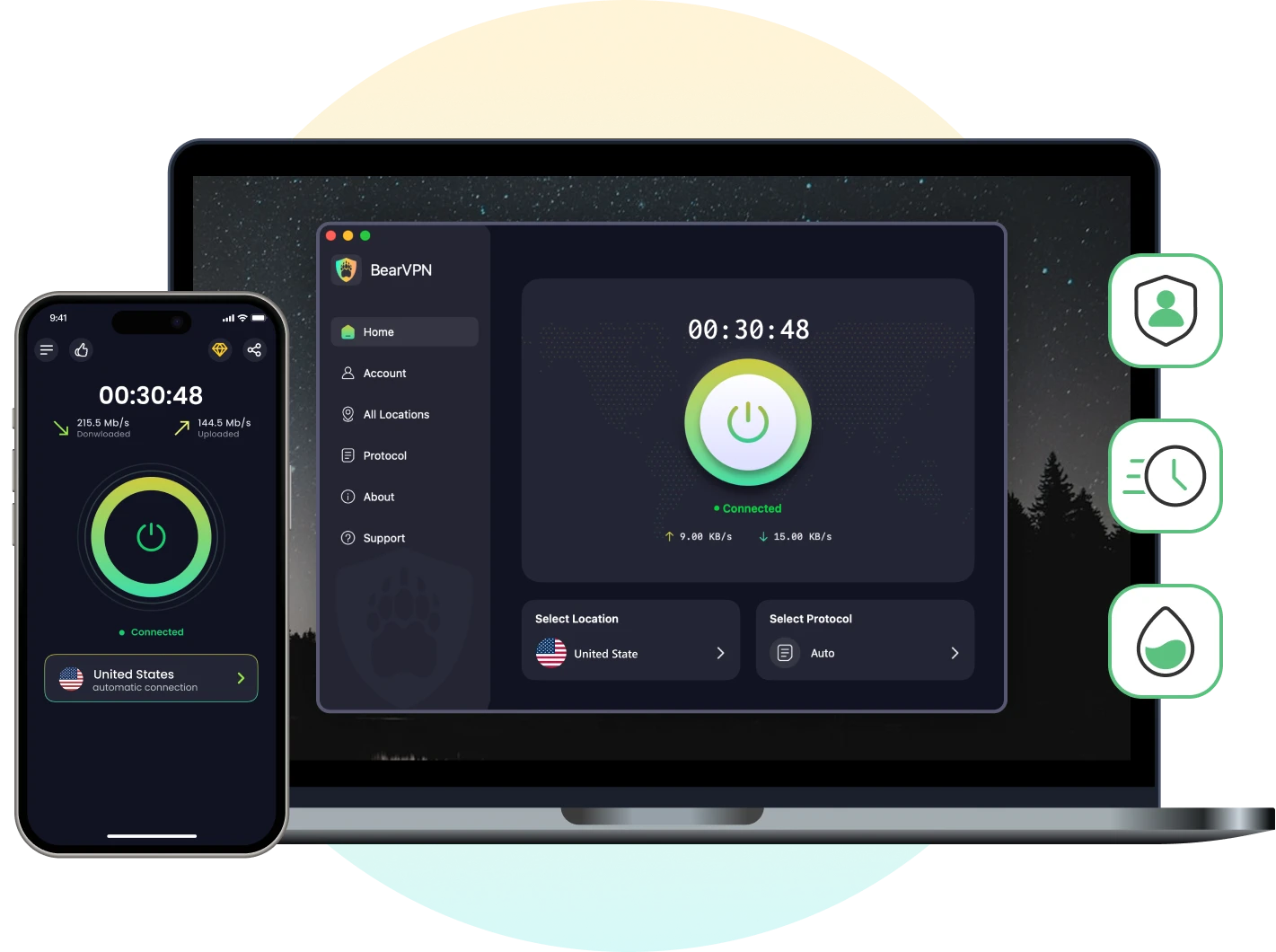
Open BearVPN, the interface is designed to be beginner-friendly, so you won’t need advanced technical knowledge.
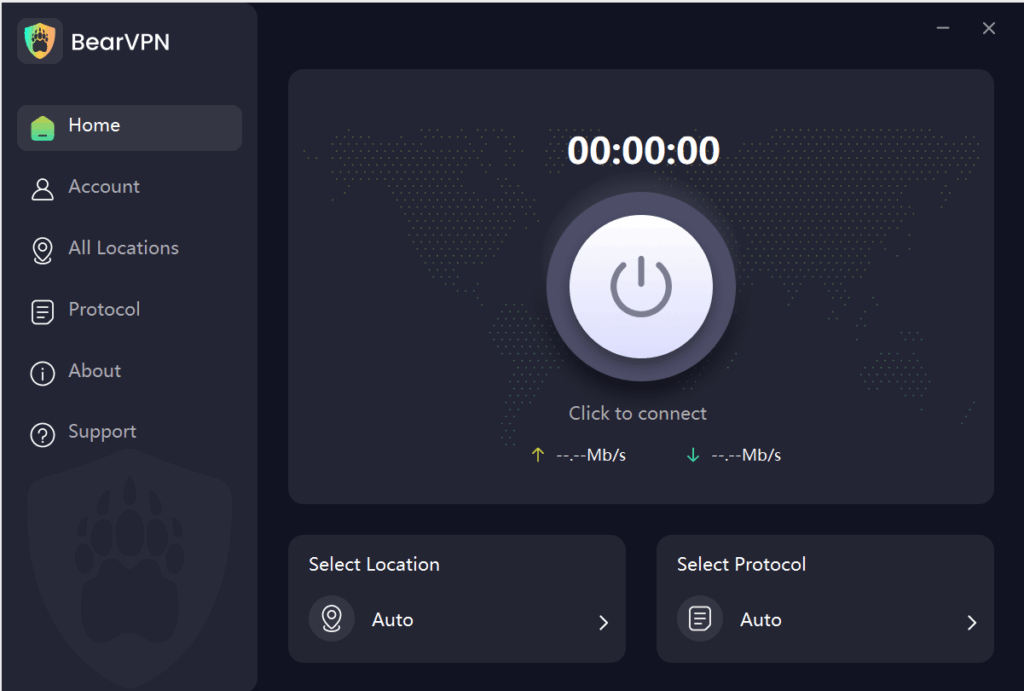
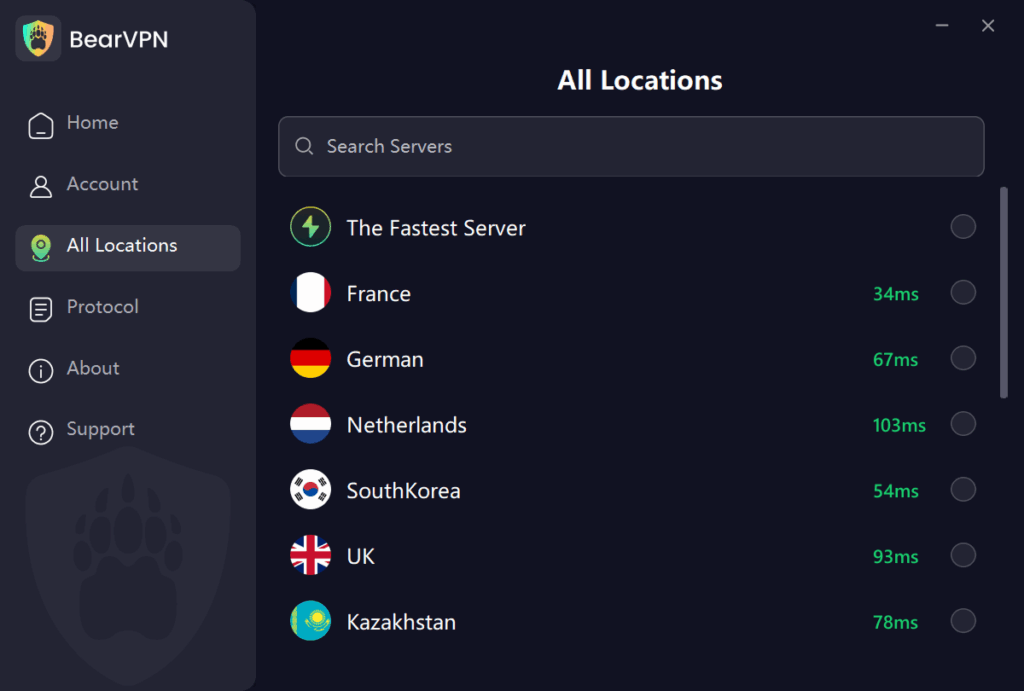
Step 3: Connect to a VPN Server
Choose a server location where X age verification is known to be less strict—commonly countries like the United States, Canada, or select European locations. Tap “Connect” to establish a secure connection.
Step 4: Clear Cache and Cookies (Optional)
If you’ve tried accessing X and still see the age check, clear your browser or app cache to remove old session data. You can also restart your device to ensure a fresh connection.
Step 5: Open X and Log In
With BearVPN active, open the X app or visit X.com through your browser. Try accessing the content or settings previously blocked by age verification. Most users report immediate success after connecting through the VPN.
Step 6: Troubleshooting Tips
If you still face issues, try switching VPN servers, double-checking your account birthdate, or using private browsing mode. BearVPN’s global server network gives you multiple options to experiment with until you find one that works.
On a computer (Windows or macOS): the steps are the same, install the VPN app, connect to a US or Canada server, then clear your browser cookies for x.com and reload. If you use X in a browser rather than the app, an incognito/private window after connecting is the fastest way to force a clean location read.
You have the full setup. Now install BearVPN, connect before opening X, and force the app or browser to start with a clean location read.
X Age Verification Error Messages — What Each One Means
If you landed here after seeing a specific message, find it below.
“Due to local laws, we are temporarily restricting access to this content until X estimates your age.”
This is the standard regional block. It’s tied to your detected location, not your account — which is why switching to a VPN server outside the UK, EU, and Australia clears it for most people.
“Age-restricted adult content. This content might not be appropriate for everyone.”
A content-level gate on sensitive posts. The same location switch applies; if a single post stays blocked after connecting, refresh the page or restart the app so X re-reads your new location.
“You have already verified your age. Please restart your app to continue.”
This one’s a glitch, not a real block — X has your verification on file but the session is stale. Fully close the app (swipe it away, don’t just minimize), then reopen it. If it persists, log out and back in.
“Confirm your age” won’t load / keeps failing.
Often a sign the verification flow is down on your end. See the troubleshooting steps below before assuming it’s your account.
- Close X completely before reconnecting.
- Clear stale cookies or app cache.
- Switch BearVPN servers and reopen one fresh session.
Legal & Ethical Considerations: What You Should Know
While bypassing X age verification is possible with technical solutions, it’s important to consider the potential legal and ethical risks:
- Respect Platform Rules: Bypassing age checks may violate X’s terms of service. Your account could be suspended if detected.
- Local Laws Matter: Some countries have strict regulations about using VPNs or accessing age-restricted content.
- Privacy First: Never share your actual ID with untrusted third parties or websites. A reputable VPN like BearVPN adds a layer of protection, but always prioritize your safety online.
Remember, this guide is for informational purposes, and you should always follow the laws and guidelines in your location.
Conclusion: Bypass X Age Verification and Regain Access—Securely and Easily
Getting blocked by X’s age verification can be really annoying—especially when you’re an adult who just wants to use social media freely. But once you understand how these checks work, there are practical ways to get around them. Using a VPN like BearVPN is one of the easiest and most effective solutions. With its fast servers, simple app, and strong privacy features, BearVPN helps you bypass X age verification on both mobile and desktop.
Want to browse X without those constant age checks? Try BearVPN and enjoy private, hassle-free access on your device.
Stop handing X the same blocked IP location. Connect BearVPN, reopen X with a clean session, and get back to the content without starting with an ID or selfie upload.
FAQ
Connect through a VPN server in a region without age-check rules (such as the US or Canada). X decides whether to show the age gate based on your detected location, so this usually removes it without any ID or selfie upload.
Yes. The selfie check only appears once X thinks you’re in a regulated region. Connecting to a server elsewhere generally stops the request before it’s triggered, so there’s no face scan to complete.
If you see “You have already verified your age. Please restart your app to continue,” it’s usually a stale session, not a real block. Fully close and reopen the app; if it persists, log out and back in.
Often no — X’s verification flow is largely tied to X Premium, and even subscribers have reported it failing or going offline. For free accounts, a location-based workaround is frequently the only option that works.


![How to Change YouTube TV Location [Still Works in 2026]](/_next/image/?url=https%3A%2F%2Fcms.bearvpn.com%2Fwp-content%2Fuploads%2F2026%2F06%2Fhow-to-change-location-youtube-tv.webp&w=640&q=75)