


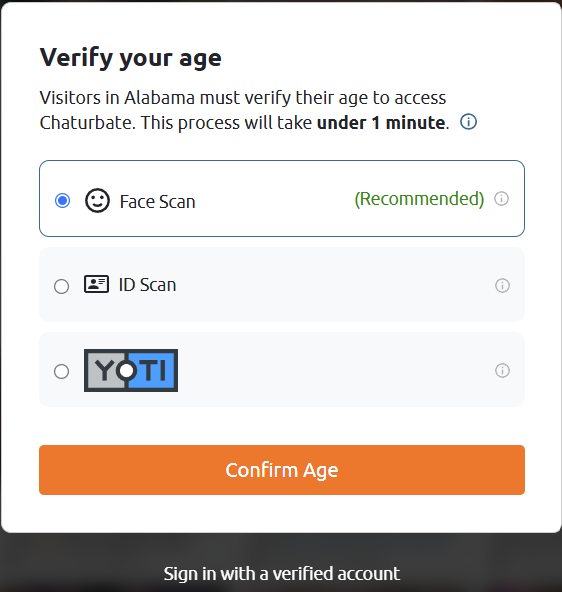
Chaturbate can show an age-verification screen because your public IP places you in a jurisdiction with a stricter viewer flow—even when you are already an adult. If the trigger is regional, changing the visible IP location with BearVPN can take you out of that loop without relying on browser scripts, mirror domains, or an unknown proxy.
This guide is for adults who have reached the age of majority where they live. It does not help minors access Chaturbate, and it does not bypass the separate identity checks Chaturbate requires for broadcasters or anyone appearing on camera.
Can a VPN Bypass Chaturbate Age Verification?
Yes—when the viewer prompt is triggered by your IP region. Chaturbate and regional compliance systems can present different access flows according to the country or state associated with the connection. BearVPN masks the current public IP and replaces it with the IP of the selected server location, so the site starts a new regional session.
The VPN must be connected before Chaturbate opens. Otherwise, an existing cookie, open tab, DNS route, or granted browser-location permission can keep the previous region attached to the session. That is why changing servers without clearing the old Chaturbate data often appears not to work.
If you are an adult and the viewer gate follows your current IP region, change the route before you hand over more personal data.
BearVPN changes the viewer’s visible network location. Broadcaster onboarding, payouts, and on-camera participation still require Chaturbate’s own identity verification.
How Chaturbate Detects Your Region and Session
Chaturbate does not rely on one signal for every access decision. The visible IP is the main regional signal, while old browser data or optional location permission can make the previous region persist after the IP changes.
Browser Cookies & Fingerprints: Cached session data remembers previous visits, sometimes locking your browser into a verification loop even if your network environment changes.
IP Geolocation Tracking: Sites analyze your IP address to determine your state or country. If you reside in or route through a region with strict mandates, you will automatically receive an age check prompt.
Browser Location Permission: If Chaturbate or a verification provider has permission to request precise browser location, that signal can conflict with the VPN IP. Open the site permissions panel and set Location to Block or Ask, then reload the page. Do not claim every Chaturbate visit automatically reads GPS; the permission must exist and the browser/device must supply it.
How to Bypass Chaturbate Age Verification with BearVPN
Do not waste time refreshing the same flagged session. Build a clean Chaturbate session around the new BearVPN location from the first request.
Step 1. Install BearVPN Before Opening Chaturbate
Close every Chaturbate tab. Install BearVPN on Windows, macOS, Android, or iOS, then open the app. Mobile users can start with the available free access; desktop users can choose the current plan that fits their device.
Connect BearVPN first, remove the old Chaturbate session, and reopen the official site through a different visible region. The age gate no longer starts from the IP location that triggered it.

Step 2. Select a Different Viewer Region
Start with Smart Server Selection, or manually choose a server outside the jurisdiction that triggered the prompt. The Netherlands is a practical first test for European routing, but Chaturbate flows and local rules can change—what matters is that the new server location receives a different viewer flow when you open the site.
Step 3. Remove the Old Chaturbate Location Signals
After BearVPN connects, clear Chaturbate site data, not necessarily the entire browser history:
- Close every existing Chaturbate tab.
- Delete cookies and cached site data for
chaturbate.com. - Set browser Location permission for Chaturbate to Block or Ask.
- Open a new Private/Incognito window.
Incognito alone is not enough—it starts a clean browser session but does not change the public IP. BearVPN must already be connected.
Step 4. Open the Official Site Fresh
Type the official Chaturbate URL directly instead of restoring the old tab or opening a mirror. Test the public viewer page before signing in. If the age gate has disappeared, sign in only after the new session is established.
Step 5. Keep the Route Stable
Keep BearVPN connected for the whole session. If the prompt or an Access Denied page returns, switch to another server in the target region and repeat Steps 3–4. On school, office, hotel, or ISP-filtered networks, enable an obfuscated connection so the firewall cannot easily identify and stop the VPN tunnel.
Why BearVPN fits this job: It combines IP masking, multiple server locations, DNS leak protection, strong obfuscation, and a Kill Switch that prevents the browser from falling back to the original IP if the tunnel drops. These functions support the method; they do not need to be repeated inside every CTA.
Chaturbate Age Verification Still Showing? Fix These Errors
If the regional age gate remains after the five steps, match the page you see to the cause below instead of switching settings at random.
- The same age prompt returns: The old session is still active. Close every Chaturbate tab, delete site-specific cookies, confirm the BearVPN IP changed, and reopen the official site in a new private window.
- ERR_CONNECTION_RESET: The ISP or local network is interrupting the route. Switch BearVPN to an obfuscated protocol, reconnect, and test another server.
- HTTP 403 / Access Denied: The selected IP may be challenged or region-blocked. Change to another BearVPN server, wait briefly, and avoid repeated rapid reloads.
- Infinite verification loop: Disable script blockers for the official verification page, allow required camera access only when using an official verification method, and test a clean browser profile.
- The page shows broadcaster verification: A viewer-region switch will not clear creator onboarding. Follow Chaturbate’s official ID and selfie process described below.
Privacy-preserving Age Assurance Methods Explained
If you’re privacy-conscious, you may wonder whether proving adulthood must mean handing over a full ID forever. These are common age-assurance models across the industry, not a promise that Chaturbate currently offers every method in every region. Use only the options presented inside the official Chaturbate flow.
Modern “age assurance” spans a spectrum:
• Self-attestation
Lowest friction, least reliable. You click “I’m 18+,” but many laws now consider that insufficient where adult content is involved.
• Credit-card or payment token checks
Showing a small authorized card can serve as a proxy for adulthood, though it excludes unbanked users and may reveal billing metadata you’d rather keep private.
• Document verification with face match
You upload a government ID and a selfie. Accuracy is high, but it’s the most sensitive method. Look for providers that practice data minimization and time-bound retention.
• Facial age estimation (no ID upload)
A short camera check estimates age range, often without storing a photo. This can be privacy-friendlier if the provider is transparent about on-device processing, ephemeral data, and non-linkability to your profile.
• Digital IDs/wallets
Emerging standards allow you to present a cryptographic “over-18” claim without exposing your name or address. Adoption varies by country, but this model aligns with privacy-by-design.
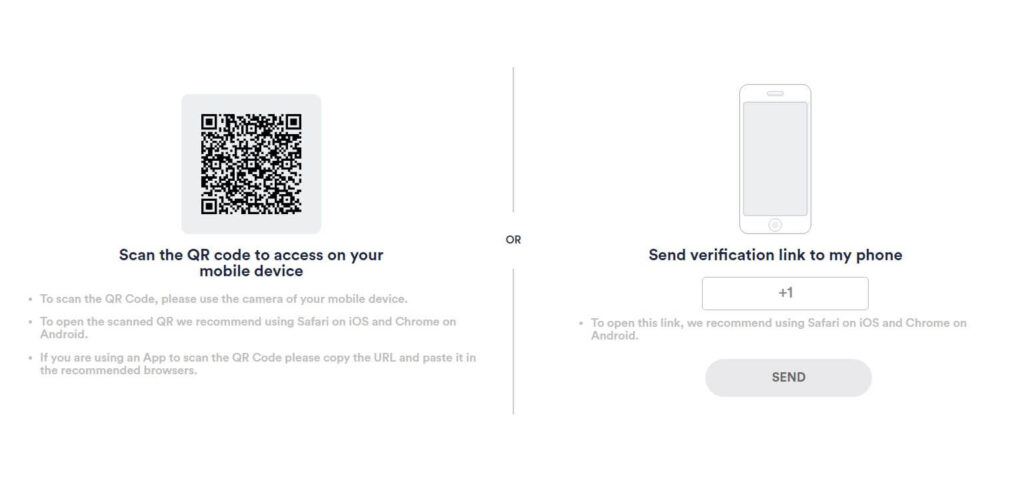
Data minimization (only what’s needed), transparent retention schedules, user-accessible deletion, and independent audits. If a provider claims they “never store” images, confirm whether that means local-only processing or short-term caching for fraud review. For a regional viewer prompt, use the BearVPN method above. If Chaturbate requires account-linked identity verification, choose the least invasive official option available and read its retention terms before submitting sensitive data.
Viewer Age Gate vs Broadcaster ID Verification
Chaturbate uses the phrase “age verification” for different jobs. A viewer may encounter a location-based age gate before watching. A broadcaster or anyone appearing on camera must complete account-linked identity verification.
Viewer or Regional Prompt
Use the BearVPN method above when the prompt changes with the visible IP region. This flow is the target of bypass Chaturbate age verification searches.
Broadcaster, Performer, or Payout Verification
Chaturbate officially requires each broadcaster and every person appearing on the account to submit an acceptable government-issued photo ID and a separate selfie. BearVPN cannot replace this process, because it verifies the person and the account—not the network location.
Before you do anything else, exhaust official, lawful fixes. Many search for “bypass chaturbate age verification” when the real problem is a false negative or a glitch. Start here:
- Confirm eligibility
• You must be 18+ (or older where local law requires). If your ID shows otherwise, the system must deny access. There’s no clean workaround. - Fix common data mismatches
• Name order, diacritics, recent legal name change, or a transposed birthdate can cause rejections. Re-enter details to match your ID exactly, including middle names where applicable.
• If you recently moved, old addresses in third-party databases can cause friction. Update address records with your bank or government portals when possible. - Improve capture quality (for ID or selfie checks)
• Use a well-lit environment, avoid glare on laminated IDs, and photograph the entire document, including edges.
• Try a different device or browser; mobile uploads often succeed more reliably.
• Clear cache/cookies or use a fresh browser profile to eliminate extension conflicts. - File an official support ticket
• Provide the requested data through the site’s secure channel only. Do not email IDs to random addresses or share via DMs.
• Describe the exact error message, the page where it appears, and your steps so far. Many providers can manually review a false negative. - Reduce “risky session” signals (lawful use only)
• Don’t recycle shared credentials or suspicious referral links.
• Avoid automation tools or aggressive ad-blocking rules that can break verification widgets.
• Sign in from a stable residential connection if possible; rapid IP changes can trigger counter-abuse filters.
These steps solve account-level verification failures. They do not cancel the viewer-region method above; they apply to a different verification layer.
State Laws vs. Platform Rules: What Applies to You
Age-assurance laws and platform rules do not work identically. Some laws place compliance duties primarily on adult platforms; Chaturbate also applies its own viewer, broadcaster, fraud, payout, and account controls. That is why one user may see a regional viewer gate while another sees government-ID verification tied to broadcasting.
BearVPN can change the IP region that drives a location-based viewer flow and can unblock Chaturbate on restricted networks. It cannot change the user’s actual age, approve an account, validate a performer, or replace payout and identity records. Adults should check the rules that apply where they live and keep all account information accurate.
FAQs
Yes, if the viewer age gate is triggered by your visible IP region. Connect BearVPN to another server location, clear Chaturbate site data, block old browser-location permission, and reopen the official site in a private window. A VPN cannot replace government-ID and selfie verification for broadcasters or anyone appearing on camera.
First identify the flow. A regional viewer prompt can appear because your IP now resolves to a jurisdiction with stronger age checks. Government-ID and selfie requests are also part of Chaturbate’s broadcaster, performer, payout, and compliance process. If you are only viewing, test the BearVPN regional method; if the request is tied to broadcasting or account verification, use the official submission flow.
Not always. Some providers support alternatives like facial age estimation or digital ID credentials. Availability depends on your region and the platform’s chosen vendors.
Often yes—and it can be more reliable. Use a modern browser, good lighting, and the platform’s official flow. Avoid third-party links and disable extensions that interfere with camera or upload widgets.
Re-enter data to match your ID exactly, retake images, try a different device, and open an official ticket with error details. Don’t send documents via informal channels or to unverified emails.
Conclusion
Adults can bypass a Chaturbate viewer age gate when it is triggered by the visible IP region: connect BearVPN first, choose another server location, clear the old Chaturbate session, remove conflicting browser-location permission, and reopen the official site in a private window. If the prompt survives, switch servers or use obfuscation before testing again.
Do not confuse that regional viewer method with broadcaster verification. Chaturbate requires government ID and a selfie for creators and anyone appearing on camera, and BearVPN does not replace those account-level checks. Used in the right layer, however, it is a direct tool for changing the viewer’s visible region, bypassing a blocked network, and keeping the original IP out of the Chaturbate session.


![How to Change YouTube TV Location [Still Works in 2026]](/_next/image/?url=https%3A%2F%2Fcms.bearvpn.com%2Fwp-content%2Fuploads%2F2026%2F06%2Fhow-to-change-location-youtube-tv.webp&w=640&q=75)



