


Stripchat may show an adult confirmation or a stronger age check depending on your location, account activity, and the platform’s current compliance system. If you are an adult facing a broken or repeated prompt, first confirm the official domain and check cookies, scripts, browser extensions, and local requirements. BearVPN can change your public IP and protect traffic between your device and the VPN server, but it cannot prove your age, complete an identity check, or guarantee that Stripchat will remove a required verification step.
This guide is for adults troubleshooting legitimate access. It does not provide instructions for minors to defeat age controls or for anyone to submit false identity information. Follow local law and Stripchat’s current terms.
- Mask your public IP before opening the official site.
- Encrypt traffic between your device and the VPN server.
- Use Kill Switch and DNS/IP leak protection while connected.
BearVPN does not verify your age, remove mandatory checks, or override account requirements.
Why Does Stripchat Require Age Verification?
Stripchat’s Terms of Use state that every visitor must be at least 18 years old—or older if the age of majority is higher in that person’s jurisdiction. However, not every user encounters the same verification flow.
There are three different checks that are often confused:
- Viewer age assurance: Stripchat may ask a visitor to confirm or prove that they are an adult. The method can vary according to location, applicable law, and the platform’s current compliance system.
- Identity verification for uploading content: Stripchat says users who want to upload content must provide a government-issued photo ID and a selfie holding that ID. This is separate from the age gate shown to ordinary viewers.
- Account or fraud checks: Stripchat reserves the right to request identity verification when it reasonably considers an additional check necessary.
Regional requirements are also changing:
- United Kingdom: Services that allow pornographic content have been required to use “highly effective” age assurance since July 2025 under the Online Safety Act.
- European Union: The Digital Services Act requires platforms to address risks to minors, but it is inaccurate to say that every EU visitor must submit an ID. In March 2026, the European Commission preliminarily found that Stripchat’s self-declaration system was not sufficiently effective or privacy-preserving.
- United States: Requirements vary by state. A visitor’s experience can therefore differ depending on the state associated with the connection.
- Other regions: Platform availability, the applicable age threshold, and the verification method depend on local law and Stripchat’s current policies.
Because these rules and systems can change, check current official guidance before deciding what information to submit.
Can a VPN Bypass Stripchat Age Verification?
A VPN changes the IP address and location signals visible to Stripchat. Because some age-verification prompts are triggered partly by location, an adult may see a different access flow after connecting through another region.
However, a VPN does not prove that you are over 18. It cannot replace a required ID, selfie, age-estimation process, payment check, or account verification. Stripchat can also use cookies, account information, and other technical signals—not only your IP address—so changing servers does not guarantee access without verification.
Use a VPN only where permitted, and never use one to help a minor access adult content.
How to Use BearVPN for More Private Stripchat Access
Step 1: Download BearVPN from the official source.
Download BearVPN from its official source and install the correct app for your device. Avoid unofficial APKs, cracked clients, mirrors, or browser add-ons claiming to be BearVPN.
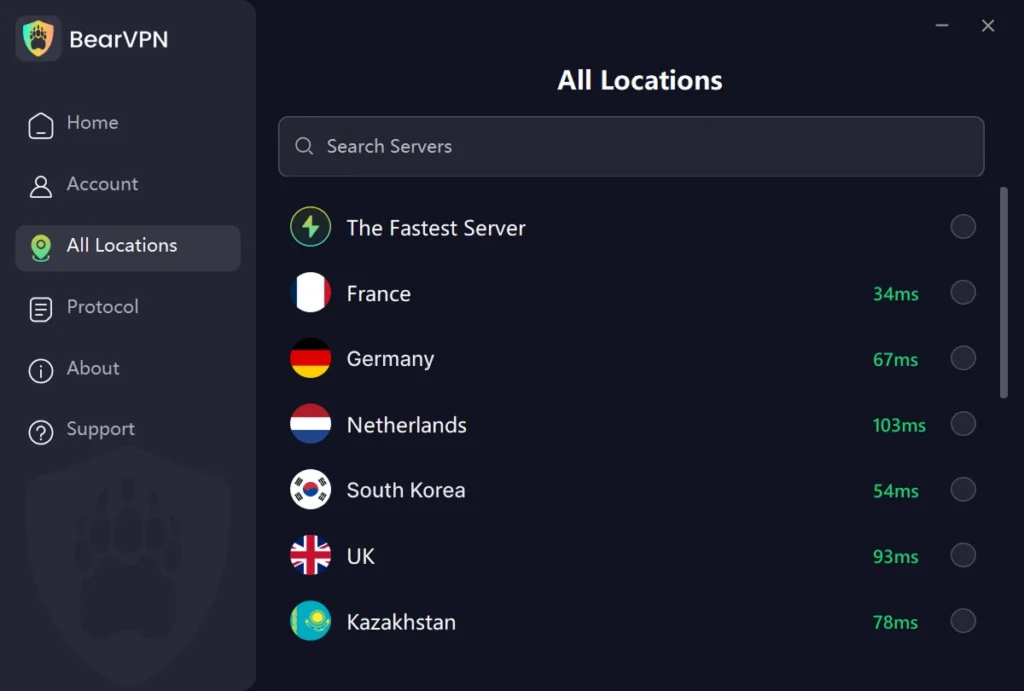
Step 2: Connect to an appropriate nearby server.
Choose a location where accessing Stripchat is legal. A nearby server will generally be a better starting point than a distant one, although actual speed varies by network and server load.
Step 3: Open the official Stripchat website.
Confirm that the address is stripchat.com before entering login or payment information.
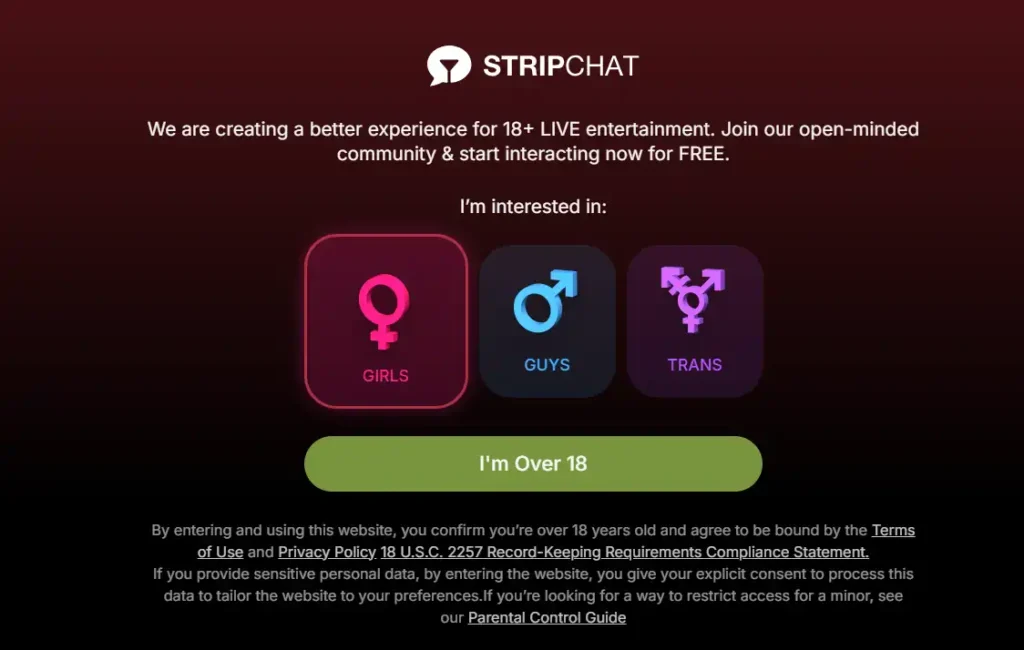
Example captured in November 2025. The prompt shown to you may differ by region, account status, and current Stripchat policy.
Step 4: Follow any age check that still applies.
If Stripchat requires legally valid age assurance or account verification, BearVPN cannot remove or complete it for you.
If a completed age check keeps looping, clear Stripchat’s site-specific cookies, close the browser, reconnect, and try again. Clearing cookies can remove a stale session, but it does not bypass a server-side verification requirement.
Is a Stripchat Bypass Extension Safe?
There is no browser extension that can legitimately prove you are an adult. An extension might hide a visual overlay or change code in your browser, but it cannot override a properly implemented server-side age check. Tools that promise an instant “Stripchat age verification bypass” may instead request permission to read and change data on every website you visit.
Before installing any extension, check:
- Whether it comes from an official Chrome, Firefox, Edge, or Safari marketplace
- Whether the developer has a verifiable website and privacy policy
- Whether its permissions are limited to what the feature actually requires
- Whether it has a credible update history and independent user feedback
- Whether the download requires sideloading a file or disabling browser security
Do not install it if it asks to read all browsing history, capture clipboard data, manage downloads, or access unrelated websites without a clear technical reason. Never enter Stripchat credentials, payment information, or identity documents through an extension popup.
Safe Fixes for a Broken or Repeating Verification Prompt
If you are an adult and the legitimate verification page is failing, try these fixes:
- Confirm that you are using
stripchat.com, not a mirror or look-alike domain. - Enable JavaScript and essential cookies for the verification page.
- Temporarily pause conflicting ad blockers or privacy extensions.
- Clear only Stripchat’s site data, then restart the browser.
- Check that your device’s date, time, and time zone are correct.
- Try an updated mainstream browser or switch between Wi-Fi and mobile data.
- Contact Stripchat support if the check remains stuck after you have completed it.
Private browsing and clearing cookies may fix a corrupted session, but they do not remove a server-side age requirement. A basic web proxy changes an IP address but generally provides less connection protection than a full VPN and still cannot verify age.
Never submit a fake date of birth, altered document, another person’s ID, or an AI-generated identity. The consequences can extend beyond an account ban and may include fraud or identity-related legal issues.
- Fix cookies, scripts, extensions, and device time first.
- Use BearVPN only to test another network route.
- Complete any server-side verification that still applies.

Is Stripchat Age Verification Safe?
No online identity process is completely risk-free, so the better question is what data is collected, who receives it, and how long it may be retained.
Stripchat’s current Privacy Policy says trusted age-verification providers process verification data in real time and that the submitted data is not accessible to Stripchat itself. It also says that only an “age confirmation,” rather than personal data, may be shared with affiliated services to prevent repeated checks.
However, the same policy acknowledges that security risks associated with storing and transmitting personal information cannot be fully eliminated. It also states that retention periods can vary according to legal, regulatory, technical, and dispute-related requirements.
Before completing a check:
- Verify that the request began on the official
stripchat.comdomain. - Identify the age-verification provider before submitting anything.
- Read that provider’s privacy and retention policy—not only Stripchat’s policy.
- Provide only the information requested by the official verification flow.
- Never email an ID or upload it through an extension, mirror site, chat message, or unsolicited support link.
- Use a unique account password and enable additional account security if Stripchat makes it available.
A VPN can encrypt traffic between your device and the VPN server and mask your public IP. It cannot prevent the official verification provider from receiving information that you voluntarily submit through its process.
How Stripchat Verification Works
The process depends on why the check appears.
Age-Verification Rules by Region
The following is a general summary updated in September 2026, not legal advice.
If Stripchat requests a document or biometric check that applies to you, changing a browser setting does not make that requirement disappear. Refusing the check may mean that some or all site functions remain unavailable.
Conclusion
A “Stripchat bypass extension” is not a safe substitute for legitimate age verification. It may only hide part of a webpage while gaining broad access to browser data. If you are an adult and the verification screen is broken, use the official domain, restore essential cookies and scripts, remove conflicting extensions, and contact Stripchat support.
BearVPN can mask your public IP and protect traffic between your device and the VPN server, which may help with a routing problem or location-based access flow. It cannot confirm that you are an adult, complete an identity check, remove every age gate, or override Stripchat’s account requirements. Avoid fake IDs, unofficial mirrors, cracked apps, and extensions that demand excessive permissions.
Ready to protect your connection before opening Stripchat? Download BearVPN for your device, connect through the official app, and complete any valid age or account check that still applies.
Frequently Asked Questions
Stripchat does not identify a browser extension in its Terms of Use or Privacy Policy as an approved way to remove age verification. Treat any extension making that promise as an independent third-party product. Verify its developer, permissions, privacy policy, and official marketplace listing before installing it, and never upload identity documents through an extension.
A VPN changes your public IP address and IP-based location. This may affect a location-triggered access flow, but it cannot prove your age or complete an ID, selfie, biometric, payment, or account verification check. Results also vary by region, server, account status, cookies, and changes to Stripchat’s systems.
A repeated prompt can be caused by blocked essential cookies, disabled JavaScript, conflicting privacy extensions, an expired session, inconsistent location signals, or an incomplete verification. Restore essential site functions, clear Stripchat’s site-specific data, restart the browser, and use the official support channel if the loop continues.
No online document submission is risk-free. Stripchat says trusted verification providers process age-check data in real time and that Stripchat cannot access that submitted data. Before proceeding, confirm the provider’s identity and read its own privacy, security, and retention terms. Never send an ID through email, chat, a mirror site, or a browser extension.
Some public viewing functions may be available without an account, depending on location and current platform rules. Age assurance can still apply to visitors. Interactive, payment, uploading, or other member functions may require registration or additional verification.
Stripchat may restrict access to the website, particular content, account functions, or uploading features. A VPN or extension cannot guarantee that these functions will become available. If you do not want to submit the requested information, the safest option is not to continue with the restricted feature.
No. Stripchat’s terms prohibit anyone under 18—or under the higher age of majority in their jurisdiction—from using the site. This guide does not provide instructions for minors to defeat age controls.


![How to Change YouTube TV Location [Still Works in 2026]](/_next/image/?url=https%3A%2F%2Fcms.bearvpn.com%2Fwp-content%2Fuploads%2F2026%2F06%2Fhow-to-change-location-youtube-tv.webp&w=640&q=75)



