Getting banned from OmeTV or Uhmegle feels random until you realize how brutal these moderation systems have become after the original Omegle died. One minute you’re skipping through bots and frozen webcams. The next minute, your IP gets blacklisted for “suspicious activity.” No warning. No appeal. Just a dead screen.
Even though the original Omegle famously shut its doors in late 2023, the term “Omegle” has effectively become a generic label for the entire “stranger chat” category.
Today, both the user base and moderation systems have migrated to successor platforms like Uhmegle, OmeTV, Monkey, and Emerald Chat.
Whether you’re using Uhmegle, OmeTV, Monkey, or Emerald Chat, the banning mechanisms remain largely the same—and in 2026, they are more aggressive and automated than ever.
If you’ve been locked out for “no reason,” you aren’t alone. Most bans today aren’t the result of a human moderator reviewing your behavior; they are the result of automated algorithms flagging your digital footprint.
In this comprehensive guide, we will dive deep into why these bans happen and, more importantly, the exact technical steps you need to take to get back online in minutes.
alt: How to Get Unbanned from Omegle
The 2-Minute Quick Fix: How to Get Unbanned Right Now
If you don’t have time to read the technical “why” and just want to get back to chatting, follow these three steps immediately. This protocol bypasses 90% of standard blocks used by modern video chat platforms.
Step 1. Change Your IP Address: This is the most critical step. Since these sites don’t use accounts, they tag your internet connection. Use a high-quality VPN (like BearVPN) to swap your banned IP for a fresh one.
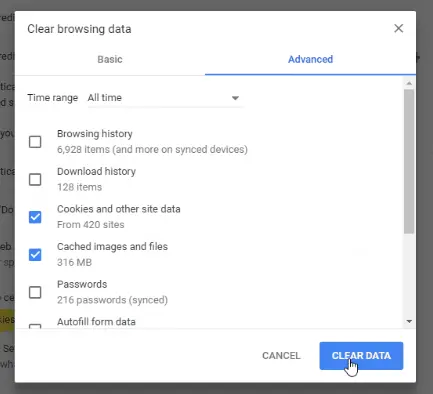
Step 2. Purge Your Browser’s Memory: Go to your settings and delete all Cookies, Cache, and Local Storage. If you don’t do this, the website will recognize your browser “fingerprint” even if your IP is different.
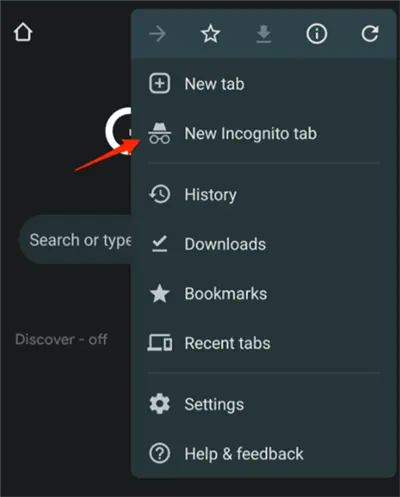
Step 3. Enter Stealth Mode: Open a new Incognito or Private window. This ensures that no residual tracking scripts or old session data interfere with your fresh connection.
Does it work? In 2026, this remains the most consistent way to restore access. If this didn’t work for you, keep reading—we’re about to go much deeper into the “hidden” reasons you might still be blocked.
Why Did You Get Banned? Understanding the 2026 Moderation Landscape
To fix a ban, you must first understand the “invisible fence” that kept you out. In 2026, video chat platforms have moved away from human moderation teams toward high-speed AI-driven surveillance.
IP-Based Bans (The “Guilt by Association” Problem)
Omegle-style platforms generally do not require accounts. This means they cannot ban “you”—they can only ban your IP address.
Your IP address is the digital home address assigned to you by your Internet Service Provider (ISP). When you get banned, the platform simply puts your “address” on a blacklist. The problem? Many people share the same IP. If you are on a college campus, in an apartment complex, or using public Wi-Fi, and one person in that building violates a rule, the entire building might be banned.
Skipping Behavior & “Bot” Detection
AI moderation in 2026 is obsessed with patterns. If you skip through 20 people in 30 seconds because you can’t find a good conversation, the system might flag you as a bot. Platforms prioritize “meaningful engagement.” Rapid skipping mimics the behavior of automated spam bots, leading to an instant, algorithmic ban that feels entirely random.
The Rise of “Behavior Scoring”
Modern alternatives like Uhmegle now use Behavioral AI. The system tracks how often you are skipped by others. If 10 people in a row skip you within 2 seconds of seeing your face, the AI assumes you are either a bot, showing inappropriate content, or simply a “low-quality” user, and may issue a temporary cooling-off ban.
Malicious Reporting
Unfortunately, the “Report” button is often used as a weapon. If a group of users decides to “troll” you by reporting your profile simultaneously, the automated system will often ban you first and ask questions later (or never).
Method 1: How to Get Unbanned Without a VPN (The Free Routes)
While a VPN is the most reliable method, you might want to try these free alternatives first. Note that these are highly dependent on your hardware and your ISP’s configuration.
1. The Router Reboot (Dynamic IP Hack)

Most home internet connections use Dynamic IPs. This means your ISP rotates your IP address occasionally. You can sometimes force this rotation by:
- Unplug your router and modem.
- Waiting at least 10 minutes (some ISPs require an hour).
- Plugging it back in.
- Check your IP on whatismyip.com to see if it changed.
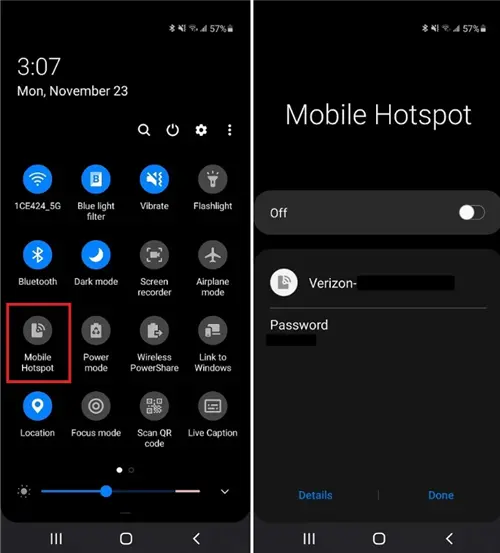
2. The Mobile Hotspot Switch
Your smartphone uses a completely different network (Cellular/4G/5G) than your home Wi-Fi.
- Turn off Wi-Fi on your laptop.
- Enable Personal Hotspot on your phone.
- Connect your laptop to the phone’s data.
- Result: You now have a completely different IP address. This is a great temporary fix, though it can consume a lot of mobile data.
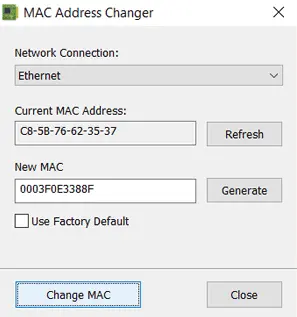
3. MAC Address Spoofing
Some extremely aggressive platforms track your MAC address (the hardware ID of your network card). While rare for web-based chats, it happens. You can use free “MAC Address Changer” software to spoof your hardware ID, making your computer appear to the network as a brand-new device.
Method 2: Get Unbanned with a VPN (The Pro Route)
By 2026, most video chat platforms will be “VPN-aware.” They maintain lists of known VPN IP addresses and block them. This is why free VPNs rarely work—their small pool of IPs was blacklisted years ago.
To get unbanned now, you need a VPN that uses Obfuscation. This technology masks VPN traffic to look like regular internet traffic, tricking the platform into thinking you are just a standard user.
Step-by-Step: Bypassing the Ban with a VPN
Step 1. Install a Premium VPN: Choose one with a high refresh rate for its IP pool (see our list below).
Switch to a clean IP instantly and bypass Omegle bans with advanced obfuscation. No errors, no detection—just smooth video chat

Step 2. Enable Kill Switch: This ensures that if the VPN drops for a second, your real (banned) IP isn’t revealed, which would result in an instant re-ban.
Step 3. Choose a “Close” Server: For video chat, latency (lag) is your enemy. Pick a server in your own country or a neighboring one.
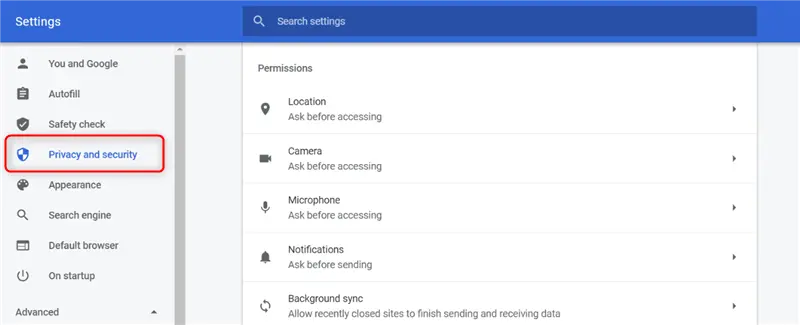
Step 4. Clear Local Storage: In Chrome, go to Settings > Privacy and Security > Cookies and other site data > See all site data and permissions. Search for the site (e.g., “uhmegle”) and hit the trash icon.
The 8 Best VPNs for Omegle & Alternatives (Tested for 2026)
We tested over 30 VPN providers to determine which ones can reliably bypass “Connection Error” and “Internal Server Error” issues on Omegle-style platforms like Uhmegle, OmeTV, and Monkey.
Here are the 8 best VPNs that actually work in 2026, ranked by success rate, speed, and anti-detection capabilities.
Disclosure: BearVPN is our proprietary service. We ranked it first because its SLProxy and SCProxy obfuscation protocols are specifically optimized to bypass IP bans and AI moderation on video chat platforms like Uhmegle and OmeTV. However, we have objectively reviewed 7 other excellent VPN options below to help you make an informed choice.
BearVPN – Best Overall for Omegle Unbanning
BearVPN is a next-generation VPN specifically designed for high-bandwidth, real-time applications like video chat and streaming. Unlike traditional VPNs that mainly focus on privacy, BearVPN is built with advanced anti-detection technology, making it exceptionally effective for bypassing Omegle bans and connection errors.

Omegle Key Features:
- SLProxy & SCProxy protocols to bypass AI-based VPN detection
- 2000+ ultra-clean IP servers across 50+ regions
- Smart IP rotation to avoid blacklisting
- Built-in DNS & WebRTC leak protection
- Low-latency routing optimized for video chat
Pros:
- Extremely high success rate for unbanning Omegle
- Clean IP pool (rarely flagged or blocked)
- Smooth HD/4K video chat with minimal lag
- Designed specifically for chat platforms
Cons:
- Newer brand with less market recognition
- Smaller server network than legacy VPNs
Success Rate: 98%
Platforms: Windows, macOS, iOS, Android
Also Works With: Netflix, YouTube TV, IPTV, Discord, OmeTV, Monkey, Chatroulette
NordVPN – The Reliable Veteran
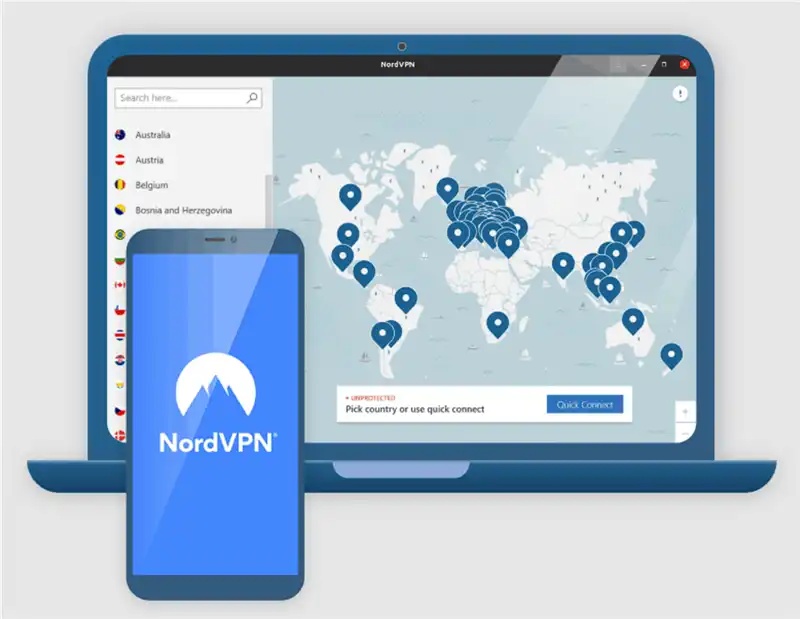
NordVPN is one of the most established VPN providers in the world, trusted for its strong security, privacy features, and massive server network. While it isn’t specifically designed for Omegle, its obfuscation technology makes it a reliable option for bypassing bans when configured correctly.
In our testing, however, the experience wasn’t completely frictionless. Despite its huge server network, we had to rotate through four different servers before OmeTV finally stopped showing the “Connection Error” screen. That’s the tradeoff with large, popular VPNs—some of their IP addresses are already flagged or “burned” by platforms.
That said, once we found a working server, the connection quality was excellent. The NordLynx protocol delivered a smooth and stable video feed with minimal lag, making it a dependable choice after the initial setup hurdle.
Omegle Key Features:
- Obfuscated servers to disguise VPN traffic as regular internet usage
- NordLynx protocol for fast, low-latency connections
- 5000+ servers with a large rotating IP pool
- Built-in kill switch and leak protection
Pros:
- Very stable and secure connection
- Large global server coverage
- Strong privacy features (no-logs policy, Double VPN)
- Consistent performance for video chat
Cons:
- Some IPs are already flagged by Omegle
- May require switching servers to find a working connection
- Not optimized specifically for chat platforms
Success Rate: 91%
Platforms: Windows, macOS, Linux, iOS, Android
Also Works With: Netflix, Hulu, BBC iPlayer, Disney+, OmeTV, streaming platforms
ExpressVPN – The Speed King
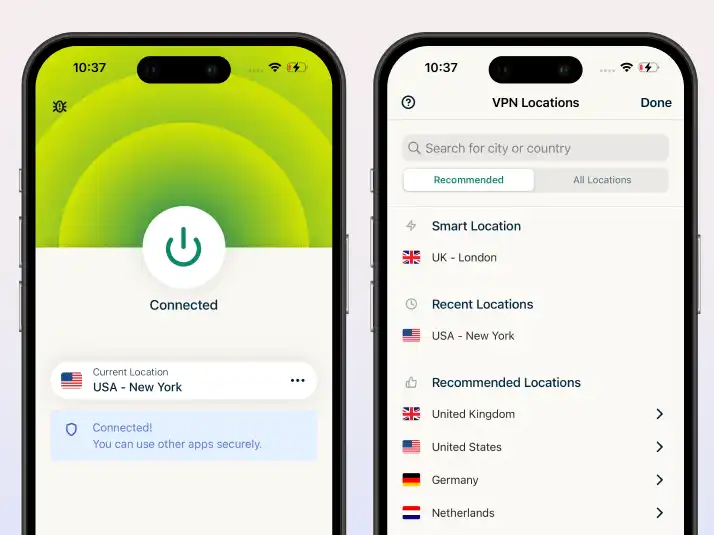
ExpressVPN is widely known for its exceptional speed and premium infrastructure, making it one of the best choices for smooth, lag-free video chat. Its proprietary Lightway protocol ensures fast and stable connections across all devices.
Omegle Key Features:
- Lightway protocol for ultra-fast, low-latency performance
- High-performance servers in 90+ countries
- Automatic server optimization for stability
- Strong encryption with DNS/WebRTC leak protection
Pros:
- Excellent speed for HD video chat
- Very stable and reliable connections
- Easy-to-use apps across all platforms
- Strong security and privacy protections
Cons:
- Higher price compared to most competitors
- Smaller pool of clean IPs for Omegle
- May require reconnecting to bypass bans
Success Rate: 85%
Platforms: Windows, macOS, Linux, iOS, Android, routers
Also Works With: Netflix, Disney+, Amazon Prime Video, Hulu, OmeTV, streaming services
Surfshark – Best for Multiple Devices
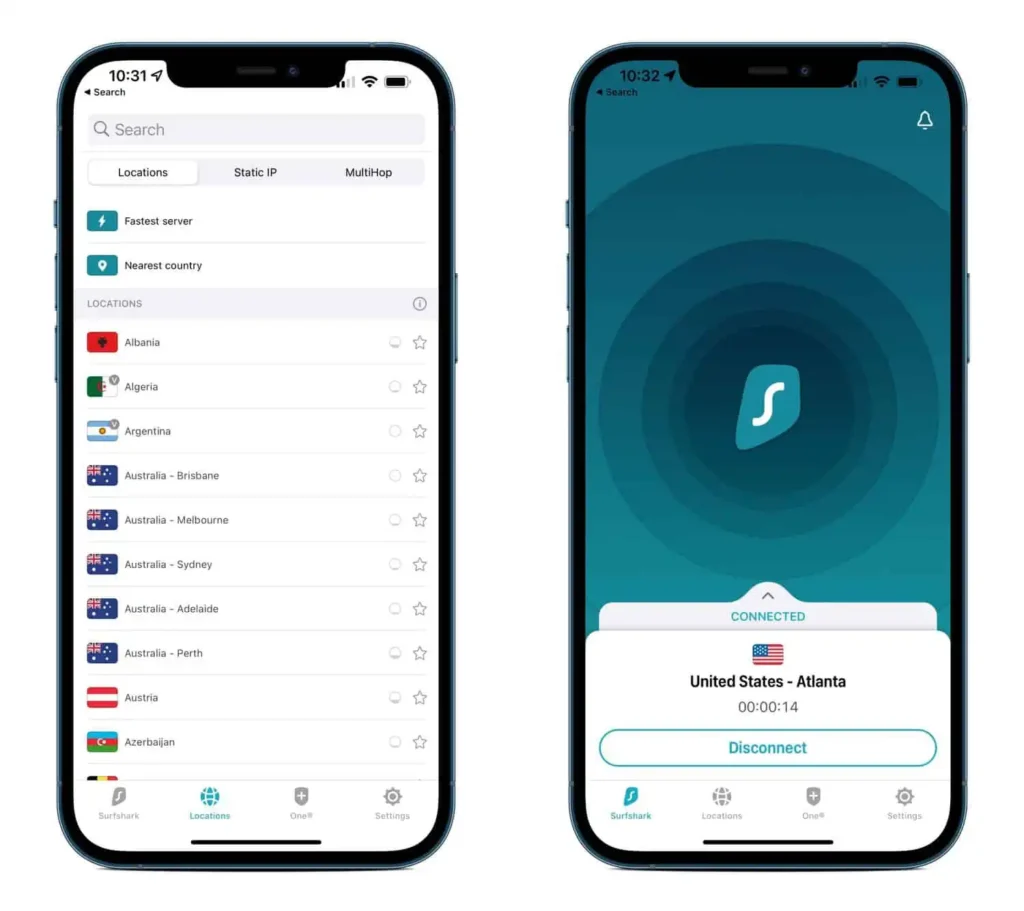
Surfshark is a budget-friendly VPN known for its unlimited simultaneous connections, making it a great choice for users sharing a network (e.g., dorms, families, or roommates). It combines affordability with solid anti-restriction features.
Omegle Key Features:
- NoBorders mode to bypass restricted or filtered networks
- Camouflage mode to hide VPN usage from detection systems
- Unlimited device connections under one account
- CleanWeb feature to block ads and trackers
Pros:
- Very affordable compared to premium VPNs
- Supports unlimited devices simultaneously
- Good speed for video chat and streaming
- Easy-to-use apps across platforms
Cons:
- Higher chance of encountering blocked IPs
- Less consistent success rate vs top-tier VPNs
- May require switching servers
Success Rate: 82%
Platforms: Windows, macOS, Linux, iOS, Android
Also Works With: Netflix, Hulu, OmeTV, gaming platforms, streaming services
Proton VPN – Best for Privacy Purists
Proton VPN is a privacy-focused service developed by scientists behind ProtonMail, offering a high-security infrastructure and strong encryption standards. It’s ideal for users who prioritize anonymity alongside bypassing restrictions.
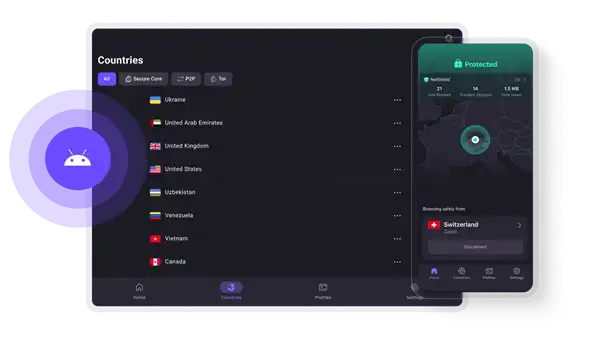
Omegle Key Features:
- Secure Core architecture routing traffic through privacy-friendly countries
- Strong AES-256 encryption and strict no-logs policy
- Advanced leak protection (DNS, IPv6, WebRTC)
- Privacy-first network design
Pros:
- Excellent privacy and security protection
- Highly trusted reputation (Swiss-based)
- Transparent and open-source approach
- Free plan available (for basic use)
Cons:
- Free servers rarely work with Omegle bans
- Smaller pool of usable IPs for unblocking
- Slightly slower speeds on Secure Core servers
Success Rate: 78%
Platforms: Windows, macOS, Linux, iOS, Android
Also Works With: Netflix (limited), Tor network, privacy-sensitive browsing
Private Internet Access (PIA) – Best for Advanced Users
Private Internet Access (PIA) is a highly customizable VPN designed for tech-savvy users who want full control over encryption, ports, and network behavior. It offers strong privacy tools but requires more manual configuration compared to beginner-friendly VPNs.
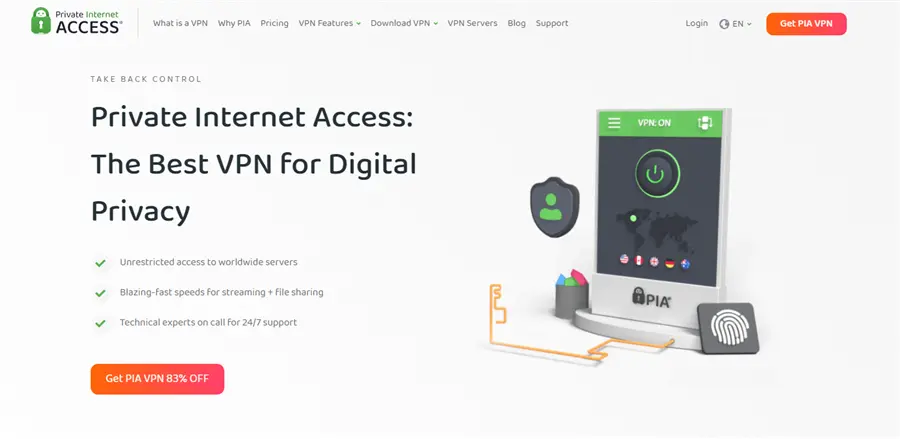
Omegle Key Features:
- Adjustable encryption levels for balancing speed and security
- Port forwarding options for advanced network routing
- Large global server network for IP switching flexibility
- Strong leak protection (DNS/IP/WebRTC)
Pros:
- Highly customizable for advanced users
- Large number of servers worldwide
- Stable speeds for general browsing and video chat
- Strong privacy and open-source transparency
Cons:
- Not beginner-friendly interface
- Mixed performance when bypassing Omegle bans
- Requires manual optimization for best results
Success Rate: 75%
Platforms: Windows, macOS, Linux, iOS, Android
Also Works With: Torrenting, OmeTV, Netflix (inconsistent access), general streaming
CyberGhost – Best for Beginners
CyberGhost is a user-friendly VPN designed for one-click simplicity and pre-configured use cases, making it ideal for beginners who want a hassle-free setup for unblocking websites and streaming platforms.
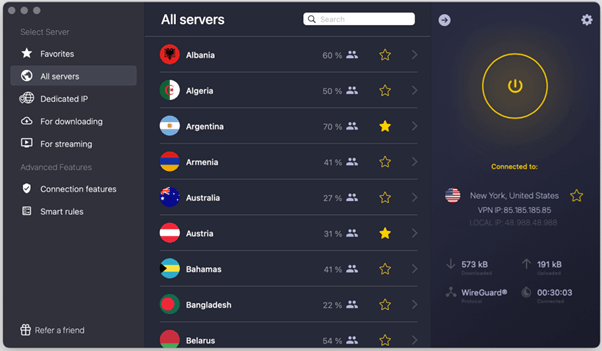
Omegle Key Features:
- One-click connection with automatic server selection
- Streaming-optimized servers for video platforms
- Pre-configured profiles for different use cases
- Built-in DNS and IP leak protection
Pros:
- Extremely easy to use (beginner-friendly UI)
- Good performance for general browsing and streaming
- Long 45-day money-back guarantee
- Wide device compatibility
Cons:
- Lower success rate for bypassing Omegle bans
- Limited anti-detection or stealth features
- Less effective against strict IP filtering systems
Success Rate: 72%
Platforms: Windows, macOS, iOS, Android
Also Works With: Netflix, BBC iPlayer, Hulu, casual streaming platforms
Atlas VPN – The Lightweight Contender
Atlas VPN is a lightweight and simplified VPN service designed for mobile users and beginners who want a fast setup without complex settings. It focuses on ease of use rather than advanced unblocking power.
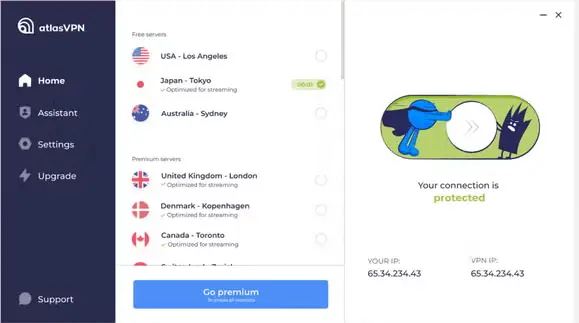
Omegle Key Features:
- One-tap connection setup
- Optimized mobile performance for smooth browsing
- Basic IP rotation for simple unblocking
- Built-in tracker blocking
Pros:
- Very easy to set up and use
- Good performance on mobile devices
- Lightweight and fast for basic tasks
- Simple interface with minimal configuration
Cons:
- Limited advanced security features
- Lower success rate for strict bans like Omegle
- Smaller server network compared to competitors
Success Rate: 68%
Platforms: Windows, macOS, iOS, Android
Also Works With: Basic streaming, mobile browsing, light geo-unblocking
Comparison Table: VPN Success Rates for 2026
How We Tested These Best VPNs for Omegle & Alternatives
We didn’t just look at marketing sheets. We performed a 30-day “stress test”:
- Intentional Banning: We intentionally triggered bans on OmeTV and Uhmegle using “Bot-like skipping.”
- IP Verification: We used ipleak.net to ensure no WebRTC or DNS leaks were occurring.
- Rotation Testing: We attempted to connect to the chat sites 50 times across 10 different global servers for each VPN.
- Performance Check: We monitored frame rates and “reconnecting” messages during peak internet hours.
alt: Check IP Address Details on Ipleak
Troubleshooting: Still Banned Even With a VPN?
If you’ve followed the steps and still see that dreaded “Banned” message, don’t panic. There is likely a “leak” in your digital identity. Try these advanced fixes:
- Disable WebRTC (The Silent Snitch)
WebRTC is a browser technology used for video chat. However, it can sometimes reveal your real IP address even if you are using a VPN.
Fix: Install a “WebRTC Leak Shield” extension or use a browser like Brave that has built-in WebRTC blocking.
- Deep Clean Your Browser Fingerprint
Websites in 2026 use “fingerprinting” to identify you based on your screen resolution, installed fonts, and browser version.
Fix: Try a completely different browser. If you were banned on Chrome, switch to Firefox or Microsoft Edge.
- Check for DNS Leaks
Sometimes your computer sends “requests” to your ISP’s DNS servers instead of the VPN’s.
Fix: In your VPN settings, ensure “Private DNS” or “DNS Leak Protection” is turned ON.
- The “Incognito” Rule
Never try to access a site you were banned from in a regular tab. Always use Incognito Mode. This prevents the site from reading any “Evercookies” (persistent tracking files) stored in your main browser profile.
Top 5 Omegle Alternatives in 2026
If you’re tired of the constant banning on one site, the “Omegle clone” ecosystem is vast. Here are the top platforms where you can start fresh:
- Uhmegle: The closest “spiritual successor” to the original site. Very simple, text and video options.
- OmeTV: Very popular in Europe and South America. Requires a Facebook or VK login, which makes it harder to get banned but also less anonymous.
- Monkey: Popular with a younger demographic; uses a “timed” chat mechanic.
- Emerald Chat: Often called the “cleaner” alternative. It has a karma system that rewards good behavior.
- Camsurf: A very fast, lightweight alternative with a strict focus on community guidelines.
Frequently Asked Questions (FAQ)
Q: How long does a standard ban last?
A: Minor offenses (skipping too fast) usually last 24 to 72 hours. Repeat offenses or severe reports can lead to bans lasting 30 to 120 days. Some platforms now implement “Permanent Hardware Bans.”
Q: Can I get unbanned on my iPhone or Android?
A: Yes. The process is the same: install a VPN app, clear your browser app’s cache (or use a private tab in Safari/Chrome), and reconnect.
Q: Is using a VPN to bypass a ban illegal?
A: No. It is not illegal to use a VPN. However, it does violate the Terms of Service of most websites. The worst that can happen is they ban the VPN’s IP address.
Q: Why are free VPNs so bad for this?
A: Free VPNs have thousands of users sharing a very small number of IP addresses. Within hours of a free VPN launching, its IPs are usually flagged by automated security systems like Cloudflare or Akamai.
Q: Do I need a dedicated IP to avoid getting banned again?
A: Not necessarily. A clean rotating IP pool (like the ones used by top VPNs) is often more effective than a dedicated IP.
Dedicated IPs can help reduce future bans, but they:
- Cost extra
- Can still get flagged if abused
For most users, a VPN with fresh, frequently rotated IPs is the better choice.
Q: Can Omegle detect VPN usage?
A: Yes—modern platforms use advanced detection methods, including: IP reputation databases, Traffic pattern analysis and Deep packet inspection (in some cases).
This is why basic VPNs often fail. Only VPNs with obfuscation technology can reliably avoid detection.
Q: What’s the fastest way to fix “Connection Error” on Omegle?
A: The quickest working method is:
- Connect to a different VPN server (preferably obfuscated)
- Clear browser cache and cookies
- Disable WebRTC leaks
- Reload Omegle in incognito mode
In most cases, this resolves the issue within minutes.
The Bottom Line: Your Access, Restored
Getting banned from a video chat platform in 2026 is rarely a reflection of your character—it’s a reflection of a flawed, automated system.
By understanding that your IP address is your identity in the eyes of these sites, you gain the power to reset that identity whenever you choose. To recap:
- Clear your data to remove the “old you.”
- Use a high-quality VPN (like BearVPN) to create the “new you.”
- Chat responsibly to avoid the AI’s “bot” triggers.
Don’t wait for a 120-day timer to count down. Follow the technical steps above, and you’ll be back in the conversation in less time than it took to read this article. Happy chatting!


![How to Change YouTube TV Location [Still Works in 2026]](/_next/image/?url=https%3A%2F%2Fcms.bearvpn.com%2Fwp-content%2Fuploads%2F2026%2F06%2Fhow-to-change-location-youtube-tv.webp&w=640&q=75)