


One poisoned APK is enough to expose messages, photos, banking codes, crypto accounts, or an entire PC—so “the website looks legitimate” is nowhere near a good enough safety test. Uptodown is a real, established marketplace with meaningful controls, but third-party downloading still puts more verification work on the user.
Uptodown publishes VirusTotal reports, technical metadata and hashes, checks file origin and signatures, and uses editorial review. Those layers make it more accountable than a random APK link. They do not make every APK, EXE, permission request, or old version automatically safe. The exact file still decides the risk.
You may also like: Is Softonic safe?
Is Uptodown Safe? The Short Verdict
Bottom line: Uptodown gives you useful evidence. It does not take the final decision away from you.
Is Uptodown Safe in 2026?
If you are looking for a quick “Yes” or “No,” here is the executive summary based on our technical audit:
- Malware Safety: High. Every single file is scanned by over 70 antivirus engines via VirusTotal. If a file shows genuine malware (not just a false positive), it is rejected.
- Data Privacy: High. As a Spanish company founded in 2002, Uptodown complies with strict EU GDPR regulations.
- Legitimacy: Verified. Unlike piracy sites, Uptodown has historic partnerships with Unity Technologies and major developers to host official builds.
- PC vs. Mobile: Safety is high for Android APKs. For PC (Windows) software, extra vigilance is required regarding “bloatware” in installers, though Uptodown checks for this far more rigorously than competitors like Softonic.
The Bottom Line: Is downloading from Uptodown safe? Yes. It is arguably the safest alternative to the Google Play Store currently available. However, safety is a shared responsibility. You must learn to interpret security badges and understand why your phone warns you about “Unknown Sources.”
What is Uptodown? (It’s Not Just a Website)
Uptodown is a multi-platform app marketplace founded in Spain and specialized in Android, while also distributing Windows and Mac software. Users can browse and download without creating an account. Uptodown says files come from developers, publishers, or other official sources; ordinary users cannot directly upload arbitrary files to the catalog.
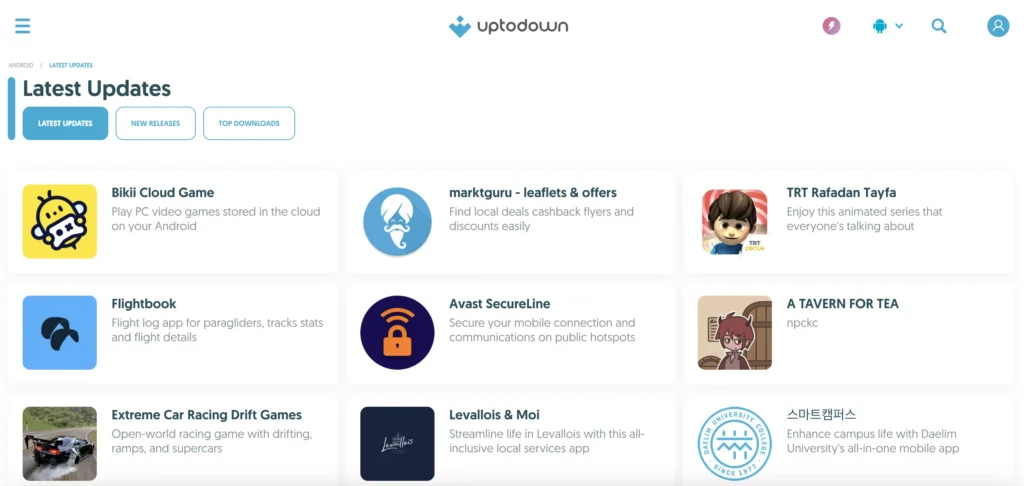
Its editorial team reviews submissions, origin, technical data, functionality, and publication criteria. That is a meaningful accountability layer—but it is still a third-party distribution channel, so the exact version, permissions, signature, scan date, and local device warning remain part of the decision.
How Uptodown Protects You
When you ask, “Is Uptodown APK safe?“, you are really asking about the integrity of the file you are about to install. Uptodown uses a “Swiss Cheese” security model—multiple layers of defense to stop malware.
1. The VirusTotal Integration (The Blue Shield)
Uptodown’s Transparency Center says it uses VirusTotal data from more than 75 antivirus engines and links the report for each file. Files larger than 650 MB cannot be automatically scanned under the stated limit and instead receive manual editorial review. VirusTotal aggregates vendor detections; it does not issue a universal safe/unsafe verdict. A current report with zero detections is reassuring, but it is not proof against new malware, abusive permissions, account theft, or vulnerabilities inside legitimate software.
2. The “Dev Onboard” Badge
The Dev Onboard seal means the developer publishes its own updates directly on Uptodown under an official distribution arrangement. That strengthens chain-of-custody evidence. It does not “eliminate” tampering or guarantee that every version is secure, privacy-respecting, or free from unwanted behavior.
3. APK Signature and SHA-256
Do not treat a SHA-256 file hash and an Android signing certificate as the same thing. A file hash identifies one exact file; change one byte and the hash changes. An APK signature lets Android verify signing integrity and determine whether an update belongs to the same signing lineage. Because Android app certificates can be self-signed and are not automatically vouched for by a central certificate authority, a valid signature alone is not a safety verdict.
Community Sentiment: What Reddit & Users Say
To get a raw, unfiltered answer to “Is Uptodown safe and legit?“, we also analyzed discussions on Reddit and third-party review sites like TrustPilot from late 2025 and 2026.
“This is my honest feedback about Uptodown: I really enjoy using Uptodown as an App on my TV or in my phone not because it’s simple but it really puts the best design of any mirror for APKs. The best thing about this is that, the Updates always work and does really have tons of old versions to look at. This deserves to be the Nr.1 Mirror!” – From TheKingCow on TrustPilot.
“Personally I consider them safe. Never had a bad experience after installing apps from there. I often install APKs from there, because it offers APK files instead of the annoying XAPK files like other websites.” – From r/androidapps.
“Got malware on my computer by downloading an older version of Microsoft teams. I was hoping it didn’t but I wasn’t thinking and forgot to use a virus scanner and then it hacked my PC.” – From Jack on TrustPilot.
- The Consensus: The vast majority of power users consider Uptodown a “Tier 1” repository alongside APKMirror and F-Droid.
- Common Praise: Users value the ability to find older versions of apps and bypass regional restrictions (e.g., downloading games not yet available in their country).
- Common Complaint: The ads on the free web version can be annoying. This is a user experience issue, not a safety issue, and can be solved by using the Uptodown App Store client or subscribing to Turbo.
What BearVPN Protects When You Download From Uptodown
Uptodown uses HTTPS, so an ISP normally cannot read the exact encrypted page or APK contents in transit. It may still see the destination domain, server IP, timing, and data volume. BearVPN encrypts the route between your device and its VPN server and masks your public IP, reducing that exposure on public or shared networks.
That protection matters when a large APK or Windows installer is moving across hotel, airport, café, dorm, or other shared Wi-Fi. It does not turn network privacy into file safety: the code leaves the encrypted tunnel and still runs on your device.
Why BearVPN Fits the Download Stage
- Protect the route: AES-256 encryption shields traffic between your device and the VPN server.
- Reduce route leaks: DNS/IP leak protection and Kill Switch on supported platforms and plans help prevent an interrupted tunnel from silently falling back.
- Choose a stable nearby server: 2,000+ physical servers across 50+ locations provide alternatives without claiming that a distant region makes an APK safer.
- Limit what uses the tunnel: Split Tunneling on supported platforms can keep selected apps on or off the VPN route.
- Use native apps: BearVPN supports Android, iOS, Windows, and macOS, with up to 10 devices on applicable paid plans.
How to Use BearVPN With Uptodown Safely
- Open the genuine Uptodown domain and confirm the app name, developer, version, package name, and update date before downloading anything.
- Download BearVPN only from its official site or an official app store, then connect to a nearby server. Choose another region only when the app and your use are lawful and authorized there.
- Reopen the exact Uptodown page and download the intended file; avoid ads, mirrors, and look-alike download buttons.
- Record the version and SHA-256 hash, then review the VirusTotal report for that exact file rather than relying only on a green badge or detection count.
- Keep Play Protect, Microsoft Defender, or another trusted local security tool enabled and scan the completed file before installation.
- Check the signing certificate and requested permissions. Revoke
Install unknown appsafterward and stop on a specific harmful-app warning.
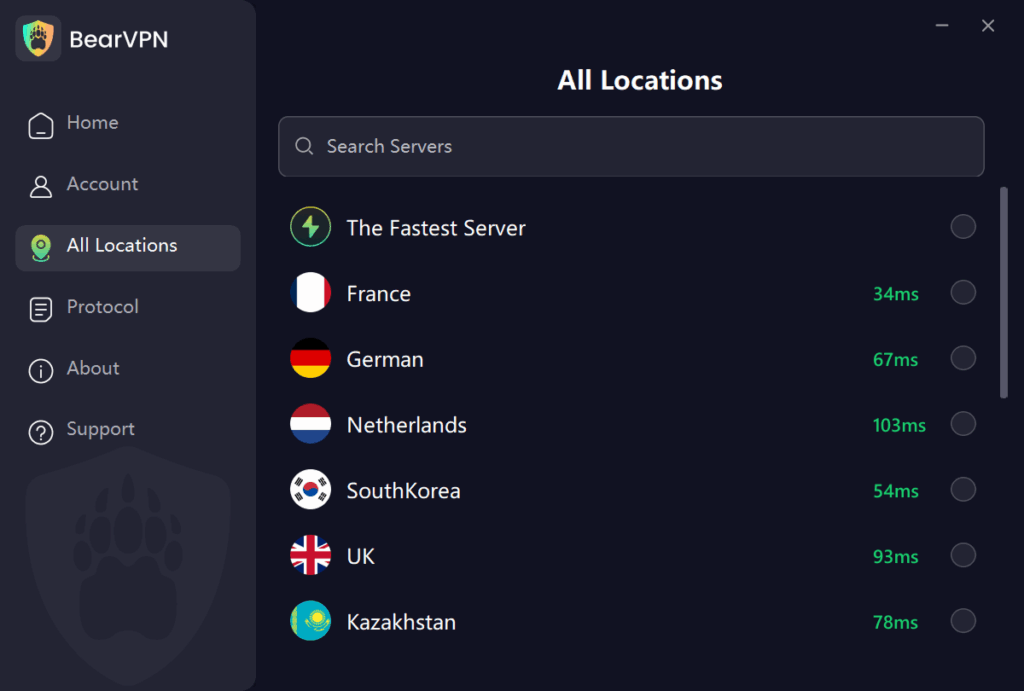
BearVPN does not inspect an APK, validate its signature, block dangerous permissions, patch an old version, or stop malicious code after installation. A VPN also cannot guarantee that a region-restricted app will run because the app may check the account country, GPS, SIM, payment profile, or device region in addition to IP.
- Encrypt Uptodown browsing and download traffic on public or shared Wi-Fi.
- Mask your public IP and reduce leaks with Kill Switch and DNS/IP leak protection.
- Keep Play Protect and local antivirus enabled after the download finishes.
- Inspect the version, hash, signature, permissions, and scan date before installing.

The New Trust Signal: Uptodown Turbo
In the past, third-party sites were plagued by aggressive ads, leading users to wonder, “Is Uptodown safe or just an ad farm?”
In late 2024, the platform launched Uptodown Turbo, a subscription service ($2.99/month).
- Why this makes it safer: A platform that relies 100% on ads is incentivized to prioritize clicks over safety. A platform with subscribers is incentivized to protect its reputation.
- Turbo Features: Subscribers get an “Enhanced Security” mode that provides active security warnings and removes all advertising, eliminating the risk of accidental clicks on misleading download buttons.
The existence of a premium, paid tier is a strong indicator that Uptodown is a legitimate commercial entity, not a fly-by-night operation.
Risk Analysis: When Should You Be Careful?
No system is 100% foolproof. To fully answer “Is it safe to download from Uptodown?“, we must look at the edge cases where users might face issues.
1. The “False Positive” Paradox
You might scan a file and see 1 or 2 red flags on VirusTotal. Does this mean the Uptodown app store is safe? Usually, yes.
- PUPs (Potentially Unwanted Programs): Antivirus engines often flag apps like “Lucky Patcher” or “KingRoot” as malware because they can modify your system. However, this is exactly what the user wants the app to do.
- Ad Libraries: Sometimes, an aggressive ad network inside a free game triggers an “Adware” warning.
- Rule of Thumb: If 50 engines say it’s clean and 2 obscure ones say it’s “Heuristic/Gen,” it is almost certainly a false positive.
2. Is Uptodown Safe for PC?
Is Uptodown safe for PC downloads? Generally, yes, but Windows is riskier than Android.
- The Risk: Windows .exe files have more power than Android .apk files.
- The Mitigation: Uptodown hosts the official installers. However, some free PC software comes bundled with “offers” (like browser toolbars). While Uptodown doesn’t add these (unlike some competitors), the original developer might. Always choose “Custom Installation” on PC to uncheck unwanted extras.
3. Outdated Apps (The Rollback Feature)
One of Uptodown’s best features is the ability to download older versions of apps. However, using old apps is a security risk you take on yourself. An old version of Chrome or WhatsApp will lack the latest security patches. Use the “Rollback” feature only if you have a specific need (e.g., compatibility with an old phone).
Uptodown vs. Google Play vs. APKMirror vs. APKPure
These sources use different distribution and review models, so a single Very High / High / Medium score would imply a standardized audit that this article has not performed. Compare the workflow and limitations instead.
Comparison Insight:
- Vs. Google Play: Play Store is safer for total beginners because it does everything automatically. Uptodown is safe but requires you to tap “Install” manually.
- Vs. APKMirror: APKMirror is excellent but very technical. Uptodown is more user-friendly with its native app store client and translations.
- Vs. APKPure: Uptodown generally has stricter editorial control than APKPure, which has had incidents with malicious ads in its own app in the past.
How to Safely Download from Uptodown
Follow this workflow to ensure maximum safety.
Step 1: Check the “Trusted” Status
When you land on an app page, look for the green checkmark or the “Dev Onboard” badge. Avoid apps that look like clones or have misspelled names.
Step 2: Review the VirusTotal Report
Don’t just trust the site. Click the Blue Shield icon (or “View detailed report”).
- Green (0/70): Perfectly safe.
- Yellow (1-3 detections): Likely a false positive, but check the comments.
- Red (5+ detections): Do not download.
Step 3: Download the File
Click the green “Download” button. Note: If you are on a free account, ignore any “Start” or “Play” buttons in the advertisement banners surrounding the real download button.
Step 4: Handle the Android Warning
When you open the file, Android will ask: “For your security, your phone is not allowed to install unknown apps from this source.”
- Tap Settings.
- Toggle Allow from this source (or “Install Unknown Apps”) for your browser or the Uptodown App.
This does not mean the file is a virus; it just means it didn’t come from Google.
Step 5: Verify (Optional for Power Users)
If you are asking “how safe is Uptodown” for a sensitive app (like a crypto wallet), verify the SHA256 hash provided on the Uptodown page against the developer’s official website.
Conclusion
Is Uptodown safe? It is a legitimate marketplace with stronger transparency and review controls than a random APK link: VirusTotal reports, source checks, hashes, technical metadata, developer verification, and editorial review all provide useful evidence. None of them turns every APK, EXE, or old version into a guaranteed-safe file.
Check the exact version, scan date, hash, signature, permissions, publisher, and device warnings before installing. Keep Play Protect or Defender enabled. BearVPN can protect the network route while you download, but file safety is still decided by the code that eventually runs on your device.
FAQs About Uptodown
Uptodown is a legitimate marketplace with VirusTotal integration, editorial review, source checks, file hashes, and technical metadata. Those controls reduce risk but do not guarantee that every APK, EXE, or old version is harmless. Verify the exact file and keep device security enabled.
Google Play is the safer default for most Android users because it provides platform-integrated review, Play Protect, and managed updates. Uptodown is useful for version history, files unavailable through Google Play, and more technical metadata. “Better” depends on the need, but sideloading leaves more verification and updating responsibility with the user.
Uptodown operates as a legitimate app marketplace, but the legality of downloading or using a specific app depends on its license, local law, and the way it is used. The marketplace’s existence is not a universal legal guarantee for every file or country.
Android or Chrome often warns when an APK comes from outside Google Play or is unfamiliar, but some warnings identify a specific harmful or unverified app. Read the exact message, keep Play Protect enabled, and never dismiss a malware warning merely because the file came from Uptodown.
iPhone installation rules vary by country, iOS version, and Apple’s current marketplace policies. Verify any Uptodown iOS instructions against Apple’s official guidance for your device and region. Do not install unknown configuration profiles, certificates, or look-alike stores from a cloned page.
Normal Uptodown downloads should not require root access. If an ordinary app demands root, device-administrator access, or accessibility control without a clear functional reason, stop and investigate. Rooting weakens Android’s security boundaries and is not required merely to sideload an APK.
It is possible, just as malicious or newly compromised files can appear in any software-distribution ecosystem. Uptodown’s review, hashes, and VirusTotal reports reduce risk but cannot eliminate it. Check the exact file, keep Play Protect or Defender enabled, and do not install after a specific security warning.



