


The increasing communication among cultures brings us more social opportunities. In recent years, OmeTV has become a popular video-chat platform that instantly connects users with strangers globally. From kids to adults, millions of users have chatted with strangers on OmeTV. As random chat apps grow in number, many users, especially parents, constantly question: Is OmeTV safe? How should parents be concerned about their kids’ safety when using OmeTV?
Take it easy, this comprehensive guide analyzes the platform’s risks, examines potential concerns, and provides actionable steps for maximizing your security while using OmeTV.
You may also like: Is Chaturbate safe?
What Is OmeTV?
OmeTV is a social networking platform designed to encourage spontaneous, one-on-one video and text chats between random users across the globe. Functionally, it operates as a direct spiritual successor to the now-shuttered Omegle, aiming to connect strangers for conversational exchange, making new friends, or even online dating.
Unlike traditional social media or dating platforms, where users connect with existing friends, OmeTV provides total anonymity and randomness between strangers. It boasts a massive, global community, with over a million mobile users alone, allowing it to instantly pair two individuals for a live video call.

Key Features of OmeTV:
- Randomized Pairing: Upon opening the app or website, a user is instantly paired with a stranger via webcam. Users can swipe or click a button to disconnect and instantly move on to the next random user.
- Quick Start: As long as you log in with your social media account or Google account, it will start the connection in no time.
- Anonymous Chatting: During video chats, users are generally anonymous, often only displaying their general country of origin. The platform generally keeps the user’s associated Facebook profile hidden from the person they are chatting with.
- Automatic Translation: For text chats, OmeTV includes an automatic translation feature, attempting to bridge language barriers and expand the potential pool of global chat partners.
OmeTV’s Community and Appeal
With the instant setup and fast pairing characteristics, OmeTV is popular among young users, despite its official age restrictions. The application promotes itself as a way to “make friends from all around the world” and “meet interesting people.” This promise of spontaneous global interaction attracts a large volume of users, contributing to both its vibrancy and its significant safety challenges.
Is OmeTV Safe?
Briefly speaking, OmeTV is not safe for children and is considered high-risk for all users. It is a random, live video chat platform where you can be matched instantly with strangers around the world, with no reliable age verification. Official safety authorities in Australia issued a formal warning about OmeTV’s insufficient safeguards for children, and the app was removed from Australian stores in October 2025.
For adults, the platform can be used more cautiously with filters, reporting tools, and privacy measures like a VPN, but the core risks (explicit content, grooming, and data exposure) remain. The safest choice for kids is not to use OmeTV at all and to block it using parental controls.
Official Safety Warnings and Regulatory Actions
Official safety authorities have flagged OmeTV as a high-risk platform for children. The Australian eSafety Commissioner issued a Formal Warning to OmeTV on 20 August 2025, stating that the service had insufficient safeguards to prevent adults from contacting children and to protect young users from harmful content.
As a result of this warning and ongoing safety obligations, OmeTV’s main apps were removed from Australian app stores in October 2025. This does not mean the site is completely inaccessible, but it signals that regulators consider the platform too risky for children without stronger protections. These official actions are important for parents to understand: if a national safety body has formally warned about a service, it should be treated as unsafe for minors.
Why Is OmeTV Risky for Minors?
Online chatting with strangers always comes with opportunities and risks. Children’s relative innocence and trust make them easy targets on a platform designed for anonymous interaction. Here are the potential risks of OmeTV for children and teenagers.
OmeTV Age Restrictions and Reality
Besides the potential risks, OmeTV’s age restrictions and reality are inconsistent. Officially, it requires users to be 18 years of age or older. But some materials suggest a minimum age of 13 with parental consent. The platform itself explicitly states in various places that it is intended for adults.
However, the age restriction is rendered effectively meaningless due to two critical issues:
- Weak Age Verification: OmeTV does not employ robust age verification measures. Logging in via social platforms like Facebook may serve as a slight barrier, but it is free and easy for minors to create fake accounts or simply lie about their age to gain access.
- Random Matching: Due to the random connection among users, a minor who manages to access the platform can be instantly paired with an adult user, including potential predators, without any filtering or warning.
You may also like: How to unblock OmeTV with VPN
How to Use OmeTV More Safely (Adults Only)
While the inherent risks of anonymous, random video chat on OmeTV won’t be fully eliminated. Users should always take several proactive steps to maximize their personal safety and privacy. This involves both behavioral changes on the platform and the implementation of crucial security technology.
1. Use BearVPN to Ensure Essential Privacy
The most effective way to protect your privacy on OmeTV is by using a VPN to hide your real IP when chatting. Although the platform claims to be 100% random and anonymous, your browsing history and IP address can be exposed to hackers. That’s why BearVPN is recommended for masking your online activities. Here’s how it works:
IP Address Masking
OmeTV collects and logs your IP address, which ties back to your physical location and internet service provider. When you connect to the internet through BearVPN, your real IP address is masked and replaced with the IP address of the BearVPN server. This prevents OmeTV, the other user, and any potential hackers from tracing your connection back to your home, mitigating the risk of physical stalking or targeted digital attacks based on your general location.
Data Encryption
While chatting, especially if sharing any personal details in text, that data is still traveling across the internet. With the advanced encryption protocols, BearVPN scrambles all data traveling between your device and the VPN server. This creates a secure tunnel, ensuring that if any third party intercepts your data, it will be unreadable. This is a crucial defense against man-in-the-middle attacks, especially on unsecured public Wi-Fi networks.
Geoblocking and Content Control
BearVPN is necessary for a user who wishes to connect only with users from a specific region to bypass a geo-block imposed by their local government or network. By choosing a location among 2000+ servers within the BearVPN network, you can digitally relocate yourself to that country. This allows you to potentially filter your match pool by selecting a country with a user base you trust or one that is closer to your language preferences.
How to Use BearVPN for OmeTV Safety (Android, iOS, Windows, Mac):
Step 1. Download the BearVPN app and install it on any of the supported devices.
Step 2. Open BearVPN, then connect to a desired server location.
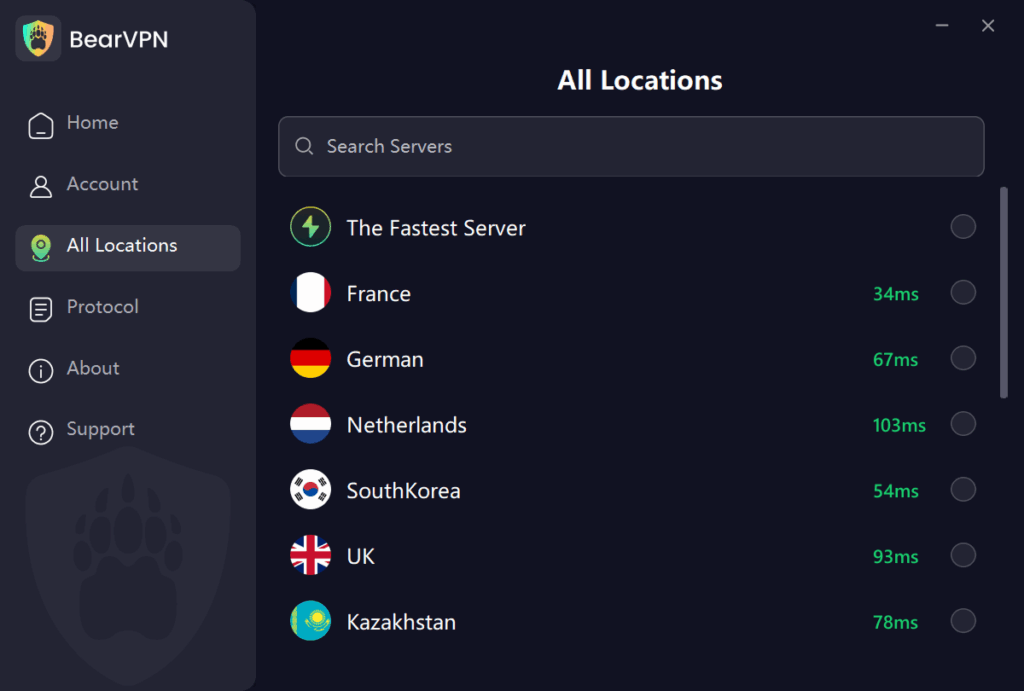
Step 3. Once it shows connected, launch your OmeTV app and start chatting anonymously.
If you chat on the OmeTV web, it’s better to clear the cache in your browser and start a new call.
2. Use Language and Country Filters
OmeTV allows you to select language and country preferences. Using these filters can reduce the chance of being matched with people from regions where you don’t speak the language or where cultural norms may differ significantly. This is a basic but effective first step to managing your exposure.
3. Avoid Sharing Personal Information
Never share your full name, address, workplace, school, phone number, or social media links during an OmeTV chat. Even seemingly harmless details like your city or school name can be used to identify or track you later.
4. Set Clear Personal Rules
You can also set strict rules when using OmeTV, which you can decide in advance:
- The maximum time you will spend on OmeTV per day.
- Which types of content or behavior will immediately end a chat.
- What you will never discuss or share.
Having clear rules helps you stay in control and avoid risky situations.
Verdict: By combining the robust security of BearVPN with responsible, hyper-vigilant behavior, adult users can significantly lower their exposure to the most critical risks on OmeTV. For those who are afraid of the potential risks OmeTV can bring, consider using the OmeTV alternatives for a safer experience.
Conclusion
Is OmeTV safe? No. OmeTV’s anonymous, random video-chat model presents undeniable hazards, including instant exposure to explicit content, the pervasive threat of online grooming, severe cyberbullying, and inherent privacy risks stemming from IP logging and screen-capture. For minors, the platform is universally deemed extremely dangerous. For adult users, safety is not guaranteed but can be achieved through disciplined behavior and technological intervention.
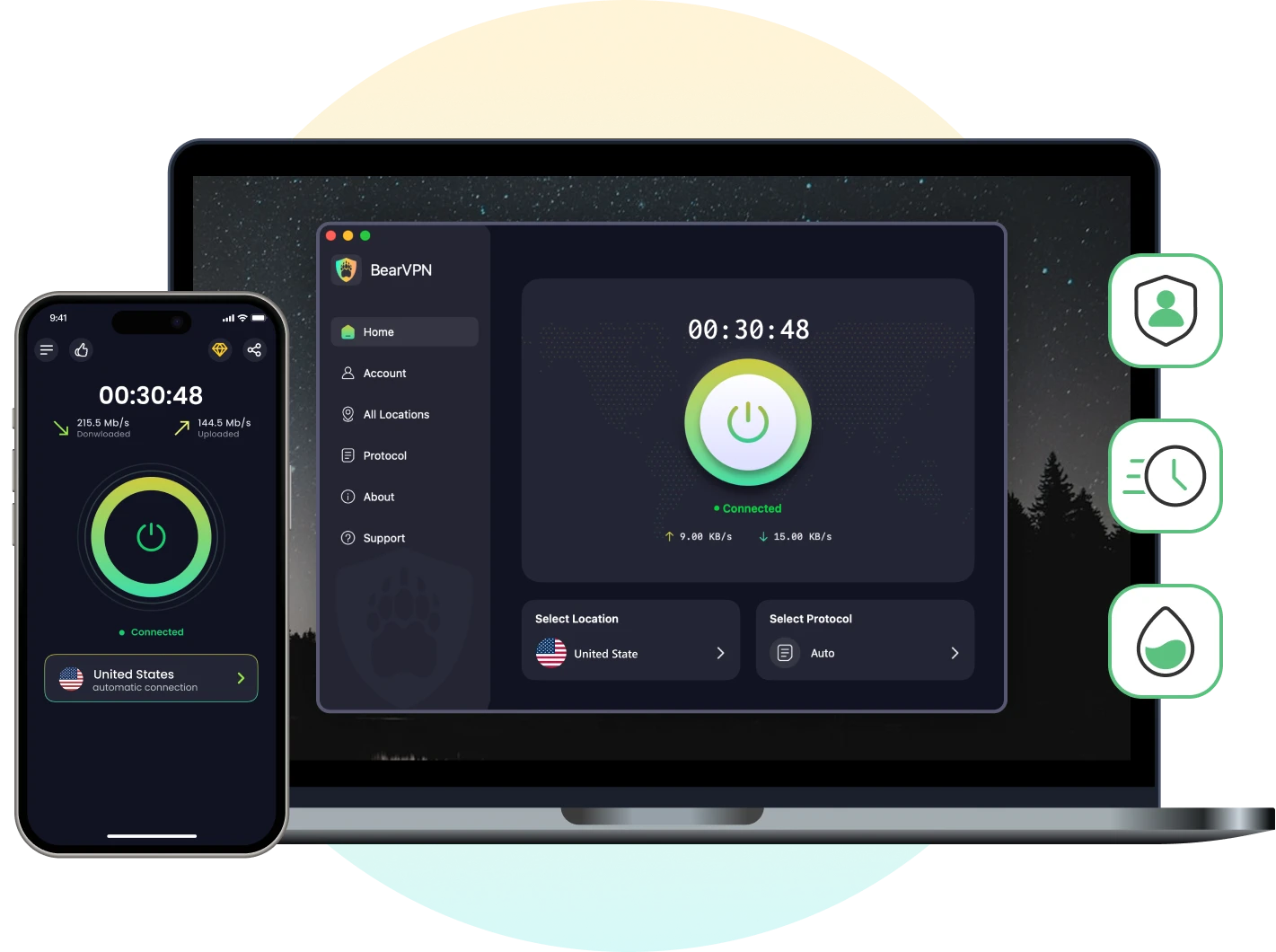
Developing good Internet habits and always being cautious will greatly reduce the risks of exposure. Most importantly, by using a powerful VPN service like BearVPN, you can mask your real IP and encrypt your online connection. Download BearVPN now and secure your video chatting on OmeTV today.
- RAM-only Diskless Servers
- AES-256 Encryption
- DNS Leak Protection
- Ultra Fast & Stable
FAQs About OmeTV Safety
Yes, OmeTV collects data like your IP address, device info, approximate location, cookies, and chat logs for moderation, security, and platform operations. You can use BearVPN to mask your IP address when using the OmeTV app.
Yes, OmeTV tracks your IP address and general location. Other users can also exploit the connection to find your location. Using a reliable VPN like BearVPN masks your IP to prevent this tracking.
No. OmeTV is not safe for 13-year-olds or any minors. The platform is designed for anonymous, live video chats with strangers, and official safety authorities have warned that it lacks sufficient safeguards to protect children.
OmeTV does not officially confirm that it records chats, but users can still record or screenshot conversations using external devices. This means anything shared on OmeTV can potentially be stored and reused later.
You can sometimes use OmeTV without linking a Facebook account, depending on the platform version and region. However, even without Facebook, there is no strong age verification, so minors can still access the service.
No. A VPN improves privacy by hiding your IP address and encrypting traffic, but it does not prevent exposure to explicit content, grooming, or other harmful behavior on OmeTV. For children, the safest option is to block OmeTV entirely.
In Australia, OmeTV’s apps were removed from app stores in October 2025 following a formal warning from the eSafety Commissioner about insufficient child protection. This is a regulatory action signaling that the platform is considered too risky for minors without stronger safeguards.



