


Pornhub blocked on your network? Adults may be able to watch Pornhub without a VPN by using a Pornhub proxy, Tor Browser, different DNS settings, or a browser with a built-in proxy.
The fastest option is usually an HTTPS web proxy because it requires no installation. Changing DNS may help with a basic DNS block, while Tor offers more privacy but is often slower for video. The best method depends on how Pornhub is being restricted on your connection.
This guide is intended only for adults accessing content they are legally permitted to view. These methods do not replace any age verification required by law.
How to Watch Pornhub Without a VPN: 5 Working Methods
If you’re unable to access Pornhub and prefer not to use a VPN (perhaps for cost reasons, technical simplicity, or a misunderstanding of how VPNs work), here are several effective methods to bypass restrictions.
Method 1: Use a Pornhub Proxy
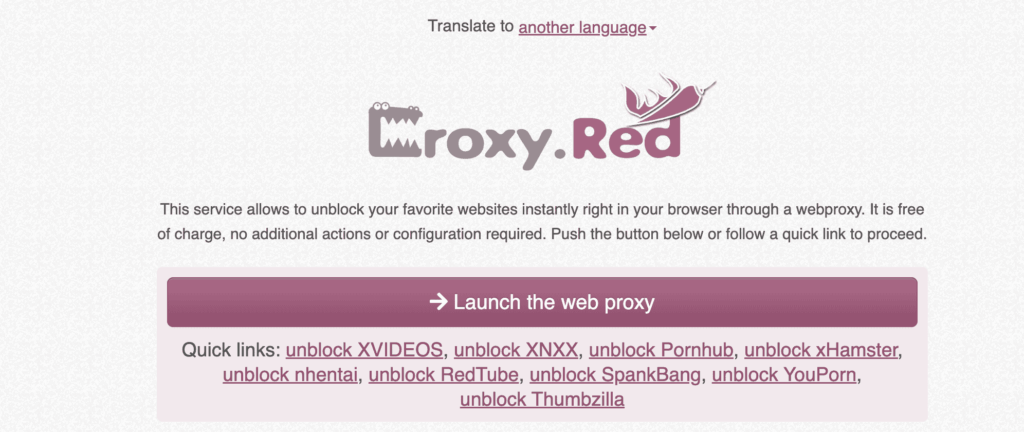
A Pornhub proxy is usually the quickest way to try accessing Pornhub without a VPN. It loads the website through another server, so Pornhub normally receives the proxy server’s IP address instead of your public IP.
No installation is required, but a web proxy normally protects only the page opened through the proxy—not other browser tabs, apps, or traffic on your device.
How to use a Pornhub proxy:
- Open an HTTPS web proxy in your browser.
- Enter
https://www.pornhub.com/into its address field. - Select a server location if the proxy provides that option.
- Open the site and confirm that the resulting page still uses HTTPS.
Examples currently appearing in Google results include CroxyProxy, Proxy.gd Pornhub Proxy, and 4everproxy Adult Proxy. These are examples rather than endorsements; availability, ownership, logging policies, and performance may change.
Pros: Quick to try, usually free, and requires no software installation.
Cons: Video may load slowly, free services may display advertising, and the proxy operator may be able to observe or log browsing activity.
Safety check: Do not enter passwords, payment details, identity documents, or other sensitive information through an unfamiliar proxy. Leave immediately if a proxy asks you to install an executable file, browser extension, or video codec.
How to Evaluate a Pornhub Proxy
Do not assume the first result for “Pornhub proxy” or “Pornhub alternative link” is trustworthy. Before using one, check:
- Is the proxy itself loaded over HTTPS?
- Does it identify the company operating it?
- Does it publish a readable privacy policy and retention policy?
- Does it request unnecessary notification, extension, camera, or download permissions?
- Does it redirect you to unrelated domains or imitate Pornhub’s login page?
Avoid entering Pornhub credentials, payment information, identity documents, or other sensitive data through an unfamiliar proxy. If the proxy demands an extension or executable download before loading the page, leave the site.
Privacy and Security Risks of Free Proxies
When trying to bypass restrictions, a quick Google search will often lead you to a free pornhub proxy (like CroxyProxy) or unofficial mirror domains (like phub.to). While these services may work temporarily, their privacy and security practices can vary significantly.
- SSL Termination & MitM: A proxy routes browser traffic through a third-party server. Depending on the service, the operator may log IP addresses, browsing activity, or other technical data.
- Malicious Mirror Sites: Unofficial mirror sites may expose users to phishing, intrusive ads, redirects, or unwanted downloads. Avoid entering personal information on unfamiliar domains.
Method 2: Use the Tor Browser
Tor Browser routes its traffic through a circuit that normally contains three Tor relays. The destination website sees the exit relay’s IP address rather than your public IP, which may help when a site or network blocks access by location.
Tor can provide meaningful privacy protection when used correctly, but it should not be described as guaranteed anonymity. Websites can still recognize accounts you log into, observe information you submit, use cookies during a session, or attempt browser-based tracking. Tor exit IPs are also public, so some websites block them or require additional CAPTCHA checks.
How it works: Tor Browser builds a multi-relay circuit before sending the connection to the public internet. Use the official Tor Browser rather than modifying a standard browser to imitate Tor.
Pros: Free, open source, masks your public IP from the destination, and can help with some censorship.
Cons: Usually slower than a direct connection or VPN, frequently unsuitable for smooth HD video, and not accepted by every website.
- Deanonymization: Changing advanced Tor settings without understanding their privacy impact may reduce some of its protections.
- Exit Node Harvesting: You have no control over who operates the final exit node. Traffic that is not protected with end-to-end encryption may be visible to the exit node.
- Unusable Speeds: Performance limits: Tor is generally slower than a direct connection or VPN, so HD video may buffer or load slowly.
How to use it:
- Go to the official Tor Project website (www.torproject.org).
- Download and install the Tor Browser Bundle for your operating system.
- Launch the Tor Browser. Once connected to the Tor network, simply navigate to Pornhub.
Method 3: Install a Browser Extension
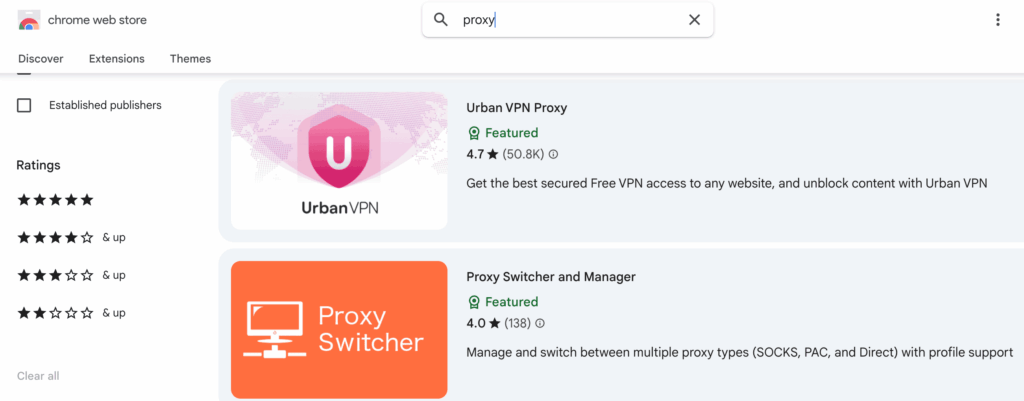
Some browser extensions function as lightweight proxy or VPN services, allowing you to unblock restricted porn websites, including Pornhub. Compared to a full VPN client, these extensions are often simpler to install and use, making them a convenient option for quick access.
How it works: Depending on the extension, browser traffic may be routed through a proxy server or encrypted tunnel.
Pros: Very easy to install and use, often free, convenient for quick access.
Cons: Usually only protects browser traffic (not your entire device), speeds can vary, free versions may have data caps or show ads, and their security/privacy might not be as robust as a dedicated VPN. Always check reviews and permissions before installing.
Before installing an extension: Use only the browser’s official extension store, confirm who publishes the extension, read its data-use disclosure, and reject tools that request access unrelated to routing browser traffic. An official store reduces—but does not eliminate—the risk of invasive or misleading extensions.
Avoid recommending a specific free extension unless its current owner, privacy policy, permissions, and logging practices have been reviewed close to the publication date.
Brave Browser: Brave offers a Private Window with Tor connectivity, but Brave states that it does not include most of the privacy protections built into the official Tor Browser. Treat it as a convenient browser proxy option, not as an equivalent replacement for Tor Browser or a guarantee of anonymity.
Method 4: Change Your DNS Settings
In some cases, ISP-level blocking relies on DNS (Domain Name System) filtering, which prevents your device from resolving the domain names of adult websites such as Pornhub.
By switching your device’s DNS settings to a public, uncensored DNS resolver, you may bypass these basic DNS-based restrictions and regain access to Pornhub—provided the block is limited to DNS filtering and not enforced at the IP or network level.
Pros: Free and relatively easy to configure. It can work against basic DNS-level blocks without routing traffic through another network.
Cons: Not effective against more advanced censorship (e.g., national firewalls, deep packet inspection), only bypasses DNS-level blocks, and doesn’t hide your IP address from your ISP.
Common Public DNS Servers: Google Public DNS (8.8.8.8 and 8.8.4.4), Cloudflare DNS (1.1.1.1 and 1.0.0.1), OpenDNS (208.67.222.222 and 208.67.220.220).
How to change DNS (General steps):
- Windows:
- Search for “Network Connections” or “Network Status” in the Windows search bar.
- Find your active internet connection (e.g., “Wi-Fi” or “Ethernet”).
- Right-click it and choose “Properties.”
- Look for “Internet Protocol Version 4 (TCP/IPv4)” and double-click it.
- Select “Use the following DNS server addresses” and enter the two numbers from one of the “Public DNS Servers to Use” pairs above.
- Click “OK” to save.
- macOS:
- Go to System Settings (Apple menu > System Settings).
- Click Network.
- Select your active connection (e.g., Wi-Fi).
- Click Details… (or “Advanced…”) and then the DNS tab.
- Click the + button to add the two DNS numbers.
- Click OK or Apply.
- Mobile (Android/iOS):
- Go to your device’s Settings.
- Tap on Wi-Fi.
- Tap the (i) icon (iPhone) or press and hold (Android) on your connected Wi-Fi network.
- Look for “DNS” settings (you might need to change “IP Settings” to “Static” or “Manual”).
- Enter the two DNS numbers you chose.
- Save your changes.
Why DNS Tweaks Fail: The SNI & DPI Problem
Changing DNS works only when the restriction is based on DNS resolution. It will not usually bypass IP blocking, SNI filtering, Deep Packet Inspection, or restrictions imposed directly by Pornhub. DNS changes also do not hide your public IP or encrypt your connection.
Method 5: Use a Browser with a Built-in Proxy or VPN
Some web browsers offer integrated privacy features that can help bypass restrictions, providing an all-in-one solution specifically useful for accessing sites like Pornhub.
- Opera Browser: Comes with a free, built-in VPN (which functions more like a proxy). You can enable it in the browser’s settings to route your traffic through Opera’s servers, making it appear as if you’re browsing from a different location, thereby unblocking Pornhub.
- Brave Browser: Brave includes a Private Window with Tor option that routes browser traffic through the Tor network. It may change the visible IP and help with some network blocks, but Brave states that it does not include all protections of the official Tor Browser. Treat it as a convenient privacy option—not guaranteed anonymity.
These methods may work against some types of blocking, but their effectiveness, privacy, and speed vary. Use trusted tools and review their privacy policies before use.
- Protect traffic beyond one proxy tab.
- Mask your public IP across supported apps.
- Add Kill Switch and DNS/IP leak protection.
Why Can’t I Access Pornhub?
Access to Pornhub may be restricted for legal, network, or platform-related reasons. Common causes include:
1. Age-Verification Requirements
- In the U.S., several states have introduced age-verification requirements for adult websites, while rules and enforcement vary by jurisdiction.
2. Pornhub’s Own Access Restrictions
- Pornhub’s parent company, Aylo, has restricted access in some jurisdictions where it disagrees with how age-verification requirements are implemented.
3. State-Sponsored Censorship & Deep Packet Inspection (DPI)
- In some highly restricted networks, authorities or network operators may use advanced filtering techniques, including Deep Packet Inspection (DPI), to detect or block certain types of traffic.
- On networks with advanced filtering, some proxies or VPN services may be blocked or stop working depending on the filtering method used.
4. Workplace, School, and Public Network Filtering
- Networks such as schools, universities, and public Wi-Fi often block adult websites to maintain a professional or focused environment.
- These restrictions are enforced using firewalls or content-filtering software.
5. ISP-Level Blocking
- Some Internet Service Providers (ISPs) implement adult content restrictions, either by default, through parental controls, or in compliance with local directives.
- While typically less sophisticated than national censorship, ISP blocks still prevent direct access.
Where Is Pornhub Restricted?
Pornhub availability can change quickly because a country, state, ISP, network administrator, or Pornhub itself may impose different restrictions. A page that is unavailable in one location may require an age check—or remain directly accessible—in another.
Because these rules are time-sensitive, check the message shown on the official Pornhub domain and the relevant regulator’s current guidance before assuming that the site is banned.
If Pornhub displays a legally required age check, a DNS change or proxy is not a substitute for completing that requirement. This article only compares network-access options available to adults.
Related guide: Best Methods to Watch Porn Sites Without Age Verification
When a VPN May Be the Better Option
Free methods may help with some types of blocking, but they do not always protect all device traffic or hide your public IP.
Limitations of Proxies and DNS
- No Real Hiding: DNS changes do not hide your public IP or encrypt your connection.
- Proxy Logging: Some free proxies may log usage data or rely on advertising, so review the provider’s privacy policy before use.
- DPI Vulnerability: Networks using Deep Packet Inspection or other filtering techniques may detect or block some types of proxy traffic.
How BearVPN Improves Privacy
BearVPN provides broader privacy protection than a basic DNS change or many browser-based proxies.
- Encrypted VPN Traffic: BearVPN encrypts traffic routed through the VPN tunnel. Your ISP or local network can normally see that you are connected to a VPN server, but not the specific pages carried inside that encrypted tunnel.
- Public IP Masking: Pornhub and other destination websites normally receive the VPN server’s IP address instead of your public IP.
- Protection Beyond One Browser Tab: Unlike a typical web proxy, BearVPN can protect supported device traffic routed through the VPN tunnel rather than only the page opened through a proxy site.
- Strong Obfuscation: Obfuscation can make VPN traffic harder for some restrictive networks to identify, although no VPN can guarantee access on every network.
- More Practical for Video Than Tor: A suitable nearby server will often be more practical for video than Tor or an overloaded free proxy. Actual speed and video quality still depend on the server, distance, ISP, and local network.
The Bottom Line: If you want broader encryption and IP privacy than DNS or browser proxies provide, BearVPN can be a more complete option.
Conclusion
Yes—you may be able to reach Pornhub without a VPN through a proxy, Tor, DNS change, extension, or browser tool. But every shortcut takes something away: full-device protection, speed, trust, IP privacy, or reliability.
If those trade-offs become the problem, stop stacking browser-only workarounds. BearVPN encrypts supported traffic beyond one tab, masks the public IP seen by destination sites, and gives restrictive networks a harder target through obfuscated connection modes.
Ready to protect the whole connection instead of patching one browser window?
FAQ
Pornhub is restricted in some countries and regions, while availability may vary because of local laws, age-verification requirements, ISP filtering, or platform policies.
Pornhub availability depends on current national laws, state laws, ISP policies, and Pornhub’s own response to local age-verification requirements. There is no permanent worldwide list. Adults should check the notice displayed on Pornhub’s official domain and the latest guidance from their local regulator. A page that requires age verification should not be described as completely banned.
Do not assume that a site using Pornhub’s name, logo, or video thumbnails is official. Alternative links and unofficial mirrors may contain deceptive login forms, aggressive redirects, notification traps, or unwanted downloads. Check the exact domain before entering credentials, and remember that HTTPS only encrypts the connection—it does not prove that the site operator is trustworthy.
To watch adult content safely:
1. Use private browsing mode (incognito) to prevent your history from being saved.
2. Stick to trusted websites to avoid malware or scams.
3. Enable antivirus software on your device.
4. Consider using a VPN for added privacy, especially if you’re concerned about your ISP tracking your activity.
VPN use is legal in many jurisdictions, but laws governing adult content and VPN use vary by location. A VPN does not make prohibited content legal, so follow the rules that apply where you live.
Without a VPN, your ISP may be able to see the domains or services you connect to, although HTTPS protects page content in transit. A VPN encrypts traffic between your device and the VPN server, while incognito mode mainly prevents local browser history from being saved and does not hide activity from your ISP.
No. Incognito or private browsing mainly prevents the browser from retaining local history, cookies, and form data after the private session ends. It does not change your public IP, bypass most network blocks, or hide activity from the network administrator or ISP. Brave also confirms that standard private windows do not make users anonymous.
For an adult on a connection they control, start by checking whether an ISP family filter, router filter, or DNS setting was enabled unintentionally. If a separate routing tool is necessary, the official Tor Browser generally has a clearer privacy model than an unknown free web proxy, but it can be too slow for video. No method should be used to evade legally required age verification.


![How to Change YouTube TV Location [Still Works in 2026]](/_next/image/?url=https%3A%2F%2Fcms.bearvpn.com%2Fwp-content%2Fuploads%2F2026%2F06%2Fhow-to-change-location-youtube-tv.webp&w=640&q=75)



