If XVideos works on mobile data but not Wi-Fi, the network is probably blocking it; if it works in a private window, browser data or an extension is more likely. BearVPN can help adult users test an ISP- or region-level block, but it cannot disable Screen Time, override managed-device controls, or remove a required age check.
This technical guide is intended solely for adult users looking to protect their personal data encryption and digital privacy online. While adults maintain a strict legal right to secure their browsing infrastructure from ISP logging, utilizing encryption tools to bypass age restrictions as a minor may violate local regulations.
Why Is XVideos Not Working? Identify the Block First
XVideos may fail for several unrelated reasons. Test the same page on another browser, device, and internet connection before changing any settings.
How to Turn Off “Website Not Allowed” on Your Own iPhone or iPad
If the message appears on an iPhone or iPad that you personally own and administer:
- Open Settings and select Screen Time.
- Open Content & Privacy Restrictions.
- Select App Store, Media, Web & Games, then Web Content.
- Review whether Limit Adult Websites or an individual blocked URL is enabled.
- Change the setting only if you are the adult device owner or authorized administrator.
If Screen Time asks for a passcode you do not control, or the device is managed by a parent, school, or employer, do not attempt to bypass it. Ask the administrator.
Other Reasons XVideos May Be Blocked
Regional laws and ISP filtering can restrict adult sites. Workplaces, schools, public Wi-Fi operators, security applications, and home routers may also block adult content under their acceptable-use or safety policies.
Age-assurance requirements are different from a simple network block. A VPN changes the IP address seen by a website, but it does not disable Screen Time and may not remove an age check. For a focused explanation, see our guide to XVideos age verification.
If XVideos works on mobile data but not Wi-Fi, BearVPN can encrypt the connection and test another IP location.

How to Unblock XVideos Safely: VPN and Proxy Options
After ruling out a temporary outage, browser problem, and device-level restriction, consider whether the block comes from your ISP or region. A VPN is generally safer than an unknown web proxy because it encrypts traffic between your device and the VPN server. Results still depend on the network, selected server, local rules, and the website’s own controls.
Method 1. Use a VPN
A VPN is the most secure and reliable way to bypass restrictions and access adult websites including XVideos, Pornhub, and XHamster. It encrypts your internet traffic, hides your real IP address, and lets you connect through servers in different countries—giving you access to geo-restricted content.
We recommend BearVPN — a free, privacy-focused VPN with:
- 2,000+ servers across 50+ locations
- AES-256 encryption and IP masking
- DNS/IP leak protection and Kill Switch
- Strong obfuscation for restrictive networks
- Support for up to 10 simultaneous devices with a paid account
How to Unblock XVideos with BearVPN (Step-by-Step)
Step 1: Download and Install
To bypass strict ISP filters and stream high-definition video without buffering, you need a robust, privacy-focused VPN. Download the dedicated BearVPN app for your device (Windows, macOS, Android, or iOS) and complete the installation.
Install BearVPN on the device where XVideos is blocked. Connect before reopening the official site.
Step 2: Select a Privacy-Friendly Server
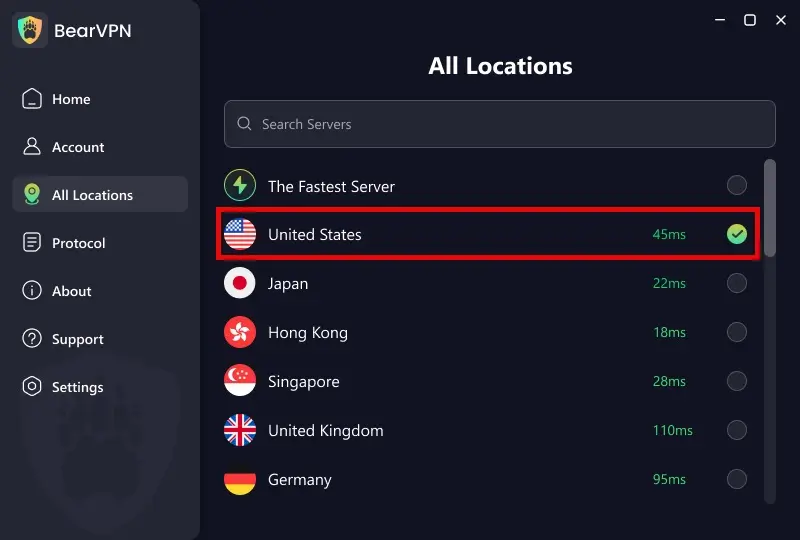
Open the Server List and choose a nearby location where accessing the site is lawful and permitted. A nearby server will usually provide a better starting point than a distant one, although speed and availability vary by network and server load. If the first connection does not work, try another server location instead of assuming the website is down.
Step 3: Change the Connection Protocol If Necessary
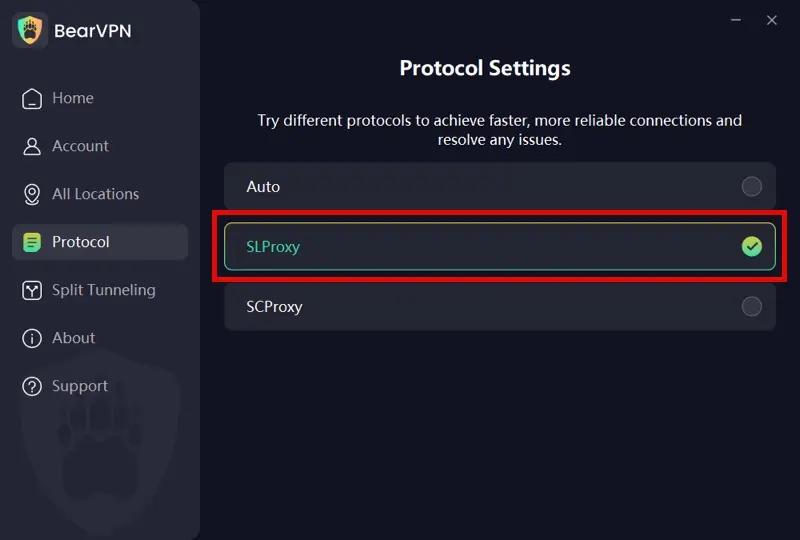
Start with Auto so BearVPN can select a suitable connection mode. If the network appears to block or disrupt the VPN connection, try another protocol available in the app:
- SLProxy: A general-purpose option for everyday browsing and streaming.
- SCProxy: An obfuscated option designed for more restrictive network conditions.
Changing protocols can help on some networks, but it does not guarantee that every firewall, website restriction, or age-verification system can be bypassed.
Step 4: Configure Granular Split Tunneling (Optional but Powerful)
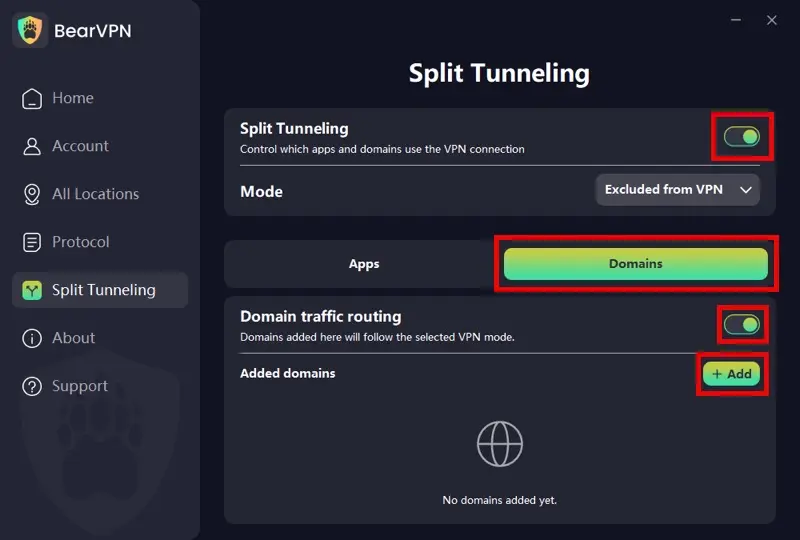
Want to unblock XVideos on your browser but keep your local PC games or banking apps running on your normal, low-ping connection? BearVPN handles this flawlessly. Go to Settings > Split Tunneling. Unlike basic VPNs, BearVPN allows you to filter traffic precisely:
- App Mode: Select specific applications (like Chrome or Incognito/Private browsers) to strictly use the VPN tunnel.
- Domain Mode: Enter specific website URLs (e.g., xvideos.com) to route only that website’s traffic through the VPN, leaving the rest of your system untouched.
Step 5: Connect and Clear Cache
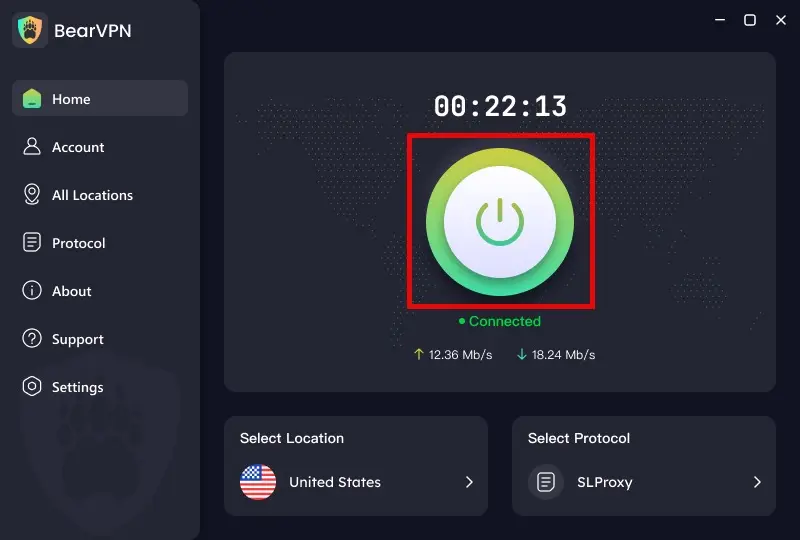
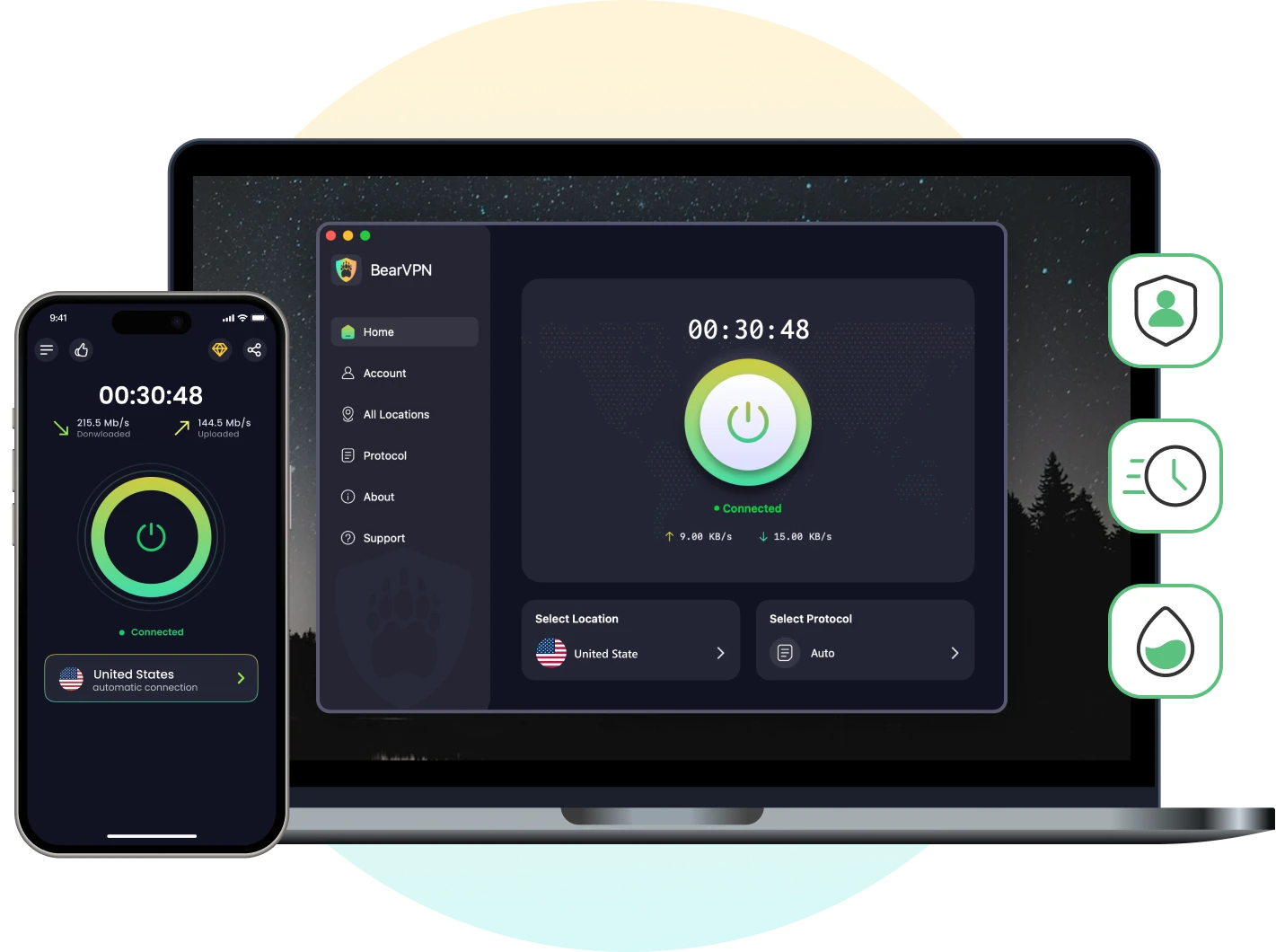
Head back to the main dashboard and hit the large connection button.
Crucial final step: Before visiting the site, clear your browser cache and cookies, or open an Incognito window. Connect to BearVPN, then reopen the page in a private window. If the site still uses stored regional information, clear its cookies and cached data before trying again. This can fix stale browser data, but it does not conceal every location signal or remove device-level, account-level, or legally required restrictions.
Method 2: Use a Web Proxy with Caution
A web proxy sends browser traffic through an intermediary server and may get around a basic IP or DNS block. However, it usually protects only traffic inside the proxy page, not the rest of your device. Performance, HTTPS handling, logging practices, advertising, and ownership also vary widely.
Avoid proxy pages that request account credentials, payment details, browser extensions, certificates, or software downloads. Do not use unknown mirror domains or sideloaded APK files advertised as an “official” XVideos app. A reputable VPN is generally the better option when connection privacy matters.
The Hidden Privacy Risks of Proxies and “Native” Workarounds
While searching for a quick www unblocked xvideos solution, you will likely find forums recommending free web proxies, alternate mirror domains (like info xvideos net unblockxvideos), or directly downloading Android APKs. However, as cybersecurity auditors, we must highlight the severe real-world privacy risks these competitors fail to mention.
- The Free Proxy Trap: Free web proxies inherently act as a Man-in-the-Middle (MitM). To cache and deliver the site to you, the proxy server must decrypt your traffic. This means whoever owns the proxy can log your sensitive browsing data, harvest your habits, or inject malicious scripts. They do not offer true end-to-end encryption.
- Sideloading Phishing Risks: Attempting a www.xvideos.com mob unblock by downloading non-app-store APKs or visiting unindexed mirror domains can lead to device compromise. Without verifying cryptographic signatures or checking the SSL certificates of these mirror sites, you risk falling victim to phishing traps and malware injection.
Even if you use a secure tool, your browser’s residual data can betray your real location. Always clear your browser cache and cookies before connecting to a new network node to prevent IP/Cookie leaks that trigger geo-blocks.
XVideos Still Not Loading? Try These Fixes in Order
Do not jump straight to advanced network changes. Work through these checks from the simplest to the most diagnostic:
- Confirm the URL. Avoid search ads, mirrors, and misspelled domains. They may lead to imitation sites.
- Try a private window. If the page works there, stored site data or an extension is probably interfering.
- Clear data for the site. Delete XVideos cookies and cached files, then restart the browser.
- Disable conflicting extensions temporarily. Ad blockers, script blockers, security extensions, and DNS tools can prevent pages or video players from loading correctly.
- Try another browser or device. This separates a browser problem from a connection-wide restriction.
- Compare Wi-Fi and mobile data. If only one network fails, the router, DNS service, ISP, or network policy is the likely cause.
- Restart the router and device. This refreshes local connections and may clear a temporary DNS or routing problem.
- Connect to BearVPN where permitted. If the problem appears to be an ISP or regional IP block, connect to a lawful nearby location and test the page again.
- Switch BearVPN protocols or servers. Restrictive networks may handle connection modes differently.
- Respect managed-network rules. If a workplace, school, parent, or administrator controls the device or network, ask for authorization rather than trying to defeat the restriction.
Does Changing DNS Unblock XVideos?
Changing DNS may help when the failure is caused by a broken resolver or a basic DNS-level block. It will not fix Screen Time restrictions, browser extensions, account controls, every ISP filtering method, or a website’s own age check. Treat DNS as one diagnostic step—not a universal solution.
Conclusion
If XVideos is still blocked after browser, device, DNS, and network checks, stop wasting time on unsafe mirrors and random proxy pages. A VPN gives you the stronger route: encrypted traffic, a different public IP, and another server path when an ISP or regional block is the real problem.
BearVPN cannot disable Screen Time, override a managed network, or erase a legally required age check. But when the block is tied to the network or visible IP location, it gives you a direct way to test—and attack—the problem instead of exposing your browsing to an unknown proxy.
Protect the connection, open the official XVideos domain, and leave the sketchy workarounds behind.
- Encrypt traffic beyond DNS lookups.
- Test a different public IP location.
- Use an obfuscated protocol on restrictive networks.
FAQ
XVideos is legal in many countries, especially those where adult content is allowed. However, it’s illegal in countries where pornography is banned, such as Iran, Saudi Arabia, North Korea, and some parts of Africa and Asia.
XVideos may be online globally while a server, route, ISP, DNS resolver, or local network still prevents you from reaching it. Check the official domain on another device or connection and use a reputable status checker before assuming the problem is regional.
XVideos is often blocked due to local laws regulating adult content or by networks such as workplaces, schools, or public Wi-Fi. Some countries enforce strict censorship, while others block adult sites for policy reasons.
Open the official XVideos domain on another device or trusted network, try a private browser window, clear the site’s stored data, and check a reputable outage service. Avoid unofficial mirrors, lookalike URLs, and APK downloads; they can imitate the site or expose the device to malicious files.
If XVideos is blocked on a work or school network, it’s best to contact your network administrator. Attempting to bypass network restrictions may violate rules and can lead to penalties.