Age verification walls are quickly becoming a barrier to normal browsing. In the UK, users are required to verify their age before accessing sites like Pornhub. In U.S. states such as Texas and Utah, similar laws force visitors to upload ID or go through third-party verification systems. Even some social platforms and forums are starting to test age checks.
The problem isn’t access — it’s exposure. These systems often ask for passports, driver’s licenses, or biometric scans, storing them in databases most users know nothing about.
That’s why more people are trying to bypass age verification without handing over personal data. VPNs are often mentioned as a solution, but many users quickly find that most VPNs don’t actually work.
This guide shows what’s really happening behind these checks, why VPNs fail, and which ones can reliably bypass age verification.
Age Verification Laws Explained: Where They Apply and Why They Risk Your Privacy
Where Age Verification Is Already Enforced
Age verification laws are rapidly expanding, and in some regions, they are already blocking access to common websites.
In the UK, the Online Safety Act requires strict age checks for adult platforms like Pornhub. In U.S. states such as Texas and Utah, users must verify their identity before accessing similar content. France is also pushing regulations that force platforms to implement age-gating systems.
Because websites face heavy penalties, many now restrict access entirely unless users complete verification — turning simple browsing into an identity check.
The Real Risk: Your Data, Not Access
The biggest issue isn’t being blocked — it’s what you have to give up to get through.
Most sites don’t verify users themselves. Instead, they rely on third-party verification services that request:
- Government ID (passport or driver’s license)
- Facial scans for age estimation
- Credit card or real-name verification
This creates a serious privacy risk. Your identity, biometric data, and browsing activity can all be stored in external databases you don’t control.
If these systems are breached — which has happened many times across the tech industry — your personal identity could be permanently linked to your private browsing habits.
Why More Users Are Turning to Anonymous Access
Faced with invasive verification systems, many users are looking for ways to access content without exposing personal data.
This isn’t just about bypassing restrictions — it’s about protecting your identity from tracking, data leaks, and long-term privacy risks.
As a result, tools like VPNs are increasingly used as a first layer of defense — though not all of them actually work for bypassing age verification.
Can a VPN Bypass Age Verification? (How It Actually Works)
Most age checks are based on your location. When you visit a website, it sees your IP address and detects your region. If you’re in places like the UK, Texas, or France, the site may block access and show an age verification screen instead.
A VPN hides your real IP and replaces it with one from another country.
- Your real location is hidden
- The website sees the VPN server location instead
- If that location has no age verification laws, access is granted
In simple terms: you appear to be browsing from a different country.
Even with a VPN, some users still face age verification. This usually happens because the VPN IP has been flagged, or leaks (like DNS or WebRTC) expose the real location. In more advanced cases, websites use tracking methods beyond IP detection.
It’s also important to understand the limits: a VPN only bypasses location-based checks. If a platform requires account verification, a phone number, credit card, or real-name registration, a VPN alone won’t get around it.
A VPN works for most region-based age verification systems — but only if it’s properly configured and not easily detected.
6 Best VPNs for Age Verification (Quick Comparison)
6 Best VPN for Age Verification
When dealing with sensitive content access and high-risk regulatory environments, choosing the right tool is critical. The following six premium services provide the necessary encryption, leak protection, and network distribution to preserve your privacy online.
Disclosure:
BearVPN is our proprietary service. We ranked it first based on its performance in bypassing age verification during our tests, particularly its obfuscation protocols, which help reduce VPN detection. However, all VPNs in this guide were evaluated using the same testing criteria, including bypass success rate, speed, and stability, to ensure a fair comparison.
BearVPN — The Premier Anonymity Engine
Bypasses age verification: ✅ Yes
Servers: 2,000+ servers globally
Privacy: Strict no-logs policy, obfuscation protocols
Speed: Fast, stable for streaming and browsing
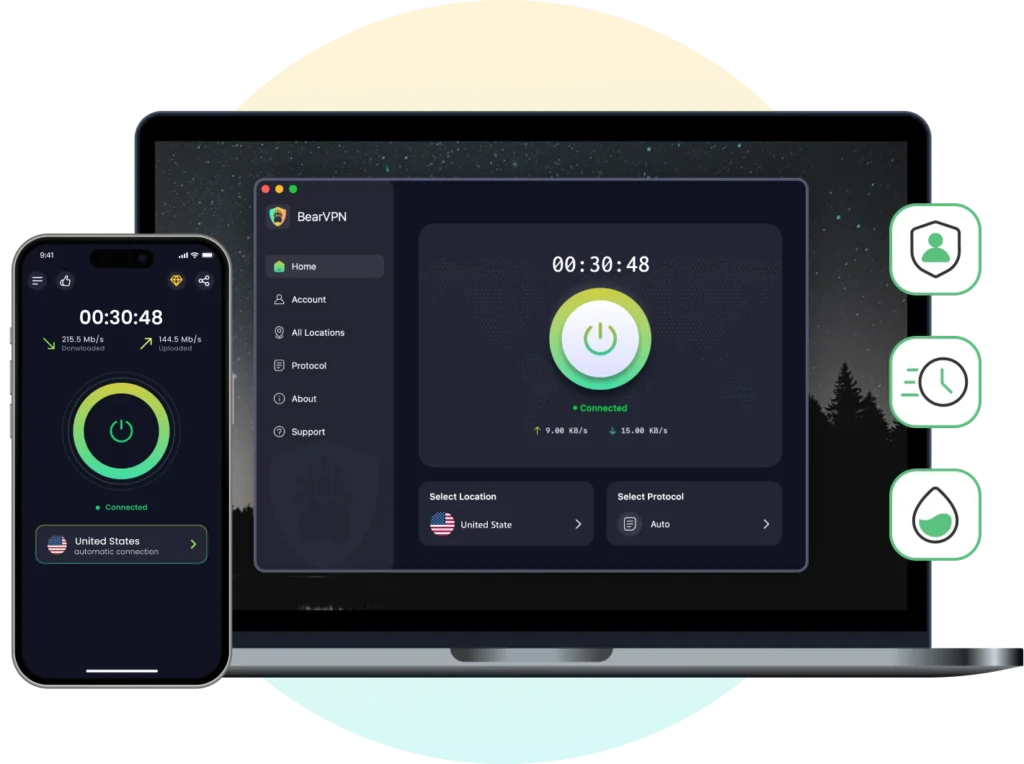
BearVPN is designed for use in more restrictive network environments, where standard VPN connections are more likely to be detected or blocked. In testing, it showed consistent results when accessing sites with location-based age verification.
- Real Physical, Non-VPS Server Infrastructure: Most commercial VPNs rent cheap, virtualized servers (VPS) in mass datacenters, sharing massive IP blocks that modern age-gates immediately blacklist. BearVPN utilizes 100% bare-metal physical servers with premium, organic IP routing. To strict verification systems, your traffic looks exactly like a regular, local residential user rather than a flagged VPN server farm.
- 100% Volatile RAM-Only Nodes: When dealing with high-risk personal data laws, hard drives are a major liability. BearVPN’s entire network runs strictly on volatile RAM. Because no data is ever written to a physical disk, your private sessions, temporary connection tokens, and routing paths vanish into thin air the second a server power cycles or finishes a session.
- Proprietary Obfuscation Protocols: Utilizing specialized SLProxy and SCProxy connection profiles, BearVPN wraps your encrypted packets in an extra layer of structural data padding. This makes your VPN connection look like standard, unencrypted HTTPS web browsing, effortlessly slipping past Deep Packet Inspection (DPI) firewalls designed to catch privacy tools.
- Zero-Logs Sovereignty: Operating under strict data-haven laws, BearVPN maintains a hard-coded infrastructure that cannot record, store, or transmit your online footprints. Your real IP address, session timestamps, and destination URLs are never logged—meaning there is nothing to leak, seize, or hack.
- High-Speed, 4K-Optimized Distribution: With over 2,000 bare-metal servers worldwide, you can anchor your location in neutral, non-regulated zones (like Iceland or Switzerland). The network is stripped of virtual bloat, delivering blazing-fast throughput optimized for 4K video playback with zero buffering.
- Value Profile: Starting at an accessible $1.67/month, a single subscription shields up to 10 devices simultaneously, offering enterprise-grade anti-detection across your entire tech ecosystem.
Pros:
- Non-VPS physical architecture bypasses strict IP reputation checks and database flags.
- RAM-only servers ensure absolute cryptographic data erasure with zero footprint.
- Advanced SLProxy/SCProxy obfuscation completely hides VPN usage from strict firewalls.
- Blazing-fast, unthrottled speeds perfect for multimedia streaming.
Cons:
- Smaller server network than some competitors
NordVPN — Advanced Security Features
Bypasses age verification: ✅ Yes
Servers: 9,000+ servers worldwide
Privacy: No-logs policy, Double VPN, strong encryption
Speed: Very fast and stable
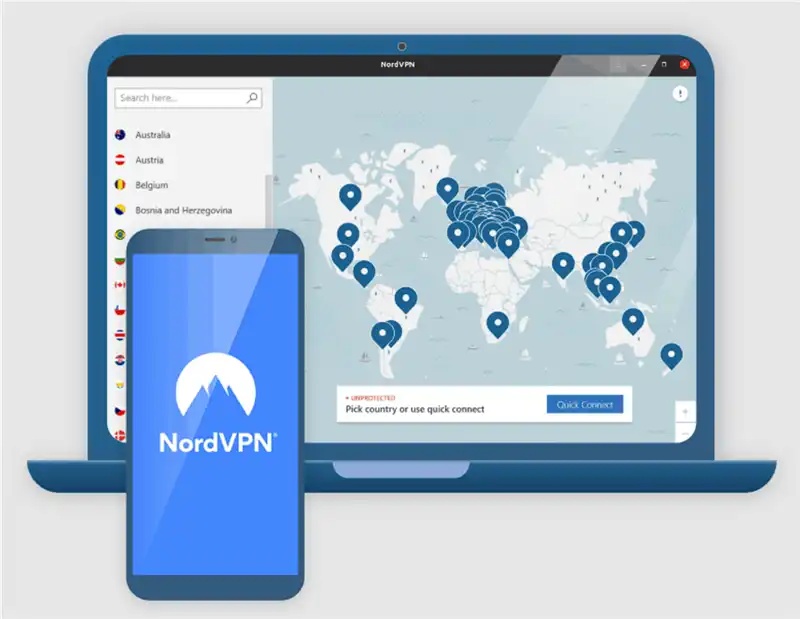
NordVPN is well-regarded for its security-focused feature set, making it highly effective at handling complex geo-blocking issues.
- Double VPN Architecture: For users seeking extra security, NordVPN can route data through two independent secure nodes, encrypting the information twice before it hits the open web.
- Meshnet Capabilities: Allows users to create secure, point-to-point encrypted networks, which can help manage virtual locations across private devices.
- Large Server Network: Offers thousands of servers globally, providing plenty of alternative routing options if a specific IP range is flagged by web platforms.
Pros:
- Large server pool (easy IP switching)
- Strong privacy features
- Consistent performance
Cons:
- Some servers may be detected (trial & error needed)
Surfshark — Unlimited Device Connections
Bypasses age verification: ✅ Yes
Servers: 4,500+ servers in 100+ countries
Privacy: No-logs, AES-256 encryption
Speed: Fast for most use cases
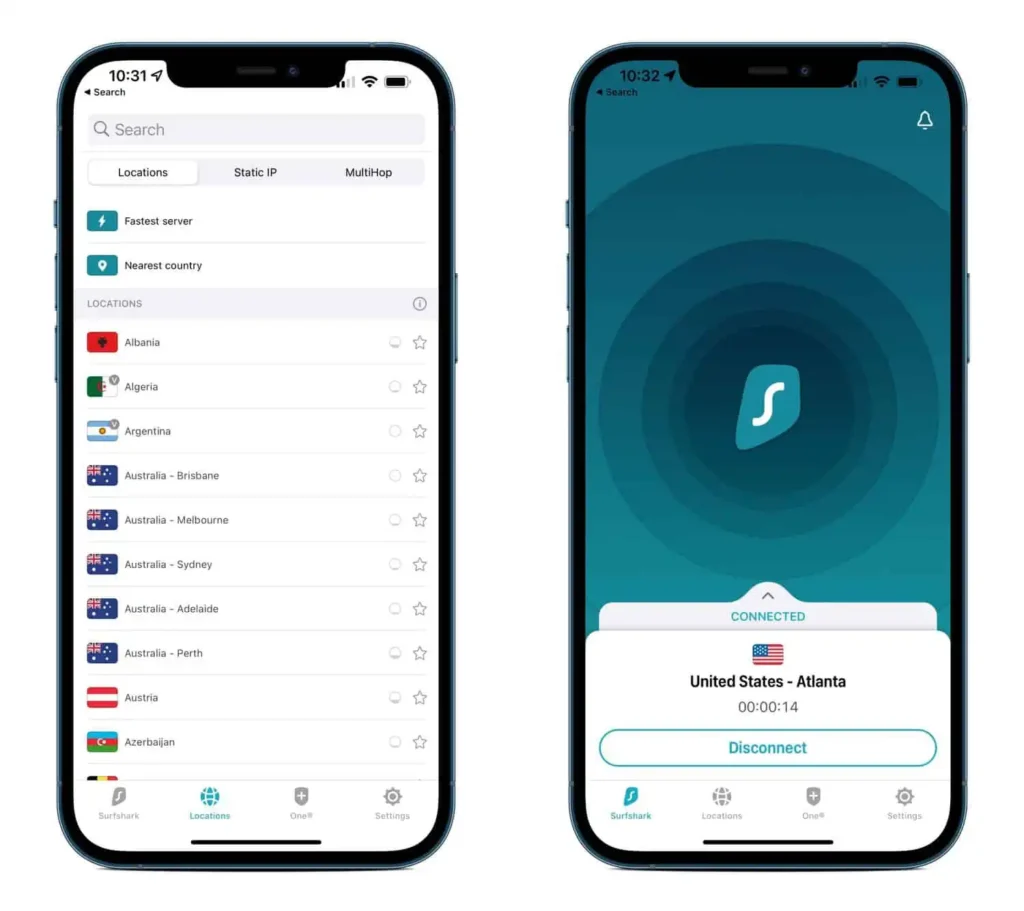
Surfshark is a highly capable choice for households with many devices, focusing on broad usability and consistent connection speeds.
- No Device Limits: Unlike most competitors, Surfshark allows an unlimited number of concurrent connections on a single subscription profile.
- CleanWeb Suite: Features a built-in ad and tracker blocker that stops malicious scripts from executing in your browser during private sessions.
- Camouflage Mode: Automatically applies obfuscation techniques when it detects network monitoring tools or restrictive firewalls.
Pros:
- Unlimited devices
- Good price-performance ratio
- Built-in ad blocker
Cons:
- Some IPs flagged on stricter sites
ExpressVPN — High Performance and Security
Bypasses age verification: ⚠️ Sometimes
Servers: 3,000+ servers in 90+ countries
Privacy: TrustedServer (RAM-only), no-logs
Speed: Excellent, among the fastest
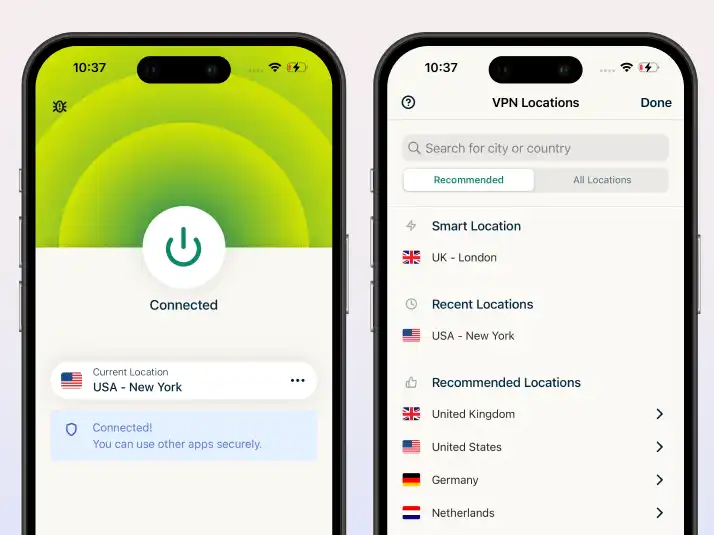
ExpressVPN is a premium option known for its dependable performance and custom connection protocols.
- Lightway Protocol: A lightweight, proprietary connection protocol designed to establish fast connections and reduce battery drain on mobile devices.
- TrustedServer Infrastructure: Every server runs entirely on volatile RAM rather than traditional hard drives, ensuring that all data is completely wiped with every power cycle.
- Global Presence: Offers server locations across a wide variety of countries, giving users plenty of choices for finding non-regulated zones.
Pros:
- Very fast and stable
- Easy to use
- High-quality infrastructure
Cons:
- Less effective against advanced detection
- Higher price
ProtonVPN — Strong Privacy Frameworks
Bypasses age verification: ⚠️ Depends
Servers: 2,000+ servers in 60+ countries
Privacy: Open-source, audited, strong no-logs
Speed: free slower, paid faster
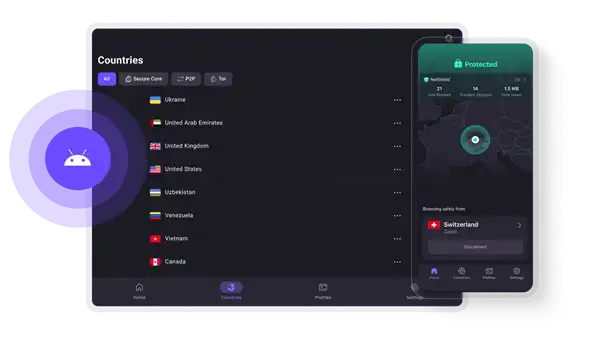
Based out of Switzerland, ProtonVPN is built on a foundation of strong legal privacy protections and open-source software principles.
- Secure Core Routing: Routes user traffic through privacy-friendly jurisdictions like Iceland and Switzerland before sending it to the final destination node.
- Open Source and Audited: The underlying code for all client applications is completely public and undergoes regular independent security reviews.
- NetShield Protection: Provides hardware-level DNS filtering to block tracking networks and malware scripts before they can load on your device.
Pros:
- Strong privacy reputation
- Free version available
- Advanced security features
Cons:
- Free servers are slow
- Not reliable for bypassing
CyberGhost — Specialized Streaming Servers
Bypasses age verification: ⚠️ Sometimes
Servers: 9,000+ servers worldwide
Privacy: No-logs policy, standard encryption
Speed: Good but inconsistent
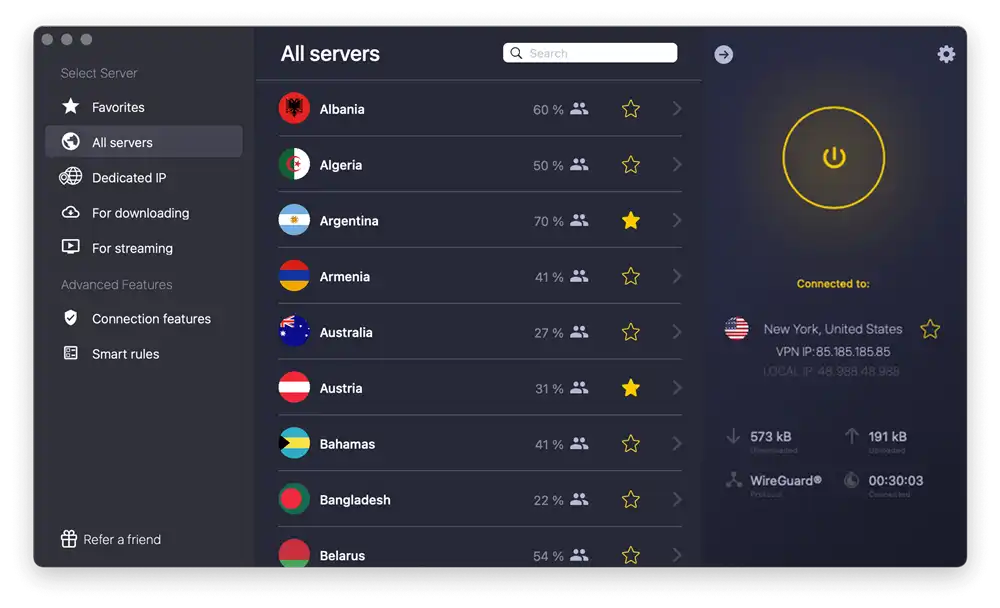
CyberGhost focuses on ease of use by offering pre-configured server profiles tailored for specific web activities.
- Activity-Specific Profiles: Features clear labels for servers optimized for specific media platforms, helping users find the fastest available node quickly.
- NoSpy Server Network: Houses a subset of premium servers directly inside its corporate headquarters, protecting them from physical tampering or third-party datacenter interference.
- Extended Money-Back Guarantee: Offers a longer trial period than standard industry baselines, giving users ample time to verify performance across their preferred websites.
Pros:
- Easy to use
- Dedicated servers
- Long refund policy
Cons:
- Less reliable for bypassing detection
- Speed fluctuations
Countries and Regions Without Age Verification Laws
To keep your browsing private, you should connect to countries that protect user data privacy and do not force web platforms to collect user identities. The table below outlines how different regions handle data governance and age-gating rules.
How to Securely Access Content with BearVPN (Step-by-Step)
Setting up an encrypted connection with BearVPN takes only a few minutes. Follow these steps to secure your network and browse privately.
Step 1: Download and install BearVPN
Go to the BearVPN official website and download the correct version for your device. Install the app on Windows, macOS, iOS, and Android, then log in to your account to get started.
Step 2: Enable security and protocol settings
Before connecting, open the settings menu and turn on Kill Switch and DNS/IP Leak Protection to reduce the risk of accidental data exposure.
The Kill Switch is a safety feature that automatically blocks all internet traffic if your VPN connection drops, preventing your real IP from being exposed.
The DNS/IP Leak Protection ensures that your system does not bypass the VPN tunnel via background requests, helping keep your location fully hidden.
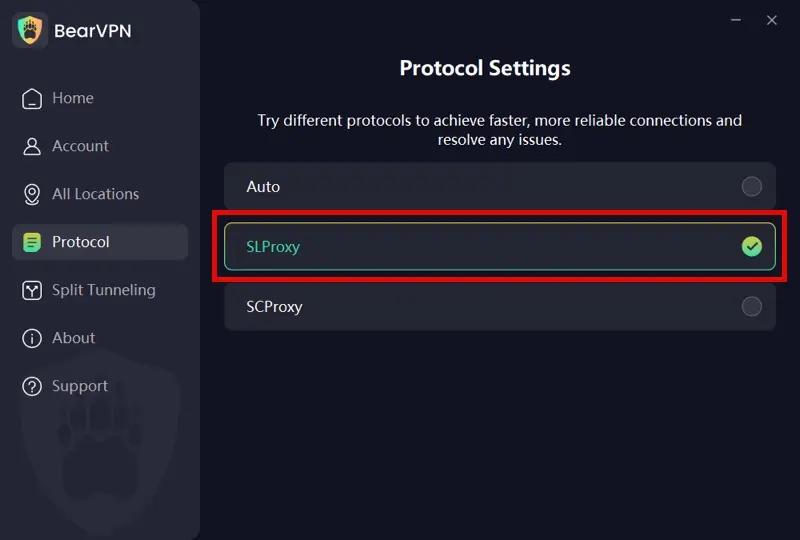
Next, choose the right protocol based on your network environment:
- Auto: Automatically selects the best available configuration based on your current network conditions, making it the easiest option for general use.
- SLProxy (Best for Speed & Streaming): A performance-optimized protocol designed for low latency and stable high-speed connections. It is ideal for streaming, gaming, and everyday browsing where speed matters most.
- SCProxy (Best for Restricted Networks): A highly obfuscated protocol designed to disguise VPN traffic as normal HTTPS activity. It is most effective in environments with strict firewalls, such as school Wi-Fi, office networks, or heavily monitored connections using deep packet inspection (DPI).
Step 3: Connect to a suitable server
Open the server list and choose a privacy-friendly location such as Switzerland or Iceland. These regions typically offer stable access without strict verification requirements.
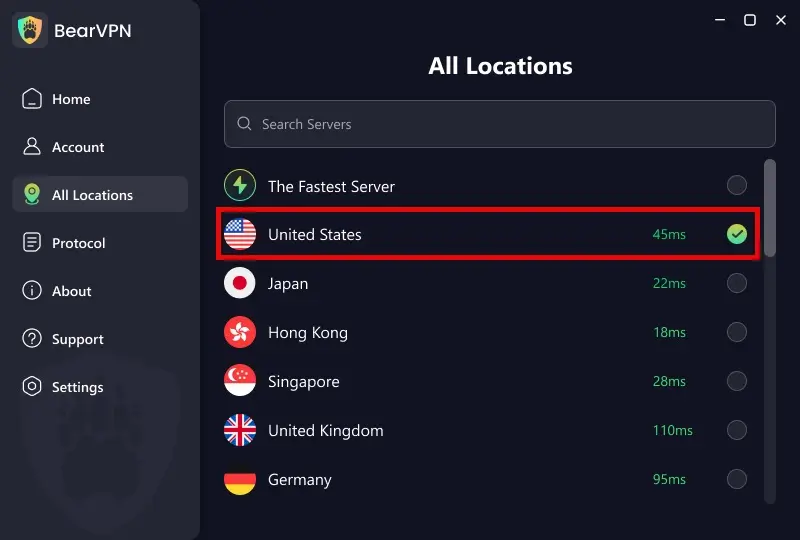
Click Connect and wait for the encrypted tunnel to establish.
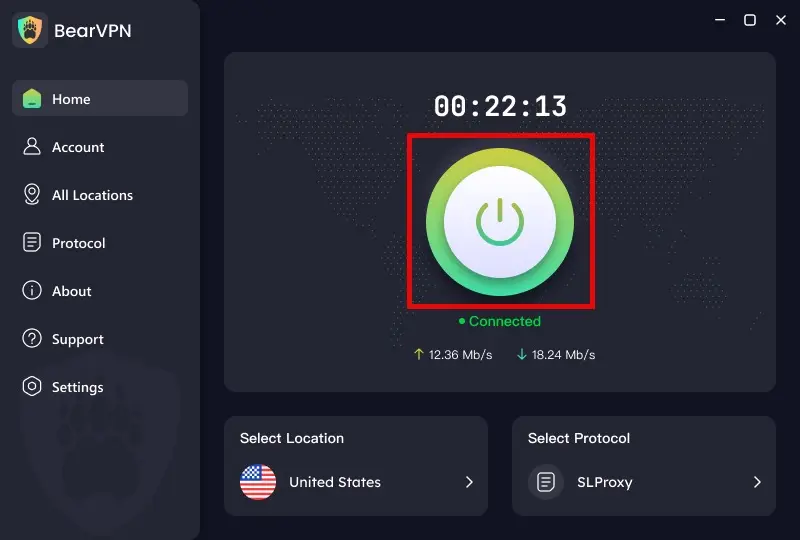
Step 4: Refresh your browser session
To avoid detection from stored cookies or cached data, use Incognito mode or clear your browser cache before visiting the target site. This ensures the website only reads your new VPN IP address.
Step 5: Verify and browse securely
Once connected, refresh the page. The site should load normally through the encrypted BearVPN connection, with your real IP fully hidden and your browsing session protected.
Troubleshooting: What to Do If You Still See a Verification Prompt
If you’re still being blocked after connecting to a VPN, your real location may still be exposed through browser or system leaks. Try these fixes:
- Clear browser tracking data
Websites can use cookies, cache, and browser settings (like location services) to identify you. Clear cookies, cache, and site data, or use Incognito mode. Also disable browser location permissions.
- Switch VPN server/node
Some IPs get flagged by websites. Disconnect and reconnect to a different server or city within the same country, then reload the page.
- Check for WebRTC/DNS leaks
Make sure DNS Leak Protection and WebRTC protection are enabled in your VPN settings. You can also run a leak test (e.g., dnsleaktest.com) to confirm only VPN IPs are visible.
FAQs: Understanding Your Digital Privacy Rights
Is it legal to use a VPN to bypass age verification?
Using a VPN to protect your personal data and secure your anonymity online is completely legal in the vast majority of constitutional democracies. However, a VPN does not grant legal immunity for unlawful actions, and users must remain compliant with local age laws and platform terms of service.
Can I use a “best free VPN” to avoid age verification?
Free VPNs carry immense security trade-offs. Operating server networks is expensive; data-mining free tools often log your habits, leak your real IP address, or sell consumer data profiles to third-party brokers. For absolute security on sensitive platforms, a premium, zero-logs service like BearVPN is essential.
Will using BearVPN slow down my stream or loading times?
While all VPN encryption adds minor overhead, BearVPN utilizes optimized protocols designed specifically to mitigate latency, ensuring high-speed delivery without noticeable buffering.
Can my Internet Service Provider (ISP) see what I am watching if I use a VPN?
No. When BearVPN is active, your ISP can only see that encrypted data is moving between your device and a BearVPN server. The exact destination URLs, pages visited, and content streamed remain completely invisible to them.
Does Incognito Mode bypass age verification laws?
No. Incognito or Private browsing modes only stop your local device from saving history and cookies. They do not hide your public IP address from websites or your ISP, meaning age-gating sites will still see your real location and block access.
Conclusion: Reclaim Your Internet Freedom Safely
As internet regulations tighten globally, your digital privacy is increasingly at risk. While age-gating laws are framed as safety measures, forcing users to upload sensitive personal IDs and biometric data to unvetted corporate databases creates a massive security vulnerability for everyday internet users. Protecting your personal browsing habits from these invasive systems is an essential part of basic digital self-defense.
Don’t risk your real-world identity or expose your personal documents just to browse the web freely. Secure your network, mask your location, and access the open web safely.
Secure your connection, hide your digital footprint, and explore the web without restrictions.