


Telegram is celebrated as one of the most secure messaging apps available, but its default privacy settings might be exposing more of your personal data than you realize. Many new users are shocked to discover that their phone numbers are visible to people they chat with, or that a simple voice call can reveal their exact country and IP address.
If you want to use Telegram truly anonymously, you cannot rely on the default setup. In this updated 2026 guide, we will walk you through the exact steps to completely hide your phone number, fix hidden privacy leaks, and secure your physical location from strangers.
How to Hide Your Phone Number on Telegram?
By default, Telegram shares your phone number with people you have saved in your phone’s address book. If you want to use Telegram completely anonymously, you must manually adjust your privacy configuration. Follow these steps:

- Open the Telegram app and go to Settings.
- Tap on Privacy and Security.
- Select Phone Number under the Privacy section.
- Under the “Who can see my phone number” menu, change the selection to Nobody.
- Under the “Who can find me by my number” menu, select My Contacts. This crucial step prevents random strangers or marketers who happen to have your phone number from looking up your Telegram account.
If I Message Someone on Telegram, Does It Show My Number?
This is one of the most common questions among new users. If you have followed the steps above and set your phone number visibility to “Nobody”, messaging a stranger in a Telegram group or starting a new private chat will not reveal your number. The recipient will only see your chosen Telegram username, display name, and profile picture.

However, many users still ask: “Can someone see my number on Telegram if I hide it?” The answer is yes, but only due to these hidden privacy blind spots:
They Already Have Your Number Saved: If the person you are chatting with already has your actual phone number saved in their device’s physical address book, Telegram will display it to them. The “Nobody” setting only hides your number from people who do not already have it. Sync Contacts Feature: When you first install Telegram, it asks to sync your contacts. If you added a business associate to your phone’s address book, Telegram recognizes them as a contact. If your setting is “My Contacts,” they will see your number. To stop this, go to Privacy and Security > Data Settings and tap Delete Synced Contacts.
Always check the Exceptions list at the very bottom of the Phone Number privacy page. If you accidentally added a user to the Always Share With list, your number will bypass the “Nobody” rule and remain visible to them.
Does Telegram Show Your Country or Location?
While your Telegram profile does not openly display a country flag or your physical address, your location and IP address can still be exposed to other users in two specific ways:
People Nearby Feature: If you enable the “People Nearby” function to find local groups or users, your exact distance is broadcasted. Malicious users can easily use this distance data to triangulate your exact city and country.
Peer-to-Peer (P2P) Calls: By default, Telegram voice and video calls establish a direct P2P connection between you and the other person to improve audio quality. This direct connection exposes your real IP address to the person you are calling, which immediately reveals your country, city, and internet service provider.
Protect Your Location Privacy with BearVPN
Hiding your phone number is only half the battle. To prevent your IP address and country from leaking to strangers during chats or P2P calls, you must route your connection through a highly secure VPN.
BearVPN masks your real IP address, making it impossible for anyone on Telegram to track your physical location. For users who prefer chatting on the go, our iOS and Android mobile apps are 100% free and require zero registration, running on our proprietary Y2Proxy protocol. If you use Telegram on your computer, our premium desktop versions for Windows and macOS offer advanced SLProxy and SCProxy protocols to provide the ultimate privacy shield against IP tracking.

Protect Your Location Privacy with BearVPN
Hiding your phone number is only half the battle. To prevent your IP address and country from leaking to strangers during chats or P2P calls, you must route your connection through a highly secure VPN.
BearVPN masks your real IP address, making it impossible for anyone on Telegram to track your physical location. Securing your chats takes just three quick steps:
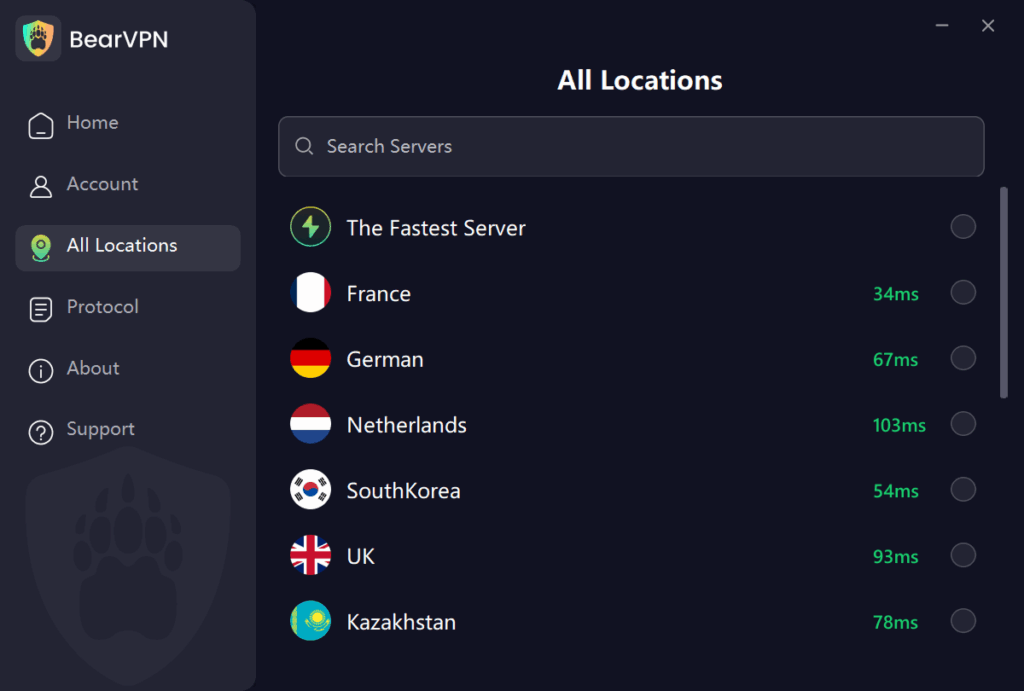
- Download BearVPN: Get our 100% free, zero-registration app for iOS/Android, Windows/macOS .
- Connect to a Secure Server: Open the app and tap to connect to any global server. Your real IP and country location are instantly hidden.
- Chat Safely: Open Telegram. You can now use the “People Nearby” feature and make P2P voice calls without ever exposing your true physical location to strangers.
Conclusion

So, does Telegram show your phone number? Yes, it does by default, but you have options to control its visibility. By understanding Telegram’s privacy settings and implementing the security measures we’ve discussed, you can enjoy the platform’s features while maintaining control over your personal information.
Taking these privacy steps has allowed me to use Telegram comfortably for both personal and professional communications without worrying about my information being exposed.
Remember, digital privacy isn’t just about hiding your information—it’s about having control over who can see what. Telegram gives you many of the tools you need for this control, but it’s up to you to use them effectively.
FAQs About Telegram Phone Number
Yes, you can use a virtual phone number to register on Telegram. This is a great option for maintaining anonymity and protecting your primary phone number. Services like Google Voice or temporary number providers allow you to create an account without exposing your real number.
However, keep in mind:
Virtual numbers must be active for receiving the initial verification code.
If the virtual number expires or is reused by someone else, you could lose access to your account unless two-step verification is enabled.
Telegram employs several measures to secure your phone number:
1. Privacy Settings: You can control who sees your phone number by setting it to “Nobody,” “My Contacts,” or “Everybody.”
2. Encryption Protocols: Messages are encrypted using MTProto 2.0, ensuring secure communication between devices and servers.
3. No Third-Party Sharing: Telegram doesn’t sell user data, including phone numbers, to advertisers or third parties.
4. Legal Compliance: While rare, Telegram may disclose phone numbers to authorities under valid legal requests in cases involving criminal activities.
Despite these measures, users must actively adjust privacy settings to limit visibility and reduce risks.
If you don’t hide your phone number on Telegram, you expose yourself to several risks:
1. Targeted Scams: Scammers with access to your phone number can contact you directly with phishing attempts or impersonation schemes.
2. Data Breaches: If Telegram experiences a breach, visible phone numbers could be leaked alongside other user data.
3. Cross-Platform Targeting: Malicious actors could use your phone number to target you across other platforms like WhatsApp or SMS.
4. Unwanted Contact: Strangers in shared groups or channels could access your phone number if visibility isn’t restricted.
To mitigate these risks, always set your phone number visibility to “Nobody” in Settings > Privacy and Security > Phone Number.
Yes. If you do not change your privacy settings after creating an account, your number remains visible to anyone who is already saved in your phone’s contact list when you join the app.
Yes, unless you specifically restrict this feature. By going to your Privacy Settings and changing “Who can find me by my number” to “My Contacts”, you prevent strangers or marketers who happen to have your digits from discovering your Telegram profile.
No, as long as you have set your phone number visibility to “Nobody”. Other group members will only be able to see your chosen username and profile picture, even if you are the creator or administrator of the group.



