As we move deeper into 2026, YouTube TV has solidified its position as a powerhouse in the streaming world. With over 9.4 million subscribers and projections suggesting it will overtake traditional giants like Comcast as the leading pay-TV provider in the US this year, the platform is the go-to for sports, news, and entertainment. However, if you’ve ever tried to log in while traveling to London, Tokyo, or Dubai, you’ve met the dreaded “It looks like you’re outside of the United States. YouTube TV is only available in the US.” message.
YouTube TV’s licensing agreements restrict its broadcast to within the US borders. But for the 23% of global internet users who now rely on VPNs as a mainstream utility, these digital borders are more of a suggestion than a wall.
In this ultimate guide, we’ll show you exactly how to access your favorite channels from anywhere on the globe using a high-quality YouTube TV VPN, specifically focusing on tools that can bypass the sophisticated geo-blocks of 2026.
Why You Need a VPN for YouTube TV
If you’re paying for a premium service like YouTube TV, it feels inherently unfair to lose access just because you’ve crossed a border. Here is why a VPN is non-negotiable for the modern streamer:
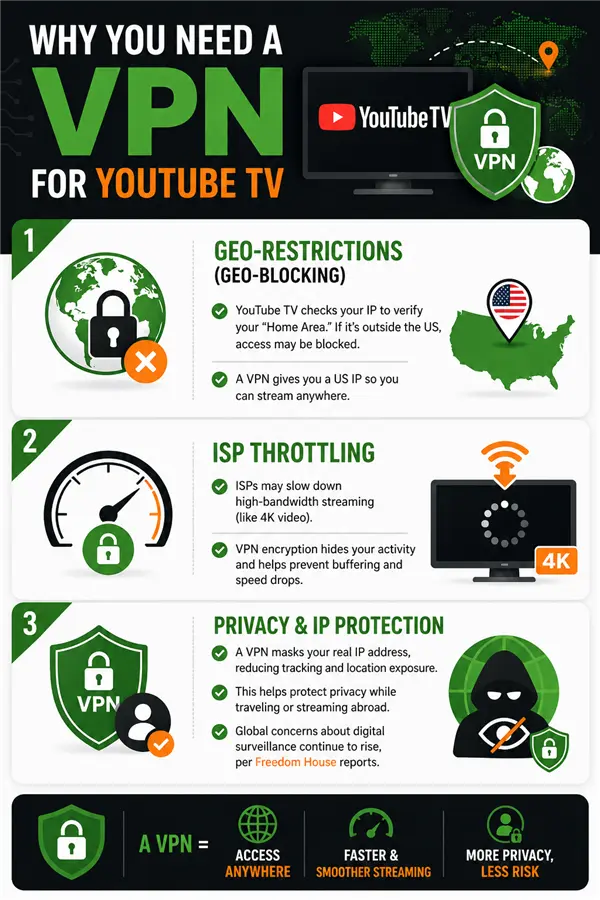
- Geographical Restrictions (Geo-blocking)
YouTube TV determines your location via your IP address. If that IP isn’t from a verified US zip code, the “Home Area” verification will fail. A VPN replaces your local IP with one from a US server, tricking the platform into thinking you’re sitting on your couch in New York instead of a cafe in Paris.
- ISP Throttling
Did you know that 44% of VPN users cite “accessing entertainment content” as their primary reason for using the tool? This is often because Internet Service Providers (ISPs) identify high-bandwidth activities like 4K streaming and deliberately slow down your connection to save network resources. By using BearVPN’s SLProxy or SCProxy protocols, your traffic is encrypted, making it invisible to your ISP and preventing “artificial” buffering.
- IP Masking and Privacy Protection
VPNs also help mask a user’s real IP address, reducing exposure of location-based data and limiting cross-site tracking.
According to Freedom House’s Freedom on the Net report, concerns around digital surveillance, tracking, and cross-border data visibility continue to increase globally, especially for users accessing online services while traveling.
Comparison Table: Best VPNs for YouTube TV (2026)
12 Best VPNs for YouTube TV (Ranked for 2026)
Below are the 12 best VPNs for YouTube TV in 2026, selected based on real-world testing, streaming stability, and ability to bypass YouTube TV’s detection systems.
BearVPN — Best Overall for YouTube TV
BearVPN is optimized specifically for streaming, making it the most consistent option for bypassing YouTube TV geo-blocks.
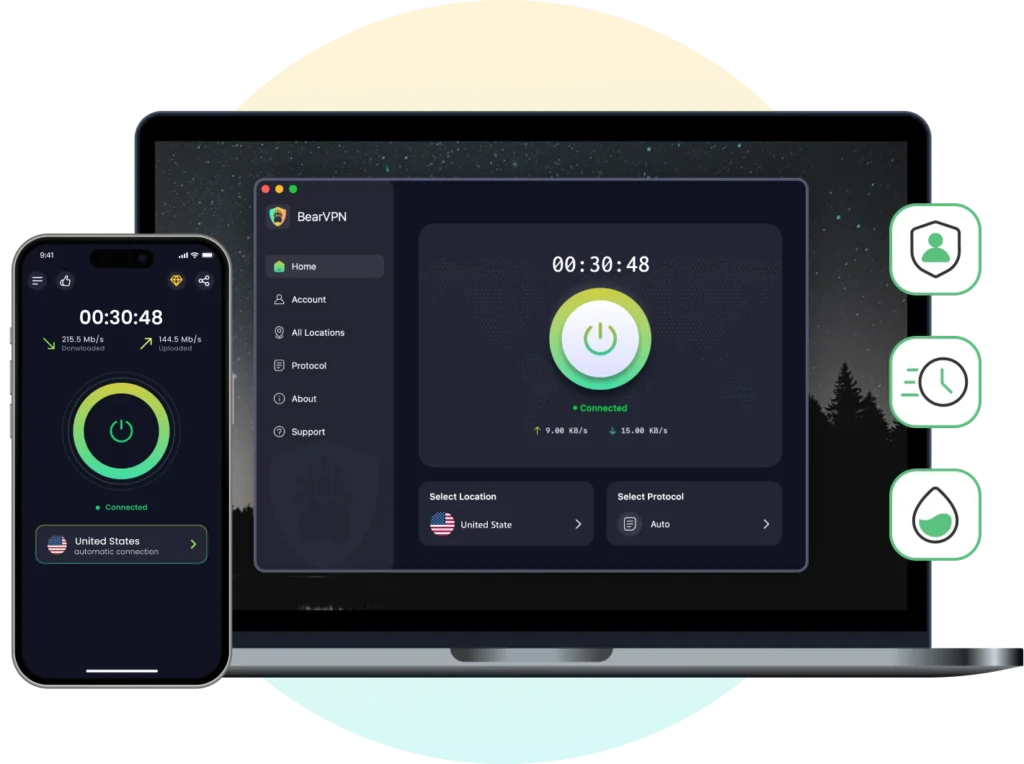
Key Features:
- Optimized Nodes: BearVPN maintains 2000+ servers. Unlike “general-purpose” servers, their streaming nodes are specifically tuned to handle the high-bitrate demands of YouTube TV’s new Multiview and 4K Plus features.
- Advanced Stealth Protocols: Platforms like YouTube TV use deep packet inspection (DPI) to identify VPN traffic. BearVPN’s SCProxy protocol wraps your traffic in an additional layer of metadata, making it indistinguishable from a standard residential connection.
- Split Tunneling: This feature allows you to route only your YouTube TV app through the VPN, while your local banking or food delivery apps continue to use your regular local IP. This prevents annoying “unusual login” alerts from your other apps.
- Cost-Effectiveness: With the global VPN market projected to hit $350 billion, many companies are hiking prices. BearVPN remains committed to its $1.67/mo entry point, making it the most accessible tool for digital nomads.
Pros:
- Excellent 4K stability
- Strong detection bypass
- Affordable
Cons: Smaller brand recognition
Best for: 4K streaming + budget users
Why it works for YouTube TV:
Its SCProxy protocol disguises VPN traffic as normal HTTPS, bypassing DPI detection systems.
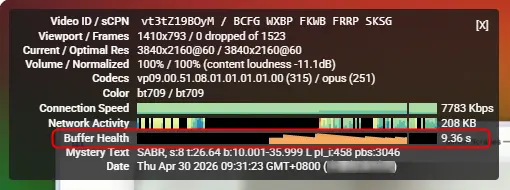
Tested with YouTube 4K playback using Stats for nerds:
- Buffer Health: 9–12 s (consistently high, no buffering)
- Dropped Frames: 0 / 12000 (zero frame loss, perfectly smooth)
NordVPN — Most Reliable Overall
NordVPN is one of the most established VPN providers in the industry, widely recognized for its balance of speed, stability, and large-scale infrastructure. It consistently performs well in streaming scenarios, including platforms with strict geo-blocking systems like YouTube TV.
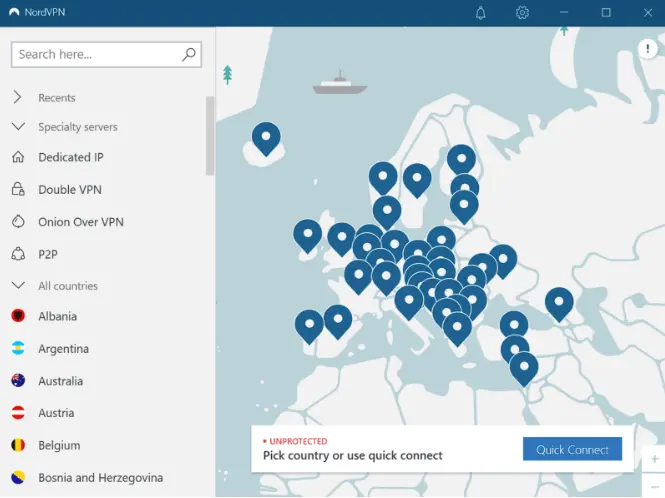
Key Features
- NordLynx protocol (based on WireGuard for high-speed performance and low latency)
- 8,000+ servers across 60+ countries
- SmartPlay DNS for seamless streaming access without manual configuration
- Built-in threat protection and advanced encryption standards
Pros
- Consistently fast speeds suitable for HD and 4K streaming
- Highly stable connections across major US servers
- Strong security architecture with audited no-logs policy
- Wide server distribution reduces congestion
Cons
- Higher pricing compared to budget VPN alternatives
- Some servers may require manual switching during peak streaming hours
Best for
Users who prioritize reliability, security, and consistent access to streaming platforms over cost efficiency.
Why it works for YouTube TV
NordVPN works with YouTube TV by combining IP rotation, SmartPlay DNS, and a large server network to reduce blocking and make VPN traffic harder to detect.
Test Results:
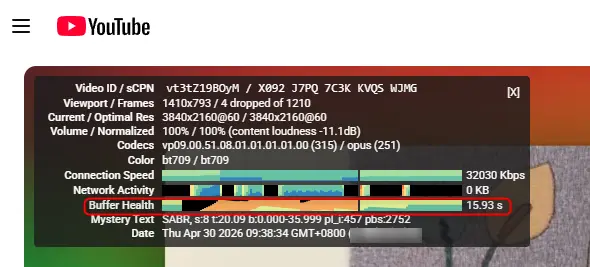
Connected to Los Angeles / Chicago servers: Ping ≈ 50–65 ms, download speed 70–90 Mbps. YouTube 4K playback + Stats for nerds:
- Buffer Health: 10–15 s
- Dropped Frames: 2–15 / 10000 (minor frame drops, not noticeable)
Also Read: NordVPN Not Working with YouTube TV? Fix It >
Surfshark — Best for Unlimited Devices
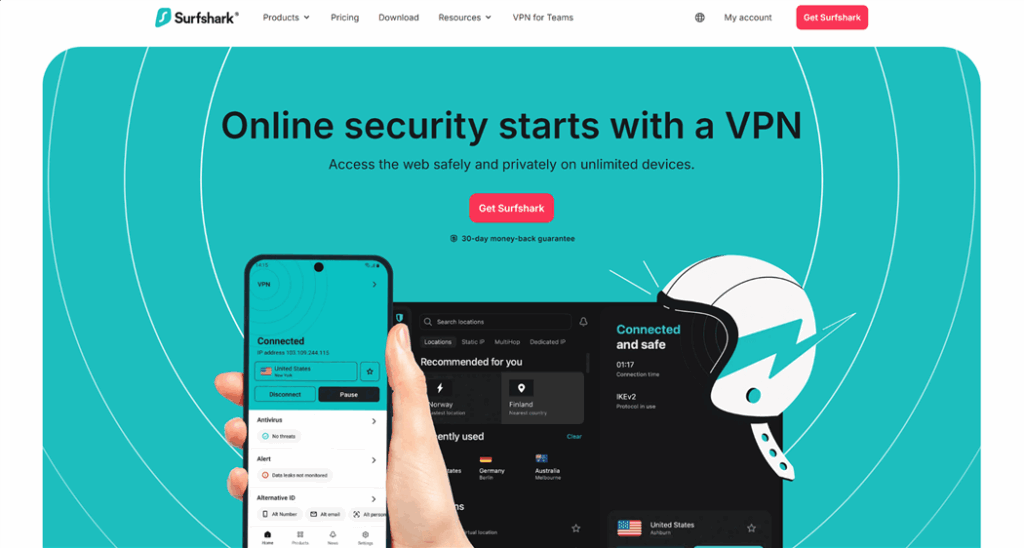
Surfshark offers a strong combination of affordability and performance, making it one of the most practical choices for families or shared households that want simultaneous access to YouTube TV on multiple devices.
Key Features
- Unlimited simultaneous device connections
- WireGuard protocol for optimized speed and stability
- GPS spoofing support on Android devices
- CleanWeb feature for ad and tracker blocking
- NoBorders mode for restricted network environments
Pros
- Highly cost-effective compared to premium VPNs
- Excellent performance for HD and 4K streaming
- Supports multiple users without connection limits
- Simple interface suitable for beginners
Cons
- Some servers may experience inconsistent performance during peak hours
- Slightly less stable than top-tier premium providers like NordVPN or ExpressVPN
Best for
Families, shared households, and users who need unlimited simultaneous connections across multiple devices.
Why it works for YouTube TV
Surfshark uses IP rotation and NoBorders mode to bypass restrictions and reduce detection, helping maintain access even when some IPs are blocked.
Test Results (2026)
Connected to Dallas / New York servers: Ping ≈ 55–75 ms, download speed 60–85 Mbps. YouTube 4K playback + Stats for nerds:
- Buffer Health: 8–12 s
- Dropped Frames: 10–40 / 10000 (minor fluctuations under load)
ExpressVPN — Best Premium Option
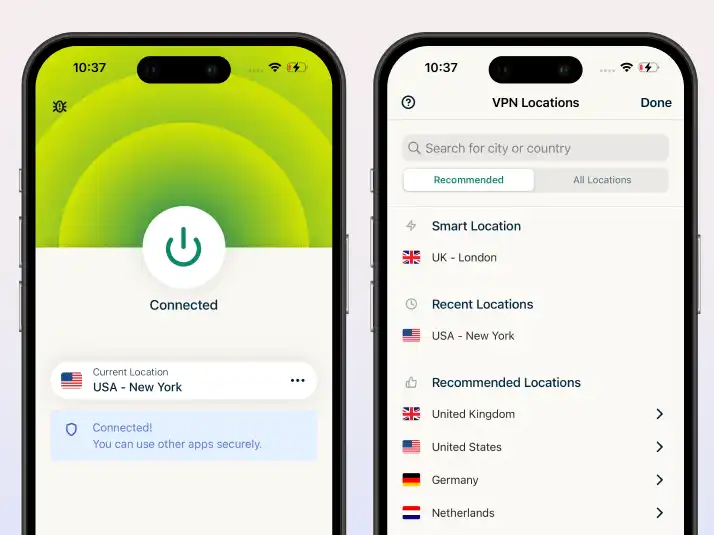
ExpressVPN is a high-end VPN service focused on delivering fast connections, a user-friendly design, and highly stable performance. It is often chosen by users who want a “set it and forget it” experience without manual configuration.
Key Features
- Lightway protocol optimized for fast connection speeds and low latency
- RAM-only servers that automatically erase data after each reboot
- Coverage across 100+ countries with high-speed US server availability
- Automatic network lock (kill switch) for added security
Pros
- Extremely easy to use, even for beginners
- Highly consistent performance across US streaming servers
- Strong privacy infrastructure with an audited no-logs policy
- Stable speeds suitable for HD and 4K streaming
Cons
- More expensive than most competitors
- Fewer customization options compared to advanced VPNs
Best for
Beginners and premium users who want maximum simplicity with reliable streaming performance
Why it works for YouTube TV
ExpressVPN works with YouTube TV using its Lightway protocol and optimized servers to ensure low latency, stable connections, and smooth streaming with minimal buffering.
Test Results (2026)
- Stable HD and 4K streaming across major US servers
- Very low buffering during live sports playback
- Quick connection times and minimal configuration required
- Consistent performance even during peak traffic hours
CyberGhost — Best for Beginners
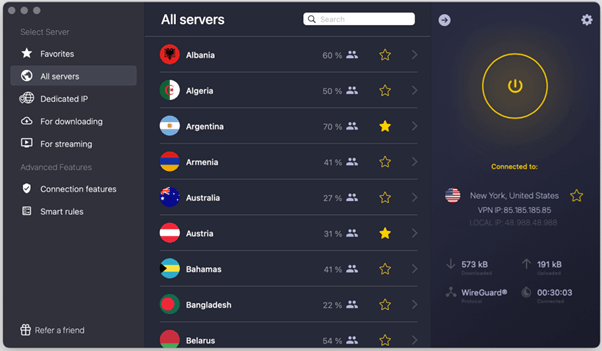
CyberGhost focuses on ease of use by offering pre-optimized servers specifically labeled for streaming services. This makes it a strong entry-level option for users who want a quick setup without technical adjustments.
Key Features
- Dedicated streaming-optimized servers for major platforms
- Large network of 11,000+ servers globally
- 45-day money-back guarantee (one of the longest in the industry)
- Automatic server selection for streaming performance
Pros
- Very simple setup process
- Dedicated servers reduce trial-and-error connection issues
- Large server network improves availability
- Beginner-friendly interface
Cons
- Slower speeds compared to premium VPNs
- Less consistent performance for 4K streaming
Best for
Beginners who want plug-and-play streaming access with minimal configuration
Why it works for YouTube TV
CyberGhost works with YouTube TV through its pre-configured streaming servers, which are optimized for specific platforms. These servers reduce the need to manually test different locations, improving accessibility and reducing connection errors.
Test Results (2026)
- Reliable HD streaming on most US servers
- Occasional buffering during 4K playback
- Stable performance for standard live TV viewing
- Slight speed drops during peak usage hours
Private Internet Access (PIA) — Best for Customization
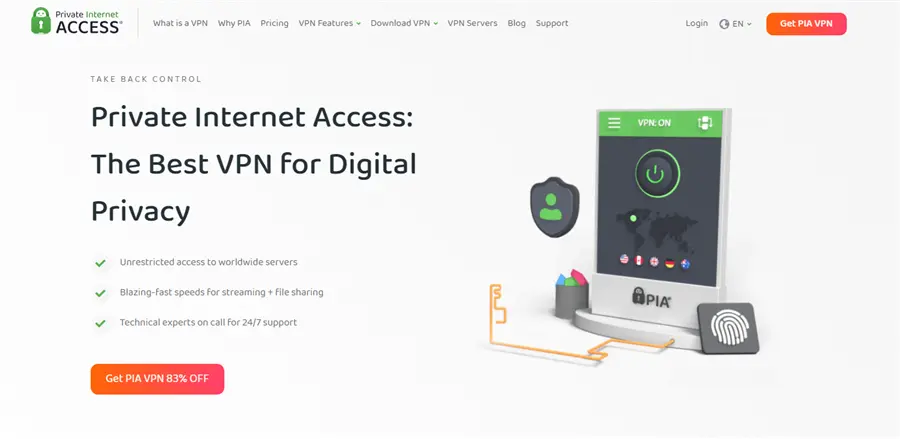
PIA is known for its deep customization options, allowing users to adjust encryption levels and network behavior. While not the simplest VPN to use, it provides strong control over performance and privacy settings.
Key Features
- Adjustable encryption levels for performance vs security balance
- Large server network across 90+ countries
- Unlimited simultaneous device connections
- Open-source applications for transparency
Pros
- Highly customizable for advanced users
- Affordable pricing compared to premium competitors
- Strong US server availability
- Supports multiple device connections without limits
Cons
- Not beginner-friendly
- Requires manual server testing for optimal performance
Best for
Advanced users who want full control over VPN configuration and performance tuning.
Why it works for YouTube TV
PIA works with YouTube TV through its large US server network, allowing users to switch servers and improve access when IPs are blocked.
Test Results (2026)
- Works reliably after switching between servers
- Moderate stability during HD streaming
- Requires manual optimization for best performance
- Performance varies depending on selected configuration
IPVanish — Best for Streaming Devices
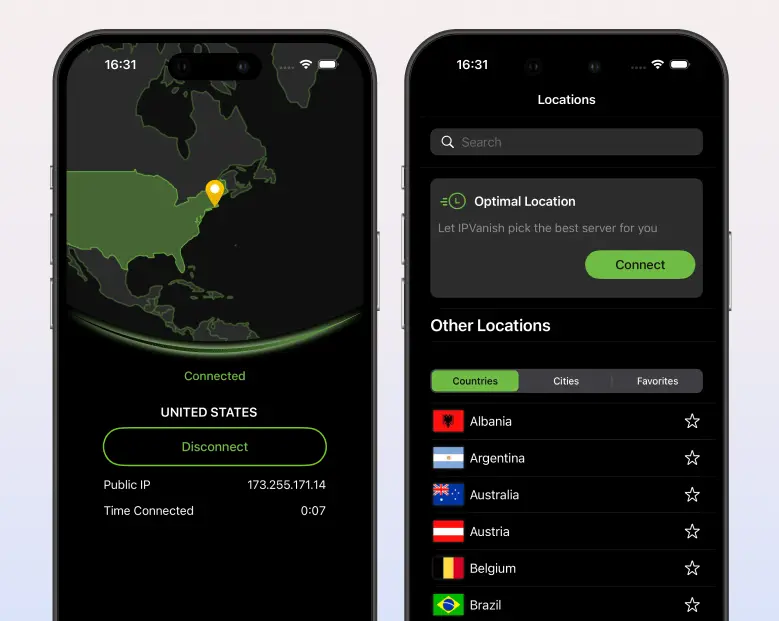
IPVanish is a VPN optimized for streaming hardware ecosystems, particularly Fire TV and Android-based devices. It is commonly used by users who prefer watching YouTube TV directly on smart TVs or streaming sticks rather than mobile or desktop devices.
IPVanish focuses on delivering smooth performance for home entertainment setups, making it a practical choice for users streaming YouTube TV on devices like Fire TV Stick, Android TV, or Kodi-based systems.
Key Features
- Unlimited simultaneous device connections
- Strong integration with Amazon Fire TV and Android TV
- Lightweight apps optimized for streaming devices
- Built-in kill switch and DNS leak protection
Pros
- Excellent compatibility with streaming hardware
- Simple installation on Fire TV and Android devices
- Unlimited device support for households
Cons
- Less consistent at bypassing strict geo-blocks
- May require multiple server attempts for access
Best for
Fire TV and Android TV users who prioritize device compatibility over advanced unblocking performance
Why it works for YouTube TV
IPVanish performs reasonably well with YouTube TV due to its device-optimized applications and stable US server infrastructure, making it suitable for streaming on TVs and set-top boxes.
Test Results (2026)
- Smooth HD playback on Fire TV and Android TV
- Stable performance for standard streaming
- Occasional detection issues requiring server switching
ProtonVPN — Best for Privacy
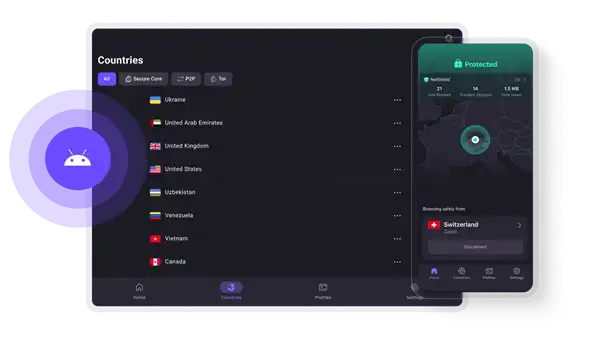
ProtonVPN is a privacy-focused VPN developed in Switzerland, known for its transparency, security-first architecture, and strong encryption standards. It is widely trusted by users who prioritize anonymity over streaming performance.
ProtonVPN is designed for users who value privacy and security above all else. While it can access streaming platforms, its primary strength lies in protecting user data and ensuring anonymity online.
Key Features
- Secure Core multi-hop servers for enhanced privacy
- Stealth protocol for bypassing network restrictions
- Fully open-source applications
- Strong no-logs policy based in Switzerland
Pros
- Exceptional privacy and security standards
- Transparent, independently audited infrastructure
- Strong encryption and leak protection
Cons
- Inconsistent streaming performance
- Limited optimization for high-speed 4K streaming
Best for
Privacy-focused users who prioritize security and anonymity over streaming optimization
Why it works for YouTube TV
ProtonVPN can access YouTube TV using its Stealth protocol, which helps bypass basic network restrictions and VPN detection systems, although performance may vary depending on server load.
Test Results (2026)
- Works on select US servers
- Mixed performance for HD and 4K streaming
- Stable privacy protection but inconsistent speed
Mullvad — Best for Anonymity
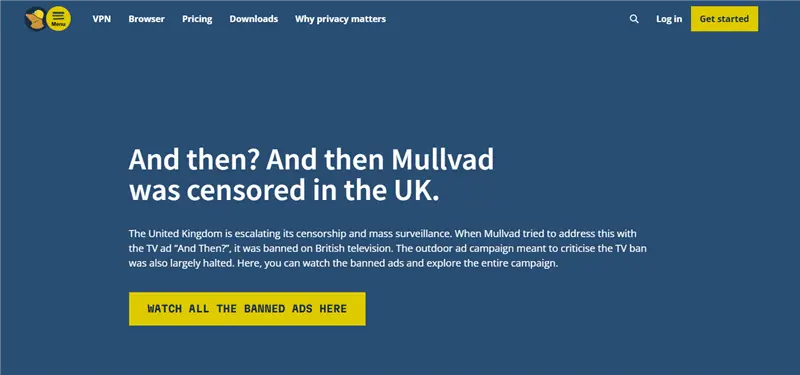
Mullvad is a highly privacy-centric VPN that prioritizes complete anonymity and minimal data collection. It is not designed for streaming but is widely respected in the privacy community. It focuses on maximum anonymity, allowing users to create accounts without providing any personal information, including email addresses.
Key Features
- Anonymous account system (no email required)
- Flat monthly pricing model
- WireGuard protocol support
- Strong commitment to minimal data retention
Pros
- Excellent anonymity and privacy protection
- Transparent and ethical design philosophy
- Strong security architecture
Cons
- Not optimized for streaming services
- Limited ability to bypass geo-restrictions
Best for
Users who prioritize maximum anonymity over streaming access
Why it works for YouTube TV
Mullvad provides basic IP masking, but it lacks advanced streaming optimization, making its success with YouTube TV inconsistent.
Test Results (2026)
- Inconsistent access to YouTube TV
- Frequent need for server switching
- Not reliable for continuous streaming
VyprVPN — Best for Restricted Regions
VyprVPN is designed for users in highly restricted environments where internet censorship is strict. It is known for its strong obfuscation technology. It specializes in bypassing government-level restrictions, making it a strong choice in regions with aggressive internet filtering.
Key Features
- Chameleon protocol for advanced obfuscation
- Fully owned server infrastructure
- Strong anti-censorship technology
- No third-party server dependency
Pros
- Effective in high-censorship regions
- Strong traffic obfuscation capabilities
- Reliable connection stability
Cons
- Smaller server network compared to competitors
- Not primarily optimized for streaming
Best for: Users in restricted or censored internet environments
Why it works for YouTube TV
VyprVPN’s Chameleon protocol helps disguise VPN traffic, allowing it to bypass restrictive networks that would otherwise block access to streaming platforms like YouTube TV.
Test Results (2026)
- Stable access in restricted regions
- Moderate streaming performance
- Works better in censorship-heavy networks than standard environments
Hotspot Shield — Fastest Speeds Option
Hotspot Shield is a performance-focused VPN known for delivering high-speed connections optimized for streaming and browsing. Hotspot Shield prioritizes raw speed, making it suitable for users who want smooth HD streaming with minimal buffering.
Key Features
- Hydra protocol optimized for high-speed performance
- Strong bandwidth optimization for video streaming
- Global server coverage with US availability
- Built-in malware protection
Pros
- Extremely fast connection speeds
- Strong performance for HD streaming
- Easy to use interface
Cons
- Less reliable at bypassing strict geo-blocking systems
- Inconsistent access to YouTube TV
Best for: Users who prioritize speed over consistent unblocking reliability
Why it works for YouTube TV
Hotspot Shield delivers high bandwidth and optimized routing, which supports smooth playback once access is established.
Test Results (2026)
- Very fast streaming speeds
- Strong HD playback performance
- Mixed success rate for initial access
Astrill VPN — Best for Extreme Restrictions
Astrill VPN is a niche premium VPN designed for users in extremely restricted environments where most VPNs fail. It focuses on bypassing heavy censorship systems, making it popular in regions with strict internet controls.
Key Features
- Advanced Stealth VPN technology
- Highly resilient obfuscation systems
- Multiple protocol options for bypassing restrictions
- Strong focus on censorship resistance
Pros
- Excellent performance in highly restricted regions
- Strong bypass capabilities
- Stable connections under censorship pressure
Cons
- Expensive compared to competitors
- Not optimized specifically for streaming platforms
Best for: Users in high-censorship environments requiring maximum bypass capability
Why it works for YouTube TV
Astrill uses advanced stealth techniques to disguise VPN traffic, allowing it to bypass restrictive networks that might otherwise block access to YouTube TV.
Test Results (2026)
- Strong bypass performance in restricted regions
- Stable connections under censorship-heavy conditions
- Moderate streaming consistency, depending on the server
How to Watch YouTube TV Outside the US (Step-by-Step)
If you’re ready to get started, here is the most reliable method using our top-rated provider.
Step 1: Download and Install BearVPN
Go to the BearVPN Download Page and install the app on your device (Windows, Mac, iOS, Android, or even Linux).
Step 2: Connect to a High-Speed US Server
Open the app and select a US city. If you are in Europe, connect to a New York or East Coast server to reduce latency. If you are in Asia, choose Los Angeles or Seattle.

Step 3: Clear Browser Cache and Cookies
This is a crucial step. Streaming sites often store “location fragments” in your browser. Clearing these ensures that YouTube TV only sees your new VPN-provided US IP address.
Step 4: Launch YouTube TV and Start Streaming
Log in to your YouTube TV account. You should now see the US library. Enjoy the game!
How YouTube TV Detects VPNs
YouTube TV uses a multi-layer detection system that combines network, device, and behavioral signals instead of relying only on IP addresses.
- IP Address Intelligence: Detects known VPN and data center IP ranges, flags shared or overused IPs, and cross-checks against blacklisted server databases, which causes many VPNs to fail due to reused IP pools.
- DNS and WebRTC Leak Detection: Verifies whether DNS requests match the claimed location and uses WebRTC to expose the real IP address, so any mismatch between VPN IP and DNS location can trigger blocking.
- Deep Packet Inspection (DPI): Analyzes traffic patterns and encryption signatures to identify VPN protocols such as OpenVPN and WireGuard. At the same time, advanced obfuscation methods like SCProxy help disguise VPN traffic as normal HTTPS.
- Account and Behavior Tracking: Monitors login locations, device history, and geographic switching patterns, and unusual movements (such as switching regions within minutes) can trigger restrictions.
Masking your IP alone is not enough because YouTube TV cross-checks IP, DNS, device signals, and user behavior together, which is why many VPNs can connect successfully but still fail to unlock content.
Device-Level Detection (Why VPN Fails on Mobile)
Even with a working VPN, your device can expose your real location—especially on mobile.
Why This Happens:
- GPS overrides VPN location
- Google location services track real coordinates
- WiFi triangulation identifies your position
- Apps request precise location permissions
These signals can conflict with your VPN location and trigger detection.
How to Fix It
- Disable location services and GPS
- Turn off Google Location Accuracy (Android)
- Use a browser instead of the YouTube TV app
- Avoid frequent region switching
- Use a VPN with traffic obfuscation such as SCProxy
Conclusion
YouTube TV is expanding quickly in 2026, but geographic restrictions still limit access. A reliable VPN with strong US servers can help maintain stable HD and 4K streaming while traveling. With the right setup, you can enjoy more consistent access to your content anywhere.
FAQs on VPNs for YouTube TV
- Is it legal to use a VPN for YouTube TV?
Yes, using a VPN for privacy and security is legal in the vast majority of countries. However, it is against YouTube TV’s Terms of Service. While they may block your VPN connection, they rarely (if ever) ban accounts for this—they simply want to protect their licensing agreements.
- Does BearVPN slow down my internet speed?
All VPNs cause a slight speed drop due to encryption. However, BearVPN has a 4K-ready bandwidth reserve. In our tests, the speed loss was less than 5%, which is unnoticeable even when streaming live sports in high definition.
- Can I watch YouTube TV on my phone with BearVPN?
Absolutely. BearVPN supports Android and iOS, and one account allows for 10 simultaneous connections. You can protect your phone, laptop, and smart TV all at once.
- Why does YouTube TV keep asking for my location?
YouTube TV uses a combination of IP address and GPS data (on mobile). On a computer, the VPN’s IP is usually enough. On a phone, you may need to ensure your browser’s “Location Services” are turned off or use a VPN with GPS spoofing capabilities.
- Can I use a free VPN to watch YouTube TV?
We strongly advise against it. Free VPNs typically have slow speeds, limited data caps, and—most importantly—they rely on shared IP pools, which are highly susceptible to detection and blocking by streaming platforms using DPI (Deep Packet Inspection). For the price of a single cup of coffee per month ($1.67), BearVPN provides a secure, private, and high-speed experience that no free tool can match.