


MissAV should not be treated as completely safe: its original domain was seized, replacements change, and copied sites are difficult to authenticate. BearVPN can hide the home IP and encrypt the network connection, but it cannot verify the operator, block every malicious redirect, or make an unsafe download harmless.
This guide is for informational purposes only. MissAV may be restricted in some countries, and its content may include ads or trackers. Using a VPN like BearVPN can help protect your privacy and secure your connection. Always follow age restrictions and local laws.
Connect to BearVPN before visiting MissAV to mask your home IP and encrypt your connection. Keep browser and antivirus warnings enabled—a VPN cannot make an unsafe domain safe.

What Happened to MissAV?
In January 2025, a U.S. federal court entered a default judgment in favor of Japanese rights holder Will Co., Ltd. The judgment awarded $4.5 million for infringement involving 300 copyrighted works and enabled control of several domains—including missav.com and thisav.com—to be transferred.

Replacement domains appeared after the seizure, but that does not establish that every new domain using the MissAV name belongs to the same operator. Search results, social posts, and copied site designs can all point users toward outdated or impersonating domains.
This history explains why searches such as “MissAV new domain,” “MissAV link,” and “MissAV not working” produce inconsistent answers. Domain status can change rapidly, so any domain information in this article must be treated as a dated observation rather than a permanent official address.
Is MissAV Safe? A Practical Risk Assessment
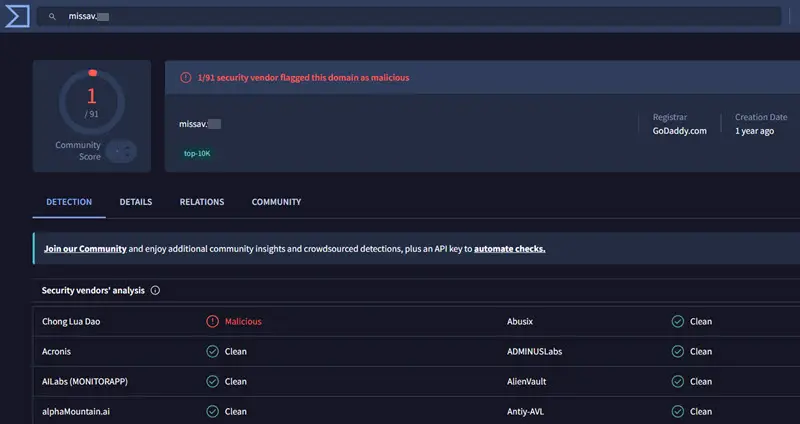
MissAV is not automatically malware, but it should not be considered completely safe. The main problem is uncertainty: domains change, clones imitate the service, and third-party advertising or redirects can behave differently from the page initially scanned.
A September 2, 2026 third-party scan of missav.ws reported one detection among 91 security engines and found no high-risk files in the limited resources it analyzed. That is more reassuring than a heavily flagged result, but it is not proof that the entire site—or every advertisement and redirect—is harmless.
Does a VPN Make MissAV Safe?
No. BearVPN encrypts traffic between your device and the VPN server and masks your public IP from the destination site. This can reduce exposure on the local network and help prevent the destination from seeing your home IP.
However, a VPN does not certify a MissAV domain, remove every malicious advertisement, stop you from installing malware, or conceal activity tied to an account you log into. Keep browser and operating-system security enabled, avoid unexpected downloads, and leave immediately if the browser or antivirus displays a warning.
What Is the Current MissAV Domain?
As checked on September 4, 2026, missav.ws was resolving and appeared in current search and security-scan data. However, BearVPN cannot verify that it is an “official” domain controlled by the original MissAV operator. The seized missav.com address should not be treated as the current streaming site.
We are not listing .ai, .li, or other supposed mirrors as verified domains because a working copy of a site is not evidence of ownership. This distinction matters: publishing a long “active mirror” list can send readers to clones after one of those domains changes hands.
If MissAV is not working, possible causes include:
- The saved domain is obsolete or was seized.
- The site or hosting provider is temporarily unavailable.
- Your ISP, workplace, school, or regional network blocks adult websites.
- DNS information is stale.
- A browser extension, antivirus product, or parental-control setting blocks the page.
- The URL is a fake or malformed copy rather than the site you intended to visit.
Do not disable antivirus protection or bypass a browser’s malware warning simply to open a MissAV link. First check the spelling, scan the URL with more than one reputation service, and consider using a licensed alternative.
Safer MissAV Alternatives in 2026
The best MissAV alternative depends on whether you want licensed streaming, a specific studio catalog, or simply a searchable JAV database. Licensed platforms are the safer starting point because their ownership and distribution arrangements are clearer. They may still have regional, language, payment, or age-verification requirements.
What About Free Sites Similar to MissAV?
Sites that closely copy MissAV’s interface or offer the same unlicensed catalog usually carry the same uncertainties: shifting domains, unclear ownership, aggressive advertising, and possible copyright complaints. Calling them “safe alternatives” would be misleading.
If you still evaluate an unfamiliar site, do not create an account with a reused password, enter payment information, install a special player, or allow browser notifications. A familiar layout is not evidence that the service is genuine or safe.
How BearVPN Helps—and Where Its Protection Ends
When connected, BearVPN encrypts traffic between your device and the VPN server and replaces the public IP address visible to the destination. This is useful when you do not want an adult website or its advertising partners to see your home IP, or when you are using a network you do not fully trust.
BearVPN also offers RAM-only infrastructure, Kill Switch protection, DNS/IP leak protection, and obfuscated connection modes. Obfuscation can make VPN traffic harder for restrictive networks to identify, although successful access is never guaranteed.
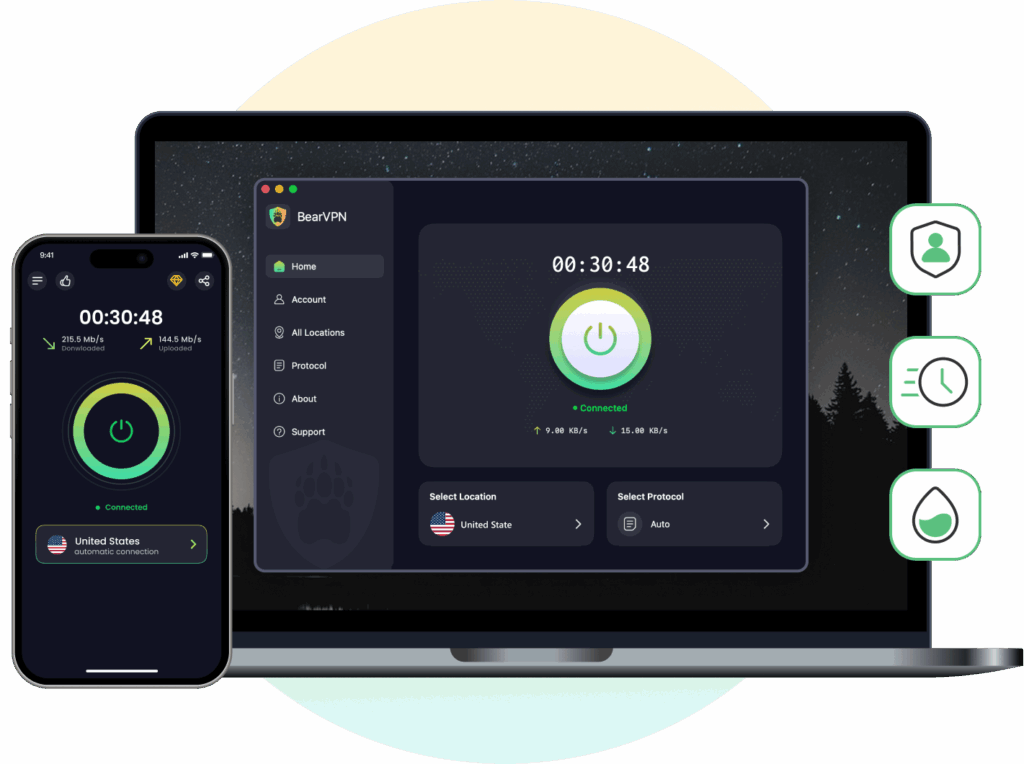
BearVPN cannot:
- Confirm that a MissAV domain belongs to the original operator.
- Guarantee that MissAV or any mirror is available.
- Block every malicious advertisement, phishing page, or download.
- Make copyright-infringing access legal.
- Hide activity connected to an account after you log in.
- Guarantee faster or buffer-free video playback.
If your browser, antivirus software, or operating system warns that a page is dangerous, disconnecting the warning system is not a safe troubleshooting step.
How to Use BearVPN for a More Private Connection
A VPN can protect the connection and mask your public IP, but it cannot verify a MissAV link or make an unsafe page harmless. Complete the security checks above before connecting.
Step 1: Install BearVPN from an Official Source
Download the BearVPN app for your device. Android and iOS users can try the limited free experience without signing in; Windows and macOS require a subscription. Download BearVPN from the official source—not an advertisement, mirror, or unrelated installer.
Step 2: Connect Before Opening the Website
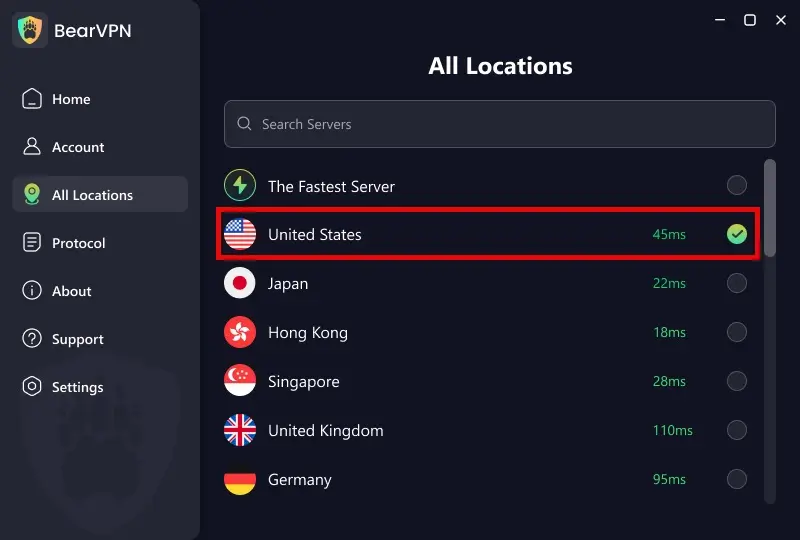
Open BearVPN and use the recommended server, or select a nearby permitted location. A closer server will often provide lower network overhead, but speed and site availability still depend on your connection, the selected server, and the destination website.
Step 3: Change Protocol Only If the Connection Fails
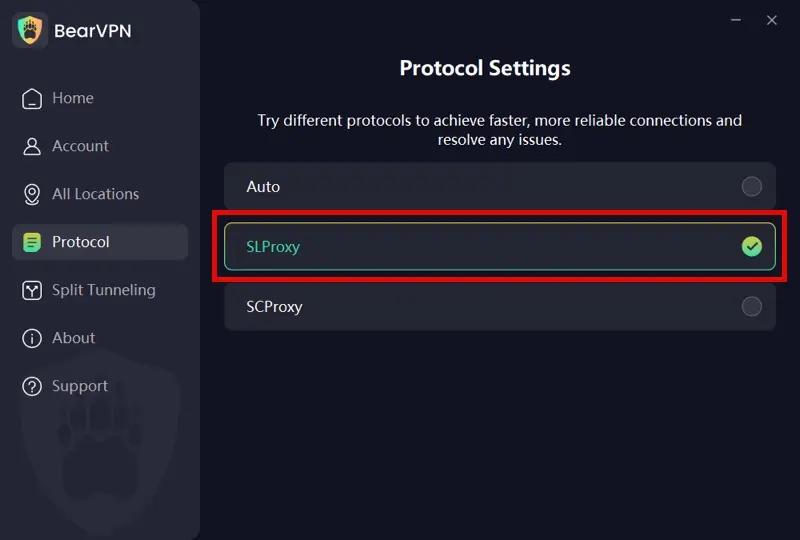
Start with the automatic setting. If the network appears to block VPN traffic, try SCProxy for stronger obfuscation. SLProxy is another option when the priority is ordinary connection performance.
Protocol availability depends on the platform:
Windows and macOS: SLProxy and SCProxy.
Android and iOS: SLProxy, SCProxy, and Y2Proxy.
- Auto: Automatically toggles the best protocol settings based on your real-time network conditions.
- SLProxy—Built for Fast Streaming: Use BearVPN’s low-latency protocol when ordinary network conditions make smooth HD playback the priority.
- SCProxy—Built to Fight Restrictive Networks: Switch to SCProxy when aggressive filtering or DPI interferes with ordinary VPN traffic. It heavily obfuscates the connection and gives you a stronger route against network-level blocking.
Step 4: Configure Granular Split Tunneling (Optional but Powerful)
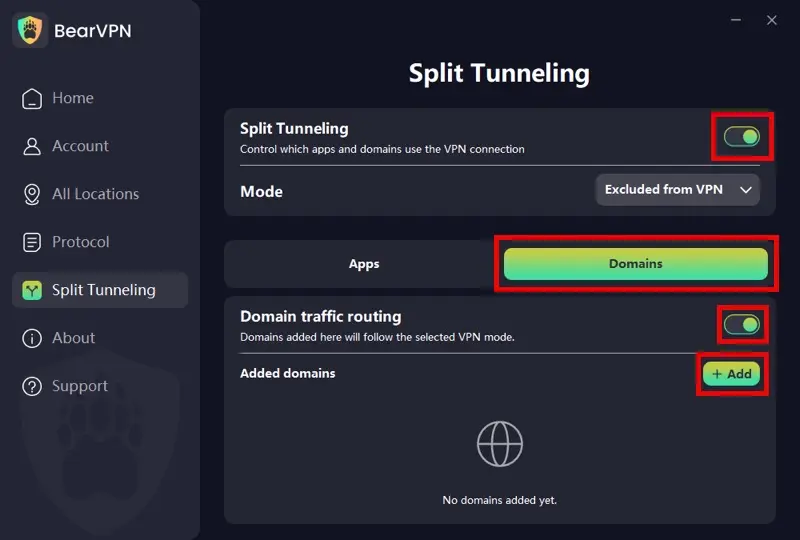
Want to encrypt your browser traffic for missav.ws but keep your local PC games running on your normal, low-ping connection? BearVPN handles this flawlessly. Go to Settings > Split Tunneling. You can filter traffic by both Apps and Domains:
- App Mode: Select specific applications (like your private web browser) to strictly use the encrypted tunnel.
- Domain Mode: Enter only a domain you have independently verified—such as a licensed platform like
fanza.com—to route that site through the VPN while leaving the rest of the system untouched.
Step 5: Confirm the VPN Connection, Then Open the Page
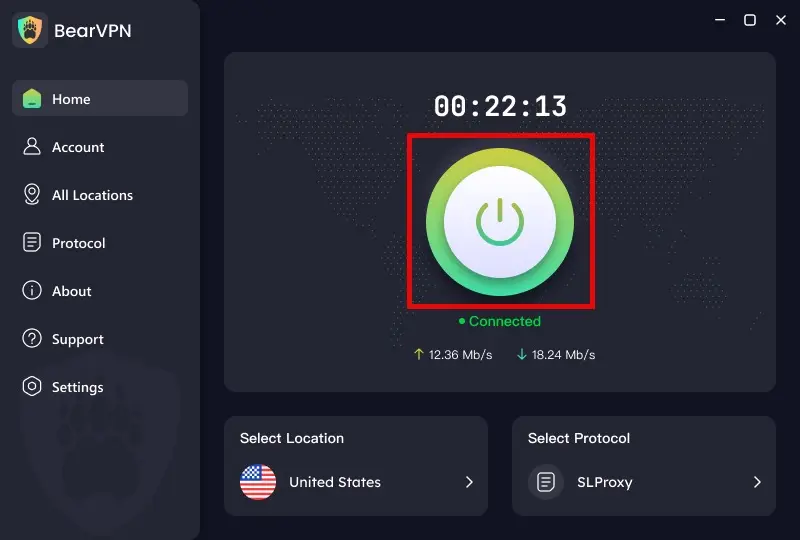
Wait until BearVPN shows that the connection is active. You can confirm that the visible IP has changed before returning to the browser.
If MissAV still does not work:
- Try another BearVPN server.
- Switch between Auto, SLProxy, and SCProxy where available.
- Clear the site’s cached data or test a private browser window.
- Check whether antivirus software is blocking a dangerous redirect rather than the main page.
- Stop if the browser continues to show a security warning.
A successful VPN connection does not guarantee that a specific MissAV domain is online or accessible.
Final Thoughts: Is MissAV Still Worth It?
MissAV is not a risk-free website. Its original .com domain was seized, replacement domains are difficult to authenticate, and a clean URL scan cannot guarantee that future advertisements or redirects will remain harmless. Licensed services such as FANZA, DUGA, MGS, and SOD Prime are more accountable alternatives, although their catalogs and regional availability differ.
If you visit an unfamiliar adult site, verify the URL, avoid downloads and notification requests, and keep browser and device protections enabled. BearVPN can encrypt the connection and hide your home IP from the destination, but it cannot certify the website, prevent every threat, or remove legal restrictions.
Verify the URL first. Then use BearVPN to hide your home IP and encrypt the connection.
Verify the URL first. Then connect BearVPN to mask your home IP and encrypt the connection before opening the page. Keep browser and antivirus warnings enabled—if they say leave, leave.
FAQ
MissAV should not be treated as completely safe. The original domain was seized, new domains are difficult to authenticate, and third-party advertisements or redirects may change after a security scan is completed. Avoid downloads, notification requests, fake updates, and reused passwords. Leave the page if your browser or antivirus displays a warning.
As checked on September 4, 2026, missav.ws was resolving, but BearVPN cannot verify that it is an official domain operated by the original team. missav.com was among the domains transferred following the 2025 copyright judgment. Treat other claimed MissAV domains as unverified unless their ownership can be independently established.
MissAV may not work because the address is outdated, the site is temporarily offline, a network blocks adult content, DNS data is stale, or browser security is stopping a suspicious redirect. Try checking the URL, clearing site data, or changing networks. Do not disable malware protection simply to force the page to load.
A VPN may help when the problem is a local network or regional IP restriction, but it cannot guarantee access. It will not fix an offline or seized domain, and some websites block known VPN addresses. Always follow local law, age restrictions, copyright rules, and the website’s terms.
BearVPN encrypts your connection and masks your public IP, but it is not a replacement for antivirus software or browser security. It cannot stop every harmful advertisement, fake download, phishing form, or malicious extension. Keep your device updated and never install software prompted by an unfamiliar streaming site.
Licensed platforms such as FANZA, DUGA, MGS, and SOD Prime provide clearer ownership and content-distribution arrangements than changing MissAV mirrors. Availability, catalogs, language support, payment methods, and age checks vary by region. JAVLibrary can help identify titles and product codes, but it is primarily a metadata database rather than a complete streaming replacement.



