


Erome is a legitimate adult UGC platform, but not every upload, profile link, ad, or verification request is automatically safe. Adults should use only erome.com, avoid unknown downloads, and identify the verification provider before submitting personal information. BearVPN can hide your real IP and encrypt the connection, but it cannot verify your age or guarantee removal of an age check.
- Mask your home IP behind a BearVPN server.
- Encrypt the connection before opening Erome.
- Use Kill Switch to stop accidental exposure if the VPN drops.

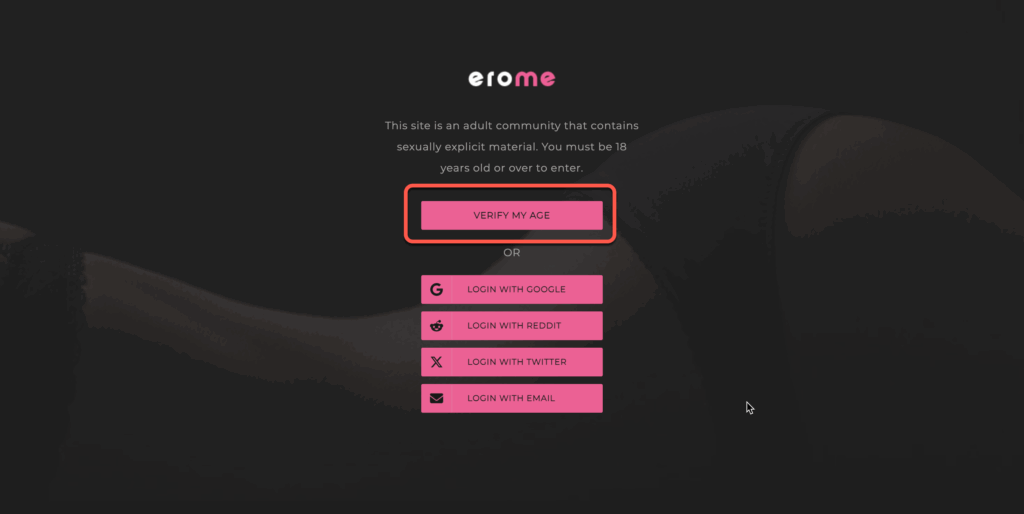
Why Does Erome Require Age Verification?
The push for stronger age checks did not begin with Erome. Governments and regulators in several regions now require online services to take more effective steps to prevent minors from accessing pornography.
In the United Kingdom, sites and apps that allow pornography have been required to use strong age checks for UK users since July 25, 2025. Simply asking visitors to click an “I am over 18” box is no longer considered sufficient.
Australia has introduced separate Age-Restricted Material Codes covering pornography and other material considered inappropriate for children. Different parts of the codes took effect on December 27, 2025, and March 9, 2026, with some individual requirements following later staged deadlines. These rules should not be confused with Australia’s separate social-media restrictions for users under 16.
Requirements in the United States and other countries vary by state or jurisdiction. There is no single “global Erome age-verification law,” and adults in different locations may therefore see different prompts or access restrictions.
Depending on the law, platform, and verification provider, age assurance may involve:
- facial age estimation;
- a credit-card age check;
- mobile-network confirmation;
- a banking or digital identity service;
- photo-ID matching.
This does not mean that every Erome visitor will see all these methods or that Erome itself receives every piece of information. A third-party provider may perform the check and return only confirmation that the visitor meets the required age.
The purpose of age assurance is to reduce minors’ access to adult content. For adults, however, it creates a separate privacy question: who processes the information, what data is retained, and what Erome receives after the check is completed?
Is Erome Safe to Use?
Erome is not inherently malware, but no user-generated adult platform should be treated as risk-free. Safety depends on the domain you visit, the links and files you open, the information you disclose, and how the platform or its verification provider handles personal data.
The Main Risks for Adult Visitors
Age assurance is intended to prevent minors from reaching adult content. It does not guarantee that every upload is consensual, accurately labeled, free of malicious links, or safe to download.
For adults, the central question is not simply whether Erome “stores your ID.” First determine who operates the verification screen, what information it requests, whether Erome receives the original data or only an age result, how long the provider retains the data, and how deletion requests are handled. Do not assume the answer without reading the notice shown during the actual check.
Is Erome Safer Than Other Adult Platforms?
There is not enough public, comparable evidence to assign Erome, Pornhub, XVideos, and OnlyFans definitive “high,” “moderate,” or “low” privacy and moderation scores. Their viewer checks, uploader controls, regional availability, and providers can also change.
Instead of relying on a broad platform ranking, evaluate the specific page and verification flow in front of you:
- Is the domain correct?
- Does the page clearly identify the verification provider?
- Can you read its privacy and data-retention terms before submitting anything?
- Are you being asked to download software or leave the official domain?
- Does the platform offer a less data-intensive verification option?
- Can you delete the associated account or request deletion of verification data?
The big takeaway? Asking Is Erome Safe today isn’t just about age checks—it’s about how data is handled, how content is moderated, and whether users take extra steps to protect themselves.
The Hidden UGC Threats: Malicious Links and Profile Phishing
Unlike heavily moderated corporate studios, Erome relies heavily on User-Generated Content (UGC). This structure introduces severe, platform-specific cybersecurity threats:
- Malicious Profile Links: Scammers frequently embed malicious outbound links in video descriptions or profile bios, disguised as “full videos” or “premium content.”
- Drive-by Malware: Clicking these UGC links often redirects users to highly aggressive domains hosting browser hijackers, fake software updates, or silent crypto-mining scripts.
- The Verdict on Safety: Simply passing the age gate does not mean you are safe from the community. Navigating Erome safely requires network-level ad-blocking and absolute IP masking to prevent malicious actors from logging your real geolocation.
Can Adults Use a VPN With Erome Age Verification?
A VPN changes the public IP address and approximate network location visible to a website. Because online rules and platform access can vary by jurisdiction, that change may affect the version of a website an adult sees. It does not prove age, guarantee access, or override an account-level verification requirement.
Only adults should use the following steps, and only where their use complies with applicable law and Erome’s terms. Minors must not use a VPN, another person’s identity, false account information, or any other method to access Erome.
What BearVPN Can Protect
- Your local connection: BearVPN encrypts traffic between your device and the VPN server, which is especially useful on shared networks.
- Your public IP address: Erome and other websites see the VPN server’s public IP instead of the IP assigned to your connection.
- Unexpected exposure: Kill Switch can stop traffic if the VPN connection drops unexpectedly.
- More sensitive sessions: Double VPN routes traffic through two VPN servers, although the additional routing can reduce speed.
- Restricted networks: SCProxy can help conceal recognizable VPN traffic on networks that interfere with VPN connections.
BearVPN does not block every advertisement, malicious link, tracking method, browser fingerprint, phishing page, or infected download. It also cannot make a logged-in account anonymous or guarantee that Erome will accept a particular server IP.
How Adults Can Use BearVPN for Connection Privacy
Follow these specific configurations to ensure Erome cannot detect your real location or your VPN tunnel.
Step 1: Download BearVPN from an official source.
Download BearVPN from the official source for your device, connect first, and then open erome.com in a fresh private window.
Step 2: Close existing Erome tabs.
If you are troubleshooting a broken session, clear Erome’s site data or open a new private window. You normally do not need to erase the browser’s IndexedDB or Service Workers manually.
Step 3: Choose a suitable server.
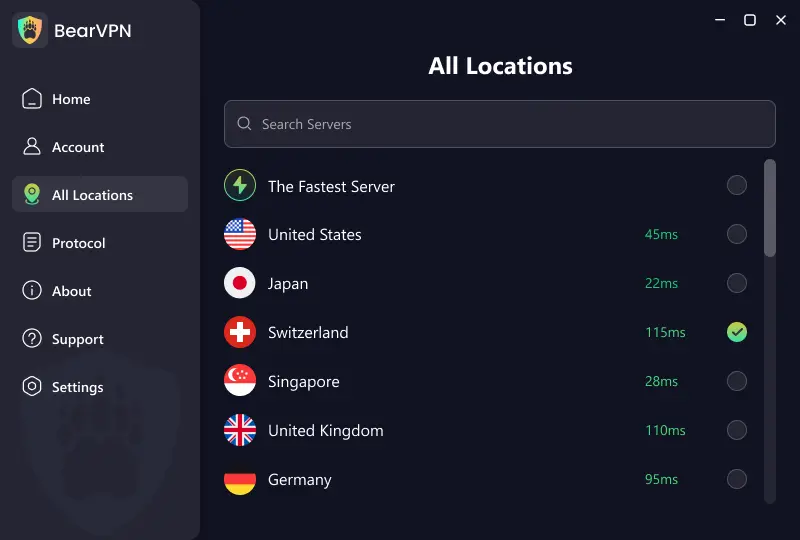
Select a nearby server for better performance or another lawful location appropriate to your needs. Do not rely on labels such as “Golden Zone”; Erome’s requirements and regional laws can change.
Step 4: Select a protocol.
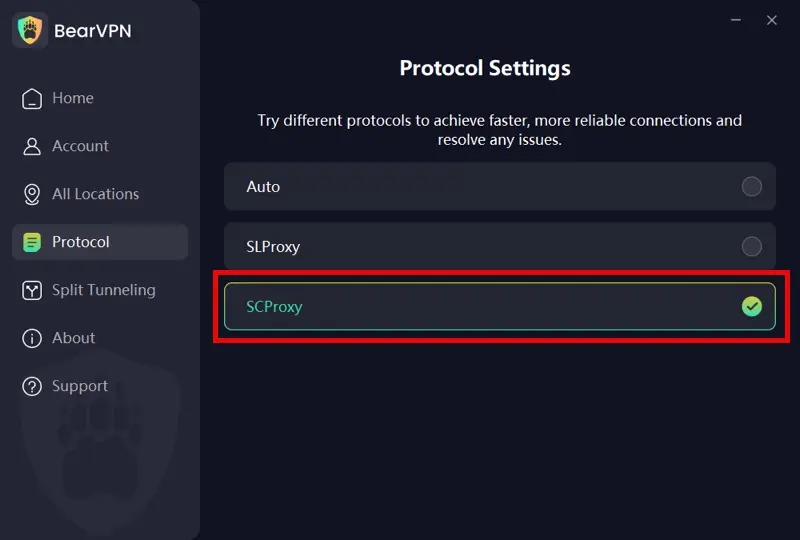
Start with Auto. On Windows and macOS, BearVPN supports SLProxy and SCProxy. SCProxy may help on networks that restrict recognizable VPN traffic, while the best-performing option depends on the network.
- Auto: Automatically toggles the best protocol settings based on your real-time network conditions.
- SLProxy (Best for Video Playback): BearVPN’s flagship, ultra-low-latency protocol. If your primary goal is buffer-free streaming of Erome’s UGC videos, lock it onto SLProxy for maximum speed.
- SCProxy (Best for Strict Firewalls): The ultimate stealth weapon. If your ISP actively blocks adult sites using Deep Packet Inspection (DPI), switch to SCProxy to heavily obfuscate your traffic and instantly punch through aggressive firewalls.
Step 5: Connect before opening the site.
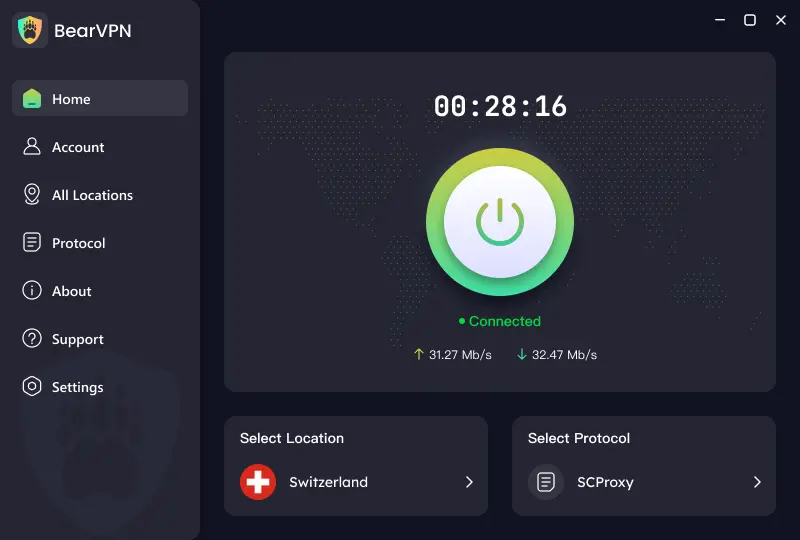
Wait until BearVPN shows an active connection, then open the official Erome domain in a new private window. Avoid switching servers during an age-verification session.
Step 6: Stop if the verification flow remains mandatory.
A continuing prompt may be tied to the account, cookies, the chosen region, the verification provider, or other risk signals. Do not repeatedly submit an ID or selfie to an unidentified page.
Never submit identity information simply because a pop-up claims it is required. Confirm the domain, identify the company processing the check, read its privacy notice, and use only a method you understand. BearVPN protects the network connection; it does not control how an age-verification provider processes information you voluntarily submit.
Erome Age Verification Not Working? Try These Fixes
An age-verification page that stays blank, reloads repeatedly, or rejects a completed check does not reveal the cause by itself. Work through these steps in order instead of repeatedly uploading the same document or selfie.
- Confirm that you are on the official domain. The platform covered in this guide uses
erome.com. Do not enter an Erome password, payment information, selfie, or identity document on a similarly named domain merely because “Erome” appears in its URL. - Allow the verification page to run. Temporarily disable script-blocking or privacy extensions for the verification page and make sure JavaScript, cookies, and pop-ups are allowed. Restart the check afterward. Re-enable your protections when testing is complete.
- Clear Erome’s site data. Remove cookies and stored site data for Erome, close every Erome tab, and reopen the official site in a private window. Clearing all browser history is usually unnecessary.
- Try a supported browser and network. Update your browser or test another mainstream browser. Check that your device’s date and time are correct. If possible, switch between Wi-Fi and mobile data to rule out a network-level block.
- Check for a VPN or proxy conflict. Some verification services treat shared, proxy, hosting, or rapidly changing IP addresses as higher risk. If the verification page loops while a VPN is connected, disconnect temporarily and restart the official verification process. If you use BearVPN for connection privacy, avoid changing servers halfway through a verification session.
- Review the available verification methods. Depending on the service and jurisdiction, age assurance may use facial age estimation, a digital identity service, a credit-card check, mobile-network confirmation, open banking, or photo-ID matching. If one method is unavailable, look for another method offered on the official screen.
- Wait before submitting again. Repeated attempts can sometimes produce additional fraud checks or temporary errors. If the same problem continues across browsers and networks, stop submitting sensitive information, wait, and use Erome’s official support or status channel if one is available.
A VPN is not a universal fix for an age-verification error. It can change the public IP address visible to a website and encrypt traffic between your device and the VPN server, but it cannot complete a required age check or correct an account-level verification failure.
- Reconnect BearVPN after completing any required age check.
- Mask your normal public IP before returning to Erome.
- Keep Kill Switch active if the VPN connection drops.
How to Stay Safe on Erome in 2026?
If you want to use Erome while keeping your privacy intact, age verification is just the start.
1. Use a VPN + Hardened Browser (Essential) A VPN hides your IP, but it doesn’t stop fingerprinting. Pair BearVPN with the Brave Browser or LibreWolf. This combination masks your IP and scrambles your device’s unique signature, making you invisible to tracking scripts.
2. Separate Your Browsing Worlds Use a dedicated “Adult-Only” browser profile. Never stay logged into your Google or social media accounts while visiting Erome.
3. Scrub Metadata from Uploads If you’re uploading, use ExifTool to remove GPS data. In 2026, AI can pinpoint your location based on background pixels, so be extra careful.
4. Block Ads & Malicious Scripts Use uBlock Origin. Many “Is Erome Safe” queries stem from users getting malware from shady redirects, not the site itself.
Conclusion
- For minors: Yes, the “digital front door” is locked.
- For adults: It’s a trade-off. Age checks protect platforms from lawsuits but expose users to centralized data risks.
The real lesson? Age verification is a platform’s legal shield, not your personal safety net. Using BearVPN, practicing “hardened” browsing hygiene, and staying alert to AI-phishing are non-negotiables if privacy matters to you.
Age verification protects the platform—not your IP, your connection, or your browsing privacy. Connect BearVPN before your next Erome session and stop exposing more than the site needs to see.
FAQ About Erome Safety and Age Verification
The verification page may fail because JavaScript or cookies are blocked, stored site data is corrupted, a browser extension interrupts the provider, the selected method is unavailable, or a VPN or proxy triggers an additional risk check. Confirm that you are on erome.com, allow the required page components, clear Erome’s site data, and try an updated browser. If the problem continues across browsers and networks, wait before submitting sensitive information again.
Erome is an established adult user-generated content platform, but that does not make every upload, external link, advertisement, or verification request safe. Use the official domain, avoid unknown downloads, never reuse an important password, and do not provide identity information until you have identified the company processing it and reviewed its privacy notice.
A VPN changes the public IP address and approximate network location visible to Erome, so it may affect a location-based experience for an adult. It cannot verify your age, override every restriction, or guarantee removal of the prompt. Cookies, account status, provider rules, and other signals may still determine whether verification is required.
A verification service may classify some shared, proxy, hosting, or rapidly changing IP addresses as higher risk. Cookies, browser extensions, the selected server region, or an account-level requirement can produce a similar result. Try another server, keep the same connection throughout the session, or disconnect temporarily if your goal is to complete the official age check.
Do not assume that Erome either stores or never receives an ID. The answer depends on the verification method and the company operating the screen. Before submitting anything, check who processes the data, what Erome receives, how long information is retained, whether it is shared, and how you can request deletion.
The adult platform discussed here uses the erome.com domain. A similarly named domain should be treated as a separate service unless Erome officially confirms the relationship. Do not reuse your Erome password or enter payment or identity information on another domain solely because its name contains “Erome.”
No. Erome is intended for adults. Minors must not use a VPN, someone else’s ID, payment information, facial image, false account details, or bypass software to access it. The VPN information in this guide is exclusively for adults protecting their connections and troubleshooting lawful access.



