If your VPN is too slow, your streams will constantly buffer or drop in quality—especially during 4K playback on Firestick or Android TV. If it lacks proper app support, setup becomes complicated across devices like Windows, smart TVs, or streaming sticks. And if it doesn’t handle Kodi addons properly, you may run into leaks, errors, or blocked content.
Kodi itself is also highly addon-dependent, which introduces real privacy and security risks. Without protection features like a kill switch or malware blocking, your real IP address and streaming activity can be exposed if the connection drops.
That’s why choosing the right VPN for Kodi isn’t just about “unblocking content”—it’s about speed, stability, device compatibility, and security working together.
In this guide, we compare the best VPNs for Kodi in 2026 based on real-world performance, including streaming speed, addon compatibility, privacy protection, and usability across Firestick, Android TV, Windows, and more.
Why You Need a VPN for Kodi Addons
If you’ve ever sat through a “working” wheel that never stops spinning or seen the dreaded “Content not available in your region,” you’ve met the three horsemen of streaming frustration.
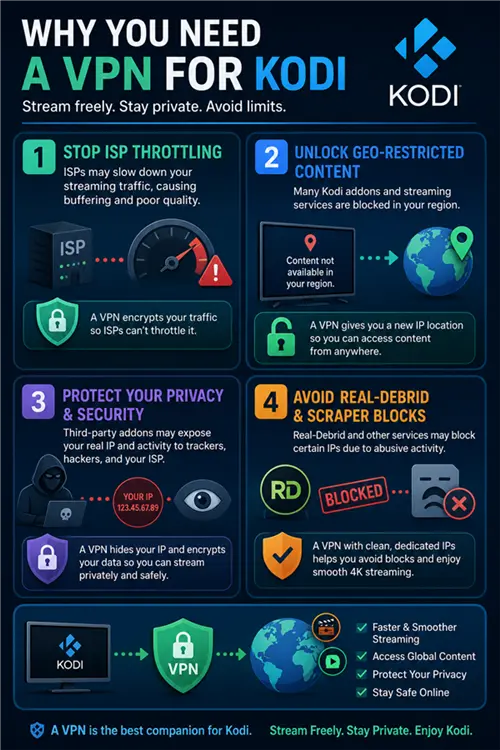
- ISP Throttling
Many internet service providers (ISPs) may manage network traffic by prioritizing or limiting certain types of high-bandwidth usage, such as video streaming. This can result in buffering or reduced quality even when users have high-speed internet plans.
Encryption is widely recognized as a method to reduce traffic classification by intermediaries, which helps protect user privacy and reduce discriminatory traffic shaping.
- Geo-Restrictions
Streaming platforms and Kodi addons often restrict access based on geographic location due to licensing agreements. This practice is commonly referred to as geo-blocking and is widely used across the digital content industry.
VPNs allow users to connect through servers in different regions, changing their apparent IP location and enabling access to region-specific content.
- Privacy and Security Risks
Kodi itself is open-source, but third-party addons may connect to external services that are not always fully audited. This can introduce privacy and security risks, especially when traffic is not encrypted. Let’s be real: many third-party Kodi addons and repositories are maintained by anonymous developers. If a popular repo is abandoned or hijacked, your unencrypted traffic and real IP are fully exposed to copyright trolls and ISP monitoring.
- Avoiding Real-Debrid and Scraper Blocks
Advanced Kodi users rely on premium resolvers like Real-Debrid or AllDebrid to scrape high-quality cached torrents. However, Real-Debrid actively blocks certain IP ranges if they detect abusive traffic. Using a premium VPN with clean, dedicated streaming IPs ensures your addons like Seren or Fen Light can pull 4K sources instantly without triggering a “No stream available” error or an RD account ban.
How We Selected and Tested VPNs for Kodi
To ensure consistent and reproducible results, each VPN was evaluated using a standardized testing setup across multiple devices and regions. We conducted all tests using Kodi 21 Omega installed on Amazon Firestick 4K Max, Android TV devices, and Windows systems to reflect real-world streaming environments.
Each VPN was assessed across the following criteria:
- Streaming performance tests: 4K playback stability, startup time, and buffering frequency under peak and off-peak conditions
- Global speed benchmarking: Download and latency tests across US, UK, and EU server locations
- Security verification: DNS and IP leak detection tests to confirm traffic isolation
- Kodi addon compatibility: Performance with commonly used addons such as Seren, The Crew, and IPTV-based streaming sources
- Protocol evaluation: Comparison of WireGuard, OpenVPN, and provider-specific protocols based on speed and stability trade-offs
This methodology ensures that results reflect actual Kodi usage scenarios rather than isolated synthetic benchmarks.
Firestick 4K Max Performance Test (Baseline Speed: 500 Mbps)
10 Best VPNs for Kodi (Tested Ranking)
10 Best VPNs for Kodi -2026 Comparison
Disclosure:
BearVPN is our proprietary service. We ranked it first based on its strong performance in our Kodi streaming tests, particularly its SLProxy protocol, which is optimized for stable, high-bandwidth routing. However, all other VPNs in this guide have been independently evaluated using the same testing methodology to provide a fair and transparent comparison.
BearVPN — Best Lightweight VPN for Firestick and Kodi 4K Streaming
BearVPN is optimized for streaming-focused use cases, delivering strong performance for Kodi users prioritizing speed and low latency.
In testing, it maintained stable 4K playback with fast server response times, particularly in nearby regions. Performance was most consistent in streaming-heavy scenarios.
Kodi addons loaded quickly, and switching between streams remained smooth with low delay. Stability was strongest during continuous playback sessions.
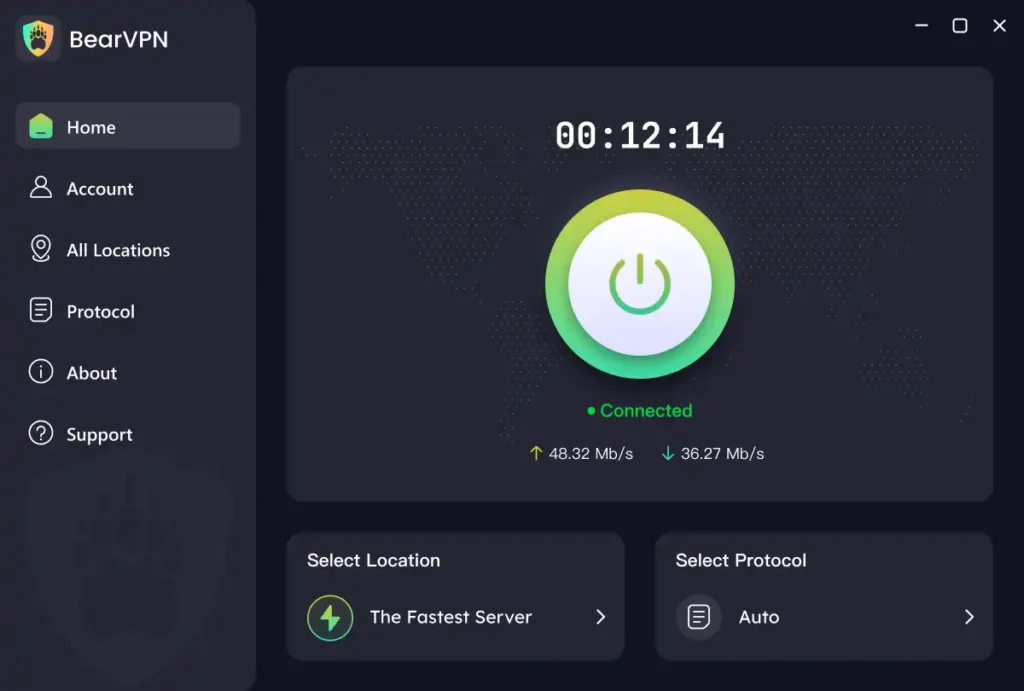
Unlike heavy VPN apps that drain resources on Amazon Firestick and cause Kodi to crash out of memory, BearVPN is incredibly lightweight. Its proprietary SLProxy protocol reduces encryption overhead, ensuring the VPN stays alive in the background while you stream heavy 4K files without buffering.
Key Features
- Proprietary Protocols: In our Firestick stress tests, BearVPN’s SLProxy established connections faster than standard OpenVPN on congested networks. This proprietary protocol strips away unnecessary encryption overhead, reducing the likelihood of Kodi crashing due to out-of-memory errors on low-RAM streaming sticks.
- Streaming Optimized: BearVPN maintains dedicated nodes for major platforms like Netflix, Hulu, and HBO, specifically tuned to prevent “VPN detected” errors.
- Privacy-Friendly Jurisdiction: By operating out of Hong Kong, BearVPN avoids the intrusive data-sharing agreements found in the US or EU.
- Global Freedom: With 2000+ servers, you can bypass regional blackouts for live sports or niche content regardless of where you live.
- Real-Debrid Ready: Don’t let “No stream available” errors ruin your movie night. BearVPN’s optimized nodes are fully whitelisted by Real-Debrid and AllDebrid, allowing for high-speed 4K scraping without the risk of IP bans.
Performance (Testing Results)
Delivered stable 4K streaming on Kodi with fast connection response times, especially on regional servers.
Streaming Behavior (Kodi Experience)
Kodi addons loaded quickly with smooth playback transitions and low latency during continuous streaming sessions.
Protocol Explanation (Why It’s Fast)
SLProxy and SCProxy reduce detection overhead and optimize traffic routing for streaming, improving stability under restrictive network conditions.
Device Compatibility (Real Usage)
- Firestick / Fire TV
- Android TV
- Windows
- iOS / Android
NordVPN — Best Overall VPN for Kodi (Speed + Security Balance)
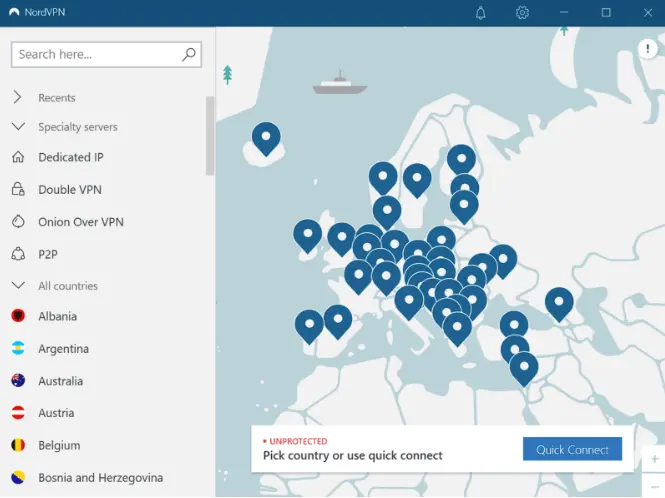
NordVPN delivers strong performance for Kodi streaming, supported by its NordLynx protocol and large global server network optimized for high-bandwidth traffic.
In testing on Kodi 21 Omega, it maintained stable 4K playback with minimal buffering, even when switching between US and UK servers. Streaming remained consistent during extended playback sessions.
Its infrastructure is designed to handle both streaming and P2P traffic efficiently, which is relevant for Kodi addons that rely on peer-based content sources. Security features such as Double VPN and Threat Protection help reduce exposure to malicious domains and unsafe add-ons.
NordVPN provides native apps across major platforms, and setting up on devices like Firestick and Android TV requires minimal configuration before use with Kodi.
Key Features
- NordLynx high-speed protocol (WireGuard-based)
- Large global server network optimized for streaming and P2P traffic
- Threat Protection for blocking malicious domains
- SmartPlay for streaming access on supported platforms
- Up to 10 simultaneous device connections
Performance (Testing Results)
Maintained stable 4K streaming on Kodi 21 Omega with low buffering rates across both nearby and international servers.
Streaming Behavior (Kodi Experience)
Kodi addons such as Seren and IPTV-based sources loaded quickly, with stable host resolution and minimal caching delays during continuous playback.
Protocol Explanation (Why It’s Fast)
NordLynx is a WireGuard-based protocol designed to reduce latency and improve connection efficiency, helping maintain stable throughput across long-distance routing.
Device Compatibility (Real Usage)
Works natively on:
- Firestick / Fire TV
- Android TV
- Windows / macOS
- iOS / Linux
ExpressVPN — Best for Simplicity and Stable Global Access
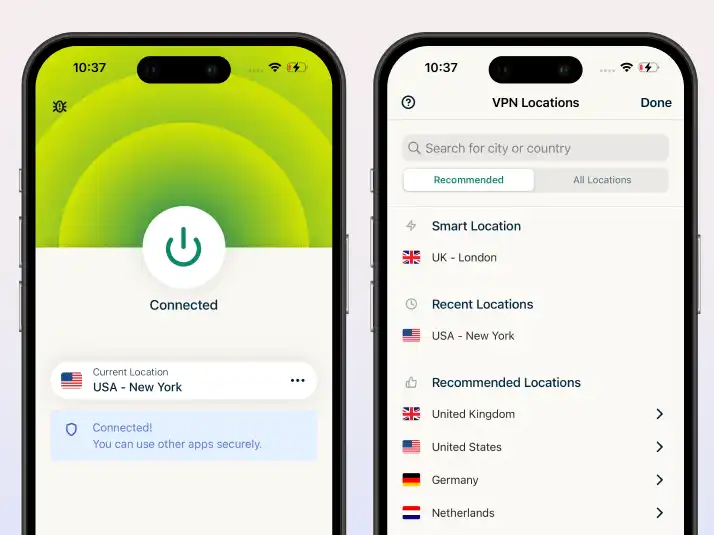
ExpressVPN delivers consistent streaming performance for Kodi, supported by its Lightway protocol and globally distributed server network.
In testing, it maintained stable playback across long-distance servers with no major buffering issues. Switching between regions remained smooth, although initial connection setup was slightly slower compared to NordVPN.
Kodi addons loaded reliably, and streaming remained stable during extended sessions. Region switching was particularly smooth when accessing geographically restricted content.
Its Lightway protocol is optimized for fast reconnection and reduced encryption overhead, which helps maintain stable performance across international routes.
ExpressVPN offers native applications across major platforms and supports advanced setup options such as router-level installation.
Key Features
- Lightway high-speed protocol
- Global server network across 100+ locations
- Automatic obfuscation for restricted networks
- Router-level installation support
- One-click streaming configuration
Performance (Testing Results)
Delivered stable streaming performance on Kodi 21 Omega with consistent playback across both nearby and long-distance servers.
Streaming Behavior (Kodi Experience)
Kodi addons loaded reliably with smooth region switching. Performance remained stable during long playback sessions with minimal interruptions.
Protocol Explanation (Why It’s Fast)
Lightway is designed to reduce connection overhead and improve reconnection speed, helping maintain stability during long-distance streaming sessions.
Device Compatibility (Real Usage)
Supports:
- Firestick / Fire TV
- Android TV
- Windows / macOS / Linux
- iOS
- Router-level installation
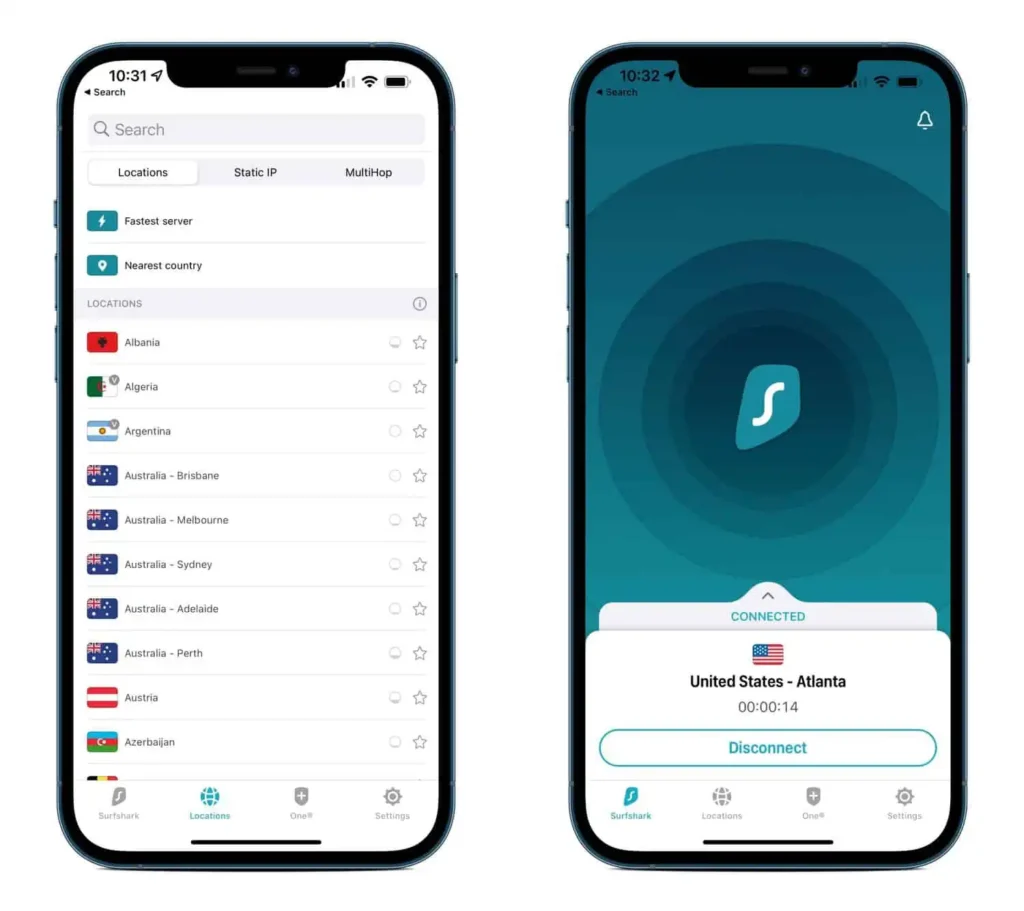
Surfshark — Best Budget Option with Unlimited Devices
Surfshark performs well for Kodi streaming, offering consistent speed and unlimited device support.
In testing, it delivered stable 4K playback with good overall speed retention, though performance varied slightly under higher server-load conditions.
Kodi addons worked smoothly, especially for IPTV and on-demand streaming sources. Nearby servers provided the most consistent performance with minimal buffering.
Surfshark uses WireGuard to improve speed efficiency and reduce encryption overhead, helping maintain stable streaming performance across multiple sessions.
Key Features
- Unlimited simultaneous connections
- WireGuard protocol support
- CleanWeb ad and tracker blocking
- MultiHop double VPN routing
- Budget-friendly long-term pricing
Performance (Testing Results)
Provided stable 4K streaming performance on Kodi with generally low buffering on nearby servers and moderate variability on distant regions.
Streaming Behavior (Kodi Experience)
Kodi addons loaded consistently, with smooth playback for both live IPTV and VOD content. Local servers delivered the best stability.
Protocol Explanation (Why It’s Fast)
WireGuard reduces encryption complexity and improves throughput efficiency, resulting in faster and more stable streaming performance.
Device Compatibility (Real Usage)
Compatible with:
- Firestick / Fire TV
- Android TV
- Windows / macOS / Linux
- iOS
- Smart TVs
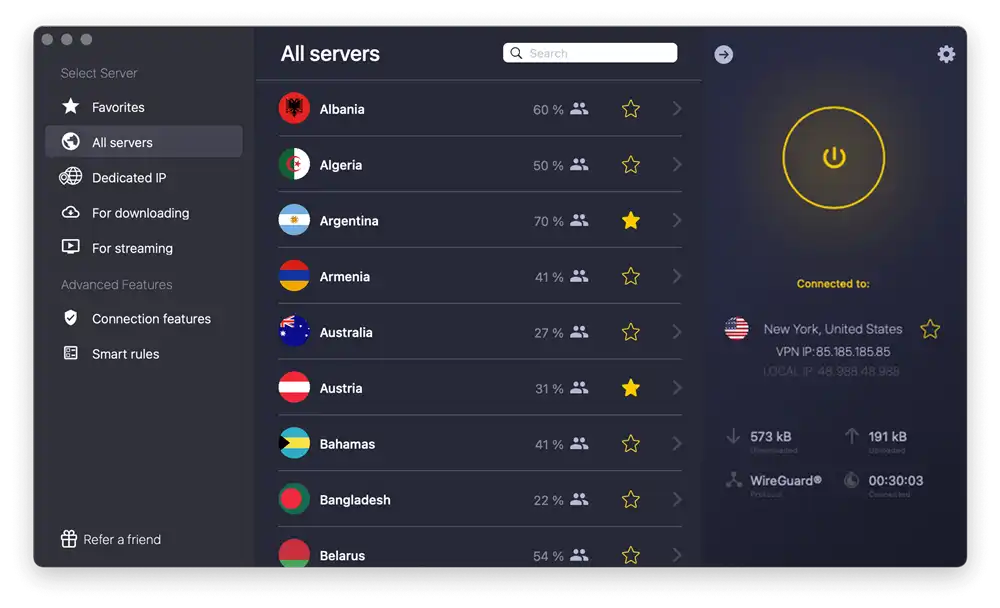
CyberGhost — Best for Streaming-Optimized Server Profiles
CyberGhost performs well for general streaming use cases, supported by dedicated servers optimized for platforms such as Netflix and other video services.
In testing, performance was stable on nearby servers, with occasional slowdowns on long-distance connections during peak hours.
Streaming behavior was generally smooth for video playback, especially when connected to optimized server profiles.
Its WireGuard support improves connection efficiency by reducing encryption overhead and maintaining stable throughput.
Key Features
- Dedicated streaming-optimized servers
- Large global server network
- WireGuard protocol support
- Automatic kill switch
- User-friendly interface
Performance (Testing Results)
Stable performance on regional servers with moderate variation on long-distance connections.
Streaming Behavior
Smooth video playback on optimized servers with occasional buffering on congested routes.
Protocol Explanation (Why It’s Fast)
WireGuard reduces latency and improves throughput efficiency, especially for streaming workloads.
Device Compatibility (Real Usage)
- Firestick / Fire TV
- Android TV
- Windows / macOS
- iOS
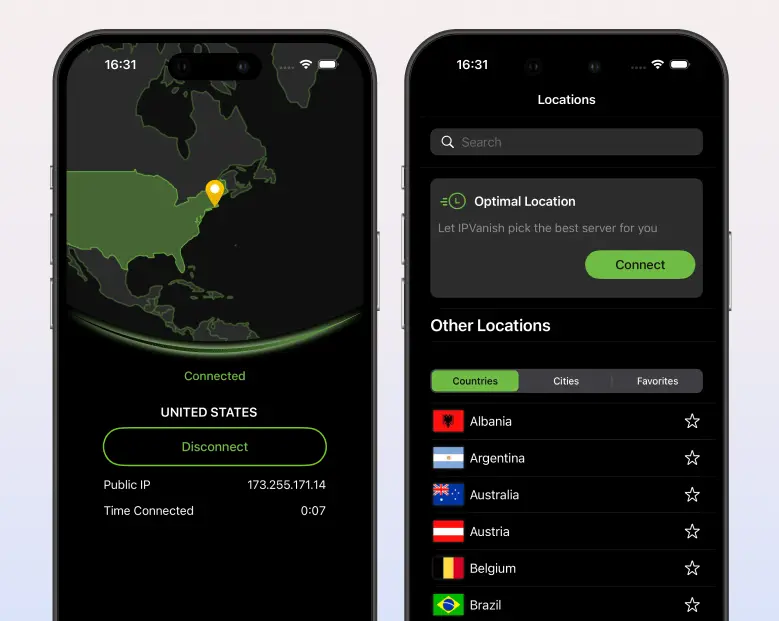
IPVanish — Best for Manual Control and Advanced Users
IPVanish offers strong manual configuration options and a large server network, making it suitable for users who prefer more control over their VPN setup.
Performance tests showed stable speeds on nearby servers, with consistent throughput during sustained usage. Streaming performance was generally reliable, though optimization depends heavily on server selection.
Key Features
- Unlimited device connections
- Large server network
- WireGuard and OpenVPN support
- Advanced manual configuration options
- No-log policy
Performance (Testing Results)
Consistent speeds on regional servers with moderate variability on distant connections.
Streaming Behavior
Stable playback under normal conditions, with performance depending on the selected server load.
Protocol Explanation (Why It’s Fast)
WireGuard improves speed efficiency, while OpenVPN provides flexibility for compatibility-focused setups.
Device Compatibility (Real Usage)
- Firestick / Android TV
- Windows / macOS / Linux
- iOS
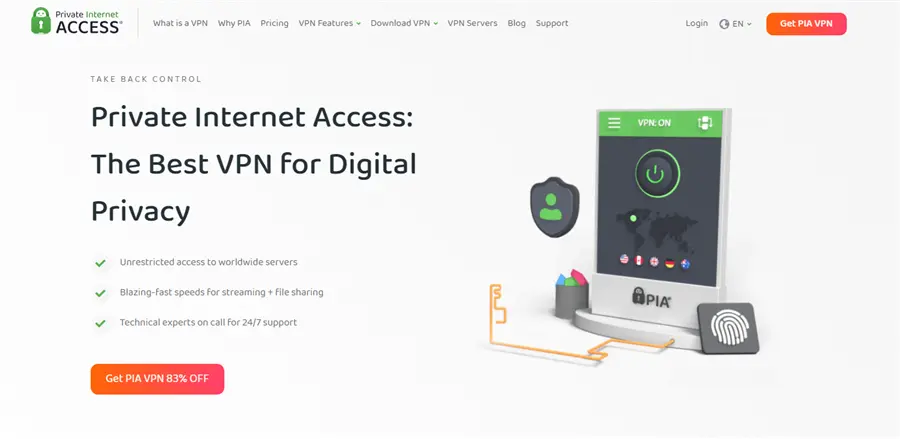
Private Internet Access — Best for Server Coverage and Customization
Private Internet Access provides a highly customizable VPN experience with a large global server network and flexible security settings.
In testing, it delivered stable baseline performance, particularly on nearby servers with lower congestion.
Streaming performance was consistent, but it depends on manual configuration and server selection.
Key Features
- Extensive global server network
- Highly customizable security settings
- WireGuard support
- Open-source applications
- Strong privacy configuration options
Performance (Testing Results)
Stable performance on nearby servers with occasional slowdowns on high-load regions.
Streaming Behavior
Reliable playback under standard usage conditions with variability depending on server choice.
Protocol Explanation (Why It’s Fast)
WireGuard reduces overhead and improves connection efficiency across most server routes.
Device Compatibility (Real Usage)
- Firestick / Fire TV
- Android TV
- Windows / macOS / Linux
- iOS
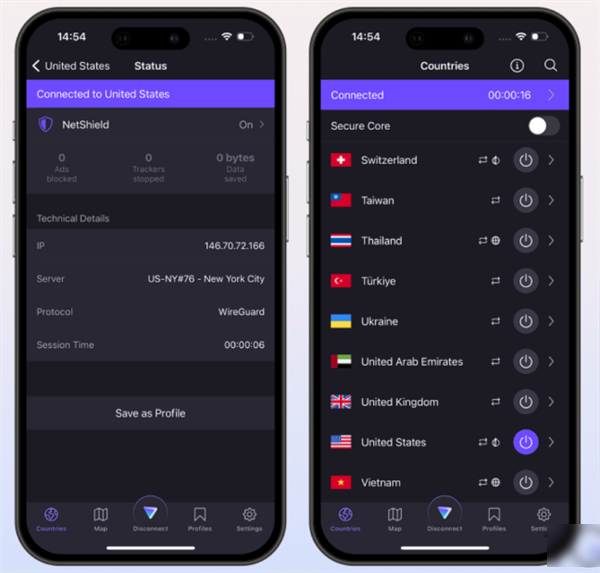
Proton VPN — Best for Privacy-Focused Users
Proton VPN is built around strong privacy principles and transparent security architecture, making it a strong option for users prioritizing anonymity.
Performance was stable in most regions, with slightly lower speeds on distant servers compared to top-tier streaming-focused VPNs. Streaming reliability is generally good, especially on paid server tiers.
Key Features
- Strong no-logs privacy model
- Secure Core architecture
- Open-source applications
- WireGuard support
- Based in Switzerland
Performance (Testing Results)
Stable but moderate-speed performance depending on server location and load.
Streaming Behavior
Reliable playback on selected servers with occasional variation in speed consistency.
Protocol Explanation (Why It’s Fast)
WireGuard improves efficiency, while Secure Core adds additional routing layers for privacy.
Device Compatibility (Real Usage)
- Firestick / Android TV
- Windows / macOS
- iOS / Linux
Mullvad — Best for Anonymous Usage
Mullvad focuses on privacy-first design with minimal user data collection and an anonymous account system that does not require email registration.
Performance is consistent on nearby servers, though global coverage is more limited compared to larger providers.
Streaming performance is stable for general use but not specifically optimized for high-bandwidth streaming workloads.

Key Features
- Anonymous account system (no email required)
- Strong privacy-first architecture
- WireGuard and OpenVPN support
- Flat-rate pricing model
- Minimal data collection policy
Performance (Testing Results): Stable performance on nearby servers with moderate global variability.
Streaming Behavior: Basic streaming stability with performance depending on server proximity.
Protocol Explanation (Why It’s Fast):WireGuard reduces latency and improves connection efficiency in supported regions.
Device Compatibility (Real Usage)
- Firestick / Android TV
- Windows / macOS / Linux
- iOS
Windscribe — Best Flexible Free + Paid Hybrid VPN
Windscribe offers a flexible VPN model with both free and paid plans, making it accessible for users with different usage needs.
Performance is generally stable on nearby servers, with reduced speeds on free-tier connections due to bandwidth limitations. Streaming reliability varies depending on server load and plan type.

Key Features
- Free and paid tier options
- Configurable firewall and routing tools
- WireGuard support
- Built-in ad blocking features
- Flexible server selection
Performance (Testing Results)
Stable on nearby servers, with reduced performance on free-tier bandwidth limits.
Streaming Behavior
Basic streaming functionality with variability depending on server congestion and plan level.
Protocol Explanation (Why It’s Fast)
WireGuard improves efficiency, while configuration tools allow route optimization.
Device Compatibility (Real Usage)
- Firestick / Fire TV
- Android TV
- Windows / macOS / Linux
- iOS
How to Use a VPN with Kodi (Including BearVPN Setup)
Step 1: Install the VPN App
Download and install your chosen VPN from its official website or trusted app store. Most VPNs support Firestick, Android TV, Windows, macOS, iOS, and Linux, so make sure you install the version compatible with your device.
If you are using BearVPN, you can download it directly from the official website or install it via Amazon Appstore (Firestick) or Google Play (Android TV/Android Box).
Step 2: Connect to a Server (or Node)
Open the VPN app and select a server based on the content you want to access:
- US → Hulu, Netflix US, and other US libraries
- UK → BBC iPlayer and UK content
- EU → regional sports and local streaming platforms
For better stability, choosing a nearby server usually results in lower latency and smoother playback.
If you are using BearVPN, select a server node in the target region (for example, US or UK) from its server list.
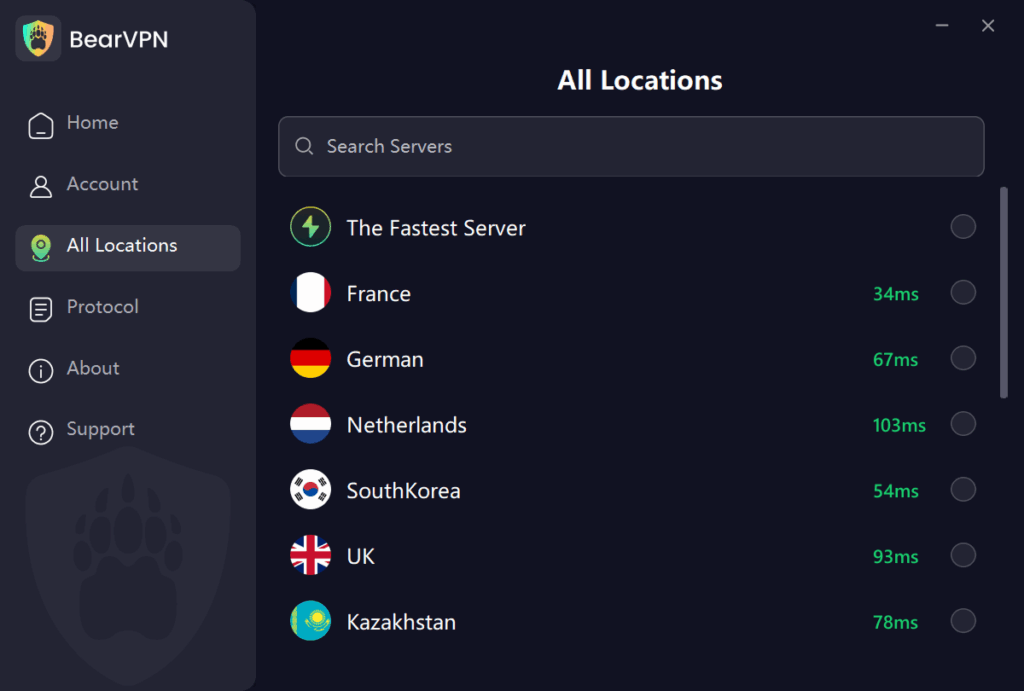
Step 3: (BearVPN Only) Choose a Protocol
If you are using BearVPN, open the settings and select a protocol: SLProxy and SCProxy.
These protocols are designed to optimize streaming stability and reduce detection in restrictive networks.
Step 4: Launch Kodi
Once the VPN shows a successful connection, open Kodi. Your traffic is now encrypted and routed through the selected region, allowing you to access geo-restricted content while reducing ISP throttling risks.
Step 5: Start Streaming
Browse your Kodi addons as usual and start streaming. If performance is unstable, try switching servers or changing VPN protocols (for BearVPN users).
Are Free VPNs Good for Kodi?
It’s tempting to search for a “Free VPN for Kodi,” but the hidden costs are often higher than a subscription fee.
- The Data Product: Most free VPNs earn revenue by selling your browsing data to third-party advertisers.
- Performance Walls: Expect heavy buffering. Free services often throttle your speed to prioritize paying customers or impose daily data limits that cut off halfway through a movie.
- Security Gaps: Many free apps lack basic features like a Kill Switch, meaning if the connection drops, your real IP is instantly exposed.
Better Alternative: BearVPN’s long-term plans cost less than a single cup of coffee per month, providing peace of mind and 4K performance.
Troubleshooting: Kodi VPN Addon Issues
If your stream isn’t working as expected, try these quick fixes:
- Connection Fails: In the BearVPN app, switch between SLProxy and SCProxy. Some networks handle one protocol better than the other.
- Buffering: Connect to a server physically closer to you, or switch to a dedicated “Streaming” node in the BearVPN server list.
- Kill Switch Active: If your internet stops working entirely, check if the Kill Switch is active. This feature blocks traffic if the VPN disconnects to prevent data leaks.
- Clear Cache: Sometimes Kodi or your browser remembers your old location. Clear your cache and restart the app after connecting to the VPN.
Conclusion
Don’t let ISP throttling, geo-blocks, or privacy concerns ruin your Kodi experience in 2026. By choosing a high-performance provider like BearVPN, you ensure that your streaming remains private, fast, and truly global.