Searching for a Hola VPN crack usually comes down to one thing: you want Premium VPN access without paying for a subscription. That’s understandable. However, a crack can only modify software stored on your device. It cannot be assumed to create an active Premium membership in Hola’s account system or provide verified access to its official Premium infrastructure.
Before downloading one, it helps to understand what Hola Free already provides, how the official Premium service differs, and what an unofficial installer may actually change.
What “Hola VPN Crack” Actually Gets You
A website offering a “Hola Premium crack,” “MOD APK,” or “pre-activated installer” may promise unlimited usage, faster connections, or access to Premium locations. But an unlocked interface is not proof of an active Hola subscription.
Hola says Premium benefits take effect when the subscriber signs in with the account used to purchase the membership. A modified app may change what appears on the screen, but it cannot legitimately add an active subscription to Hola’s account system.
How Hola’s Free Tier Already Works
Hola already offers a free plan with limited daily usage, so you do not need a crack to access its basic service.
Hola describes its free network as community powered, but the way it works varies by product. Certain free products may contribute a limited amount of idle device and network resources to Hola’s P2P network. However, Hola says users who install only its free browser extension do not participate as peers or contribute device resources.
This differs from Hola Premium, which uses a dedicated network of high-performance servers. Hola also states that Premium subscribers are never used as peers.
The distinction matters because statements such as “every Hola user becomes an exit node” do not accurately describe every current product or account type. Users should check the terms for the specific browser extension, desktop app, or mobile app they plan to install.
What a Cracked Version Adds and What It Can’t Fix
A Hola VPN crack may change local application files, remove a usage screen, display a fake Premium label, or claim to unlock additional locations. What it cannot reliably do is create a genuine server-side subscription.
Depending on how the file was modified, it may:
- Continue using the free version while displaying “Premium.”
- Stop working when Hola checks the account status.
- Use a shared or stolen account that can be revoked.
- Route traffic through a third-party proxy rather than Hola’s official network.
- Prevent the app from receiving legitimate security updates.
- Add tracking, advertisements, or malicious code.
Hola says a Premium membership is associated with the account used to purchase it and requires the user to sign in for the paid status to take effect. Therefore, a screenshot showing an unlocked interface does not prove that the app is connected to Hola’s dedicated Premium network.
A crack also cannot change Hola’s server-side privacy practices or erase its documented security history. Instead, it adds another unknown party—the person who modified and redistributed the file—to the connection.
3 Safe Free Alternatives to a Hola VPN Crack
If your main reason for searching for a Hola VPN crack is to avoid paying for a subscription, a legitimate free VPN is a safer option. Free plans may limit server choice, speed, supported devices, or advanced features, but those restrictions are published clearly and the apps continue to receive official updates.
The three services below offer ongoing free access rather than only a short trial.
Disclosure: BearVPN appears first because it is our own product, and we want to be transparent about that. Its permanent free plan is designed for Android and iOS users who want unlimited data without creating an account. Proton VPN and hide.me may be better choices if you need free desktop access or different server-selection options.
Quick Comparison
Free-plan details checked in August 2026. Providers may change their features and limitations, so review the current official plan before downloading.
1. BearVPN – Best for Free Mobile Use Without Sign-Up
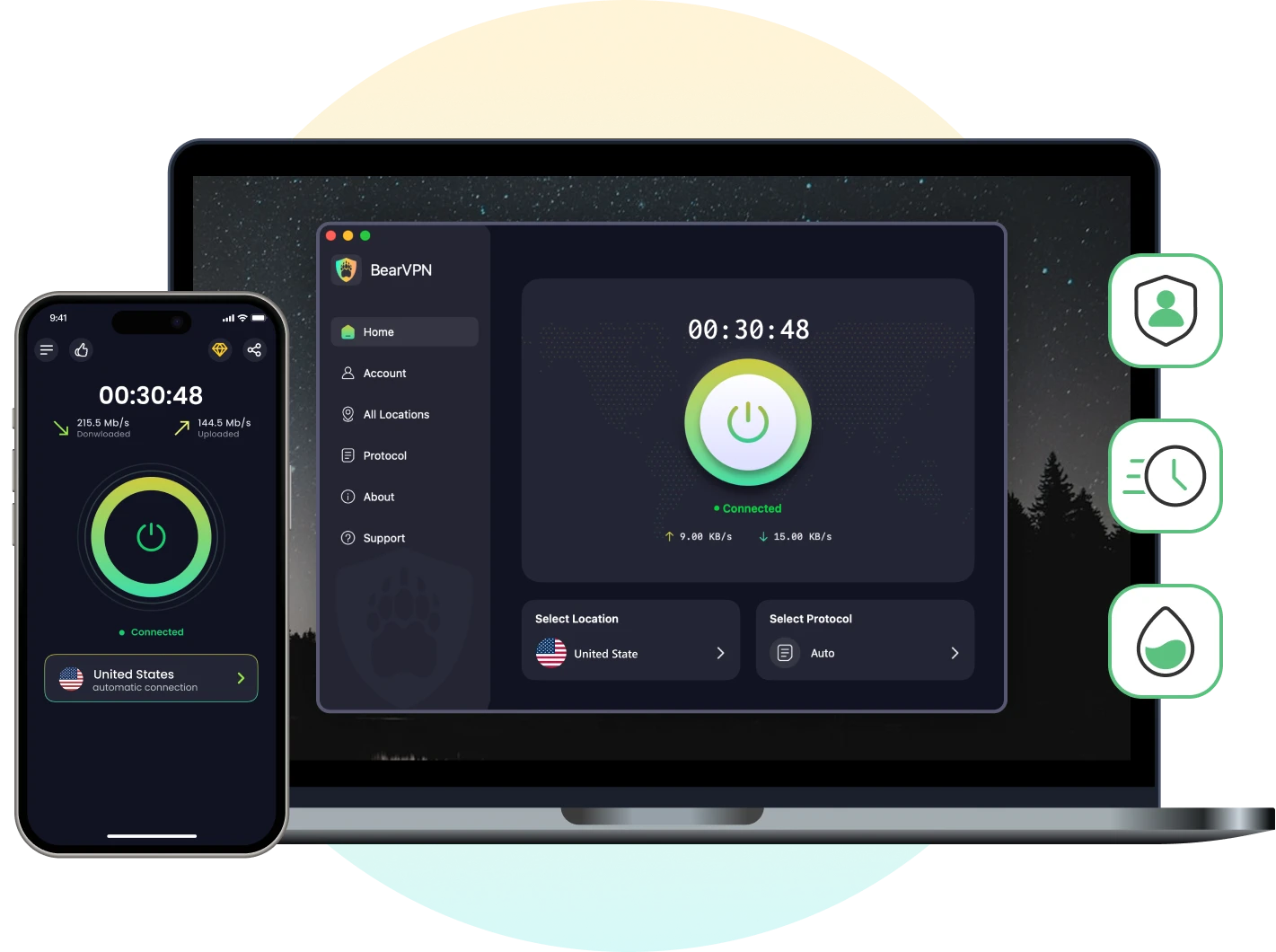
BearVPN offers a permanent free plan on Android and iOS. You can download the app and connect without creating an account, entering payment details, or accepting a monthly data cap.
The free mobile plan is supported by ads and provides a limited selection of automatically assigned server locations. BearVPN is also available on Windows and macOS, but full desktop access requires Premium.
This makes BearVPN a practical alternative for users who searched for a Hola crack because they want a simple, free VPN on their phone—not because they specifically need Hola Premium.
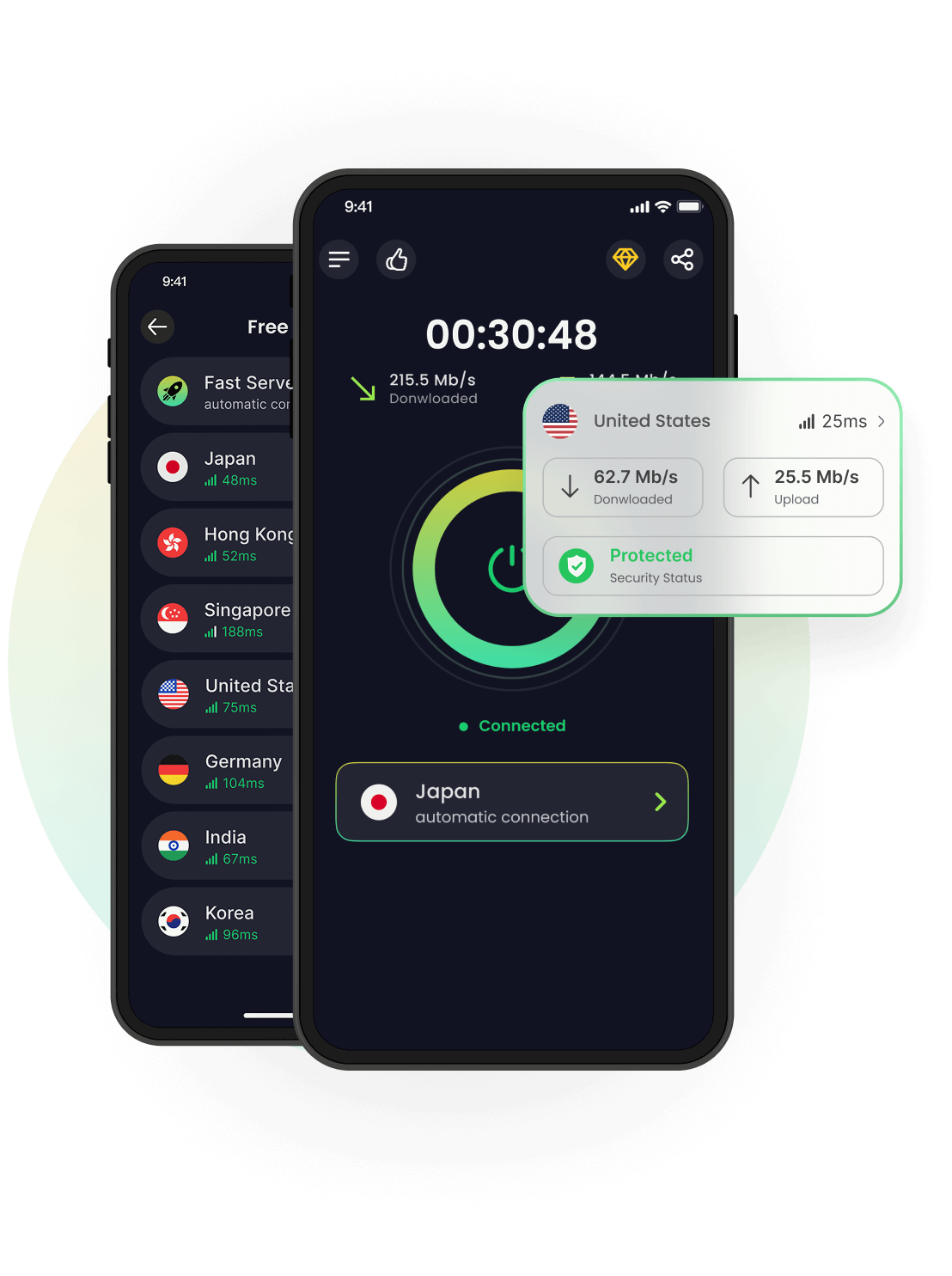
BearVPN is our own product. We recommend it here for its no-signup mobile plan, but Proton VPN or hide.me may be a better match if you need a permanently free desktop VPN.
Download BearVPN Free from the official app store
Pros:
- Permanent free plan on Android and iOS
- No account or credit card required
- Unlimited mobile data
- Encrypted VPN connection
- No-logs policy
- Official apps receive regular updates
Cons:
- Permanent free access is limited to mobile devices
- The free version is ad-supported
- Free users receive limited, automatically selected locations
2. Proton VPN Free — Best for Unlimited Desktop and Mobile Use
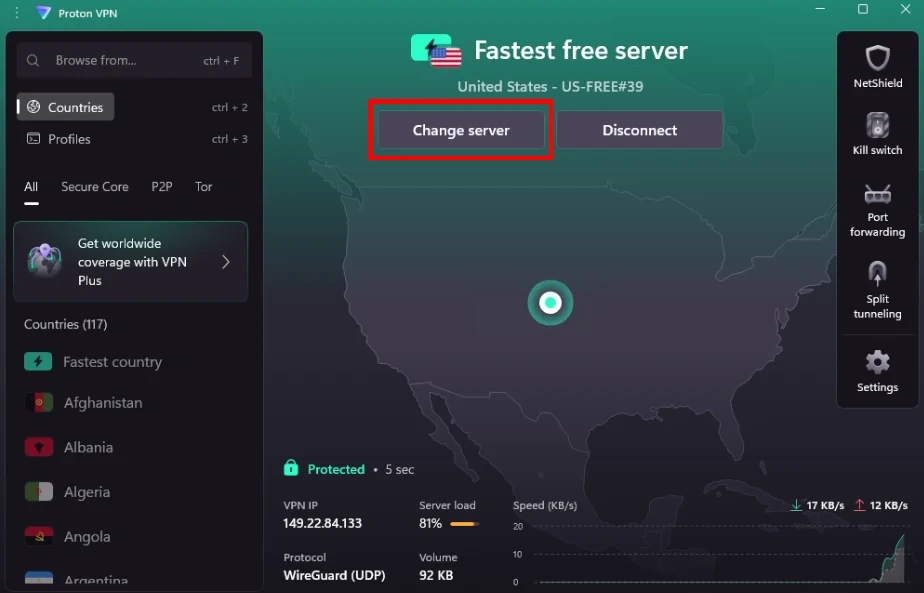
Proton VPN offers a permanent free plan for Windows, macOS, Linux, Android, iOS, and several other supported platforms. The free plan has no data or speed limit, does not display ads, and uses Proton VPN’s no-logs policy.
A free account is required, and the plan supports one connected device. Free users also receive a more limited server selection than paying subscribers, while P2P support, guaranteed streaming access, and several advanced features are reserved for paid plans.
Proton VPN is a stronger choice than BearVPN for someone who needs an ongoing free VPN on a desktop computer and does not mind creating an account.
Pros:
- No data or speed limit
- No advertisements
- Available on major desktop and mobile platforms
- Open-source applications
- Strict no-logs policy
- Kill switch available on supported apps
Cons:
- A free Proton account is required
- Limited to one connected device
- Free server selection is more restricted
- P2P and guaranteed streaming support require a paid plan
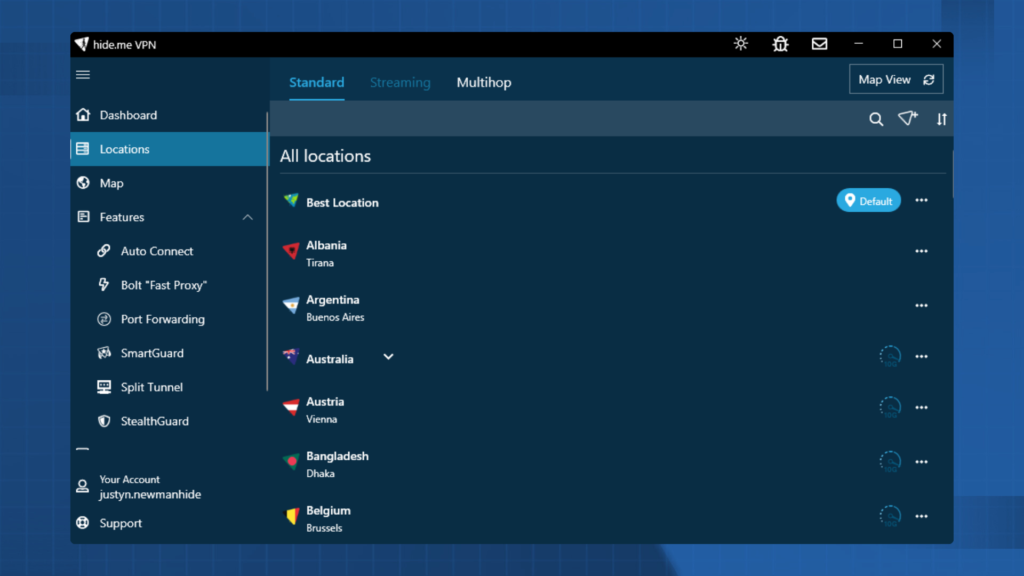
3. hide.me Free — Best for No-Signup Location Choice
hide.me offers a permanent free plan with unlimited data, no registration, and no advertisements. Free users can connect one device at a time and choose from eight server locations.
The main limitation is speed. hide.me states that free users do not receive unlimited speeds, and its streaming-optimized servers are reserved for Premium subscribers.
This makes hide.me suitable for users who want a no-signup option on desktop or mobile and prefer some manual location choice, but who can accept reduced performance.
Pros:
- No account registration required
- Unlimited data
- No advertisements
- Eight free server locations
- Available on major desktop and mobile platforms
- Same core encryption protection as the paid plan
Cons:
- Free speeds are restricted
- Only one device can connect at a time
- Streaming-optimized servers require Premium
- Most server locations are paid-only
Why Hola VPN Raises Security and Privacy Concerns
Choosing another VPN is not only about comparing speeds and server locations. Hola uses a community-powered model for some free products, and its current privacy policy permits the collection of several types of account, device, and usage information. These factors are worth understanding before installing either the official software or an unofficial crack.
When Can Your Device Be Used as a Peer?
Hola’s free service is partly supported by a peer-to-peer resource-sharing model. For participating products, a limited amount of idle network and device resources may be used to route traffic for other users or approved commercial customers.
However, this does not apply equally to every Hola product. Hola says its browser extensions, iOS app, and official Android app from Google Play are not part of the P2P network. Its FAQ also states that Premium subscribers are never used as peers.
For users who do participate, traffic routed through the device may use its residential IP address. This can make the connection appear to online services as if it originated from that IP, even though the device owner did not personally request the destination.
Hola says peer traffic is restricted and screened, but users should still decide whether they are comfortable allowing third-party traffic to use their network resources.
Hola’s current terms state that users of certain free products may participate as peers on the Bright Data network and can opt out by becoming Premium users. Bright Data was formerly known as Luminati and originated from Hola’s commercial proxy business, but it should not simply be described as Hola’s current wholly owned subsidiary.
The Security History You Should Know About
Hola has faced several documented security controversies, but the events need to be described with accurate dates and context.
In 2015, the relationship between Hola’s free peer network and its commercial Luminati proxy service drew widespread criticism. The controversy became public after traffic associated with the Luminati network was reportedly used in an attack against the 8chan imageboard.
This means the original account had the direction of the incident reversed: 8chan was reported as the target, not the party using Hola users’ connections to attack another service.
During the same period, security researchers disclosed vulnerabilities in Hola software, including remote-code-execution concerns. Hola said it released fixes and planned to improve its security processes, while the researchers disputed whether every reported issue had been fully resolved at that time.
A separate incident occurred in July 2018—not 2021. An attacker compromised Hola’s Chrome Web Store publisher account and temporarily replaced the legitimate extension with a modified version targeting MyEtherWallet users. Hola later restored the official version.
These events are valid parts of Hola’s security history. However, they do not by themselves prove that the same vulnerabilities remain in every current Hola product.
For users considering a crack, the practical lesson is that software distribution matters. An official security incident can be investigated, patched, and corrected through a known publisher and update channel. An unofficial cracked installer begins outside that trusted process and may not receive any verified security updates.
What Data Hola’s Current Privacy Policy Covers
Hola’s current privacy policy allows it to collect several types of account, device, and usage information. Depending on the product and features used, this may include an IP address, operating system, browser type, access dates and times, and information supplied when creating or linking an account.
For mobile users, Hola says it may collect the names of applications selected by the user to be unblocked. This should not be described as automatically collecting the contents of every app installed on the device.
The policy also states that Log Data obtained through the browser extension may include browsing history. Hola currently says it may retain Log Data for up to 12 months unless a longer period is required.
Hola says it does not sell Personal Information for money. However, its policy permits information to be processed or shared with service providers and affiliated parties for purposes including service delivery, analytics, security, fraud prevention, and legal compliance.
Paying for Premium means Hola says your device will not be used as a peer. However, the privacy policy does not state that all account information, technical diagnostics, analytics, or Log Data collection automatically stops for Premium subscribers.
A cracked client cannot change the data practices applied by Hola’s servers. It may also introduce additional collection by the unknown third party that modified the app.
The Real Cost of “Free” — Why Cracking Hola Solves Nothing
A cracked version of Hola Premium may create the appearance of an upgrade without providing a genuine Premium account. It might remove a local restriction or display an unlocked interface, but it cannot be assumed to provide authenticated access to Hola’s dedicated Premium infrastructure.
It also introduces a separate risk: the app has been modified by an unknown third party. That party may change how traffic is routed, add advertisements or tracking, request unnecessary permissions, or prevent the app from receiving official security updates.
A crack cannot rewrite the privacy practices applied by Hola’s servers, remove documented incidents from its history, or prove that your device is no longer participating in a free-product resource-sharing model. It only makes it harder to know which version you are using and who has access to its code.
You would be trying to solve a price problem by creating a new trust and security problem.
The simpler option is to use a legitimate free VPN with clearly stated limitations. A free plan may restrict servers, speeds, devices, or advanced features, but its publisher and update channel can still be verified.
What to Do If You Already Installed a Hola Crack
If you already installed a cracked Hola client, MOD APK, browser extension, or activation tool, stop using it until you have checked the device.
First, disconnect the VPN and uninstall every component that came with the unofficial download. This may include the main app, a separate patch, a browser extension, an unfamiliar VPN profile, or another program installed at the same time.
Next, run a security scan:
- On Windows, update Windows Security and run a Full scan. Use Microsoft Defender Offline if suspicious software returns after removal.
- On Android, run Google Play Protect and review apps installed outside Google Play.
- On macOS or iOS, install current system updates and check for unfamiliar VPN or device-management profiles.
Then inspect your VPN, proxy, DNS, browser-extension, and certificate settings. Remove only entries connected to the unofficial installer; do not delete settings managed by your employer, school, or network administrator.
After cleaning the device, change passwords you entered while the cracked app was installed. Prioritize your email, password manager, Apple, Google or Microsoft account, banking services, and work accounts. Enable multifactor authentication where available.
Finally, watch for unfamiliar login alerts, password-reset emails, forwarding rules, purchases, or proxy settings that return after removal.
Do not reinstall another version simply because a website calls it “clean,” “fixed,” or “latest.” Download VPN software only from the provider’s official website or a verified app store.
Summary
Searching for a Hola VPN crack is understandable: Premium access without a subscription may sound like a good deal. But modifying an app is not the same as creating an authenticated Premium account, and an unlocked interface does not prove that you are using Hola’s official Premium network.
Hola’s free products, Premium service, browser extensions, and mobile apps do not all work identically. Some free products may participate in a community-powered network, while Hola says Premium users and users of certain official apps are not used as peers.
An unofficial installer adds another unknown party to the connection without changing Hola’s server-side privacy practices. When cost is the main concern, use a legitimate free plan with published limitations instead.
BearVPN offers free mobile access without registration, Proton VPN provides unlimited cross-platform free use with an account, and hide.me provides a no-signup option with a small selection of free locations.
Download whichever service fits your needs from its official website or verified app store—not from a crack, MOD APK, or activation website.
Try BearVPN Free on Mobile
BearVPN’s permanent free plan is available on Android and iOS without an account or credit card. The plan is ad-supported and includes a limited selection of automatically assigned locations.
Download BearVPN only through its official website, Google Play, or the Apple App Store.
FAQ
The answer depends on which Hola product you use and what level of privacy you need.
Hola says its browser extensions, iOS app, and official Android app from Google Play are not part of its peer-to-peer network. It also states that Premium subscribers are never used as peers. However, resource sharing may apply to certain other free products.
Hola’s current privacy policy also permits the collection of IP addresses and other account, device, and usage information. Log Data from its browser extension may include browsing history.
Use only Hola’s official software and review the terms for your specific platform. An unofficial crack, MOD APK, or pre-activated installer should not be trusted for sensitive browsing because its code, publisher, and traffic routing cannot be verified.
The legal position depends on your country, how the file was created and distributed, and whether copyright protections or license restrictions were bypassed.
Cracked software commonly violates the publisher’s license terms and may infringe copyright. In the United States, the Copyright Office states that loading an unauthorized software copy onto a computer can constitute copyright infringement. Laws in other countries may differ.
This article is not legal advice. The safer option is to use Hola’s official free version, purchase a legitimate subscription, or choose another verified free VPN.
Hola’s current privacy policy says it does not sell Personal Information for money. However, this does not mean that the service collects no information.
Depending on the product, Hola may collect an IP address, account information, device and browser details, access dates and times, and other Log Data. Browser-extension Log Data may include browsing history, and Hola says Log Data may be retained for up to 12 months.
Certain free products may also allow idle device resources and the user’s residential IP address to participate in the Bright Data network. This resource-sharing arrangement is not the same as directly selling a database of personal information, but it remains an important part of Hola’s free-product model.
Premium users are not used as peers according to Hola, although its privacy policy does not state that every form of account, analytics, diagnostic, or Log Data collection stops for paid subscribers.
Yes. Several providers offer ongoing free plans with published limitations:
BearVPN offers unlimited free access on Android and iOS without requiring an account or credit card. Its mobile free plan is ad-supported and uses a limited selection of automatically assigned locations.
Proton VPN offers unlimited free data across major desktop and mobile platforms. It requires a free Proton account and supports one connected device.
hide.me offers unlimited free data without registration or advertisements. Free users can connect one device and choose from eight locations, but speeds are restricted.
These plans do not include every Premium feature, but their apps come from identifiable publishers and receive official updates.
Yes. BearVPN offers a permanent free plan for Android and iOS users.
The free mobile plan does not require an account, credit card, or paid subscription, and it has no traffic cap. It is supported by advertisements and provides a smaller selection of automatically assigned locations than BearVPN Premium.
BearVPN is also available on Windows and macOS, but the permanent free plan is currently limited to Android and iOS. Full desktop access and the complete server network require Premium.