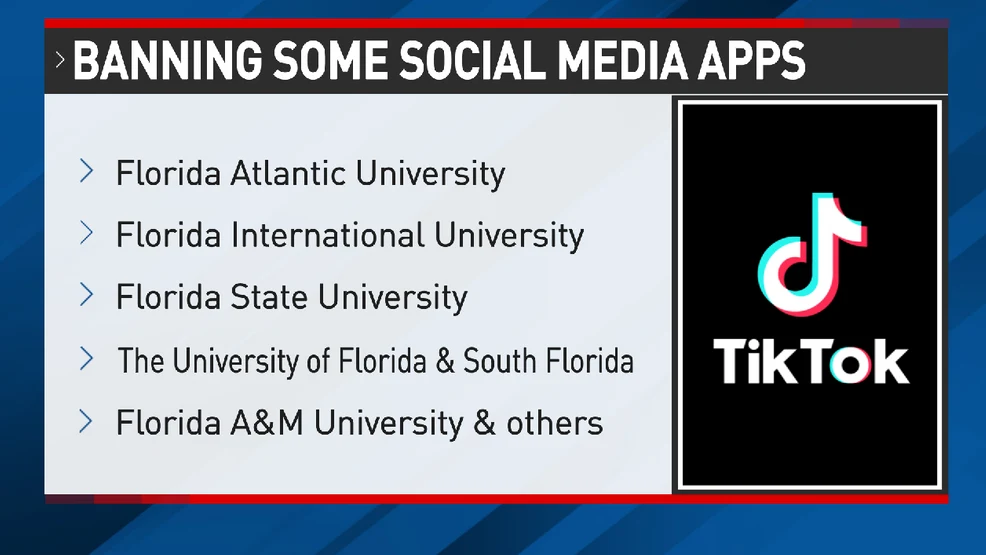
TikTok works perfectly on mobile data, but the moment you connect to school Wi-Fi, the feed stops refreshing, videos buffer, or the app refuses to open. In most cases, the problem is not your TikTok account—it is the school network filtering social media, blocking TikTok domains, or limiting video traffic.
The fastest fix depends on where the restriction is applied. This guide shows you how to identify the block, use BearVPN on a personal device, try safer alternatives, and recognize when a school-managed Chromebook cannot be changed without administrator access.
Why Is TikTok Blocked at School?
Schools usually block TikTok to reduce distractions, control bandwidth use, and enforce network or device policies.
The restriction may come from:
- Website or category filtering: TikTok is blocked as social media or streaming content.
- DNS or firewall rules: TikTok domains, connections, or app traffic cannot reach the service.
- Bandwidth limits: The app opens, but videos buffer, uploads fail, or the For You feed stops refreshing.
- Device management: A school-managed Chromebook or laptop may block TikTok, VPN apps, extensions, or network-setting changes.
The clearest sign of a network block is simple: TikTok works on mobile data but stops working after you connect to school Wi-Fi.
30-Second Check: Why Is TikTok Not Working?
Run these three tests before installing anything.
1. Compare School Wi-Fi and Mobile Data
Turn off Wi-Fi and open TikTok on mobile data.
- Mobile data works, but school Wi-Fi fails: The school network is blocking or throttling TikTok.
- Both connections fail: Check whether TikTok is down, update the app, and review your login or account status.
- TikTok opens but videos buffer only on Wi-Fi: The school network may be limiting video traffic.
When mobile data works but school Wi-Fi does not, BearVPN is the fastest way to test a different route on your personal device.
2. Compare the TikTok App and TikTok Web
Open TikTok in your browser, then compare it with the app.
- Web works, but the app fails: The network may be blocking app-specific traffic, or the app needs troubleshooting.
- The app works, but the website is blocked: A website filter may be blocking TikTok’s domain.
- Both fail only on school Wi-Fi: The restriction is probably network-wide.
3. Check Whether the Device Is Managed
On a Chromebook, select the time in the bottom-right corner and look for the managed-device icon or a “Managed by your organization” message.
- Personal device: You may be able to install BearVPN, use mobile data, or troubleshoot the app normally.
- School-managed device: The administrator may control websites, apps, extensions, VPN access, and network settings.
If TikTok works on your personal phone but not on a school Chromebook, the Chromebook may be restricted at the device level. BearVPN cannot remove administrator controls from school-owned hardware.
How to Get TikTok Unblocked at School
The right method depends on where TikTok is blocked.
If TikTok works on mobile data but fails on school Wi-Fi, use BearVPN on your personal device to replace the blocked network route. If you cannot install a VPN, mobile data, a personal hotspot, or TikTok Web may still work.
A school-managed Chromebook is different. Administrator controls can block apps, extensions, and VPN settings at the device level, so changing the internet connection may not remove the restriction.
Start with the method that matches your diagnosis instead of trying random proxy sites or browser extensions.
Method 1. Use BearVPN on Your Personal Device
If TikTok works on mobile data but stops loading on school Wi-Fi, BearVPN is the fastest fix to try on your personal phone, tablet, or laptop.
BearVPN encrypts your connection and sends TikTok traffic through a different route. This can get past network-level category filters, unreliable DNS, or throttled social-media traffic without relying on risky proxy websites.
How to Unblock TikTok with BearVPN
- Download BearVPN from the official website or app store.
- Connect to the recommended server or choose a nearby location.
- Fully close and reopen TikTok.
- Test the For You feed, video playback, login, and uploads.
Start with a nearby server because it will usually provide better video speed than a distant location. If TikTok still does not load, switch to one other nearby server and retry.
When TikTok begins working after BearVPN connects, you have confirmed that the school Wi-Fi route or filter was causing the problem.
- Fast servers suitable for short-form video.
- Smart server selection for a quick connection.
- Apps for Android, iOS, Windows, and macOS.
- Encryption that protects traffic on shared Wi-Fi.
- Kill Switch protection on supported platforms.

Connect to a nearby BearVPN server, reopen TikTok, and start watching.
BearVPN works best on a device you control. It cannot remove administrator restrictions or install permissions from a school-managed Chromebook.
Method 2. Switch to Mobile Data or a Personal Hotspot
Turn off school Wi-Fi and reopen TikTok using mobile data.
If the feed loads immediately, you have confirmed that the school network is causing the block. You can continue using mobile data or, when permitted, connect your personal laptop or tablet to your phone’s hotspot.
This method avoids the school Wi-Fi entirely, but video can use a large amount of mobile data. Check your plan before watching for long periods.
Do not connect a school-owned Chromebook to a personal hotspot when school rules or device policies prohibit it.
Method 3. Try TikTok Web
Open TikTok.com in an updated browser.
TikTok Web may work when the network blocks the mobile app’s traffic but still allows the website. Test:
- The For You feed.
- Video playback.
- Login.
- Comments and messages.
- Uploads, if you need them.
If TikTok Web works but the app does not, update the app, clear its cache, or reinstall it from the official app store.
If both the website and app fail only on school Wi-Fi, return to Method 1 and use BearVPN on your personal device.
Method 4. Fix the TikTok App or Connection
Not every loading problem is caused by a school block. Before trying more complicated methods:
- Update TikTok.
- Fully close and reopen the app.
- Restart your device.
- Toggle airplane mode on and off.
- Confirm that your date and time are set automatically.
- Clear TikTok’s cache where the option is available.
- Check whether TikTok is experiencing an outage.
Also confirm that TikTok works normally on another network.
If every device and network fails, the problem is more likely to be TikTok, your account, or the app itself. If only school Wi-Fi fails, use BearVPN or switch to an allowed personal connection.
Can You Unblock TikTok on a School Chromebook?
First, check whether the Chromebook is personal or managed by the school.
Select the time in the bottom-right corner. If you see a managed-device icon or “Managed by your organization,” the school controls at least some device settings.
Personal Chromebook
On a Chromebook you control, you can try:
- Connecting BearVPN, if your model supports the app.
- Opening TikTok.com in Chrome.
- Switching to an allowed personal hotspot.
- Updating Chrome and restarting the device.
If TikTok works outside school Wi-Fi, connect BearVPN to a nearby server and retry.
School-Managed Chromebook
A school administrator may block TikTok, VPN apps, extensions, and network-setting changes.
BearVPN can replace a blocked network route, but it cannot remove administrator policies from a managed Chromebook. In that case, the simplest option is to use your personal device on an allowed connection.
Common TikTok School Wi-Fi Errors
Avoid Free Proxy Sites and Unknown Extensions
Free “TikTok unblocked” proxy sites may look faster than installing a VPN, but they are a poor place to enter your TikTok login details.
Avoid any proxy, extension, or app that:
- Asks for your TikTok password directly.
- Requires unusual browser or device permissions.
- Opens repeated ads, redirects, or notification requests.
- Installs an unknown certificate or configuration profile.
- Claims it can remove administrator controls from a school Chromebook.
A random proxy may hide the blocked page, but it gives another operator access to your browsing connection. Unknown extensions can also monitor websites, modify pages, or interfere with TikTok sessions.
For the cleanest approach, use BearVPN on your personal device, switch to an allowed personal connection, or use TikTok Web when it remains available. Make the smallest change needed instead of installing several unverified tools.
Conclusion
Getting TikTok unblocked at school starts with one quick test: turn off Wi-Fi and try mobile data.
If TikTok works immediately, the school network is causing the block. On your personal device, connect BearVPN to a nearby server, reopen TikTok, and test the feed, videos, login, and uploads.
If you are using a school-managed Chromebook, switch to your own device instead of fighting administrator controls. Avoid random proxy sites and suspicious extensions.
BearVPN is the fastest, cleanest option for replacing a blocked school Wi-Fi route while keeping your TikTok connection protected.
FAQs
Yes. Some schools also restrict VPN traffic. Try one nearby BearVPN server, but remember that a VPN cannot remove administrator controls from a school-managed device.
The school network is probably blocking TikTok domains, filtering social-media traffic, or limiting video bandwidth. Connect BearVPN on your personal device to test a different route.
It may work on a personal Chromebook that allows VPN apps. If the Chromebook is managed by your school, the administrator may block VPN installations or network changes.
Unknown proxy sites may track browsing activity, inject ads, or expose login sessions. Do not enter your TikTok password into an unverified proxy page.
First, confirm that TikTok works on mobile data. Then reconnect to school Wi-Fi, connect BearVPN to a nearby server, and reopen TikTok. If the device is school-managed, use your personal phone or laptop instead.