Bumble is more than just a dating app; it’s a platform that empowers women to make the first move, whether in dating, friendship, or professional networking. Since its launch in 2014, Bumble has been shaking up the dating scene with its refreshing approach. But like many dating apps, including POF and Skout, some of its more exciting features—like changing your location—are locked behind a paywall. Here comes the question: how to change your location on Bumble without paying? What do you do if you want to swipe in a different city without shelling out for Bumble Premium? No worries—I’m here to guide you through the options, step by step.
You may also like:
Can You Change Your Location on Bumble for Free?
Yes, but how you do it depends on your device. Bumble relies on GPS data on mobile phones, not just your IP address.
- Easiest Method: Use Bumble on a desktop browser connected to a reliable VPN like BearVPN.
- Mobile Method (Android/iOS): Combine a GPS spoofing app with BearVPN to prevent Bumble from detecting a mismatch.
- Official Method: Snag a free trial of Bumble Premium to use Travel Mode.
Read on for the step-by-step guides for each method.
Method 1. Use a VPN on Bumble Web (Desktop)
If you want a hassle-free way to swipe in a new city without dealing with mobile GPS settings, using the desktop version of Bumble (Bumble Web) is your best bet.
Because desktop computers don’t have built-in GPS chips like smartphones do, Bumble Web relies entirely on your IP address to determine your location. A Bumble VPN masks your actual location by routing your internet connection through a server in a different city.
How to Do It:
- Download BearVPN on your device.
- Open the VPN and select a server in the city where you want to change your location.
- Once connected, open Bumble and start swiping in your new location!
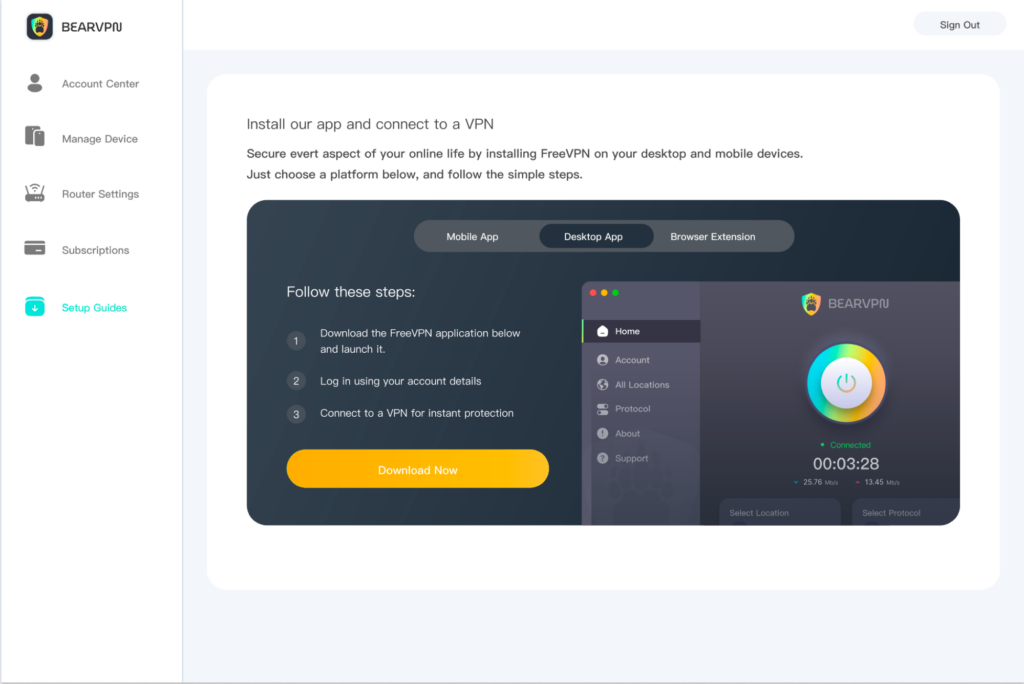
I’ve found that using a VPN is one of the most effective methods. It’s fast and reliable, giving you the freedom to explore different cities with just a few taps. I’ve used BearVPN, and it’s smooth sailing—it’s simple to use, and the connection is solid.
Pros and Cons:
- Pros: Extremely easy, fast, and highly reliable. BearVPN provides secure, encrypted connections, keeping your browsing activity private.
- Cons: Only works when swiping on a computer; it won’t change the location on your mobile app.
Method 2. Combine a GPS Spoofer with a VPN (Android)
If you are using the Bumble app on a mobile device, a VPN alone won’t work. The app pulls location data directly from your phone’s GPS. However, if you spoof your GPS without changing your IP address, Bumble’s security systems may detect the mismatch and temporarily shadowban your profile.
To safely fake your GPS on Bumble, you need to use a mock location app paired with BearVPN.
How to Do It (Android):
- Enable Developer Options: Go to your phone’s Settings > About > About Phone and tap “Build Number” seven times.
- Download a Spoofer: Download a “Fake GPS” app from the Google Play Store.
- Set the App: Go back to Settings > Developer Options > Select Mock Location App and choose the Fake GPS app you downloaded.
- Connect to BearVPN: Open BearVPN and connect to a server in your desired target city.
- Set the Fake GPS: Open your Fake GPS app and drop the pin in the exact same city you selected in BearVPN.
- Open Bumble: Open the app and start swiping in your new location!
Spoofing GPS on iOS is much more difficult and usually requires a desktop program like 3uTools or a jailbroken device.
Pros and Cons:
- Pros: Allows you to change your location directly within the mobile app.
- Cons: Requires a few technical setup steps. You must ensure BearVPN is always on to prevent Bumble from detecting your real IP address.
Method 3. Catch a Bumble Travel Mode Free Trial
Bumble Travel Mode is the official, paid feature that lets you drop a pin anywhere in the world for seven days. When you use Travel Mode, Bumble places an airplane icon on your profile so other users know you are visiting.
Occasionally, Bumble offers free trials for its Premium tier. If you can catch one, you can use Travel Mode for free.
How to Do It:
- Keep an eye out for promotional emails or in-app pop-ups offering a free trial of Bumble Premium.
- Activate the free trial.
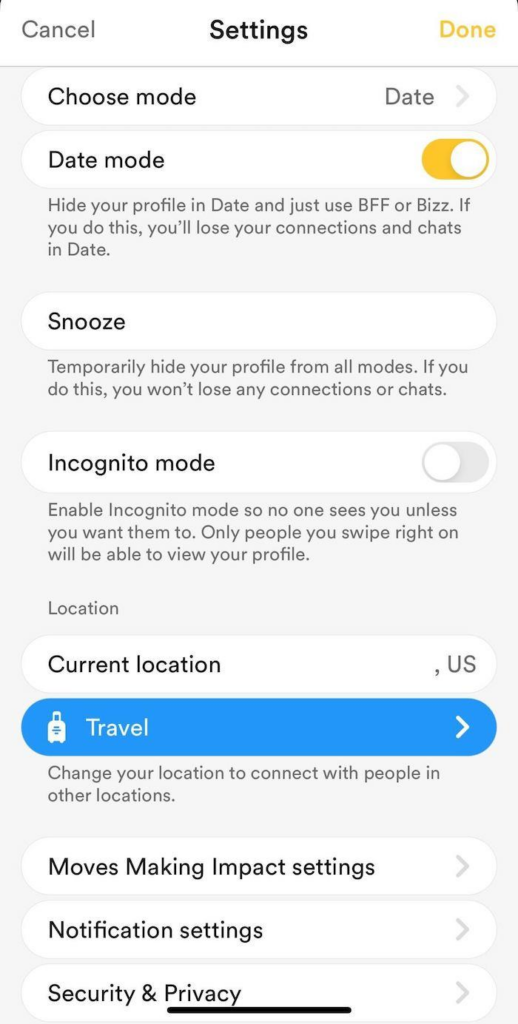
- Go to Settings > Location> Travel to… and search for the city you want to appear in.
Pros and Cons:
- Pros: 100% safe, easy to use, and unlocks all other Premium features (like seeing who liked you).
- Cons: Free trials are rare. You must remember to cancel the subscription before the trial ends, or your card will be charged.
Method 4. The Last Resort: Ask Bumble Support for a Change
Have you genuinely moved to a new city, but Bumble is stuck on your old location? Sometimes the app glitches and refuses to update, even with location services turned on. In this scenario, you can ask Bumble to manually update it for you.
How to Do It:
- Open the Bumble app and go to your profile.
- Tap the Gear icon (Settings), then scroll down to Contact & FAQ.
- Select Contact Us and choose Report a Technical Issue.
- Explain that you have moved, but your location won’t update, and ask them to manually adjust it to your new city.
Pros and Cons:
- Pros: A legitimate way to fix a stuck location.
- Cons: Only useful if you have actually moved; support won’t change your location just so you can browse another city.
Bumble Premium vs. The Free VPN Method
Conclusion
Changing your location on Bumble without paying for Premium is entirely doable. If you want the fastest, easiest solution, load up Bumble Web on your desktop and connect through BearVPN. If you prefer swiping on your phone, pairing BearVPN with a GPS spoofer is a highly effective way to explore new dating scenes without the premium price tag. Take control of your Bumble experience and see what matches await!
Frequently Asked Questions (FAQ)
Bumble only tracks your location when the app is running in the background if your phone’s location permissions are set to “Always Allow.” If it is set to “While Using the App,” it only updates when you open Bumble.
If you are using a GPS spoofer and your location reverts, it usually means your phone’s real GPS momentarily overrode the fake app, or Bumble detected an IP mismatch. Make sure BearVPN is actively running in the background to mask your IP.
You can use Bumble Travel Mode for free by claiming a Bumble Premium free trial offer when available, which unlocks full access to Travel Mode without any cost.
Yes. On desktop, connect a VPN before opening Bumble Web. On mobile devices, pair a GPS spoofing app with a VPN to safely trick Bumble’s location tracking.
While Bumble discourages location spoofing, they generally do not ban users purely for it unless it is linked to spam or scam behavior. However, if they detect a sudden, impossible jump in location, they may temporarily restrict your swiping. Always close the app completely before changing your location with a VPN.