You queue up, your friends are ready — and then it hits you: they’re on NA servers, you’re locked to AP. No invite button. No way in.
Here’s the thing about Valorant’s region system: it’s not a setting you can flip. Your account gets tied to a region the moment you register, based on your IP address at sign-up. Move countries, get a new ISP, or simply realize you picked the wrong shard — none of that changes anything automatically.
There are two ways to fix this. One is the official Riot route: submit a region transfer request, keep your skins and agents, but lose your competitive rank, match history, and purchase records — permanently. The other is creating a fresh account through a VPN, which gets you into any region in minutes but starts you from zero.
This guide covers both methods step by step, including what you’ll actually lose before you commit, and what to do when the VPN method doesn’t detect the right region during signup.
Why Is Valorant Region Locked
When you created your Riot account, Valorant read your IP address and assigned you to one of three layers it uses to manage global play.
The first is your Region of Residence, the country Riot officially recognizes as your home. This controls your store currency, legal agreements, and which Game Shard you land on. The second layer is your Game Shard: NA, EU, AP, KR, BR, or LATAM. Players on different shards exist in completely separate matchmaking pools; an EU player and an NA player cannot queue together, full stop. The third layer is your individual server selection within a shard (Frankfurt vs. London for EU, for example) — this you can adjust in-game for better ping, but it won’t help you cross into another shard.
What trips people up: switching servers inside the game’s pre-match menu does nothing to change your shard. You’re still in the EU whether you pick Frankfurt or Warsaw. To actually change region, meaning access a different shard, you need either an official Riot transfer or a new account created through a VPN.
Riot locks this down for two reasons: to keep ping low for competitive integrity, and to comply with country-specific laws around game content and payment. Neither of those goes away just because you’d prefer to play elsewhere.
How to Change Region in Valorant with a VPN
This is the faster option. You’ll have a new regional account ready in under 10 minutes, and your main account stays completely untouched. The trade-off: you start from zero on the new account — no skins, no agents beyond the starter set, no rank. This method is best for playing casually with friends in another region, not for replacing your main.
Why Use BearVPN?
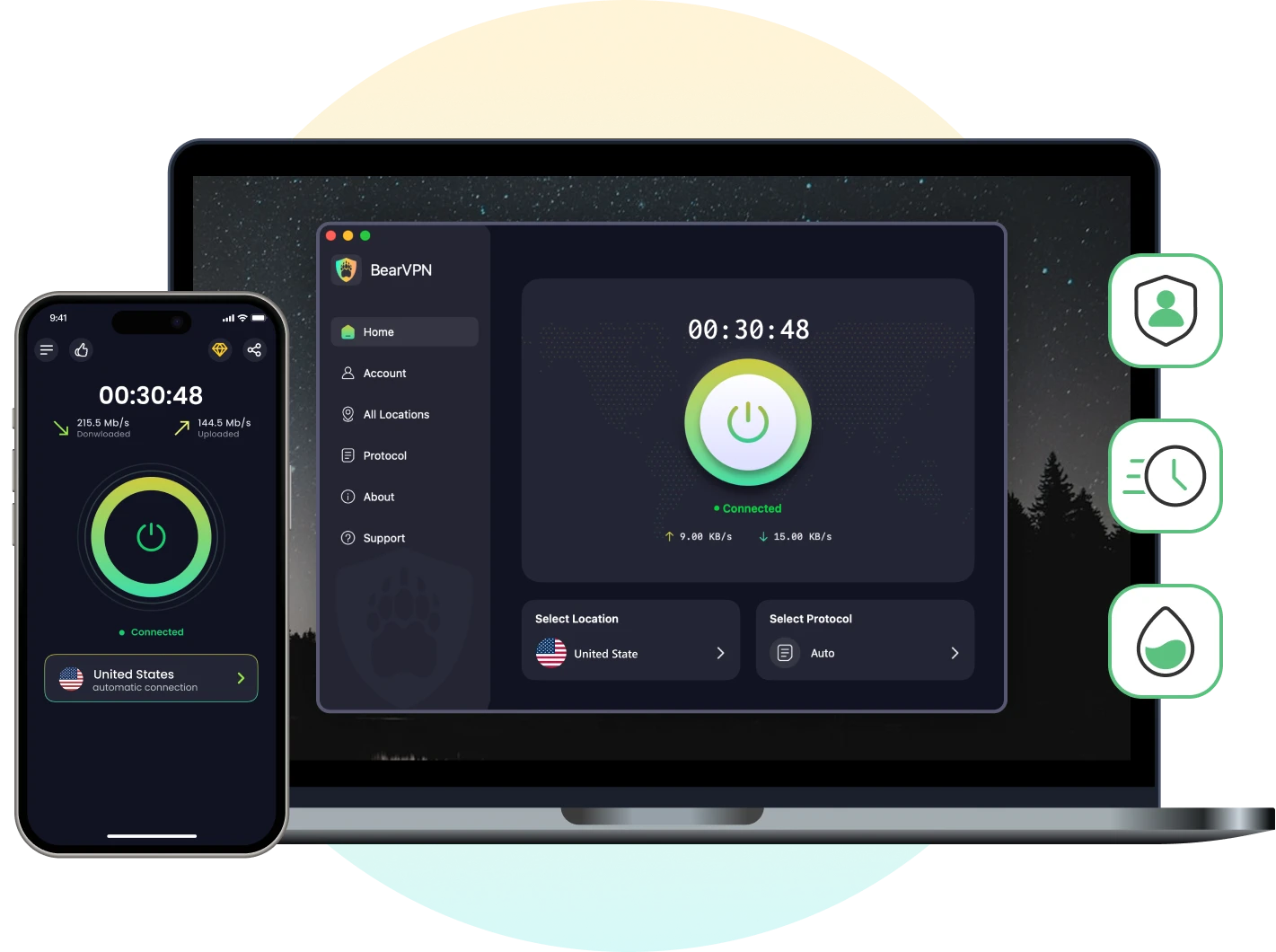
To get started, you’ll need a reliable VPN, and we recommend BearVPN. It’s a free yet dependable option that offers servers in various locations, including the United States, Korea, Turkey, and the UK. BearVPN also includes features like split tunneling, a kill switch, and double VPN for enhanced security and flexibility.
BearVPN connects you to servers in the US, EU, Asia, and beyond, so you can create a regional account or reduce cross-region ping in minutes.
Steps to Create a New Valorant Account:
Step 1: Get BearVPN and connect to your target region
Download BearVPN and install it on your PC. Open the app, search for a server in the region you want to play in — if you’re targeting NA, pick a US city like Los Angeles or New York; for EU, try Frankfurt or London; for AP, Singapore or Tokyo work well.
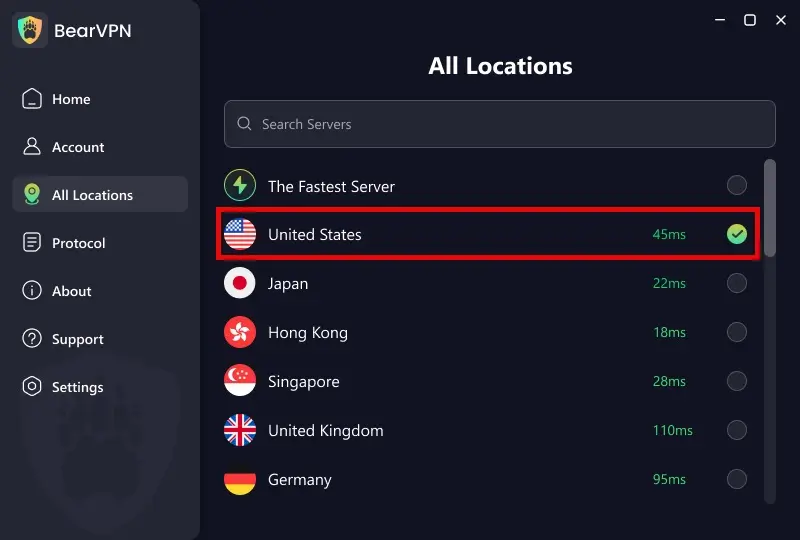
Connect and wait for the green “Connected” confirmation before doing anything else.
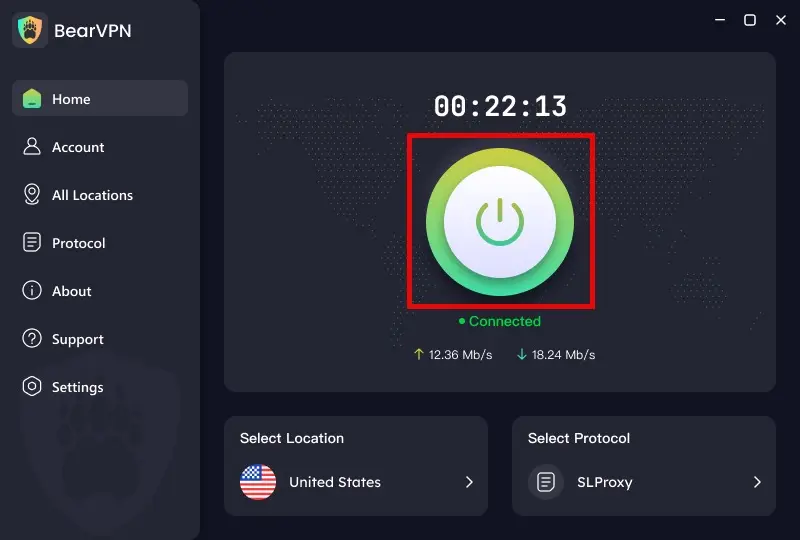
If BearVPN’s standard connection gets flagged, switch to obfuscated mode in Settings — this disguises your traffic as regular HTTPS and is significantly harder for Riot’s detection to block.
Step 2: Open an incognito browser window
This is not optional. Your regular browser has cached location data that can override your VPN and cause Riot’s signup page to detect your real country instead of the one you connected to. Open Chrome or Firefox in incognito/private mode before going to the Riot registration page.
Step 3: Create a new Riot account
Go to playvalorant.com and click Play Free → Create Account. Before you fill in anything else, check the country dropdown at the top of the form. It should show your target region: United States, Germany, Japan, etc. If it still shows your home country, stop. Switch to a different BearVPN server in the same region, reload the page, and check again.
Once the country field shows the correct location, complete the registration normally. That country selection is what permanently locks this account to its Game Shard — you can’t change it after submitting.
💡 Critical: Before clicking submit, confirm the country dropdown on Riot’s signup page shows your target region — not your home country. If it still shows the wrong location, switch to a different VPN server and reload the page in incognito mode.
Step 4: Download Valorant and start playing
Log into the Valorant client with your new account. Your region is now set. You don’t need to keep BearVPN running during gameplay — though keeping it on routes your traffic through a closer server, which can meaningfully reduce ping on cross-region play. For AP-to-NA connections in particular, a VPN routing through a mid-point server can cut 20–40ms off your baseline latency.
How to Change Region in Valorant Without a VPN
Before You Start: What the Official Transfer Actually Costs You
This method is designed for players who have permanently relocated to another country. What’s worse: most guides skip what happens to your account data. Here’s the full picture before you submit anything.
What you KEEP after a standard transfer:
- All weapon skins and cosmetics
- Unlocked agents and contract progress
- VP and Radianite balance
- Account level and hidden MMR
- Current Battle Pass progress
What you LOSE permanently (non-Americas transfers):
- Competitive rank and ranked history
- All match history — erased, no recovery
- Purchase history (store transaction records)
One more thing: after transferring, you cannot request another region change for 90 days. If you transfer impulsively and want to go back, you’re locked out. Only use this method if you’ve genuinely moved.
Steps to Change Your Valorant Region Officially:
1. Visit the Riot region transfer page
Go to support-valorant.riotgames.com and log in with your Riot account. The system will detect your current location and check transfer eligibility automatically. If you’re eligible, an instant transfer option will appear — this takes 2–5 minutes.
2. If the automated tool fails, submit a manual ticket
Go to Valorant Support → Submit a Ticket → Account Management → “Need help changing Region of Residence.” Response time is typically 3–7 business days. Include: your Riot ID and tagline, current region, target region, and a clear explanation that you have permanently relocated.
3. Be ready to verify your new location
Riot may ask you to log in from your new country consistently for 2+ weeks, or provide proof of residency (utility bill, rental agreement) before approving the transfer. This is not optional — accounts that can’t demonstrate a genuine move are regularly declined.
4. Wait for confirmation
Once approved, your Region of Residence updates and you’re placed into the new Game Shard. Your skins and agents will be there. Your rank won’t.
90-Day Lockout: After your region transfers, you cannot request another change for 90 days. If you change your mind, you’re stuck until the cooldown expires.
What Are the Best Servers to Play Valorant
Valorant offers six regional servers: North America (NA), Latin America (LATAM), Brazil (BR), Europe (EU), Korea (KR), and Asia Pacific (AP). To ensure the best gaming experience, it’s recommended to choose a server close to your location for lower latency and smoother gameplay.
Best Servers by Region:
Asia: Players in Asia will find the best experience on servers located in Tokyo or Singapore, offering low ping and reliable connections.
Europe: For European players, top server choices include Frankfurt, Warsaw, and London. If you’re fluent in French, the Paris server is an excellent option.
Selecting the right server not only improves your connection but also ensures a more enjoyable gaming experience.
How to Lower High Ping When Playing in Different Regions?
High ping can be frustrating, especially when you’re trying to enjoy smooth gameplay in different regions. Here are some effective solutions to help you reduce ping and enhance your Valorant experience:
1. Restart Your Router and Device:
A simple restart can often fix network issues and refresh your connection, potentially lowering your ping.
2. Use a VPN:
Sometimes, your Internet Service Provider (ISP) might throttle your connection, especially for gaming. A reliable gaming VPN can bypass these restrictions and optimize your routing, leading to a more stable connection.
3. Shut Down Background Programs:
Close unnecessary programs or apps running in the background, as they can consume bandwidth and increase latency.
4. Connect to a Different Server:
If you’re experiencing high ping on a specific server, try switching to another nearby server for better performance.
5. Use an Ethernet Cable Instead of Wi-Fi:
A wired connection is generally more stable and faster than Wi-Fi, reducing lag and ensuring consistent gameplay.
6. Optimize Your Network Settings:
Adjust your in-game settings to prioritize network performance and ensure you’re not overloading your connection with high-quality graphics or other resource-heavy features.
By following these steps, you can significantly lower your ping and enjoy a smoother gaming experience, even when playing in different regions.
Conclusion
Changing your region in Valorant can open up opportunities to play with international friends and explore different servers. Whether you use a VPN to bypass region locks or contact Riot Games to update your region officially, these methods can help you connect with players from around the world.
FAQ
Yes, if you use the official Riot region transfer, your weapon skins, unlocked agents, VP balance, and account level all carry over to the new region. What you will lose permanently are your competitive rank, match history, and purchase records. The one exception is transfers within the Americas region (NA ↔ LATAM ↔ BR), where all data including rank is preserved. If keeping your rank matters more than playing in a new region, the VPN + new account method is the safer choice, your main account stays completely untouched.
Riot Games does not explicitly ban players for using a VPN, and creating a new account in a different region via VPN is widely practiced in the Valorant community. The actual risk is connection blocks — Riot actively flags high-traffic VPN IP ranges, which can cause login or launcher errors. Using a VPN with obfuscation (like BearVPN) makes your connection look like regular traffic and significantly reduces the chance of being flagged. What will get your account actioned is using a VPN for cheating, smurfing with intent to disrupt matchmaking, or any behavior that violates Riot’s Terms of Service — not the VPN itself.
If the automated transfer tool detects your new location and approves you instantly, the process takes 2–5 minutes. If the automated system can’t verify your location, which happens when you haven’t been consistently logging in from the new country, you’ll need to submit a manual support ticket. Manual reviews typically take 3–7 business days, and Riot may ask you to log in from your new location for 2+ weeks, or provide proof of residency such as a utility bill or rental agreement, before the transfer is approved.
Not directly. Valorant’s Game Shards are completely separate matchmaking pools, and there’s no in-game option to cross into another shard on your existing account. The only way to play with friends in a different region without a VPN is to submit an official Riot region transfer, which permanently moves your account to their shard. If you want to keep your main account in your home region and occasionally play with overseas friends, the cleaner solution is creating a second account using a VPN connected to your friends’ region, your main account stays untouched and you can switch between them freely.