Quick Check: What Is Blocking FNAF?
Start by separating a Wi-Fi block from a managed-device restriction:
- Try a trusted browser game or an official version on your own device.
- If the site works elsewhere but not on school Wi-Fi, try BearVPN on a device where VPN use is permitted.
- If the device blocks installation or is controlled by school management software, a VPN will not remove those restrictions.
Ever found yourself in class, daydreaming of a thrilling escape, only to hit a digital wall when you tried to load up your favorite game? That’s where FNAF unblocked at school comes in—your secret passage to spooky fun during downtime at an educational institution or even work.
But what is FNAF unblocked? Simply put, these are versions of the incredibly popular Five Nights at Freddy’s games that have been made accessible on networks where typical gaming sites are usually restricted. School and office networks often employ content filters and firewalls to block entertainment content. Luckily, resourceful gamers like you have found clever ways around these digital barriers.
In this comprehensive guide, we’ll walk you through everything you need to know: from understanding how these school network restrictions are bypassed, to discovering reliable ways to access Five Nights at Freddy’s unblocked, and even tips for making it through the night without losing your cool.
You may also like: Best game unblocked sites 2026
Best FNAF Unblocked Game Sites (Still Working)
These pages are created by third parties, even when they use a familiar domain such as Google Sites or GitHub Pages. Play only in the browser. Do not install an .exe file, browser extension, or “Flash Player,” and never enter a school, Google, Steam, or other important account password. Leave immediately if a page forces notifications, repeated redirects, or a suspicious download.
1. The Google Sites Hack (Most Reliable)
Because schools rely heavily on Google Classroom and Google Docs, they rarely block the entire sites.google.com domain. Gamers use this loophole to host HTML5 versions of the game.
- How to find it: Go to Google and type FNAF unblocked site: sites.google.com into the search bar. This forces Google to only show you game portals hosted on Google’s unblocked servers.
2. Unblocked Games 76, 66, and 911
These are the most famous unblocked gaming portals on the internet. Because they constantly change their domain endings to avoid filters, you need to search for them directly.
- What to search: Look for “Unblocked games 76 FNAF” or “FNAF unblocked 66.”
- Why it works: These portals host HTML5 versions of the game, meaning you can play FNAF unblocked at school with no download required.
3. GitHub Pages
Similar to Google Sites, many schools don’t block the github.io domain. Search for FNAF unblocked github.io to find community-hosted versions of the game.
How We Curate This List
Finding truly working FNAF unblocked sites can be a challenge, as school network restrictions are constantly updated. Our team regularly tests and verifies these types of platforms to ensure they can bypass common school firewalls. Our criteria for inclusion prioritize:
- Reliability: Sites with consistent uptime and a history of working for Five Nights at Freddy’s unblocked.
- Safety: Prioritizing platforms with minimal intrusive ads and no known malware.
- Performance: Sites that load quickly and run the games smoothly.
- Variety: Those offering multiple FNAF versions where possible.
How to Unblock FNAF Games at School
If direct links aren’t working, it’s time to level up your approach. These methods offer more robust ways to get FNAF unblocked on almost any network.
Method 1. Using a VPN for Geo-Blocks & Speed (The Anti-Ban Shield)
A Virtual Private Network (VPN) encrypts your internet traffic and routes it through a server in another location. This makes your online activity private and can trick your school’s network into thinking you’re somewhere else, bypassing both school network restrictions and geo-blocks.
For a highly recommended and completely free option, BearVPN is a standout choice for Android, iOS, Windows, and macOS. BearVPN offers no data limits, a simple one-tap connection, and robust privacy features like a Kill Switch and no-logs policy, making it a potentially great choice for free unblocked FNAF.
- Encrypt traffic on school or shared Wi-Fi.
- Try a nearby server when the network blocks a FNAF site.
- Use it on a personal or permitted device—not to remove admin controls.
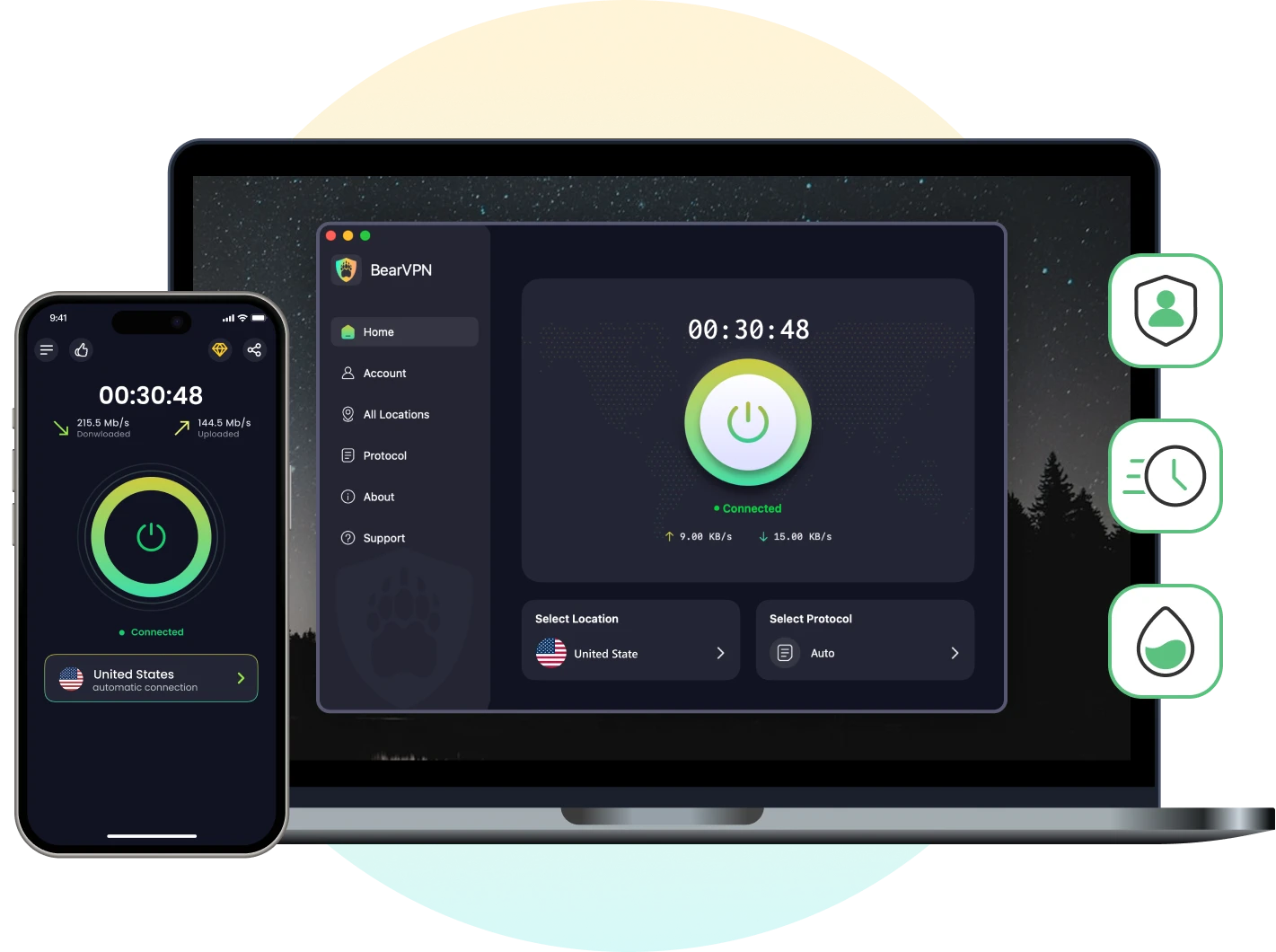
Steps to use a VPN (with BearVPN as an example):
Step 1. Install BearVPN on your personal Windows, macOS, iOS, or Android device. On a Chromebook, use the Android app only when Google Play and app installation are permitted.
Step 2. Open BearVPN and connect to a nearby server for a shorter, more stable route.
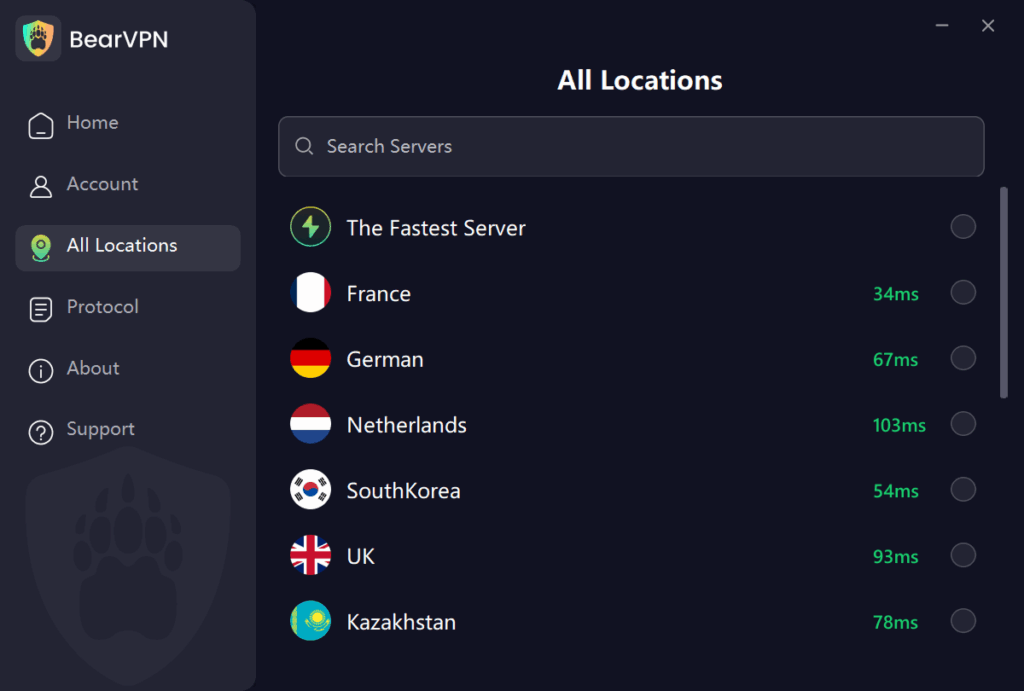
Step 3. Open your browser and try the FNAF page again. If it remains blocked, the site may be unavailable, the network may block VPN traffic, or the device may be controlled by an administrator.
Important Heads-Up: While VPNs are powerful, some advanced school networks can detect VPN usage. Always be mindful of your school’s Acceptable Use Policy (AUP). Using a VPN for non-educational purposes might violate these policies and could lead to consequences.
Method 2. Use an Online Virtual Desktop (OnWorks Guide)
An online virtual desktop runs a remote operating environment inside your browser. Services such as OnWorks may let you open a browser in that remote environment, although performance, availability, and school network rules still apply. This is not the same as a Node Unblocker.
Here’s how to do it using a popular platform like OnWorks:
- Visit https://www.onworks.net: Ensure you are accessing the legitimate site.
- Navigate to Free Access: Look for options such as “Pricing” or “Run Online,” and choose a free virtual desktop environment. Ubuntu is a common and reliable choice.
- Launch the System: Select your preferred operating system (e.g., Ubuntu 20.04 LTS) and click “Run Online,” then “Start.” You may need to press Enter to boot the virtual machine.
- Open Browser within VM: Once the virtual desktop loads, open the web browser within that virtual environment.
- Search & Play: In the virtual browser, type in “FNAF unblocked games” or “play Five Nights at Freddy’s unblocked” and hit Enter! You’re now browsing from within a system that’s likely not subject to your school’s direct network filters.
Bonus Tools & Considerations
- Proxy Servers: These act as intermediaries, routing your web traffic through another server. While simpler than VPNs, they often offer less security and can be slower. Many unblocked FNAF sites use proxy technology.
- Tor Browser: Provides extreme anonymity by routing your traffic through multiple relays, but it’s typically very slow and not ideal for real-time gaming.
- DNS Changes: For more tech-savvy users, changing your device’s DNS settings to a public DNS server (like Google DNS or Cloudflare DNS) can sometimes bypass basic DNS-based blocks, though it’s less effective against comprehensive firewalls.
How to Play FNAF on Chromebook & Mobile
The accessibility of FNAF unblocked games can vary significantly by the device you’re using.
Playing FNAF Unblocked on Chromebooks
Chromebooks are the standard issue for most schools, which makes playing games tricky because you cannot download .exe files or install unauthorized apps.
To play FNAF unblocked on a Chromebook, you must rely on browser-based HTML5 games. Flash is completely dead, so do not bother with sites asking you to enable a Flash player.
Chromebook Pro-Tip: If Google Play and VPN apps are permitted on your Chromebook, you can install the Android version of BearVPN to protect browser traffic and try a different network route. BearVPN cannot remove administrator restrictions or override device-management software.
Playing FNAF on Phones & Tablets
While official FNAF mobile games exist, unblocked browser versions are generally less optimized for mobile screens. You might find some FNAF games unblocked designed for mobile, but the desktop experience is usually superior for these types of horror titles. For tablets and iPads, browser-based methods (VPN, Node Unblocker) are often the most effective.
What is FNAF Gameplay Like
So what makes the FNAF game unblocked at school so terrifyingly addictive? Five Nights at Freddy’s is a point-and-click survival horror game where you play as a night security guard at Freddy Fazbear’s Pizza, trying to survive until 6 AM for five nights.
Here’s what keeps players on the edge of their seats:
- Security Cameras: Your primary tool for tracking the creepy animatronics like Freddy Fazbear, Bonnie, Chica, and Foxy as they roam the pizzeria.
- Doors & Flashlights: (Depending on the version) Your limited defenses to keep the animatronics out of your office.
- Ticking Power Limit: A critical element that forces strategic management of your power usage for cameras, lights, and doors. Run out, and you’re truly vulnerable.
- Iconic Jumpscares: Fast, loud, and always unexpected, these are the game’s signature moments that guarantee a fright.
- Dark Backstory: The chilling lore, including mysteries like The Bite of ’87 and the tragic history of Fazbear Entertainment, adds layers of psychological horror.
The Expanding FNAF Universe: Characters & Game Versions
Since its debut in 2014, the FNAF series has exploded into a full-blown multimedia franchise. Understanding its various iterations can help you find your preferred Five Nights at Freddy’s unblocked experience.
Meet the Main Animatronics
The core cast of nightmare fuel includes:
- Freddy Fazbear: The titular mascot, a brown bear, often the last to move.
- Bonnie: A purple bunny, known for often being the first to move.
- Chica: A yellow chicken, notorious for lurking in the kitchen.
- Foxy: A red pirate fox, infamous for his dash down Pirate Cove.
Beyond the Originals: Key Characters and Their Stories
As the series progressed, many other chilling animatronics and characters were introduced, each with unique abilities and backstories:
- Golden Freddy
- Balloon Boy
- Mangle
- Springtrap
- Circus Baby
- Glamrock Freddy, Roxanne Wolf, Montgomery Gator, and Chica (from Security Breach)
A Guide to the FNAF Series: From FNAF 1 to Secret of the Mimic Unblocked
The main series, alongside spin-offs and new releases, offers diverse scares. While not every game is easily found FNAF free games unblocked, many classic browser versions exist:
- FNAF 1 Unblocked: The original classic, focusing on power management and strategic door usage. Widely available on unblocked game portals.
- FNAF 2 Unblocked: Introduces new animatronics, no doors, and a music box to wind. Look for “FNAF 2 unblocked at school” on various sites.
- FNAF 3 Unblocked: Shifts to a single animatronic, Springtrap, with phantom animatronics causing distractions. Often found in browser versions.
- FNAF 4 Unblocked: Ditching cameras for sound cues, set in a child’s bedroom. Less common as a direct unblocked browser game, but methods like Node Unblockers can help.
- FNAF: Sister Location Unblocked: Introduces new mechanics like controlled shocks and moving between areas. Browser versions are less common than FNAF 1-3.
- FNAF 6 Unblocked (Pizzeria Simulator): A management sim combined with the classic night shifts. Searching “FNAF 6 unblocked at school” may yield some browser-based versions.
- FNAF: Help Wanted (and Help Wanted 2) Unblocked: VR-focused, but non-VR ports exist (e.g., Help Wanted 2 non-VR for PS5 released June 20, 2024). Finding these fully unblocked in browser form is very rare; a Node Unblocker or VPN might be your best bet if they have PC ports available.
- FNAF: Security Breach Unblocked: A free-roam survival horror. Due to its size and graphics, direct browser versions for FNAF Security Breach unblocked are virtually non-existent. You’d typically need to find it on a cloud gaming service through a VPN.
- FNAF World: An RPG spin-off. More commonly found as a downloadable or easily unblocked browser game due to its different genre.
- FNAF: Secret of the Mimic: The latest installment, released June 13, 2025, for PlayStation 5 and Windows. As a new, high-fidelity title, finding FNAF Secret of the Mimic unblocked directly in browsers will be extremely difficult.
FNAF AR: Special Delivery’s servers were shut down on March 14, 2024.
Other Unblocked Horror Games Like FNAF
Survived five nights and still itching for more thrills? If you’re loving the horror-survival vibe of FNAF Unblocked, here are some other scary unblocked games for school that might just keep your heart racing:
- Slendrina Unblocked: Face off against the terrifying ghost of Slendrina as you navigate creepy rooms and try not to scream out loud in class.
- Eyes: The Horror Game: Explore a haunted mansion, collect scattered bags of loot, and dodge floating ghost heads. It’s as freaky as it sounds.
- Backrooms Unblocked: Get lost (and possibly go mad) in a maze of liminal spaces. It’s a different kind of horror—slow-burn, atmospheric, and deeply unsettling.
- Zombie Hunter Unblocked: Prefer something a bit more action-packed? Try mowing down waves of zombies in fast-paced survival scenarios.
These are great options to mix it up and give yourself a breather from Freddy and friends—just don’t let your guard down.
Troubleshooting: Why is FNAF Unblocked not working?
If you’re having trouble, consider these points:
- Link is outdated: Unblocked game links can go stale quickly. Try searching for newer versions.
- School updated filters: IT departments frequently update their network security.
- The network blocks the method: Basic proxy sites, VPN connections, and online virtual desktops may all be filtered. If the device is managed, follow the administrator’s rules rather than trying to remove its controls.
- Clear your browser cache: Sometimes old data interferes with loading new pages.
Final Words
Browser-based FNAF pages can be convenient, but they are usually third-party recreations rather than the complete official games. Stick to pages you trust, keep important account details private, and never install an unknown player or download just to start a game.
If a FNAF page works on another network but not on the current Wi-Fi, BearVPN may help on your own or otherwise permitted device by encrypting the connection and letting you try a nearby server. It cannot remove Chromebook administrator controls, repair a dead game link, or guarantee lower lag.
Using your own device? Protect your connection before opening a third-party FNAF site.
FAQs: FNAF Unblocked at School
Schools and workplaces use network firewalls to block sites categorized as “gaming” or “entertainment” to conserve bandwidth and keep students focused on educational tasks.
Yes, as long as you use sites hosting HTML5 versions of the game (like Google Sites or Unblocked Games 66), the game runs entirely in your web browser. No files are saved to your computer.
If the block is limited to the Wi-Fi network, BearVPN may help on a personal or permitted device by encrypting your traffic and changing the network route. It cannot remove administrator controls, and some school networks block VPN connections. Check the school’s Acceptable Use Policy before proceeding.
Possibly. Always check and understand your school or workplace’s Acceptable Use Policy (AUP) regarding network usage. This guide is for informational and entertainment purposes only. While bypassing network restrictions might not be illegal, it can violate institutional policies and lead to consequences like loss of internet privileges or disciplinary action. Be smart and respectful about where and when you play.
Yes, many versions available online are free demos or browser-based renditions, often using HTML5. However, the full, official versions of newer FNAF games typically require a purchase if you want the complete, high-fidelity experience.
It means you’re playing a version of Five Nights at Freddy’s that’s been made accessible on networks where regular gaming sites are normally blocked—like at school, work, or public libraries. This typically involves using alternative hosting or network bypass methods.