Nothing kills a five-minute break faster than a giant BLOCKED BY SCHOOL ADMIN screen. Instead of chasing a shady mirror or installing a mystery file, start with these five browser-based picks. A game may open on one network and fail on another as school filters change, so no title should be treated as permanently unblocked.
5 Best Car Games Unblocked for School With No Download
If you are playing on a locked-down school Chromebook or an IT lab computer, you cannot download .exe files. You need games that run purely on HTML5 directly in your browser. Here are the 5 best fan-favorite car games that easily bypass basic school filters:
Fastest recommendation: Start with Nitro Type if the school allows it for typing practice. Its official site describes it as a free, school-safe game designed to improve typing speed and accuracy. For a traditional racer, try Drift Hunters or Madalin Stunt Cars 2—but availability still depends on the network and hosting site.
1. Madalin Stunt Cars 2

Best For: Open-world exploration, drifting, and physics-defying jumps.
This is a free-roaming 3D stunt car simulator where you can race, drift, and explore various expansive maps. The goal is simple: show off your skills and try to pull off insane stunts. To rack up the highest points, focus on landing high-flying stunts and holding long, continuous drifts. Try to combine both actions in a single move for a massive score multiplier!
Why it works at school: Despite its impressive 3D graphics, it is optimized to run flawlessly on standard HTML5 browsers, meaning it won’t crash or lag on older school computers or basic lab PCs.
2. Nitro Type
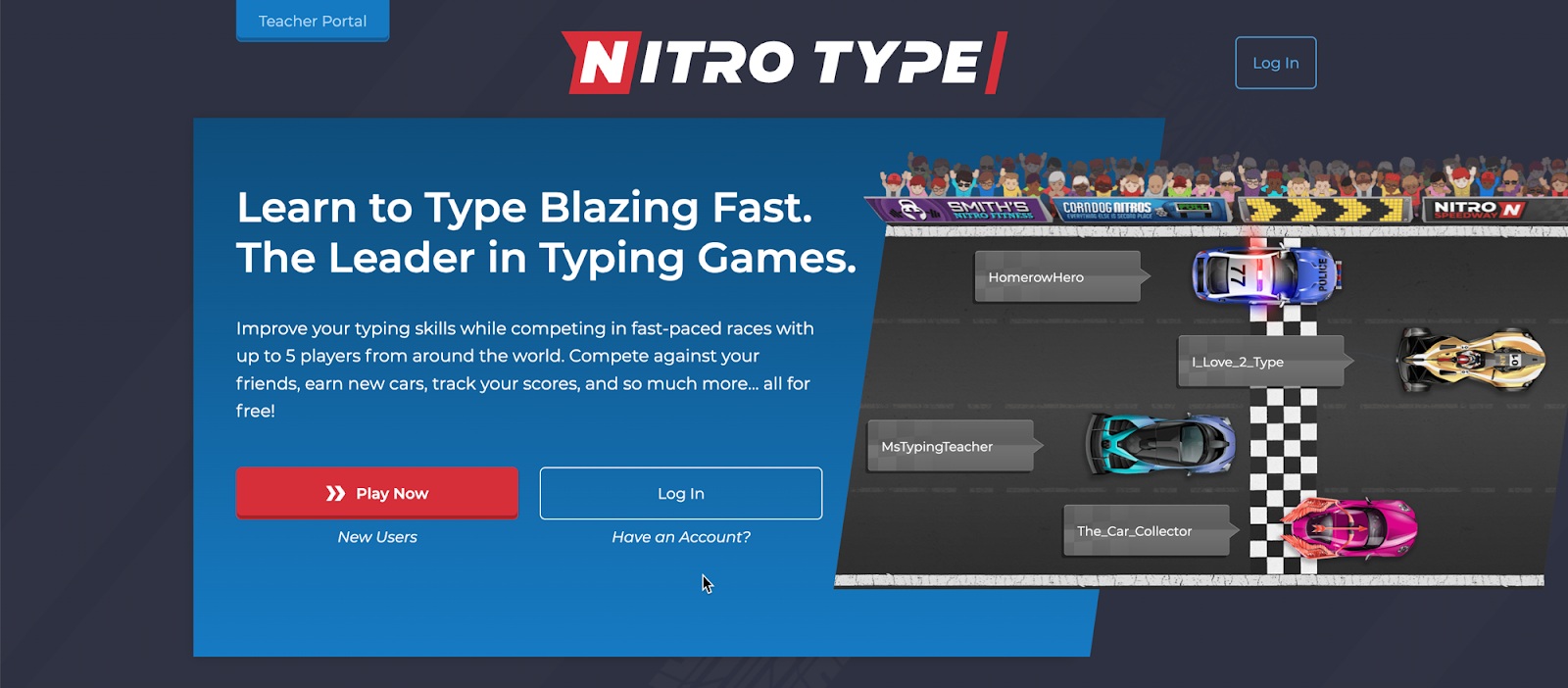
Best For: Competitive multiplayer racing disguised as an educational typing task.
Not your usual racing game—this brilliant title combines high-speed racing with real-world typing practice, making it a rare car game that is actually educational. You race head-to-head against live opponents globally. To make your car move faster, you must type the words correctly as they appear on your screen. If you want to secure the best high scores, you need to brush up on your typing speed and accuracy through consistent practice!
Why it works at school: It is the ultimate stealth game. Teachers will only hear you aggressively hammering away at your keyboard, assuming you are completely focused on typing a hard history essay.
3. Drift Hunters
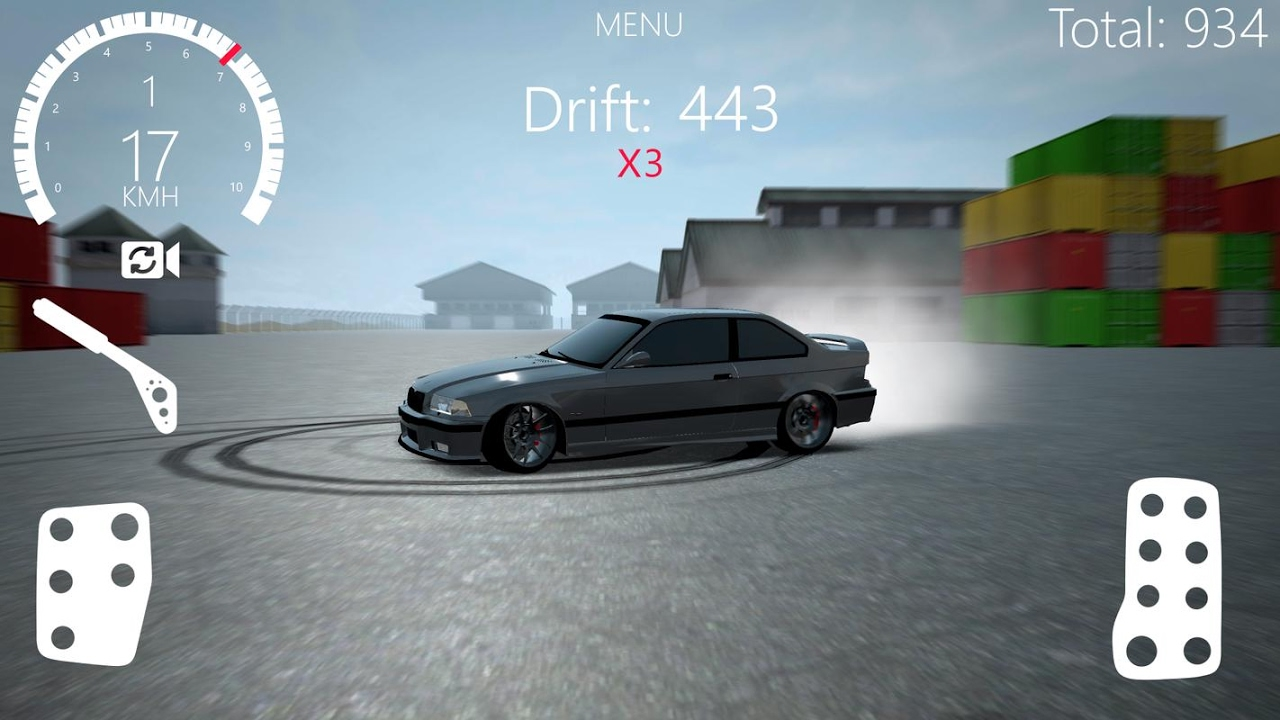
Best For: Deep car customization and mastering the physics of perfect turns.
Drift Hunters is all about the art of drifting. Your main goal is to master turning corners at high speeds without spinning out or losing complete control. You can also upgrade your car’s brakes, turbo, and weight to significantly improve your track performance. Winning requires precise timing and control—don’t just slam the throttle down; find the perfect steering balance for the ultimate slide. (You could even argue this counts as practical physics homework!)
Why it works at school: It is completely keyboard-driven using subtle taps on the arrow keys or WASD, making it a quiet, non-disruptive game that won’t attract nearby attention.
4. Car Rush

Best For: Quick, arcade-style endless driving sessions between lectures.
This endless driving game requires razor-sharp reflexes as you dodge heavy traffic, collect coins, and avoid roadside obstacles. The longer you survive and the more coins you rack up, the higher your final score will be.
Why it works at school: The matches are short, intense, and self-contained. If a teacher suddenly walks by or the bell rings for your next class, you can instantly close the tab or minimize the browser window without losing hours of story progress.
5. Parking Fury
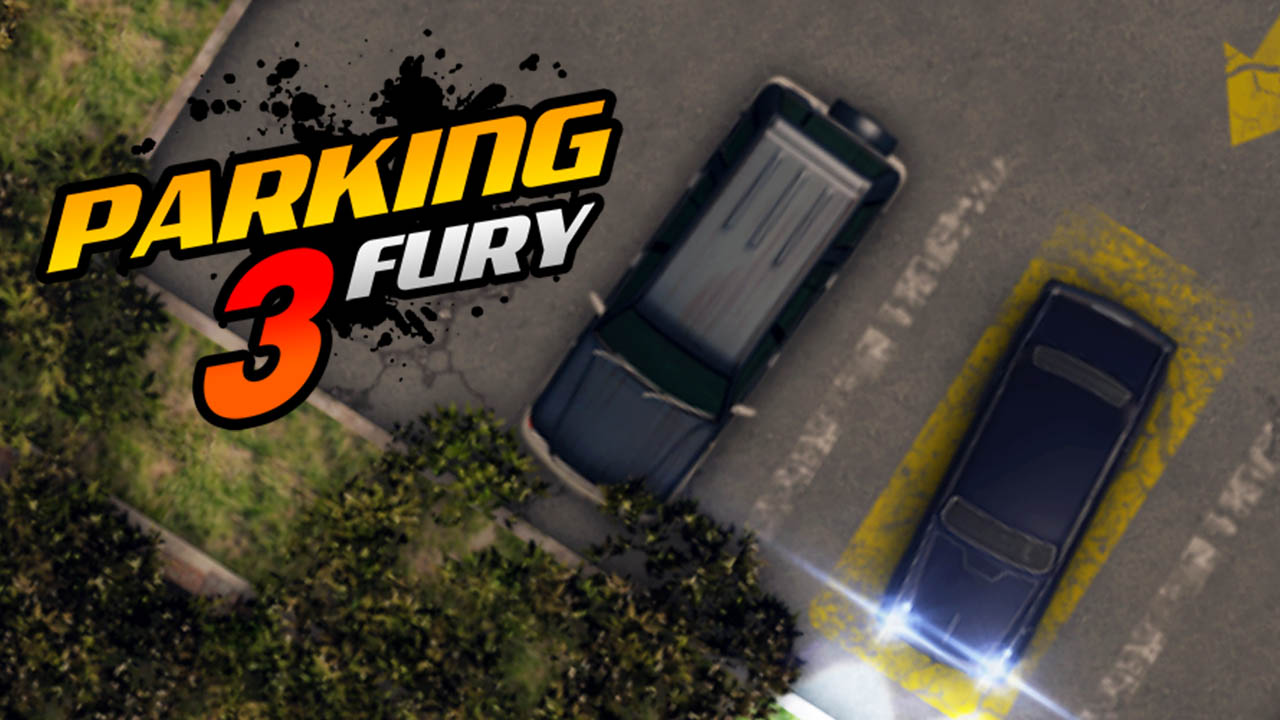
Best For: Strategic, low-stress puzzle solving and precision handling.
This is a top-down parking game where you have to steer your vehicle into tight, restricted spots without hitting any surrounding walls or cars. While it sounds incredibly easy on paper, it is much harder than you think! Speed won’t help you here; instead, take your time and focus entirely on steering precision and situational accuracy to beat each level.
Why it works at school: Because it values precision over speed, it is very easy to pause at a moment’s notice. It’s also mouse-friendly, making it a highly relaxed game to play during a quick 5-minute study break.
Game Works at Home but Dies on School Wi-Fi?
- Test BearVPN only on a personal device you are allowed to control.
- Connect, reload the official game page, and compare the result.
A VPN cannot remove Chromebook management, guarantee access, or make prohibited gaming acceptable under school rules.
How to Find Car Games Not Blocked by School
Start with an official game site, an established browser-game platform, or an educational service allowed by the school. Nitro Type is the clearest classroom-friendly option in this list. Hooda Math also maintains browser-based car games and says its school collection is reviewed for age appropriateness and browser compatibility.
No platform stays “unblocked” everywhere. Filters differ by school and can change without warning. Avoid mirrors that copy a game logo but demand notification permission, an extension, an APK, an .exe file, or a Google login before play begins.
- Does the page launch the game directly in the browser?
- Is the operator or original game publisher identifiable?
- Does it avoid forced downloads, redirects, and notification prompts?
- Does the school permit the site during breaks or supervised activities?
- Can you close the page without granting powerful browser permissions?
One browser race is not worth a hijacked login or mystery extension. Stay on the official game page, and use BearVPN on your personal device when you need connection privacy—not another anonymous “unblocked” mirror.
What to Do When School Wi-Fi Blocks a Car Game
So, what happens if the platforms we listed above are completely blocked by your school’s network admin? Don’t worry! There are several proven ways to bypass these restrictions. However, the method you choose depends entirely on the device you are using.
Here is how to get your game on:
Method 1: Use BearVPN on a Personal Device and Permitted Network
If the official game opens on mobile data or home Wi-Fi but fails on another network you are permitted to use, BearVPN can help you compare a different encrypted route. It encrypts traffic between the device and VPN server, replaces the visible public IP, and offers obfuscation for networks that interfere with standard VPN connections.
Install BearVPN only on a device you own or are authorized to manage. Choose an available nearby location to reduce added latency, connect, and reload the official game page. Results still depend on the school policy, network, device, browser, game host, server distance and VPN detection.
- SCProxy Obfuscation (Stealth Mode): This is your secret weapon. SCProxy scrambles your VPN data to make it look like regular, boring HTTPS school web traffic, allowing you to effortlessly bypass Deep Packet Inspection (DPI) firewalls used by strict schools.
- Bare-Metal & RAM-Only Servers (No VPS): Unlike cheap VPNs that rent slow virtual servers, BearVPN runs on dedicated physical hardware with zero hard drives. This guarantees the unthrottled, ultra-low ping speeds you need for racing games, while ensuring absolutely zero logs are ever saved.
- Double VPN Routing: Routes your gaming traffic through two separate servers, making it mathematically impossible for the school network to trace your activity.
2. Use Proxy Websites (For Locked-Down School PCs)
If you are using a school-owned computer in the IT lab, you usually do not have administrator rights to install .exe files, meaning you cannot install a VPN. Instead, you can use web proxies.
- Sites like HideMyAss, CroxyProxy, or KProxy act as middlemen between you and the blocked game site. You simply type the game’s URL into the proxy’s search bar.
- Keep in mind: Because the traffic is being re-routed through a free web server, these games might load a little slower or experience slight lag.
3. Use Portable Apps (The Offline USB Trick)
If the school’s network restricts online play completely but allows the use of USB flash drives, you can download portable versions of car games at home.
- Portable apps run directly from a USB stick without installing anything onto the school’s computer, making them practically invisible to school network filters.
- Additionally, you can download offline mobile games on your phone at home. For example, CarX Drift Racing 2 (available on Android and iOS) offers a great drift experience without needing an active internet connection, and MadOut2 BigCityOnline offers lots of offline driving action.
4. Educational Car Games (The “Teacher Approved” Loophole)
If your school aggressively restricts entertainment games but leaves educational portals open, look for car-themed educational games. These include driving simulators that teach real-world traffic safety, physics-based vehicle builders, or logistics management games. They are rarely flagged by IT departments.
- Encrypt traffic between your personal device and the VPN server.
- Replace your visible public IP and test another network route.
- Use a nearby available location to reduce added gaming latency.
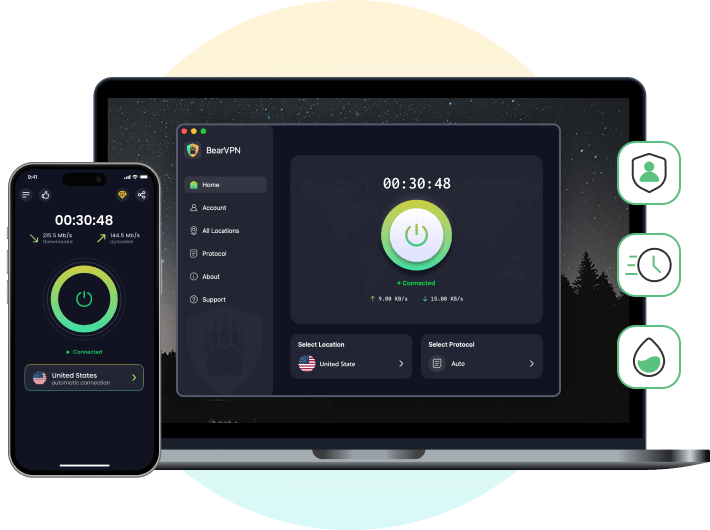
BearVPN does not remove managed-device controls or guarantee that a school, game host, or network will allow access. Feature availability varies by platform and version.
Final Thoughts
Car games unblocked for school might be a distraction, but they also provide a quick, much-needed mental break when you are burnt out from long lectures. While most schools block them for good reasons (like keeping the network fast and students focused), it doesn’t mean you can’t find clever ways around the firewall.
Whether you use BearVPN on your personal phone, find fresh unblocked mirror sites, or rely on portable USB apps for the lab computers, there is always a way to squeeze in a quick drift. Just remember to balance your gaming with your schoolwork—your future self will thank you for it!
FAQs About Unblocked School Games
No. When you use BearVPN, all your internet traffic is heavily encrypted. The school’s network administrators can see that you are connected to the internet, but they cannot see what websites you are visiting, what apps you are using, or what games you are playing.
Start with Nitro Type, Drift Hunters, Madalin Stunt Cars 2, Car Rush, and Parking Fury. They represent typing races, drifting, open-world stunts, traffic dodging, and precision parking. Whether each game opens still depends on the current site, device and school network.
Schools block online games for two main reasons: distraction and bandwidth. High-quality 3D racing games take up a lot of internet data. If hundreds of students are playing multiplayer racing games at the same time, it slows down the entire campus Wi-Fi network, which disrupts actual educational activities.
While the games themselves (like HTML5 files) are usually safe, the popup ads hosted on free unblocked platforms can sometimes be malicious or contain tracking cookies. It is highly recommended to use an ad-blocker or the built-in security features of a premium VPN to ensure your device stays clean.
Nitro Type is a strong first choice because its official site describes it as a school-safe typing game with teacher controls. Hooda Math also offers browser-based car games. No game or website is guaranteed to remain unblocked on every network.
The recommended versions are browser-based and should not require an .exe, APK, extension or installer. Leave the page if a supposed browser game forces an unrelated download or powerful permission.
A VPN encrypts traffic between the device and VPN server, but the network may still detect or block the VPN connection. A managed school device may also log activity or enforce policies. BearVPN does not make use invisible to administrators.
It may help on a personal device and permitted network when filtering or routing causes the failure. It cannot remove school device management, authorize prohibited gaming, guarantee access, or prevent a school from blocking VPN traffic.
Safety depends on the operator and page, not the word “unblocked.” Avoid forced extensions, downloads, notifications, proxy forms, copied login screens and excessive redirects. Prefer the official game site or an established educational/browser-game platform.