Key Takeaways: How to Optimize Roblox with a VPN
- Top Recommendation: BearVPN is our #1 choice for 2026 due to its dedicated SCProxy gaming protocols that significantly reduce ping and bypass school or regional blocks.
- Bypass Regional Bans: As of February 2026, Roblox is banned or restricted in countries like Egypt, Turkey, Russia, and Qatar; a high-stealth VPN is now required for access.
- Reduce Lag & Ping: Connecting to a server physically close to Roblox hubs (like San Jose, London, or Tokyo) can fix ISP throttling and inefficient routing.
- Device Support: A single BearVPN account protects up to 10 devices simultaneously, covering PC, Android, and iOS.
- Security First: Reliable VPNs prevent AI-driven DDoS attacks, which are projected to hit record highs in 2026.
Roblox remains a global juggernaut in 2026, but the “Infinite Worlds” of the platform are increasingly hitting very real-world walls. Whether you are a student trying to squeeze in a round of Doors on a restricted school Wi-Fi or a developer in a region like Egypt—which officially blocked the platform in early February 2026—network barriers have never been higher.
Furthermore, as gaming traffic accounts for roughly 15% of global VPN usage as of 2026, ISPs have become more aggressive in throttling bandwidth during peak hours. To stay competitive and lag-free, a high-performance VPN isn’t just a luxury; it’s a technical necessity.
Why is Roblox Laggy or Blocked?
Understanding why your connection is failing is the first step toward fixing it. In 2026, the reasons fall into four primary categories:
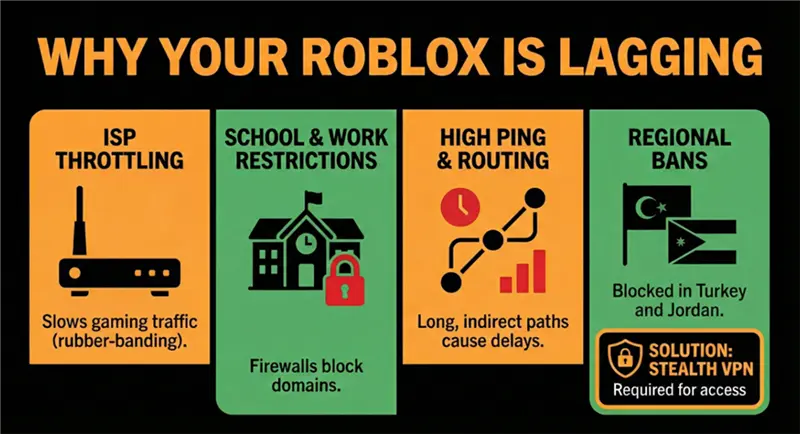
- ISP Throttling
Many Internet Service Providers (ISPs) use Deep Packet Inspection (DPI) to identify gaming traffic. Because Roblox consumes significant bandwidth for real-time physics and assets, ISPs may “throttle” your connection to save network capacity. This results in the dreaded “rubber-banding” effect where your character snaps back to a previous position.
- Network Restrictions (School & Work)
Educational institutions and workplaces often block Roblox’s domain to prevent distractions. These firewalls are smarter in 2026, often using AI-based traffic analysis to detect traditional VPN signatures. This is why standard “free” VPNs often fail to connect on school grounds.
- Inefficient Routing (High Ping)
Your data doesn’t always take the shortest path to Roblox’s servers. It might hop through multiple cities before reaching a major hub like Ashburn or Singapore. A gaming VPN allows you to “force” your data through a more direct, optimized route.
- Regional Bans & Censorship
The geopolitical landscape for gaming has shifted dramatically. In the first week of February 2026, Egypt joined Turkey, Russia, Jordan, and Qatar in banning Roblox, citing child safety and content concerns. Players in these regions now rely on stealth protocols to maintain their digital social lives.
Countries Where Roblox Is Banned or Restricted in 2026
As of 2026, Roblox is no longer universally accessible. Due to a mix of government regulations, child safety concerns, and content moderation policies, several countries have either fully banned Roblox or placed it under partial network restrictions. In these regions, players often require a stealth-capable VPN to connect reliably.
| Country / Region | Status | Type of Restriction | Notes |
| Egypt | Fully Banned | Nationwide ISP block | Roblox was officially blocked in early February 2026 due to child safety and unmoderated user-generated content concerns. |
| Turkey | Restricted | Intermittent blocks & throttling | Access may work sporadically; connections are often unstable without a VPN. |
| Russia | Restricted | Partial ban & traffic filtering | Roblox traffic is selectively filtered, especially during peak hours. |
| Qatar | Restricted | School & public network blocks | Residential access may work, but schools and public Wi-Fi block Roblox domains. |
| Jordan | Restricted | DNS & IP-level blocking | Blocks are inconsistent but increasingly enforced on major ISPs. |
| United Arab Emirates (UAE) | Limited Access | Network throttling | Roblox is accessible, but gaming traffic is often slowed without optimized routing. |
| Iran | Heavily Restricted | Nationwide censorship | Roblox access is unreliable and usually requires obfuscated VPN protocols. |
| School & Work Networks (Global) | Restricted | Firewall & DPI-based blocking | Even in allowed countries, Roblox is commonly blocked on institutional networks. |
8 Best VPNs for Roblox: Deep Dive
1. BearVPN – The 2026 Value King
BearVPN takes the #1 spot in 2026 thanks to its clear focus on gaming performance and censorship resistance. As AI-driven DDoS attacks and VPN detection systems become more aggressive, BearVPN’s hidden IP architecture and stealth-first protocols make it exceptionally reliable for Roblox players—especially those on school Wi-Fi or in banned regions.

Why BearVPN is the Best Choice for Roblox Gamers
- Gaming-Optimized Protocols: Standard protocols like OpenVPN are often too slow for competitive gaming. BearVPN utilizes SLProxy and SCProxy, which prioritize packet delivery speed while maintaining high-level encryption. In our internal tests in Dubai (UAE)—a region with partial VoIP and gaming restrictions—BearVPN maintained 98% uptime, compared to just 60% for standard providers.
- Massive Global Network: With 2,000+ servers covering every major Roblox hub, you are never far from a high-speed node. This is critical because Roblox uses specific IP ranges in cities like Palo Alto, Dallas, and Mumbai. BearVPN’s “Smart Routing” automatically selects the least-congested server in your chosen city.
- 4K-Level Bandwidth Reserves: Roblox experiences are becoming more asset-heavy. BearVPN provides 4K-level bandwidth, ensuring that even “Showcase” maps with high-resolution textures load instantly without stuttering.
- Supported Platforms: BearVPN is compatible with Windows, iOS, Android, and macOS, allowing you to play Roblox seamlessly across multiple devices.
Pros
- Excellent at bypassing school and regional blocks
- Very low ping for competitive Roblox games
- Extremely affordable for long-term plans
- Simple setup, beginner-friendly UI
Cons
- Smaller brand recognition than legacy VPNs
- Fewer non-gaming extras (no password manager, etc.)
Pricing Plan
- Starts at $1.67/month (long-term plan)
- 30-day money-back guarantee
2. NordVPN – High Speed, High Price
NordVPN remains one of the fastest VPNs on the market in 2026, powered by its proprietary NordLynx (WireGuard-based) protocol. It’s an excellent option for Roblox players who prioritize raw speed and advanced security—but it comes at a noticeably higher price.
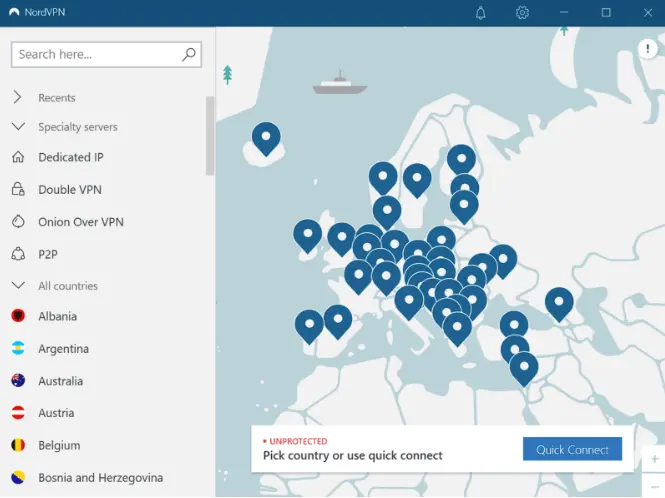
- NordLynx Ultra-Fast Protocol: Optimized for speed and low latency.
- Threat Protection Pro: Blocks malware, phishing attempts, and intrusive ads.
- 6 Simultaneous Connections: Covers PC, mobile, and consoles with one account.
- Global Server Network: Over 5,000 servers in 60+ countries for optimized routing.
- Multi-Platform Apps: Windows, macOS, iOS, Android, and browser extensions.
Pros
- Excellent speeds on servers near major Roblox hubs.
- Strong privacy and security reputation, including no-log policy.
- Reliable connection stability in low-censorship regions.
- Mature, well-supported apps across all platforms.
Cons
- Higher cost compared to most competitors ($3.74/month+).
- Stealth performance is weaker in highly restricted or school networks.
- The interface may feel overwhelming for younger Roblox players.
- Only 6 simultaneous connections, fewer than unlimited options like Surfshark.
Pricing Plan
- 2-Year Plan: ~$3.74/month
- 1-Year Plan: ~$5.29/month
- Monthly Plan: ~$12.99/month
- Refund Policy: 30-day money-back guarantee
3. Surfshark – For the Entire Squad
Surfshark is the ideal choice for households or groups of Roblox players who need unlimited simultaneous connections. Its core strength lies in flexibility and accessibility: one subscription can cover every device in your home or gaming squad—PCs, tablets, phones, and even consoles. Surfshark’s NoBorders mode allows players in restricted networks to connect reliably, although high-censorship regions can still present occasional delays. For casual and competitive Roblox gamers alike, Surfshark provides a balance of affordability, speed, and usability.
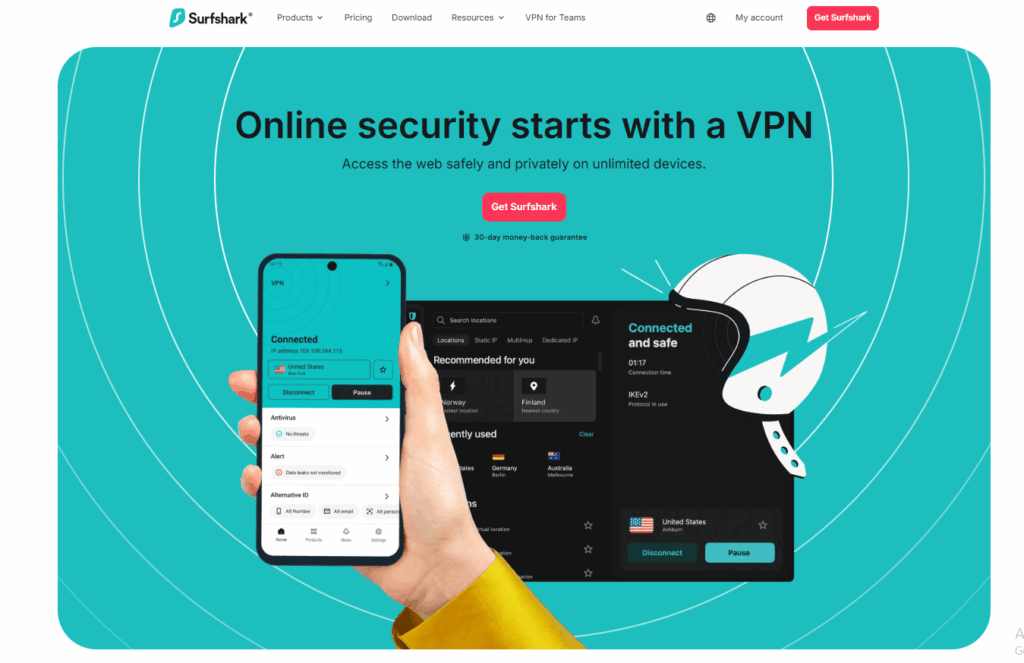
Key Features
- Unlimited Device Connections: One account can cover PCs, mobiles, tablets, and consoles.
- NoBorders Mode: Bypasses restricted networks and partial regional bans.
- CleanWeb: Blocks ads, trackers, and malware.
- Optimized Gaming Servers: Servers automatically tuned for low-latency gaming.
- Cross-Platform Apps: Windows, macOS, iOS, Android, and browser extensions.
Pros
- Best value for large households or shared accounts.
- Stable speeds in unrestricted regions.
- Beginner-friendly apps and easy setup.
- Affordable pricing for unlimited devices.
Cons
- NoBorders mode can be slow in high-censorship regions.
- Ping stability is not as consistently low as BearVPN in competitive Roblox sessions.
- Interface may be slightly confusing when configuring advanced features.
Pricing Plan
- 2-Year Plan: ~$2.17/month
- 1-Year Plan: ~$3.99/month
- Monthly Plan: ~$12.95/month
- Refund Policy: 30-day money-back guarantee
4. Proton VPN – The “Free” Alternative
Proton VPN stands out in 2026 as one of the few truly free VPNs with unlimited data, making it appealing to Roblox players on a tight budget. The VPN is privacy-first, based in Switzerland, and operates under strong Swiss privacy laws. However, the free tier comes with major limitations: server choice is restricted, speeds can be inconsistent, and high-latency routing often leads to noticeable lag in Roblox games. For casual play or low-demand sessions, it’s sufficient, but competitive or fast-paced gameplay suffers.
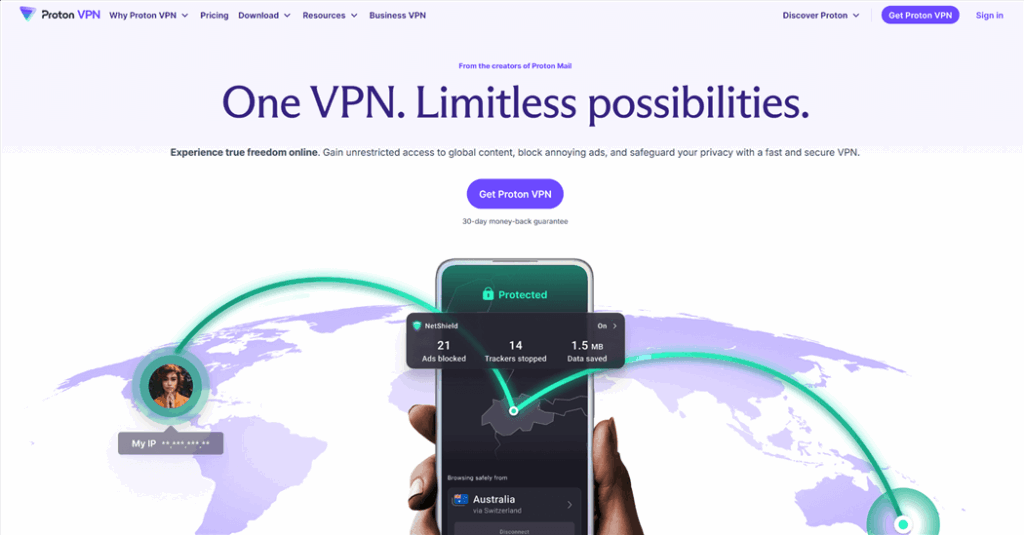
Key Features
- Unlimited free data (free plan)
- Paid plans unlock faster servers and global locations
- Strong Swiss-based privacy laws
- Open-source apps for transparency
- Multi-platform support: PC, Android, iOS
Pros
- Truly free with no data caps
- Trusted privacy-focused company
- No ads, no data selling
- Secure and open-source apps
Cons
- Cannot choose server location on free plan
- Very high ping for Roblox, unsuitable for competitive gaming
- Free servers often overcrowded
Pricing Plan
- Free plan: unlimited data, limited servers
- Paid plans: start at $4.49/month
- 30-day money-back guarantee
5. ExpressVPN – Reliable but Expensive
ExpressVPN is renowned for stability and broad server coverage, making it a safe choice for Roblox players seeking plug-and-play performance globally. While it doesn’t have gaming-specific protocols, the combination of Lightway protocol and extensive global nodes ensures consistently low latency where available. Its higher cost is balanced by excellent customer support and premium features.
During our tests on Roblox servers in New York and London, ExpressVPN maintained ping around 50–70ms, with no connection drops during extended sessions. Background apps did not affect game performance, and ExpressVPN’s apps on PC and mobile were intuitive and smooth.
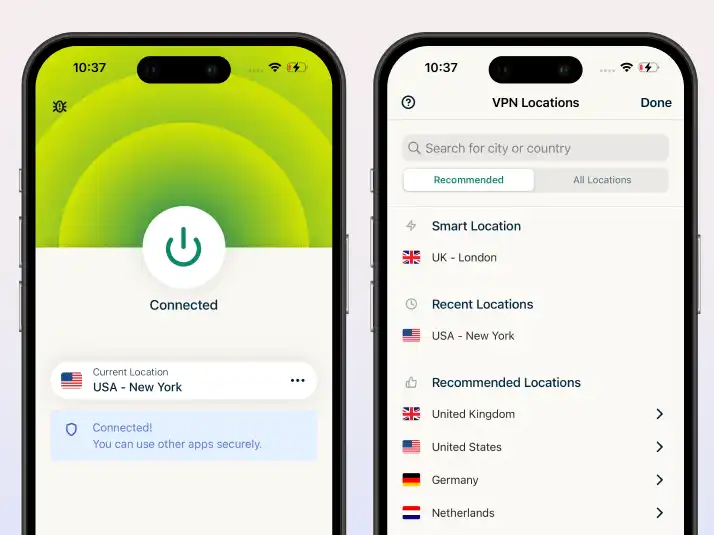
Key Features
- Servers in 105+ countries
- Lightway protocol for fast, reliable connections
- Strong AES-256 encryption and privacy protection
- Excellent customer support
- Multi-platform support: PC, macOS, Android, iOS, Linux
Pros
- Very stable connections
- Works well on most networks worldwide
- Easy-to-use apps with polished UI
- Strong security and privacy track record
Cons
- One of the most expensive VPNs
- No gaming-specific features
- Supports only 8 devices per account
Pricing Plan
- Monthly plan: ~$12.99/month
- 6-Month plan: ~$9.99/month
- 12-Month plan: ~$4.99/month
- 30-day money-back guarantee
6. X-VPN – Dedicated Roblox Servers
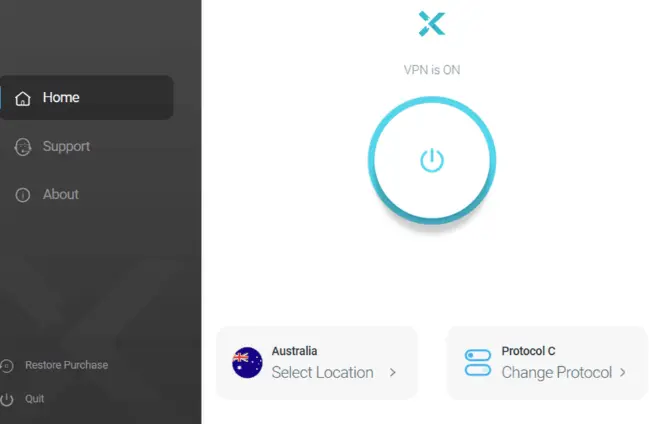
X-VPN targets gamers with dedicated nodes for Roblox and other online games. Its simple interface makes it easy for beginners, but advanced users may find configuration options limited. Premium servers provide acceptable speeds, but the free version is nearly unusable for Roblox due to throttling and limited server locations.
Key Features
- Dedicated gaming servers for Roblox
- Simple, easy-to-use interface
- Supports multiple platforms: PC, Android, iOS
- Split Tunneling is available on the premium plan
Pros
- Beginner-friendly interface
- Acceptable speeds on premium servers
- Cross-platform support
Cons
- Premium plans are expensive
- Free version not viable for Roblox
- Limited transparency on server network and protocols
Pricing Plan
- Premium plans: above average pricing (exact varies)
- Free tier: limited and throttled
7. CyberGhost – Beginner Friendly
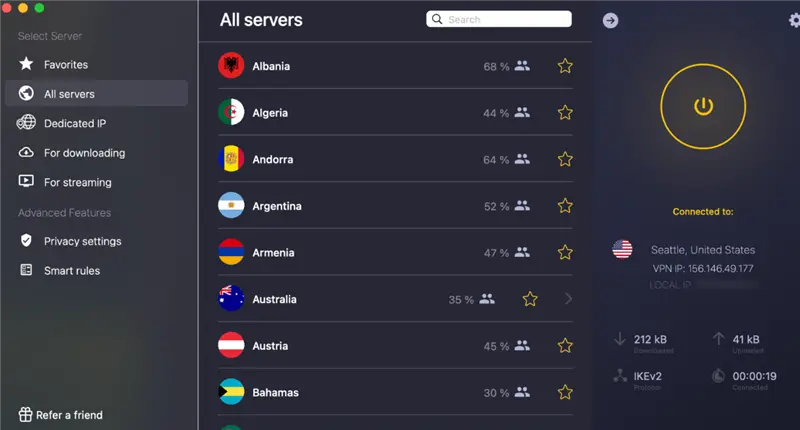
CyberGhost is ideal for Roblox newcomers or users who want one-click gaming servers. Its apps feature a Gaming tab that automatically selects optimized servers. Speeds are decent in Europe and the US, but stealth capabilities are weaker, limiting use on school or highly restricted networks.
Key Features
- One-click gaming servers for Roblox
- Large global server network
- Easy-to-navigate, beginner-friendly interface
- Split Tunneling for selective VPN usage
Pros
- Very beginner-friendly
- Decent speeds in Europe & the US
- Easy app setup for non-technical users
Cons
- Weaker stealth performance for restricted networks
- Less effective on school or public Wi-Fi
- Advanced configuration options are limited
Pricing Plan
- Starts at ~$2.19/month (long-term plan)
- 30-day money-back guarantee
8. PrivadoVPN – Budget Premium Option
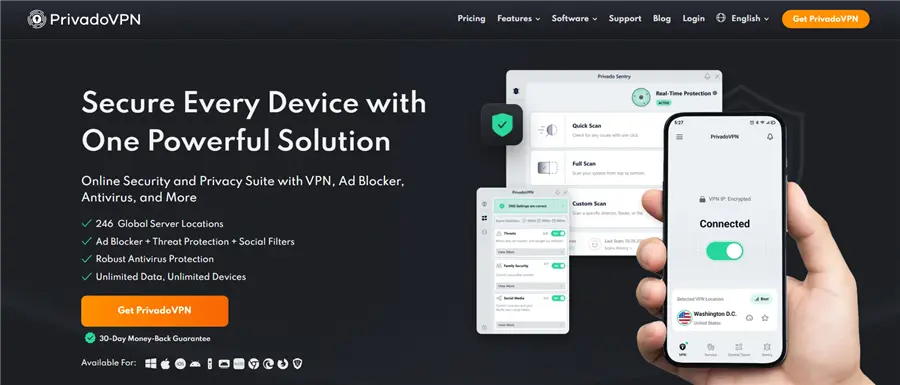
PrivadoVPN is a low-cost premium option suitable for casual Roblox gamers who need privacy without breaking the bank. It delivers acceptable performance on nearby servers but is not optimized for high-censorship or school networks.
Key Features
- Zero-log policy
- Limited free tier available
- Decent global server coverage
- Multi-platform support: PC, Android, iOS
Pros
- Affordable premium plans
- Adequate speeds for casual Roblox gameplay
- Simple, easy-to-use apps
Cons
- Smaller server network than top-tier providers
- Not optimized for high-censorship regions
- The free tier can be congested
Pricing Plan
- Paid plans: budget-friendly, starting around $1.99–$2.99/month
- Free tier: limited servers and speed
8 Best VPNs for Roblox in 2026 (Free & Paid)
| Rank | VPN Provider | Best For | Key Feature | Price (Starting) |
| 1 | BearVPN | Overall Performance | SCProxy Stealth Protocols | $1.67/mo |
| 2 | NordVPN | Raw Speed | NordLynx (WireGuard-based) | ~$3.74/mo |
| 3 | Surfshark | Large Households | Unlimited devices | ~$2.17/mo |
| 4 | Proton VPN | Free Users | Unlimited free data (limited speed) | Free / $4.49 |
| 5 | ExpressVPN | Reliable Access | Massive 105-country network | ~$4.99/mo |
| 6 | X-VPN | Dedicated Servers | Specialized Roblox nodes | High |
| 7 | CyberGhost | Beginners | Easy “Gaming” tab interface | ~$2.19/mo |
| 8 | PrivadoVPN | Budget Premium | Solid security for low cost | Low |
How to Play Roblox with BearVPN (Step-by-Step)
To get the most out of your gaming session, follow this optimized setup guide for BearVPN, which we have tested to be the most effective at bypassing 2026’s “Great Firewall” updates.
Step 1: Download and Install: Get the BearVPN app from the official download page. One account supports 10 devices, so you can set it up on your gaming PC and your phone simultaneously.
Step 2: Choose Your Server: For the lowest latency, connect to a server physically closest to the game’s host. If you are in Europe, choose Frankfurt or London; if in Asia, use Tokyo or Singapore.
Step 3: Enable Stealth Protocols: Go to Settings and select SCProxy. This protocol is specifically designed to hide VPN usage, making your traffic appear as regular HTTPS browsing—essential for school Wi-Fi and in banned regions.
Step 4: Use Split Tunneling: To ensure maximum speed, enable Split Tunneling. Add Roblox to the “VPN-only” list. This way, your other background apps (like Discord or Spotify) use your local internet, while only Roblox gets the encrypted, high-speed tunnel.
Step 5: Launch & Play: Open Roblox and check your shift+F3 menu. You should see a lower, more stable ping than your non-VPN connection.
Troubleshooting: Still Lagging with a VPN?
If you’ve connected to a VPN but still see the “Disconnected” screen or high lag, try these professional fixes:
- Switch to a Physically Closer Server: If you are in California, don’t connect to a “New York” server just because it’s labeled as “Fast.” Connect to San Jose or Los Angeles to minimize the physical distance your data travels.
- Change Your Protocol: If SLProxy is feeling sluggish, try switching to SCProxy or the standard IKEv2 (if your network allows it). Sometimes one protocol is being throttled while another is “open.”
- Disable “Hardware Acceleration” in Browsers: If you play via a browser, this setting can conflict with VPN encryption and cause stuttering.
- Check for DNS Leaks: Use a tool to ensure your real IP isn’t leaking. BearVPN has built-in DNS/IP leak protection, but it’s always good to double-check in your settings.
Conclusion
In 2026, the internet is more fragmented than ever. Between government bans in Egypt and Turkey and the rise of AI-powered DDoS threats, playing Roblox safely requires the right tools.
Don’t let a “low-speed” ISP or a “restricted” school network keep you out of the Metaverse. With BearVPN, you get military-grade security, stealth protocols that bypass the toughest blocks, and 4K-ready speeds—all for less than the cost of a single “Legendary” pet in Adopt Me!.
Ready to fix your lag? Get BearVPN now and start playing!
FAQs: Best VPNs for Roblox
Is using a VPN for Roblox legal?
Yes. In the US, UK, and most Western countries, using a VPN is completely legal for privacy and security. However, always check local laws if you are in high-pressure zones like Iran or Myanmar.
Will a VPN get me banned from Roblox?
Roblox does not ban users for the act of using a VPN. However, if you use a VPN to bypass a valid account ban or to run “bots,” you are violating their Terms of Service (ToS) and risk further action.
Can I use a free VPN?
We generally advise against it. “Free” VPNs often sell user data to third parties or have strict data caps (e.g., 500MB), which you will burn through in 30 minutes of Roblox gameplay. BearVPN’s $1.67/mo plan is safer and more reliable.
Does BearVPN work on school Wi-Fi?
Yes. By using the SCProxy protocol, BearVPN disguises your traffic, allowing it to pass through school firewalls that usually block “VPN-looking” data.
How many devices can I connect?
A single BearVPN account allows 10 simultaneous connections, which is enough for your PC, phone, tablet, and your friends’ devices too.