If you are currently in Russia or planning a trip there, you have likely asked the question: “Is TikTok banned in Russia?”
The answer is confusing. If you open the app in Moscow or St. Petersburg today, it technically loads. But you will immediately notice something is wrong. The videos are old—dated from early 2022 or before. You cannot see new trends, you cannot hear the latest viral sounds, and if you try to upload a video, it fails instantly.
You are stuck in what digital experts call the “TikTok Ghost Town.”
While the Russian government (Roskomnadzor) has banned platforms like Instagram and Facebook outright, the situation with TikTok is unique. The app isn’t blocked by the government; it is locked down by TikTok itself.
In this guide, we will explain exactly why your feed is frozen in time and provide you with the only working methods in 2025 to unlock global content and upload videos using BearVPN.
The Short Answer: What is the Status of TikTok in 2025?
To understand the solution, you must first understand the restriction. Unlike other social media bans, this is a two-way street of censorship.
| Platform | Who Blocked It? | Status in Russia (2025) | Can You Access It? |
| Russian Govt | Fully Blocked (Won’t load) | / | |
| Russian Govt | Fully Blocked (Won’t load) | / | |
| TikTok | TikTok (ByteDance) | Restricted Mode (Loads but limited) | Yes, but requires special steps. |
The “Fake News” Law of 2022
In March 2022, Russia passed a “fake news” law that criminalized spreading what the government deems false information about the military. The penalties include up to 15 years in prison.
To protect its local employees and users from legal liability, ByteDance (TikTok’s parent company) made a drastic decision: they voluntarily suspended all new uploads and livestreams for users in Russia. Furthermore, they “geofenced” Russian users, preventing them from seeing content posted from outside Russia.
The Result:
- No New Content: You cannot see videos posted after March 2022.
- No International Content: You cannot see videos from the US, Europe, or Asia.
- No Uploads: The “Post” button is effectively disabled for Russian IP addresses.
To bypass this, you need to convince the TikTok app that you are not in Russia. This is harder than it sounds because TikTok uses sophisticated tracking methods, including your IP address, GPS, and—most importantly—your SIM card region code.
Method 1: The “Easy” Way (Desktop Browser)
If you just want to scroll through the global “For You” page (FYP) and watch new videos, the desktop browser method is the path of least resistance.
TikTok’s mobile app is aggressive about checking your location (via your SIM card and GPS). However, the web browser version (tiktok.com) is much more lenient. It typically relies only on your IP address.
To successfully change your IP address for this method, we recommend using BearVPN.
BearVPN is a security-focused Russian VPN designed to bypass strict geo-restrictions and censorship. Unlike standard proxies, it uses advanced encryption to mask your digital footprint, making it highly effective for accessing platforms like TikTok from restricted regions.
Key Features:
- Traffic Obfuscation: Disguises your VPN traffic as regular internet traffic, preventing TikTok from detecting that you are using a VPN.
- Global Server Network: Access to over 2,000 servers in 50+ regions, giving you plenty of options in non-restricted countries.
- Zero-Logs Policy: Ensures that your browsing history and real IP address are never recorded or stored.
- Kill Switch: Instantly cuts your internet connection if the VPN drops, preventing your real location from accidentally leaking to TikTok.
- Work on Windows, iOS, Android and macOS
How to Set Up BearVPN:
- Download: Visit the official BearVPN website and download the client for your operating system (Windows or macOS).
- Install: Run the installer and follow the on-screen prompts.
- Permissions: Grant the app the necessary permissions to manage your network settings.
Step-by-Step Guide to Accessing TikTok:
Step 1. Clear Your Browser Data: Before you begin, clear your cookies and cache in Chrome, Safari, or Firefox. If TikTok sees an old “Russian” cookie, it may restrict you even if your IP is different.
Step 2. Launch BearVPN: Open the BearVPN app on your laptop or desktop that you just installed.
alt: Launch BearVPN
Step 3. Choose the Right Server: Do not connect to a distant server like the USA unless you have to (this causes lag). For the best video playback speeds, choose a server in a neighboring country that does not have TikTok restrictions.
Recommended Locations: Finland, Poland, Kazakhstan, or Germany.
Step 4. Verify Your IP: Visit a site to confirm your location has changed to the country you selected.
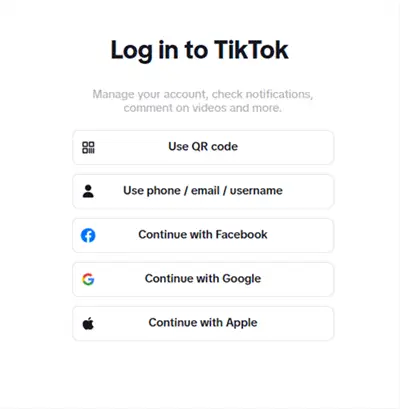
Step 5. Go to TikTok. com: Log in to your account. You should immediately see the global feed.
Success Rate: 95%
Best For: Passive watching, checking trends, and desktop browsing.
Method 2: The “App” Workaround (Mobile Users)
Most users want the app experience—scrolling endlessly on their phone. This is where it gets tricky. If you simply turn on a VPN and open the app, it will likely still fail.
Why? Because TikTok reads your SIM card’s Mobile Country Code (MCC). If it detects a Russian carrier (like MTS, Beeline, or MegaFon), it overrides your VPN’s location and locks you back into the “Ghost Town” mode.
To fix this, you must physically remove the “Russian identity” from your phone.
The “No-SIM” Method (Works in 2025)
This is the most reliable way to get the full app experience on iOS and Android.
Step 1: Remove Your SIM Card
Take your Russian SIM card out of your phone completely.
Note for eSIM users: You must go into your settings and toggle your Russian eSIM line to OFF.
Step 2: Connect to Wi-Fi
Connect to a local Wi-Fi network. Do not open TikTok yet.
Step 3: Enable BearVPN with “Stealth Mode”
Open BearVPN. In 2025, Russia uses Deep Packet Inspection (DPI) to block standard VPN protocols. Ensure you have enabled Stealth Mode or Obfuscated Servers in the BearVPN settings. This disguises your VPN traffic as regular HTTPS web traffic, bypassing the blocks.
Connect to a server outside Russia (e.g., UK, Turkey, or the Netherlands).

Step 4: Clear App Cache (Android Only)
iPhone users can skip this, or reinstall the app if it fails.
Go to Settings > Apps > TikTok > Storage > Clear Cache & Data. This removes any saved location data.
Step 5: Change Region Settings (Optional but Recommended)
Change your phone’s region in the general settings to match your VPN location (e.g., if you connected to the UK, set your phone region to UK).
Step 6: Launch TikTok
Open the app. You should now see the global feed.
Warning: As soon as you put your Russian SIM card back in, TikTok will detect it and revert to restricted mode.
For Creators: How to Upload to TikTok from Russia
Posting content carries a higher risk than watching. If TikTok detects your location during an upload, you face shadowbans (0 views) or blocks. To bypass this, you must isolate your activity from Russian cellular networks.
The Professional Setup:
- Secondary Device: Factory reset an old iPhone or Android.
- No SIM Card: Never insert a SIM card into this device.
- Disable GPS: Turn off location services entirely.
- Consistent IP: Use BearVPN (ideally a Dedicated IP) and stick to one server location to avoid fraud detection triggers.
The Upload Workflow:
- Film and edit on your main phone.
- Transfer the file to your “Burner Phone” (via AirDrop or Wi-Fi).
- Connect the Burner Phone to BearVPN.
- Upload the video via the Burner Phone.
Why Free VPNs Don’t Work for TikTok in Russia
You might be tempted to search for “Free VPN for TikTok.” In the high-censorship environment of Russia 2025, this is a mistake for three reasons.
1. IP Blacklisting
TikTok knows the IP addresses of all major free VPNs. Because millions of people share the same 5 or 10 IP addresses on a free server, TikTok simply blacklists them. You will turn on the VPN, but the app will still show you the Russian feed because the IP is flagged.
BearVPN uses a massive network of rotating IPs, ensuring that your connection looks like a genuine residential user, not a bot farm.
2. Deep Packet Inspection (DPI)
Russia’s Roskomnadzor has upgraded its censorship firewall significantly in 2024 and 2025. They can now detect “WireGuard” and “OpenVPN” protocols used by cheap VPNs and throttle them to near-zero speeds.
Free VPNs rarely invest in obfuscation technology. BearVPN uses advanced steganography to wrap your data packets, making them invisible to the Russian firewall.
3. Data Privacy Risks
Using a free VPN in a country with strict surveillance laws is dangerous. Many free providers sell user logs to third parties. BearVPN operates under a strict No-Logs Policy, ensuring that your browsing history remains yours alone.
Troubleshooting: “I Did Everything, But It Still Won’t Work!”
If you followed the steps above and are still seeing Russian content, check these common failure points:
- The “SIM Leak”
Did you really remove the SIM? Even if you are in Airplane Mode, sometimes the phone caches the carrier code. Restart your phone after removing the SIM.
- The “Region” Glitch
Sometimes TikTok locks an account to a region based on the phone number linked to it. If you registered your account with a +7 (Russian) phone number, you might be permanently geofenced on that account.
Fix: Try creating a new account using an email address (not a phone number) while connected to BearVPN.
- VPN Protocol Block
If BearVPN connects but nothing loads, your ISP might be blocking the specific protocol.
Fix: Go to BearVPN settings and switch the protocol from Auto to IKEv2 or Stealth/Obfuscated.
Conclusion: Don’t Let Geoblocks Silence You
The digital landscape in Russia is becoming increasingly isolated, but that doesn’t mean you have to be cut off from the global conversation. Whether you want to keep up with international trends, follow your favorite foreign creators, or share your own voice with the world, the barriers are digital—and digital barriers can be crossed.
The takeaway is simple: TikTok isn’t gone; it’s just hidden behind a geofence. Your SIM card is the spy in your pocket—remove it. A standard VPN isn’t enough; you need BearVPN’s obfuscated servers to stay undetected.
Ready to unlock the full TikTok experience?
Don’t settle for the “Ghost Town” feed. Download BearVPN today, remove that SIM card, and reconnect with the world.
Frequently Asked Questions
Is it illegal to use a VPN to watch TikTok in Russia?
As of late 2025, using a VPN for personal content consumption is not illegal in Russia. The government bans providers from operating (which is why you can’t download VPNs from the Russian App Store), but they do not prosecute individual users for simply having a VPN. However, spreading “fake news” remains a crime, so be mindful of what you comment or share.
Can I just buy a foreign SIM card?
In the past, people used UK or US SIM cards in Russia to fool apps. However, in 2025, getting a roaming signal is difficult due to sanctions and carrier agreements. Furthermore, roaming data is incredibly expensive. The “Remove SIM + BearVPN on Wi-Fi” method is free and much more reliable.
Will my account get banned for using a VPN?
TikTok generally does not ban users solely for using a VPN. However, if you bounce between countries too quickly (e.g., logging in from Japan and then Canada within an hour), you may get “shadowbanned” for suspicious activity. Stick to one BearVPN server location to build a “trust history” with the app.