You open Grindr, ready to check your messages, but instead of the grid, you’re hit with a roadblock: a mandatory request to scan your face or upload a government ID.
If you are frustrated, you aren’t alone. Since mid-2025, millions of users—particularly in the UK and specific US states—have been locked out of their accounts, forced to choose between their privacy and their dating life.
The question everyone is asking is: Is it safe to hand over my ID to a dating app? And more importantly, how can I skip this step?
In this guide, we’ll explain why this is happening (it’s a legal issue, not just a Grindr rule) and show you the reliable method to bypass Grindr age verification using BearVPN—protecting your anonymity without sacrificing access.
Disclaimer: This guide is intended solely for educational purposes and is designed for adults (18+) seeking to protect their personal privacy and data security. BearVPN does not endorse, encourage, or support the use of our services by minors to bypass age restrictions. Users must comply with Grindr’s Terms of Service and all applicable local laws regarding age requirements.
Why Is Grindr Asking for My ID Now?
It’s not just you, and it’s not a bug. Grindr’s sudden demand for age verification is a direct response to new internet safety laws sweeping across the UK and the United States in late 2024 and 2025.
1. The UK Online Safety Act (2025)
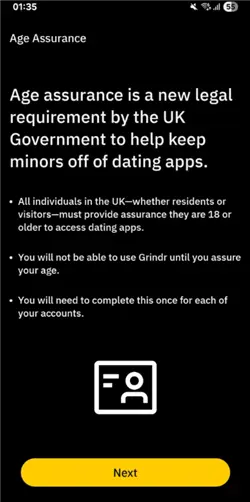
If you are in the United Kingdom, this is the main culprit. Fully enforced as of July 2025, the Online Safety Act legally requires platforms hosting “adult content” to verify that all users are over 18.
- The Rule: Grindr must verify every user in the UK.
- The Method: You are asked to provide a video selfie (for age estimation AI) or a photo of your government ID (Passport/Driver’s License).
2. US State Verification Laws
In the US, there is no single federal law yet, but a patchwork of state laws has created a digital border crisis. As of December 2025, if your IP address places you in any of the following states, you are legally required to verify your age to access adult platforms:
- Texas, Virginia, Utah, Louisiana, Arkansas, Mississippi, Montana, North Carolina
- Newer additions (late 2024/2025): Florida, Georgia, Ohio, Arizona, and Tennessee.
3. The “App Store Accountability Act” (New for Dec 2025)
A new bill proposed in the US Congress (December 2025) aims to force Apple and Google to handle age verification at the App Store level. While not yet a law, apps like Grindr are rolling out stricter checks now to prepare for future compliance.
Grindr is checking your location (IP address and GPS). If you appear to be in London or Texas, you will undergo an ID check. If you appear to be in Amsterdam or New York, you don’t.
Is Grindr’s Verification (FaceTec) Safe?
Grindr has partnered with a third-party company called FaceTec to handle these biometric scans.
- The Official Claim: Grindr states that FaceTec analyzes the video/ID to confirm age and then deletes the raw data. Grindr only keeps the “Verified” status.
- The Privacy Reality: For many in the LGBTQ+ community, “trust us” isn’t enough. Grindr has faced massive data privacy controversies in the past (including sharing HIV status data).
The Risk: Even if FaceTec is secure, linking your real-world government identity to a pseudonymous dating profile creates a permanent digital link. If a data breach occurs, your private dating life could be de-anonymized.
For safety-conscious users, the best data protection strategy is simple: Don’t share data you don’t have to.
How to Bypass Grindr Age Verification with BearVPN
The most effective way to bypass the verification prompt is to change your digital location so Grindr thinks you are in a region that doesn’t mandate ID checks. To do this reliably, you need a tool that offers precise location switching and military-grade privacy.
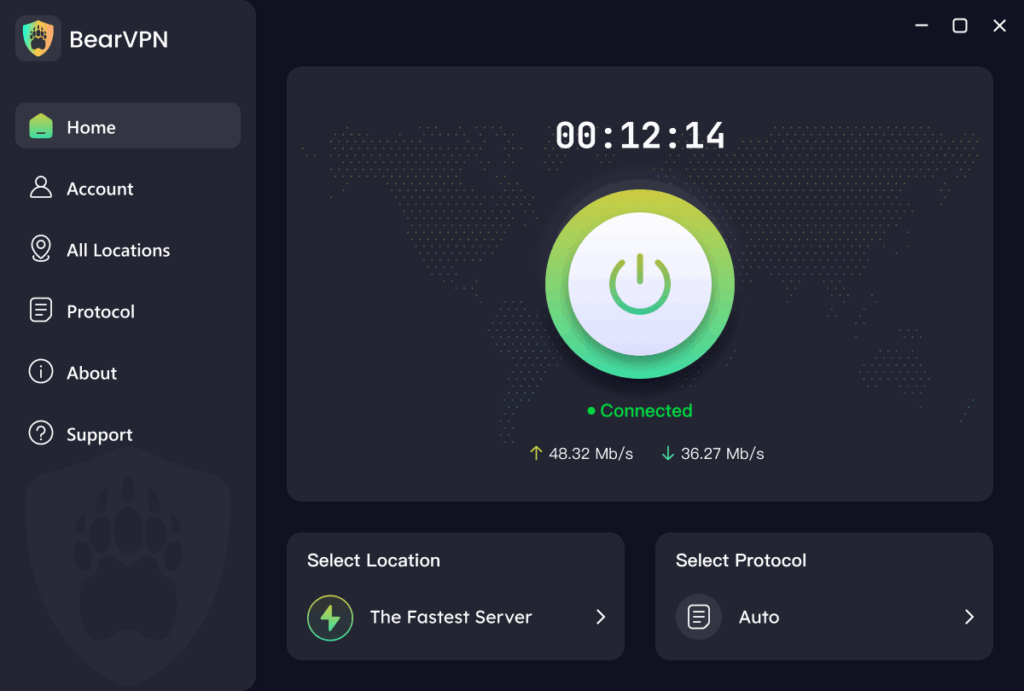
BearVPN is a reliable, high-speed VPN service designed to help you navigate global internet restrictions with ease. With coverage spanning 50+ regions and over 2,000 servers, it provides the specific infrastructure needed to “hop” from a restricted zone (like the UK or Texas) to a safe zone (like Switzerland).
Key Features for Grindr Users:
- Massive Server Network: Access 2,000+ high-speed servers globally. This ensures that if one server is blocked, you have hundreds of alternatives.
- Total Privacy Protection: BearVPN strictly adheres to a No-Logs Policy. We do not record your browsing history or app usage, ensuring your dating life remains private.
- High-Speed Connection: Our smart routing technology ensures smooth performance, so profile photos and video chats load instantly without buffering.
- Multi-Platform Support: Whether you use Grindr on iOS, Android, or via the web on macOS/Windows, BearVPN has a dedicated app for your device.
- Industry-Leading Encryption: Your data is secured with advanced encryption standards, protecting your identity from ISPs and potential snoops.
Step-by-Step Guide: The Bypass Method
Method 1: The App Reset (For Mobile Users)
Simply turning on a VPN often fails because the Grindr app “remembers” your old location. You must follow this specific sequence to wipe that memory:
Step 1. Download and Install BearVPN
Get the app for your device (iOS or Android) from the official website.
Tip: Ensure you have a Premium account so you can manually select a specific “Safe Zone” country.
Step 2. Force Stop Grindr
Close the Grindr app completely. Do not just swipe it away—go to your phone’s settings and select “Force Stop” to ensure it isn’t running in the background.
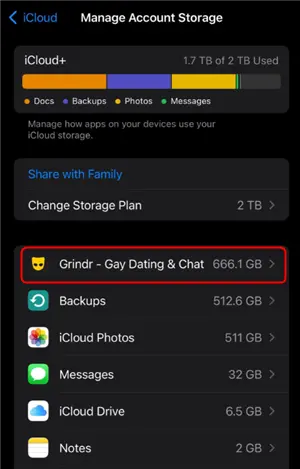
Step 3. Clear App Data & Cache (Critical Step)
This is where most users fail. You need to wipe the location data stored on your phone.
- Android: Go to Settings > Apps > Grindr > Storage > Clear Cache & Clear Data.
- iOS: Apple stores cache differently. You may need to uninstall the app and wait until Step 5 to reinstall it.
Step 4. Connect BearVPN to a “Safe Zone”
Open BearVPN and manually select a server in a country with strong privacy laws and no age verification mandates.
- Recommended Locations: Switzerland, Netherlands, Germany, or Sweden.
- US Options: If you are in the US, choose a state without verification laws like California, New York, or Washington.
- Wait for the “Connected” indicator to ensure your IP is fully masked.
Step 5. Re-open (or Re-install) Grindr
Launch the app. Since your IP now shows a “safe” location and the local cache is clear, the ID prompt should disappear, allowing you to log in normally.
Method 2: The “Web Browser” Trick (High Success Rate)
If the mobile app is still stubbornly asking for ID (often because it’s reading your phone’s GPS, which a VPN alone cannot hide), use the Web version.
Why this works: Web browsers primarily rely on IP addresses for location, not GPS sensors. BearVPN masks your IP perfectly.
- Open BearVPN and connect to a location like Switzerland.
- Open your mobile browser (Chrome, Safari, or Brave) in Incognito/Private Mode.
- Navigate to Grindr Web.
- Log in with your credentials. You will likely bypass the age verification wall entirely because the browser sees you as a user in Switzerland.
Troubleshooting: “I’m Using a VPN But Still See the ID Prompt”
If you are connected to BearVPN but still see the “Verify Age” screen, one of two things is happening:
- GPS Leak (Mobile Users)
Your phone’s internal GPS is telling Grindr you are still in the UK/Texas, even though your IP says Switzerland.
On Android, you can use a “Mock Location” app (Developer Settings) to match your GPS to your VPN location. On iOS, this is harder—switch to Method 2 (Web Version).
- DNS Leak
Low-quality or free VPNs often leak your real location through DNS requests.
Ensure you are using BearVPN. Our built-in “Kill Switch” and private DNS servers ensure that not a single packet of data reveals your true location.
Conclusion: Take Back Your Privacy
You shouldn’t have to upload your passport just to chat. While the UK and US governments push for stricter surveillance under the guise of safety, you have the right to digital privacy.
By using BearVPN, you can reclaim control over your personal data, bypass invasive ID checks, and use Grindr securely from anywhere in the world.
Ready to secure your profile? Download BearVPN Today!
Frequently Asked Questions on Grindr Age Verification
Q: Is it illegal to use a VPN to bypass age verification?
A: Generally, no. Using a VPN to protect your privacy is legal in the UK and US. However, you must legally be an adult (18+) to access Grindr. Bypassing the check to access the app as a minor is a violation of Grindr’s Terms of Service and the law.
Q: Will Grindr ban me for using a VPN?
A: Grindr does not ban users solely for using a VPN (many people use them for security on public Wi-Fi). However, they do block low-quality VPN IP addresses. Using a premium service like BearVPN minimizes the risk of connection errors.
Q: Can I use a fake ID or a photo of a celebrity?
A: No. FaceTec’s AI is sophisticated enough to detect “liveness” and match the face on the ID to the selfie video. Using fake documents can get your account permanently banned.
Q: Why does the “Clear Cache” step matter?
A: Apps store local data to load faster. If you opened Grindr in London yesterday, the app saved “Location: UK” in its cache. Even if you fly to Paris (or use a VPN), the app reads the cache first. Clearing it forces the app to check your location again—this time, seeing your VPN location.
![How to Get Unbanned from Grindr [2026 Guide]](/_next/image/?url=https%3A%2F%2Fcms.bearvpn.com%2Fwp-content%2Fuploads%2F2025%2F12%2Fhow-to-get-unbanned-from-grindr.webp&w=640&q=75)