Hide your IP address instantly with BearVPN

Hide IP on all devices


How to hide your IP address with one click

How to hide your IP address without a VPN
Benefits of using a VPN to hide IP
Enhanced online privacy
Using a VPN effectively masks your IP address, making it difficult for websites and online services to track your browsing habits and identify your physical location. This added layer of privacy helps protect your personal information from being exploited by advertisers and other third parties.
Secure data encryption
A VPN encrypts your internet traffic, ensuring that any data you send or receive is scrambled and unreadable to unauthorized users. This is especially important when using public Wi-Fi networks, where cybercriminals often attempt to intercept sensitive information.
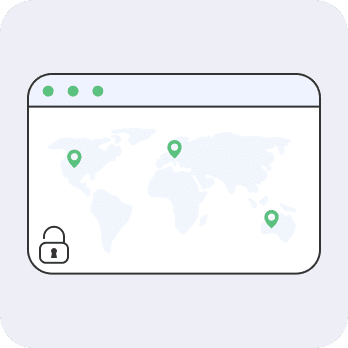
Access to geo-restricted content
With a VPN, you can bypass geographical restrictions imposed by websites and streaming services. By connecting to a server in another country, you can access content that may be unavailable in your region, such as shows, movies, or websites.
Protection against bandwidth throttling
Internet Service Providers (ISPs) sometimes limit your bandwidth, leading to frustrating slow speeds during streaming. A VPN can help you avoid throttling, ensuring smooth playback in HD quality without interruptions.
Anonymity while browsing
While no tool can guarantee complete anonymity, a VPN significantly reduces the chances of being tracked online. By replacing your real IP address with one from the VPN server, it becomes harder for advertisers and other entities to follow your digital footprint.

Safe online transactions
Using a VPN adds an extra layer of security when making online purchases or accessing sensitive accounts. The encryption provided by the VPN ensures that your financial information is protected from potential threats, giving you peace of mind while shopping online.
Protect your IP address with Bear VPN

More than Hide IP

Kill Switch
Automatically blocks your internet if the VPN disconnects, keeping your data safe from leaks.


Split Tunneling
Decide which apps use the VPN while others access the internet directly—balance security and speed effortlessly.

Advanced encryption
Shields your data with top-tier encryption, protecting you from hackers, ISPs, and surveillance.


Up to 10 devices
Secure up to 10 devices simultaneously with one BearVPN account—perfect for work, travel, and home use.
Dedicated IP
Connect with a unique IP address that’s yours alone to reduce CAPTCHA prompts and access trusted services more reliably.
Double VPN
Encrypts your data twice by routing it through two servers to boost anonymity and strengthen your online privacy.

Fastest VPN
Optimized for speed with high-performance servers to let you stream, game, and browse without slowdowns or buffering.
Frequently asked questions
- Geographic Location: It can show your approximate location, such as the country, region, and city you are in.
- Internet Service Provider (ISP): It can identify the ISP you're using to connect to the internet.
- Device Information: In some cases, it may be possible to infer the type of device or network you're using.
- Browse Behavior: Websites and online services can track your browsing activity through your IP address, especially if cookies are involved.
However, your IP address doesn’t reveal personal details like your name or exact street address unless combined with other data.