VRChat has fundamentally changed how we interact in the metaverse. For years, it was the Wild West of social VR—a place where anime avatars, stormtroopers, and knuckles indiscriminately mixed in public worlds. However, as the platform has matured, it also needs safety, moderation, and adult-oriented spaces.
Enter the VRChat Age Verification system.
If you are reading this, you’ve likely hit a wall. Maybe you’re trying to join a “Verified 18+” nightlife instance, only to be blocked. Maybe you tried to verify, but the Persona system is throwing endless “Connection Timed Out” errors. Or perhaps you are holding your government ID in your hand, hesitating, wondering if it’s truly safe to upload your passport to a video game platform.
You are not alone. Thousands of users face these exact hurdles daily.
This guide is your definitive resource for navigating the VRChat Age Verification landscape in 2025. We will break down exactly how the system works, why “glitches” are often actually network blocks, and—crucially—why using a tool like BearVPN is the only way to guarantee both your access and your privacy during this sensitive process.
What Is VRChat Age Verification? (And Why Do You Need It?)
Before we dive into the technical fixes, it is vital to understand what this system is and why VRChat implemented it.
The “Persona” System Explained
VRChat does not verify your age directly. They know that storing millions of user IDs is a cybersecurity nightmare they don’t want to handle. Instead, they have partnered with Persona, a third-party identity verification service used by major tech companies like LinkedIn, Roblox, and Square.
When you click “Verify,” the process works like this:
- The Handoff: VRChat generates a unique, temporary link that redirects you to Persona’s secure server.
- The Scan: You use your smartphone to scan a QR code. This opens a camera interface where you must take a live photo of a government-issued ID (Driver’s License, Passport, or National ID Card).
- The Selfie: You take a live selfie. Persona’s AI analyzes the biometric data of your face and compares it to the photo on the ID to ensure you are the person holding the card.
- The Hash: Once verified, Persona tells VRChat, “Yes, this user is 18+.” Crucially, VRChat claims it does not receive your ID photo. They receive a cryptographic “hash” (a unique code) that proves you verified, without storing your personal data.
Why Verify? The Benefits of the Blue Badge
Why go through this hassle? In 2025, the VRChat experience is heavily tiered based on verification status.
- Access to 18+ Instances: Many nightclub, bar, and darker roleplay worlds are now locked behind the “18+ Verified” gate. Without verification, you are locked out of the adult social scene.
- The “Verified 18+” Badge: A visible badge on your nameplate that signals to other users you are an adult. This is often required to join private groups or events.
- Unlocking NSFW Features: Certain avatar features or world interactions are disabled for unverified users to comply with platform safety guidelines.
Is VRChat’s Age Verification Safe?
This is the question burning in every user’s mind: “Is it safe to give my ID to VRChat?”
The short answer is: It’s complicated.
The long answer is: You need to take extra steps to make it safe.
The Data Privacy Risk
While VRChat and Persona state that they delete sensitive data after processing, digital privacy is never guaranteed. In the age of massive data breaches, handing over a high-resolution scan of your passport is a significant act of trust.
There is a secondary risk that few users talk about: Metadata Correlation.
When you connect to Persona’s servers to upload your ID, you are creating a digital connection between two things:
- Your Government Identity: Your name, DOB, and photo.
- Your IP Address: Your physical location (your house, your dorm, your city).
If a bad actor were to intercept that data stream, or if a log were leaked, they wouldn’t just know who you are; they would know where you are. For users who value the anonymity of the metaverse, this is a nightmare scenario.
The BearVPN Solution: Your Digital Privacy Shield
This is where BearVPN becomes an essential part of the verification process. You cannot fake your ID—you must use a real one—but you can and should protect the metadata surrounding it.
- IP Masking: By connecting to a BearVPN server before you scan that QR code, you mask your real IP address. Persona receives your ID, but they log the IP address of a server in New York or London, not your home IP in Ohio or Berlin. You decouple your physical location from your digital identity.
- AES-256 Encryption: Verification often happens on mobile devices, frequently on Wi-Fi. If you are verifying in a college dorm, a coffee shop, or a shared house, your network traffic is visible to the network administrator. BearVPN wraps your connection in military-grade AES-256 encryption. This creates a “secure tunnel” that prevents any local snooping. Even if someone is sniffing the Wi-Fi traffic, your ID upload looks like a stream of random gibberish.
Pro Tip: Always enable BearVPN on your mobile device before scanning the verification QR code. If you switch networks halfway through, the verification will likely fail due to an IP mismatch.
Why You Need a VPN for VRChat Verification (Beyond Privacy)
Privacy is critical, but for many users, the problem is functional. The VRChat verification system is notorious for being “buggy.” In reality, many of these bugs are actually network blocks that a VPN can solve instantly.
1. Bypassing “Persona” Region Blocks
Persona is a US-based company bound by strict US export laws and sanctions. Furthermore, VRChat must comply with complex international data laws (like GDPR in Europe).
If you live in any of the following regions, you may find the verification page simply refuses to load:
- Sanctioned Nations: Russia, Iran, Syria, North Korea, Cuba.
- Strict Internet Censorship Zones: Parts of the Middle East (UAE, Saudi Arabia) and China often block foreign encryption or identity services.
- Conflict Zones: Users in certain disputed territories have reported an inability to access the Persona API.
The Fix: If you are staring at a blank white screen or a “Service Unavailable” message, it likely isn’t a bug—it’s a geo-block. By using BearVPN to connect to a server in a “neutral” and open internet region (like Switzerland, Canada, or the Netherlands), you can bypass these restrictions. To the verification system, you appear to be browsing from a compliant country, allowing the page to load instantly.
2. Fixing “Connection Timed Out” & Upload Errors
Have you ever tried to upload your ID, watched the progress bar hit 99%, and then fail?
This is often caused by ISP Throttling or Packet Filtering.
- School/University Wi-Fi: Campus networks are aggressive. They often block domains associated with “Gaming” or high-bandwidth uploads to unrecognized servers.
- Strict ISPs: Some Internet Service Providers throttle upstream bandwidth (upload speed) on residential connections, causing the heavy high-res image upload to time out before it reaches Persona’s servers.
The Fix: BearVPN bypasses these local restrictions. When you use a VPN, your ISP/School Admin cannot see what you are accessing. They only see encrypted traffic going to a VPN server. They cannot block the specific Persona URL or throttle the specific upload packet because they don’t know what it is. This ensures your ID upload glides through the network without interference.
3. Avoiding “Chain Bans”
VRChat and Persona use aggressive fraud detection. If you attempt verification and fail multiple times (perhaps due to bad lighting or a blurry camera), the system may flag your IP address as “suspicious.” Once flagged, even a perfect subsequent attempt will be auto-rejected.
The Fix: If you have failed verification twice, stop. Do not keep spamming the button. Connect to a different BearVPN server location (e.g., switch from “US East” to “US West”). This gives you a fresh, clean IP address. To the system, you are now a new user attempting verification for the first time, bypassing the “suspicious IP” flag.
Step-by-Step Guide: How to Verify Safely with BearVPN
Ready to get that Blue Badge? Follow this exact workflow to ensure a smooth, secure, and successful verification.
Phase 1: Preparation
Download BearVPN: Install the app on the mobile device (iOS and Android) you will use to take the photos.
Prepare Your ID: Specific valid IDs include:
- Driver’s License.
- Passport (The most reliable option globally).
- National ID Card. Note: Student IDs, Library cards, and Bus passes will NOT work.
Find a room with bright, even lighting. Glare on the plastic ID card is the #1 cause of failure.
Phase 2: The Secure Connection
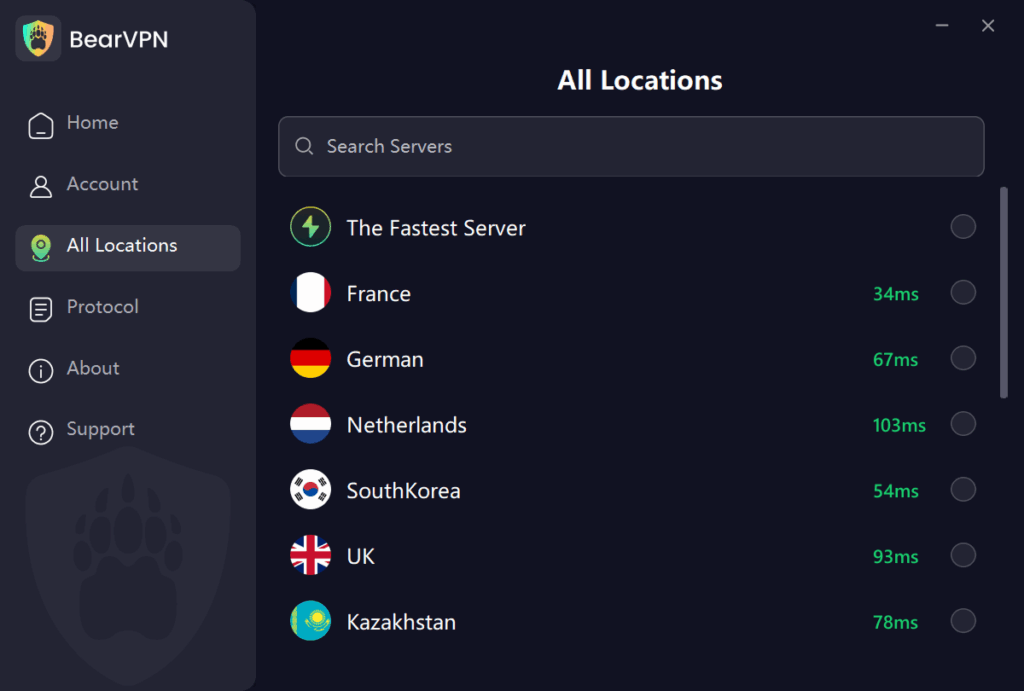
Launch BearVPN on your phone. Select a Server:
- For Privacy: Choose a location close to you to maintain speed (e.g., if you are in France, choose Germany).
- For Bypassing Blocks: If you are in a restricted country (e.g., Russia), choose a server in Sweden or the UK.
Phase 3: Verification
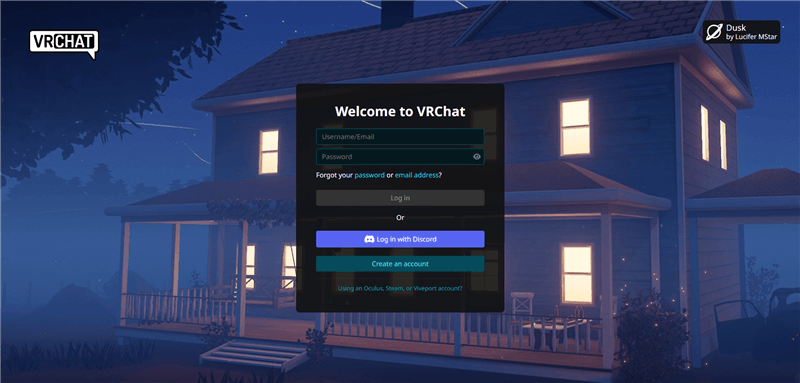
- Start in VRChat: Go to the VRChat website (log in) and find the “Age Verification” tab in the menu.
- Scan the QR Code: Use your phone to scan the code on your screen.
- Browser Handoff: Your phone browser will open the Persona link. Because you are on BearVPN, this should load quickly.
- Capture ID: Place your ID on a dark, non-reflective surface (like a mousepad or bedsheet). Align the corners. Snap the photo.
- Liveness Check: Hold the phone at eye level. Follow the instructions (look left, look right).
- Submit: Wait for the upload to complete. Do not disconnect the VPN until you see the “Success” screen.
Phase 4: Confirmation
Once you see the success message on your phone, look at your VRChat profile on your PC. You should see the status update to “Verified 18+” within minutes. You can now disconnect the VPN on your phone (though we recommend keeping it on your PC for gameplay protection).
Troubleshooting Common Errors
Even with a VPN, things can go wrong. Here is a glossary of common errors and how to fix them.
“Verification Failed” – Usually caused by glare or a blurry image. Clean the lens, disable flash, and place the ID on a contrasting background.
“Service Unavailable in Your Region” – You’re in a geo-blocked location. Turn on BearVPN, connect to a US/UK/CA server, and refresh.
“Connection Timed Out” / “Upload Failed” – Often due to weak internet or throttling. Switch to 4G/5G, keep BearVPN on, or change the VPN protocol (OpenVPN → IKEv2).
“Camera Permission Denied” – Browser lacks camera access. Allow camera permissions in your device settings and reload.
FAQ: Common Questions & Mythbusting
Q: Can a VPN help me fake my age if I am under 18?
A: No. A VPN changes your location, not your biological age. You still need to upload a valid government ID. Using a VPN to try and trick the system into accepting a fake ID will likely result in a permanent ban. BearVPN is a tool for privacy and access, not fraud.
Q: I don’t have a Government ID. Can I still play VRChat?
A: Yes! Age verification is optional for the core game. You can still play VRChat, upload avatars, and visit public worlds. However, you will be restricted from entering specific “18+ Verified” instances and groups.
Q: Will VRChat ban me for using a VPN?
A: Generally, no. VRChat does not ban users simply for using a VPN (many players use them to reduce ping or stop DDoS attacks). However, if you use a VPN to evade a previous ban, that is a violation of TOS. For age verification, using a VPN to secure your connection is a smart security practice, not a bannable offense.
Q: Does having VRC+ (VRChat Plus) make verification easier?
A: VRC+ does not bypass the verification requirement. However, VRC+ users often get priority support if something goes wrong. The verification process itself (Persona) remains the same whether you pay for VRC+ or not.
Q: Why does the verification page load forever on my phone?
A: This is a classic symptom of a DNS block or ISP routing issue. Your internet provider is struggling to resolve the Persona domain. Turning on BearVPN forces your device to use the VPN’s secure DNS servers, which instantly resolve the domain and load the page.
Conclusion
The “Wild West” era of VRChat is ending as age verification becomes the new norm. While this change introduces some friction, it also supports a safer and more mature environment for adult players. Still, no one should have to trade away privacy or lose access to content because of regional restrictions or strict internet laws.
With BearVPN, the entire verification process becomes more secure and more reliable. It encrypts your ID data, hides your IP address, and helps you bypass regional blocks or throttling that could interrupt gameplay. Download BearVPN today to verify safely, protect your privacy, and explore the metaverse without limitations.