In 2026, the digital landscape is more scrutinized than ever. For those utilizing peer-to-peer (P2P) networks via uTorrent, privacy isn’t just a preference—it’s a necessity. While many users believe simply turning on a VPN is enough, the reality is that a brief connection drop can expose your real IP address to the entire torrent swarm in milliseconds.
According to Freedom House’s Freedom on the Net 2025 report, global internet freedom has declined for the 13th consecutive year, with more countries increasing surveillance, traffic monitoring, and restrictions on encrypted tools such as VPNs and P2P applications.
As network scrutiny intensifies, accidental IP exposure during torrenting has become a higher-risk event than in previous years, especially in regions where copyright enforcement and ISP monitoring are actively expanding.
This guide will teach you the most advanced method for securing your downloads: VPN Binding. By the end of this tutorial, you will know how to configure uTorrent to only communicate through your secure VPN tunnel, providing a “fail-safe” that protects your identity even if your connection falters.
Key Takeaways: Torrent Safely with VPN Binding
Before we dive into the technical steps, let’s look at why binding is the gold standard for P2P privacy in 2026:
- Binding uTorrent to your VPN is the safest way to prevent IP leaks during torrenting in 2026.
- A Kill Switch alone may fail during sudden VPN drops or OS-level rerouting.
- Manual IP binding offers the strongest protection but requires updating when switching servers.
- Using a VPN with a reliable Kill Switch (like BearVPN) is the most practical long-term solution.
- VPNs protect privacy—but they do not make illegal downloads legal.
Why You Need to Bind Your VPN to uTorrent
Many users ask: “Isn’t a Kill Switch enough?” While a Kill Switch is an essential security layer, it often acts as a reactive measure. If your VPN app crashes or the OS manages to reroute traffic before the Kill Switch engages, your real IP can leak.

1. The “VPN Drop” Risk
The BitTorrent protocol works by connecting you to a “swarm” of other users (peers) who are sharing the same file. Your IP address is visible to everyone in that swarm. If your VPN disconnects for even a second, uTorrent may automatically revert to your local ISP connection, broadcasting your home IP to the swarm. Binding prevents this by telling the application: “If the VPN isn’t there, don’t talk to anyone.”
2. Privacy vs. Anonymity
A VPN enhances online privacy, but it does not guarantee absolute anonymity. Privacy tools reduce exposure of identifiable data — such as your real IP address — while anonymity would require eliminating all possible identifying signals, which is extremely difficult in real-world networks.
VPN binding improves privacy by technically restricting uTorrent to a single network interface: the VPN tunnel. If that tunnel disconnects, uTorrent is unable to send or receive data, preventing accidental IP leaks during brief network interruptions. This approach minimizes one of the most common privacy failures in P2P software: automatic fallback to the local ISP connection.
Security researchers consistently recommend combining application-level binding with system-level protections (such as a Kill Switch) to reduce exposure risks, especially for long-running torrent sessions.
3. Avoid Legal & ISP Notices
Using a VPN with uTorrent helps reduce IP address exposure during peer-to-peer (P2P) connections, but it does not make illegal downloads legal. In many countries, Internet Service Providers (ISPs) monitor copyright complaints based on IP addresses reported by rights holders — not by inspecting file contents directly.
VPN binding works by ensuring that uTorrent only communicates through the encrypted VPN tunnel. This significantly lowers the risk of your real IP address being logged by torrent peers, which is the most common trigger for copyright notices. However, users are still responsible for complying with local copyright laws and regulations.
Digital rights organizations such as the Electronic Frontier Foundation (EFF) emphasize that VPNs are privacy tools — not legal shields. They protect network-level identifiers, but they do not change the legality of the activity itself. Understanding this distinction is critical for responsible and lawful VPN use.
How to Bind uTorrent to BearVPN (Step-by-Step)
For torrenting, a VPN must prioritize connection stability, IP consistency, and traffic obfuscation — not just raw speed. BearVPN’s infrastructure is designed with these requirements in mind, offering a large global server network and specialized routing protocols (such as SLProxy and SCProxy) intended to reduce interference from ISP traffic shaping and Deep Packet Inspection (DPI).
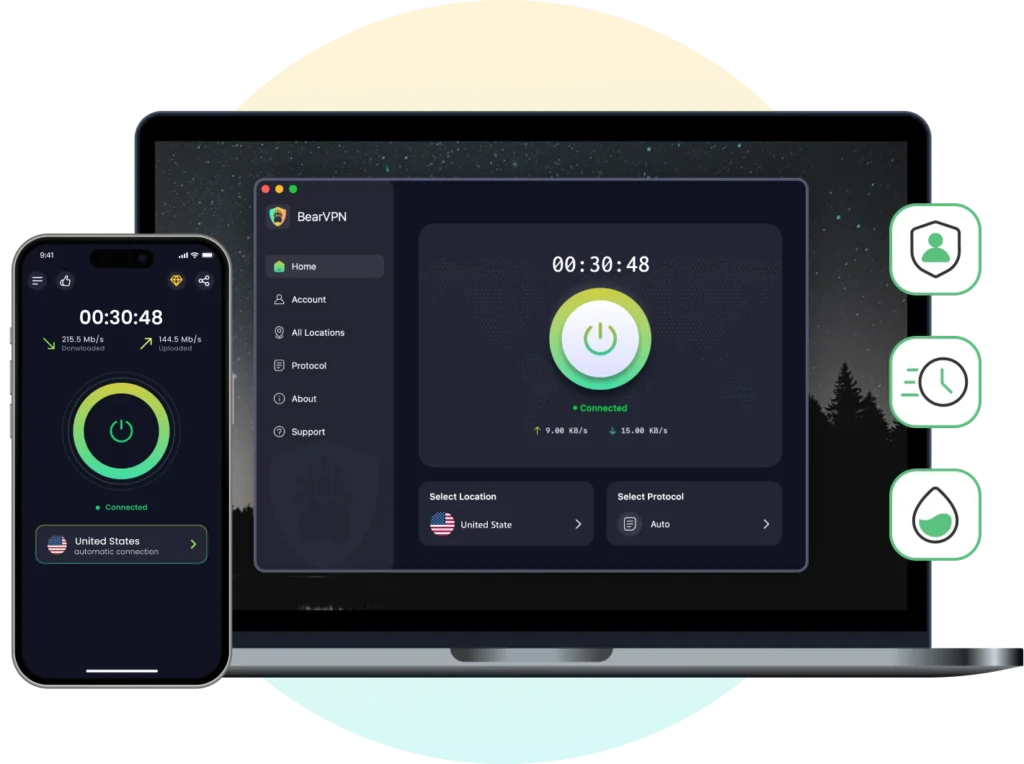
During extended P2P sessions, connection drops — even brief ones — are the primary cause of IP leaks. BearVPN’s system-level Kill Switch, when combined with uTorrent binding, ensures that torrent traffic does not automatically reroute through an unprotected network interface if the VPN connection is interrupted.
While no VPN can guarantee complete anonymity, using a provider that supports modern encryption standards, maintains a verified no-logs policy, and offers stable P2P-compatible servers significantly reduces common privacy risks associated with torrenting.
Step 1: Connect to a BearVPN P2P Server
Open your BearVPN client. Select a server location optimized for P2P traffic. While BearVPN’s global network of 2000+ servers is robust, choosing a location like the Netherlands or the US often provides the best balance of speed and privacy for torrenting.
Step 2: Find Your VPN IP Address
Once connected, you need to identify the IP address assigned to you by BearVPN.
- Open your browser and visit a site like ipleak.net or dnsleaktest.com.
- Note down the IPv4 address displayed. This is the “Public IP” of your BearVPN connection.
Step 3: Configure uTorrent Advanced Settings
Now, we will lock uTorrent to that specific IP address.
- Open uTorrent and navigate to Options > Preferences (or press Ctrl+P).
- On the left-hand menu, select the Advanced tab.
- In the “Filter” box, type ip.
- Locate the setting net.bind_ip. Select it, and in the Value field, paste the BearVPN IP address you noted in Step 2. Click Set.
- Locate net.outgoing_ip. Paste the same BearVPN IP address here and click Set.
- Click Apply and OK. Restart uTorrent for the changes to take effect.
Important Note: If you change VPN servers and get a new IP, you must update these settings. If you want a more permanent solution that doesn’t require manual updates, proceed to Step 4.
Step 4: Enable the BearVPN Kill Switch (The Easier Method)
For many users, manually updating IP addresses is tedious. BearVPN includes a “Network Lock” or Kill Switch as part of its core security matrix.
- Go to the Settings menu in your BearVPN app.
- Enable the Kill Switch feature.
- This will automatically block all internet traffic system-wide if the VPN connection drops, effectively “binding” your entire computer to the VPN tunnel.
Why BearVPN is the Best Choice for uTorrent in 2026
Choosing the right VPN is critical for torrenting. A slow or “leaky” provider can make the experience frustrating and risky. Here is why BearVPN is the preferred tool for 2026:
| Feature | BearVPN Capability | Benefits of Torrenting |
| No-Logs Policy | Strict No-Logs | Your download history is never recorded. |
| Server Network | 2000+ Servers | Always find a fast, uncrowded node. |
| Protocols | SLProxy & SCProxy | Bypasses ISP blocks and Deep Packet Inspection. |
| Speed | 4K-Ready Bandwidth | Zero lag for large movie or game files. |
| Device Limit | 10 Simultaneous Devices | Protect your PC, laptop, and phone at once. |
Troubleshooting: uTorrent Not Working with Your VPN?
If you’ve followed the steps above and your downloads aren’t starting, try these fixes:
- Check for IP Leaks
Always verify your connection. With uTorrent active, visit dnsleaktest. com and run an “Extended Test”. If you see your ISP’s name or your real city, your VPN is leaking and the binding has failed. Ensure the IP in uTorrent’s settings matches your current VPN IP exactly.
- Disable IPv6
Many torrent clients can leak your real identity through IPv6 addresses, which some VPNs do not fully support.
On Windows: Go to Network and Sharing Center > Change adapter settings > Right-click your connection > Properties > Uncheck “Internet Protocol Version 6 (TCP/IPv6)”.
- Switch Protocols
If speeds are slow, your ISP might be using Deep Packet Inspection to flag VPN traffic. Switch between SLProxy and SCProxy in the BearVPN settings. These protocols are engineered to disguise VPN traffic as regular web browsing.
- Firewall Whitelisting
Your Windows Firewall or antivirus might block uTorrent because it perceives P2P traffic as a threat. Ensure both BearVPN and uTorrent are added to your firewall’s “Allow” list.
Conclusion: Secure Your Downloads Today
The internet in 2026 is a complex web of surveillance and restrictions. Torrenting without proper protection is a risk to your digital identity and your connection speed. By binding uTorrent to a reliable provider like BearVPN, you gain the ultimate fail-safe: a connection that is either 100% secure or not connected at all.
Don’t wait for an ISP notice or a privacy breach to take action. Secure your digital footprint, bypass restrictions, and enjoy the true freedom of the web.
Ready to start torrenting safely?
FAQs on uTorrent How to Bind VPN
Is it legal to use a VPN with uTorrent?
Yes. Using a VPN to protect your privacy and security is legal in the vast majority of countries. However, you should always comply with local laws regarding the content you download.
Will a VPN slow down my uTorrent speeds?
While encryption adds a small amount of overhead, premium providers like BearVPN use high-speed 4K-optimized nodes to minimize impact. In some cases, a VPN actually increases speed by preventing ISP throttling.
Can I use a free VPN for uTorrent?
We strongly advise against it. Most free VPNs have strict data caps (often 500MB to 10GB), slow speeds, and may sell your data to third parties. For serious torrenting, BearVPN’s paid plans offer unlimited data for less than the price of a cup of coffee.
Does uTorrent have a built-in kill switch?
No, uTorrent does not have a native kill switch. This is exactly why manual IP binding or using the BearVPN Kill Switch is an essential step for every user.
How do I know if my VPN binding is working?
A simple test: while a download is active, disconnect your BearVPN. If the download speed in uTorrent immediately drops to 0.0 kB/s and the “Status” changes to “Error” or “Finding Peers,” your binding is working perfectly.