In the vast, often untamed wilderness of third-party app stores, one name consistently rises to the top: Uptodown. But for the average user, seeing the Android “Unknown Sources” warning pop up is enough to trigger immediate hesitation. You likely have one burning question: Is Uptodown safe?
The short answer is yes, but with caveats that every user must understand.
Unlike the “Wild West” of random APK download sites, Uptodown operates as a legitimate, registered business based in Málaga, Spain, subject to GDPR and European digital safety laws. It partners with industry giants like VirusTotal and Unity to ensure file integrity. However, using it requires a shift in mindset—from the automated safety of Google Play to a more hands-on, verified approach.
This guide is your definitive security audit for 2025. We will strip away the marketing fluff and look at the technical evidence, the new “Turbo” subscription model, and how to read a VirusTotal report so you can download with absolute confidence.
Is Uptodown Safe in 2025?
If you are looking for a quick “Yes” or “No,” here is the executive summary based on our technical audit:
- Malware Safety: High. Every single file is scanned by over 70 antivirus engines via VirusTotal. If a file shows genuine malware (not just a false positive), it is rejected.
- Data Privacy: High. As a Spanish company founded in 2002, Uptodown complies with strict EU GDPR regulations.
- Legitimacy: Verified. Unlike piracy sites, Uptodown has historic partnerships with Unity Technologies and major developers to host official builds.
- PC vs. Mobile: Safety is high for Android APKs. For PC (Windows) software, extra vigilance is required regarding “bloatware” in installers, though Uptodown checks for this far more rigorously than competitors like Softonic.
The Bottom Line: Is downloading from Uptodown safe? Yes. It is arguably the safest alternative to the Google Play Store currently available. However, safety is a shared responsibility. You must learn to interpret security badges and understand why your phone warns you about “Unknown Sources.”
What is Uptodown? (It’s Not Just a Website)
To understand how safe is Uptodown, you have to understand what it actually is. It is not a faceless repository of stolen files.
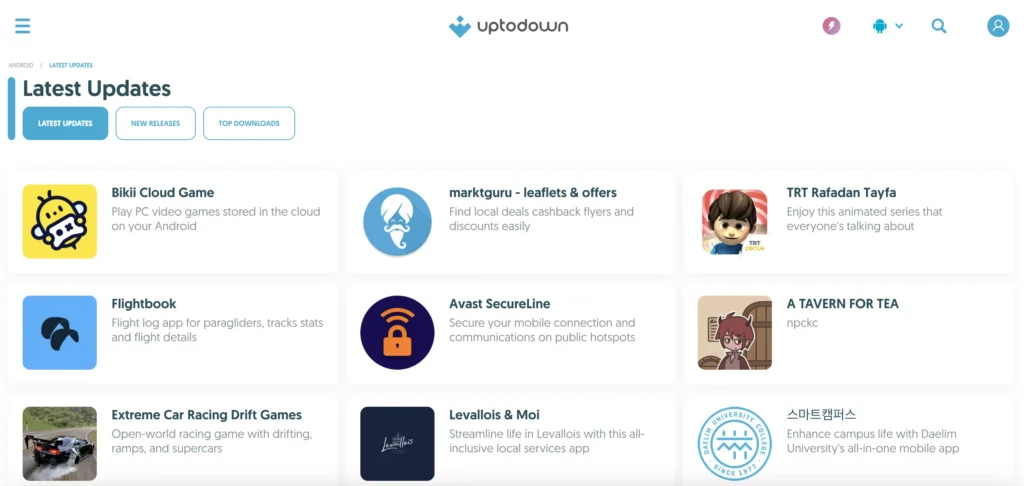
Founded in 2002 at the University of Málaga, Uptodown has grown into a massive open app store with over 130 million monthly active users. Unlike Google Play, which is a “Walled Garden” controlled by Google, Uptodown is an open marketplace. It allows you to download apps in APK format (for Android) or EXE/DMG (for Windows/Mac) without needing a user account.
The “Curated Marketplace” Model
Most APK sites use “scrapers” to steal files from the Play Store. Uptodown works differently. They employ a team of over 35 people, including human editors who manually review apps, write unique descriptions, and take their own screenshots. This “Human in the Loop” approach is a massive security layer that automated sites lack.
How Uptodown Protects You
When you ask, “Is Uptodown APK safe?“, you are really asking about the integrity of the file you are about to install. Uptodown uses a “Swiss Cheese” security model—multiple layers of defense to stop malware.
1. The VirusTotal Integration (The Blue Shield)
This is Uptodown’s strongest trust signal. They have integrated the VirusTotal API directly into their publishing platform.
- How it works: Before any file goes live, it is scanned by 70+ antivirus engines (including Kaspersky, BitDefender, and Symantec).
- Transparency: You don’t have to take their word for it. On every download page, you will see a Blue Shield icon or a “Security Report” link. Clicking this takes you directly to the full VirusTotal dossier for that specific file.
- Zero Tolerance: If an app is flagged by multiple reputable engines as malicious, it is blocked from the platform.
2. The “Dev Onboard” Badge
New for 2024/2025 is the “Dev Onboard” badge. When you see this badge next to an app name, it means the developer is actively collaborating with Uptodown.
- Why it matters: It confirms a Chain of Custody. The file wasn’t just found on the internet; the developer (e.g., PUBG Corp, Mihoyo, or an indie studio) uploaded it directly via the Uptodown Developers Console. This eliminates the risk of a middleman tampering with the code.
3. Signature Verification (The Technical Proof)
Is Uptodown safe for Android system integrity? Yes, because of cryptographic signatures.
Every Android app is signed with a unique digital key by its creator. Uptodown verifies that the signature of the APK they host matches the signature of the original developer.
- If a hacker tried to inject a virus into WhatsApp and upload it to Uptodown, the digital signature would break. Uptodown’s system would reject the update because the keys don’t match. This ensures you are getting the exact file the developer created.
Enhance Your Safety: The Role of a VPN
While Uptodown ensures the files are safe, your connection is a different story. When you download apps from third-party sources, your Internet Service Provider (ISP) can see exactly what you are doing. Furthermore, many users turn to Uptodown specifically to access games and apps that are geo-blocked in their country.
To bridge this gap, we strongly recommend using a VPN. For Uptodown users, our top choice for 2025 is BearVPN.
Why We Recommend BearVPN for Uptodown Users
We chose BearVPN because it specifically addresses the pain points of the sideloading community:
- Bypass Geo-Restrictions: Many games on Uptodown (like soft-launched titles) won’t run if they detect you are in the “wrong” country. BearVPN allows you to switch your IP address to over 50 locations, unlocking these region-locked games instantly.
- Privacy from ISPs: BearVPN uses AES-256 encryption, the same standard used by banks. This creates a secure tunnel, meaning your ISP cannot track which APKs you are downloading or throttling your speed because you are downloading large game files.
- No-Logs Policy: Crucially, BearVPN adheres to a strict no-logs policy. They do not record your browsing history, ensuring your download habits remain private.
How to Use BearVPN with Uptodown
Step 1. Download & Install: Get the BearVPN app on your mobile device or PC.
Step 2. Select a Server: If you are downloading a game only available in Asia, select a server in that region. If you just want privacy, choose The Fastest Server option.
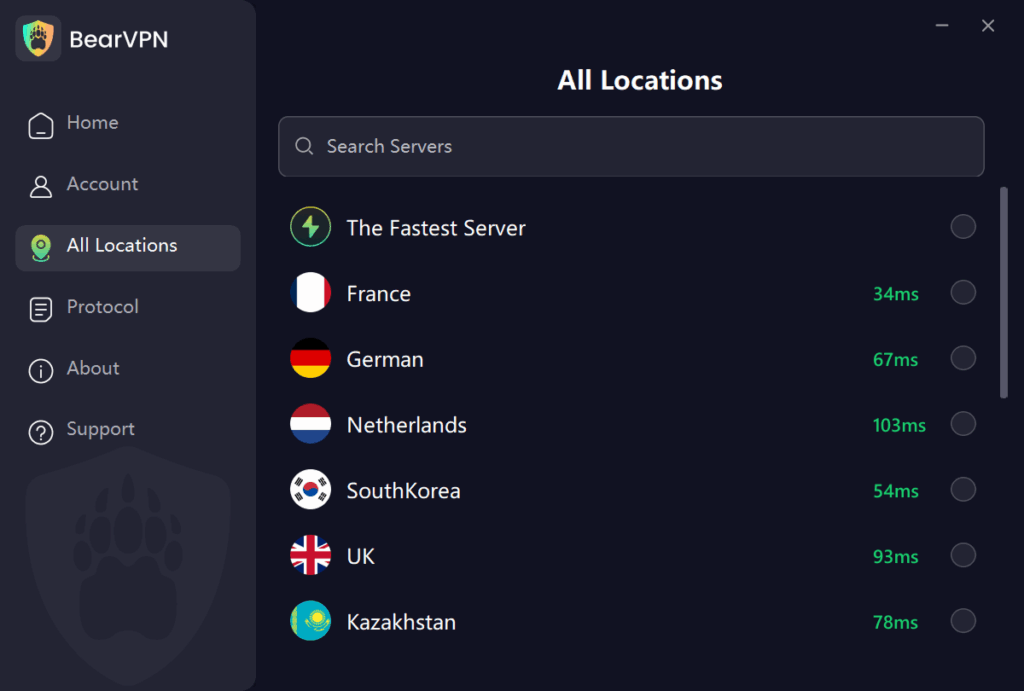
Step 3. Browse Uptodown: Once connected, open Uptodown. You can now download and install apps anonymously and without regional blocks.
The New Trust Signal: Uptodown Turbo
In the past, third-party sites were plagued by aggressive ads, leading users to wonder, “Is Uptodown safe or just an ad farm?”
In late 2024, the platform launched Uptodown Turbo, a subscription service ($2.99/month).
- Why this makes it safer: A platform that relies 100% on ads is incentivized to prioritize clicks over safety. A platform with subscribers is incentivized to protect its reputation.
- Turbo Features: Subscribers get an “Enhanced Security” mode that provides active security warnings and removes all advertising, eliminating the risk of accidental clicks on misleading download buttons.
The existence of a premium, paid tier is a strong indicator that Uptodown is a legitimate commercial entity, not a fly-by-night operation.
Risk Analysis: When Should You Be Careful?
No system is 100% foolproof. To fully answer “Is it safe to download from Uptodown?“, we must look at the edge cases where users might face issues.
1. The “False Positive” Paradox
You might scan a file and see 1 or 2 red flags on VirusTotal. Does this mean is Uptodown app store safe? Usually, yes.
- PUPs (Potentially Unwanted Programs): Antivirus engines often flag apps like “Lucky Patcher” or “KingRoot” as malware because they can modify your system. However, this is exactly what the user wants the app to do.
- Ad Libraries: Sometimes, an aggressive ad network inside a free game triggers a “Adware” warning.
- Rule of Thumb: If 50 engines say it’s clean and 2 obscure ones say it’s “Heuristic/Gen,” it is almost certainly a false positive.
2. Is Uptodown Safe for PC?
Is Uptodown safe for PC downloads? Generally, yes, but Windows is riskier than Android.
- The Risk: Windows .exe files have more power than Android .apk files.
- The Mitigation: Uptodown hosts the official installers. However, some free PC software comes bundled with “offers” (like browser toolbars). While Uptodown doesn’t add these (unlike some competitors), the original developer might. Always choose “Custom Installation” on PC to uncheck unwanted extras.
3. Outdated Apps (The Rollback Feature)
One of Uptodown’s best features is the ability to download older versions of apps. However, using old apps is a security risk you take on yourself. An old version of Chrome or WhatsApp will lack the latest security patches. Use the “Rollback” feature only if you have a specific need (e.g., compatibility with an old phone).
Uptodown vs. Google Play vs. APKMirror vs. APKPure
How does Uptodown stack up against the competition?
| Feature | Uptodown | Google Play Store | APKMirror | APKPure |
| Safety Check | VirusTotal (70+ Engines) | Play Protect | Manual Cryptographic Verification | Automated Scanning |
| Official Source | Yes (“Dev Onboard”) | Yes | Yes (Uploads vetted by staff) | Mixed (User uploads allowed) |
| Geo-Restrictions | None (Global Access) | Strict | None | None |
| User Account | Not Required | Required | Not Required | Not Required |
| Rollback | Yes (Full History) | No | Yes | Yes |
| Safety Verdict | Very High | High | Very High (For techies) | Medium |
Comparison Insight:
- Vs. Google Play: Play Store is safer for total beginners because it does everything automatically. Uptodown is safe but requires you to tap “Install” manually.
- Vs. APKMirror: APKMirror is excellent but very technical. Uptodown is more user-friendly with its native app store client and translations.
- Vs. APKPure: Uptodown generally has stricter editorial control than APKPure, which has had incidents with malicious ads in its own app in the past.
Step-by-Step Guide: How to Safely Download from Uptodown
Follow this workflow to ensure maximum safety.
Step 1: Check the “Trusted” Status
When you land on an app page, look for the green checkmark or the “Dev Onboard” badge. Avoid apps that look like clones or have misspelled names.
Step 2: Review the VirusTotal Report
Don’t just trust the site. Click the Blue Shield icon (or “View detailed report”).
- Green (0/70): Perfectly safe.
- Yellow (1-3 detections): Likely a false positive, but check the comments.
- Red (5+ detections): Do not download.
Step 3: Download the File
Click the green “Download” button. Note: If you are on a free account, ignore any “Start” or “Play” buttons in the advertisement banners surrounding the real download button.
Step 4: Handle the Android Warning
When you open the file, Android will ask: “For your security, your phone is not allowed to install unknown apps from this source.”
- Tap Settings.
- Toggle Allow from this source (or “Install Unknown Apps”) for your browser or the Uptodown App.
Note: This does not mean the file is a virus; it just means it didn’t come from Google.
Step 5: Verify (Optional for Power Users)
If you are asking “how safe is Uptodown” for a sensitive app (like a crypto wallet), verify the SHA256 hash provided on the Uptodown page against the developer’s official website.
Community Sentiment: What Reddit & Users Say
To get a raw, unfiltered answer to “Is Uptodown legit?“, we analyzed discussions on Reddit (r/AndroidApps, r/Antivirus) from late 2024 and 2025.
- The Consensus: The vast majority of power users consider Uptodown a “Tier 1” repository alongside APKMirror and F-Droid.
- Common Praise: Users value the ability to find older versions of apps and bypass regional restrictions (e.g., downloading games not yet available in their country).
- Common Complaint: The ads on the free web version can be annoying. This is a user experience issue, not a safety issue, and can be solved by using the Uptodown App Store client or subscribing to Turbo.
Conclusion
So, is Uptodown safe? As of 2025, Uptodown operates as an app store with multiple security measures in place. It uses over 70 antivirus engines, operates under European legal regulations, and offers a subscription model for trust and accountability.
Users can check the Blue Shield and “Dev Onboard” status when downloading apps, providing tools to make informed decisions in the marketplace.
FAQ
Is Uptodown legal?
Yes. Uptodown is a DMCA-compliant company. They host free apps and games. They do not host “cracked” or paid apps for free (warez). If a developer asks for an app to be removed, Uptodown complies immediately.
Why does my phone say “File might be harmful”?
This is a generic warning message from Android (Google Chrome) that appears for any APK file downloaded from any website, including safe ones. It is Google’s way of telling you to be careful, not a confirmation that a virus exists.
Is Uptodown safe for iPhones (iOS)?
Uptodown is primarily an Android and Desktop marketplace. Due to Apple’s restrictive ecosystem, you cannot “sideload” apps on iOS directly from a website like you can on Android. If you see a site claiming to be “Uptodown for iOS,” be extremely cautious.
Does Uptodown require root access?
No. You do not need to root your phone to use Uptodown. In fact, avoiding root makes your device safer.
Can I catch a virus from Uptodown?
While the risk is extremely low due to the VirusTotal integration, no system is perfect. However, you are statistically safer on Uptodown than on random forum links or unverified APK sites.