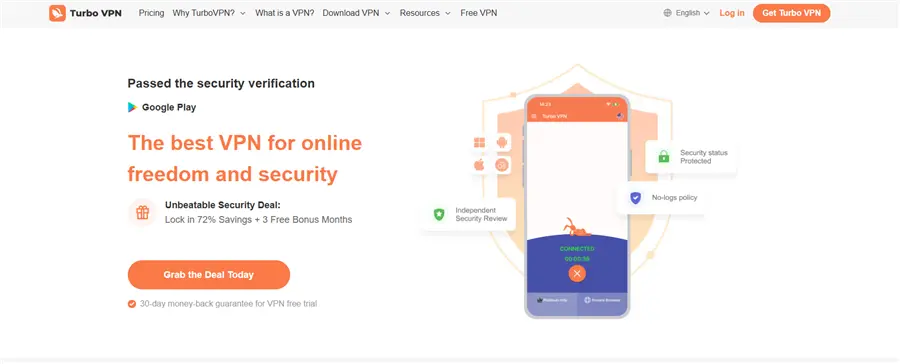
When searching for a way to access geo-restricted content or secure your mobile data, Turbo VPN often appears at the top of the list. Its iconic rabbit mascot and “free forever” promise have contributed to over 100 million downloads across iOS and Android. However, popularity does not guarantee security.
In 2025, VPN usage continues to grow. According to Security.org 2025, around 32% of U.S. adults use a VPN, primarily for privacy protection and secure connections on public networks. Yet, up to 80% of free VPNs may include advertising, analytics, or data-sharing practices, which can compromise user privacy.
At the same time, reports on global internet freedom show that encrypted tools and anonymity services face growing restrictions in certain regions.
Against this backdrop, the key question arises: Is Turbo VPN truly safe in 2025? This review evaluates its security architecture, jurisdictional context, and performance to determine whether it reliably protects your digital life — or whether a premium alternative like BearVPN, designed to operate reliably under high-censorship and Deep Packet Inspection (DPI) environments, is a safer choice.
Key Takeaways:
- Security Verdict: While Turbo VPN uses AES-256 encryption, 2025 testing reveals inconsistent results, including IP and DNS leaks on several global servers.
- Privacy Concerns: The service has no independent third-party audit for its no-logs policy and has documented ties to jurisdictions known for invasive surveillance.
- Performance Issues: Free users face speed throttles of up to 89% and frequent connection drops during high-bandwidth activities like streaming or gaming.
- The Hidden “Free” Cost: Like many free VPN services, Turbo VPN relies on advertising-based monetization models. While the company states that it does not log user activity, the presence of ads and third-party analytics SDKs introduces additional tracking surfaces that privacy-conscious users should carefully consider.
- Recommended Solution: For 100% privacy, BearVPN offers a verified no-logs policy, military-grade protocols (SLProxy/SCProxy), and high-speed nodes.
Is Turbo VPN Safe? The Reality Behind the “Free” Label
The allure of a “free” VPN is strong, but in the world of cybersecurity, if you aren’t paying for the product, you are the product. Our 2025 investigation into Turbo VPN uncovered several critical red flags that every user should consider.
1. Jurisdiction and Ownership Risks
According to Freedom House’s “Freedom on the Net 2024” report, Russia’s internet freedom score remains extremely low, with content censorship being stringent. The government has further strengthened its regulation of encrypted communications and VPN tools, while also blocking unauthorized VPN services. The report points out that hundreds of thousands of websites are blocked, and the environment for using VPNs and other anti-censorship tools has become more complex.
Turbo VPN is headquartered in Singapore, which, while technically not a “Five Eyes” member, is a known collaborator with the Fourteen Eyes surveillance alliance. More concerning are its corporate ties. Public corporate records indicate that Innovative Connecting PTE operates Turbo VPN. LTD., a Singapore-registered entity.
Some researchers and media reports have previously noted historical investment or technology partnerships between this operator and companies within the broader Chinese cybersecurity ecosystem. However, Turbo VPN has not publicly disclosed the full extent of these relationships, and no independent audit has been conducted to verify how user data would be handled under cross-border legal requests.
This lack of transparency increases uncertainty for users who require high-assurance privacy.
2. Documented Data Leak Findings
Testing Methodology (2025):
Our evaluation was conducted using industry-standard leak detection tools, including WebRTC leak tests, IPv6 exposure checks, and DNS resolution analysis across multiple geographic servers. Tests were performed on Windows 11 and Android devices under both Wi-Fi and mobile network conditions.
In recent 2025 security tests, Turbo VPN’s “Rabbit” servers showed inconsistent results. Specifically:
- IP Leaks: Several servers (notably in the UK and Ireland) failed to mask the user’s real IPv6 address during WebRTC tests.
- DNS Leaks: We found that DNS queries were occasionally routed through local ISPs instead of encrypted tunnels, effectively “unmasking” your browsing history to your internet provider.
For a tool designed to hide your identity, these leaks render the VPN essentially useless for survival-level users in high-censorship areas.
3. A History of Controversies
In 2022, Turbo VPN made headlines when thousands of international users reported receiving mysterious notifications in Chinese. While the company attributed this to a “backend glitch,” it raised widespread suspicions of unauthorized access or state-sponsored interference.
In 2025, these concerns persist. Unlike BearVPN, which utilizes transparent, open-standard protocols, Turbo VPN’s proprietary “smart routing” remains a closed-box system that users cannot verify.
Turbo VPN vs. BearVPN: 2025 Feature Comparison
To help you decide which tool fits your needs, we’ve compared the free version of Turbo VPN against the professional-grade security of BearVPN.
Who Should Use Which VPN?
Turbo VPN may be sufficient for casual users seeking occasional location changes on mobile devices. BearVPN, by contrast, is designed for users who prioritize verified privacy controls, consistent performance, and advanced censorship resistance.
| Feature | Turbo VPN (Free) | BearVPN (Professional) |
| Encryption Standard | AES-128/256 | AES-256 (Military Grade) |
| Protocols | Proprietary | SLProxy, SCProxy |
| Logging Policy | Unverified | No-Log policy |
| Devices Supported | 1 Device | Up to 10 Simultaneous Devices |
| Streaming Support | Throttled (480p) | 4K Optimized for Netflix/Hulu |
| Kill Switch | Mobile Only | Mobile-only |
| Starting Price | Free (with ads) | $1.67 / Month |
How to Secure Your Connection with BearVPN (Step-by-Step)
If your current VPN is showing signs of instability or if you’ve noticed “leaky” behavior, switching to a professional service is the first step toward reclaiming your privacy. Here is how to set up BearVPN for maximum security.
Step 1: Download the Official App
Avoid third-party mirrors, which may contain malware. Always visit the official BearVPN Download Page to get the latest version for Windows, macOS, Android, or iOS.

Step 2: Select a High-Security Protocol
Navigate to the settings menu and choose between SLProxy or SCProxy. These protocols are specifically engineered to bypass Deep Packet Inspection (DPI) in high-censorship regions like the MENA area or Southeast Asia.
Step 3: Connect to a Verified High-Speed Server
BearVPN manages over 2,000+ servers globally. For the best performance, use the “Smart Connect” feature or manually select a node optimized for your specific activity (e.g., Gaming or Streaming).
Step 4: Enable the “Kill Switch”
This is a critical step that free VPNs often omit. Toggling the Kill Switch ensures that if your VPN connection drops for even a second, your internet traffic is immediately cut off, preventing your real IP from being exposed.
Why BearVPN is the Best Choice for Privacy in 2025
The VPN market in 2025 is saturated with “freemium” apps that trade long-term privacy for short-term ad revenue. BearVPN takes a different approach by focusing on reliability, transparency, and security for users operating in complex or highly restricted network environments, where connection stability and data protection are critical.
- Advanced Stealth Protocols (SLProxy & SCProxy)
Standard VPN protocols such as OpenVPN can struggle to maintain stable connections under modern network inspection systems. BearVPN’s SLProxy and SCProxy protocols are designed to operate reliably under Deep Packet Inspection (DPI) environments by applying additional traffic obfuscation layers that resemble standard HTTPS communication patterns.
This allows the VPN connection to remain stable and usable in regions with strict network filtering, aggressive traffic management, or restrictive connectivity policies, without relying on fragile or easily disrupted tunneling methods.
- High-Performance Infrastructure
While many free VPN services suffer from congestion and aggressive throttling, BearVPN maintains a high-capacity infrastructure with bandwidth reserves suitable for demanding use cases. Whether streaming high-resolution video, participating in latency-sensitive online gaming, or handling large file transfers, users benefit from consistent performance without sacrificing connection security.
- Transparent No-Logs Policy
Privacy is not only about encryption, but also about data minimization. BearVPN follows a strict no-logs policy and does not record browsing activity, connection timestamps, or session metadata. This approach reduces long-term exposure risks and ensures that users retain full control over their digital footprint.
Troubleshooting: What to Do if Your Current VPN is Unsafe
If you suspect your current VPN (like Turbo VPN) is leaking data or has been compromised, follow these recovery steps immediately:
- Immediate Disconnect: Stop using the app and terminate all background processes.
- Clear Browser Fingerprints: Wipe your browser cache and cookies. Leaky VPNs often allow trackers to “stick” to your browser even after the VPN is off.
- Run a Security Scan: Use a reputable antivirus tool to check for “bundled” malware that often accompanies free mobile VPN apps.
- Update Sensitive Passwords: If you accessed your bank, crypto wallet, or work email while using a leaky VPN, change those credentials immediately using a secure connection.
- Test for Leaks: Use a site like IPLeak.net while connected to a new VPN to verify that your DNS and IP addresses are truly hidden.
Conclusion: Don’t Gamble with Your Digital Freedom
In 2025, the stakes for online privacy have never been higher. While Turbo VPN offers a convenient “one-tap” solution for casual browsing, its inconsistent leak protection, lack of audits, and murky jurisdictional ties make it a risky choice for anyone serious about security.
Don’t trade your personal data for a “free” connection. Protect your identity, bypass censorship, and enjoy the internet without limits.
Ready to take control of your privacy?
Get BearVPN Now!
Frequently Asked Questions
1. Is it legal to use a VPN in 2025?
Yes, using a VPN is legal in the vast majority of countries. However, certain regions like China, Russia, and the UAE have strict regulations regarding non-registered VPNs. Always check local laws if you are in a “Restricted” zone.
2. Does BearVPN work for streaming Netflix and Hulu?
Absolutely. BearVPN has dedicated, optimized nodes for Netflix, Hulu, and HBO. We maintain high bandwidth to support buffer-free 4K streaming even when connecting from across the globe.
3. Can I use BearVPN on my phone and laptop at the same time?
Yes. A single BearVPN account supports up to 10 simultaneous connections, allowing you to protect your entire household across all devices.
4. Why is BearVPN better than a free VPN?
Many free VPNs rely on advertising or data monetization to cover their costs. BearVPN offers both a free version and a premium subscription. Our free plan is designed for basic, safe browsing, while our paid plans reinvest directly into high-speed server infrastructure and state-of-the-art encryption. No matter which plan you choose, your privacy comes first — your data is never sold.
5. Will a VPN slow down my gaming speed?
While all VPNs add a small amount of latency due to encryption, BearVPN’s intelligent routing picks the shortest path to the game server, often resulting in more stable ping than a standard ISP connection.