Key Takeaways
- Total Control: Private servers allow you to play exclusively with friends, escaping public griefers and crowded server instances.
- Developer Pricing: Costs are set by the game creator, ranging from 0 Robux (Free) to 1,000+ Robux per month.
- Performance Stability: Reducing player count naturally lowers physics-related lag, but for deep network issues, BearVPN prevents ISP throttling and stabilizes ping.
- Simplified Setup: You can launch a server in seconds directly from the “Servers” tab of any Roblox experience.
Whether you’re grinding rare loot in Blox Fruits, role-playing with friends in Adopt Me!, or recording content for your next YouTube upload, public servers on Roblox can quickly become chaotic. Between lag spikes, crowded lobbies, and random “griefers,” enjoying focused gameplay can feel impossible.
For many players — especially newcomers — the concept of a private server isn’t immediately obvious. One Reddit user on r/EntrenchedRoblox admitted that even after searching YouTube, Google, and the official Entrenched Wiki, they had no idea how to create a private server until someone simply told them to check the Servers section on the game page.
That confusion is common, and it’s exactly why this ultimate 2026 guide exists: to take you from “I don’t even know where to start” to confidently creating, managing, and optimizing your own Roblox private server — without the chaos of public lobbies.
What Is a Private Server on Roblox?
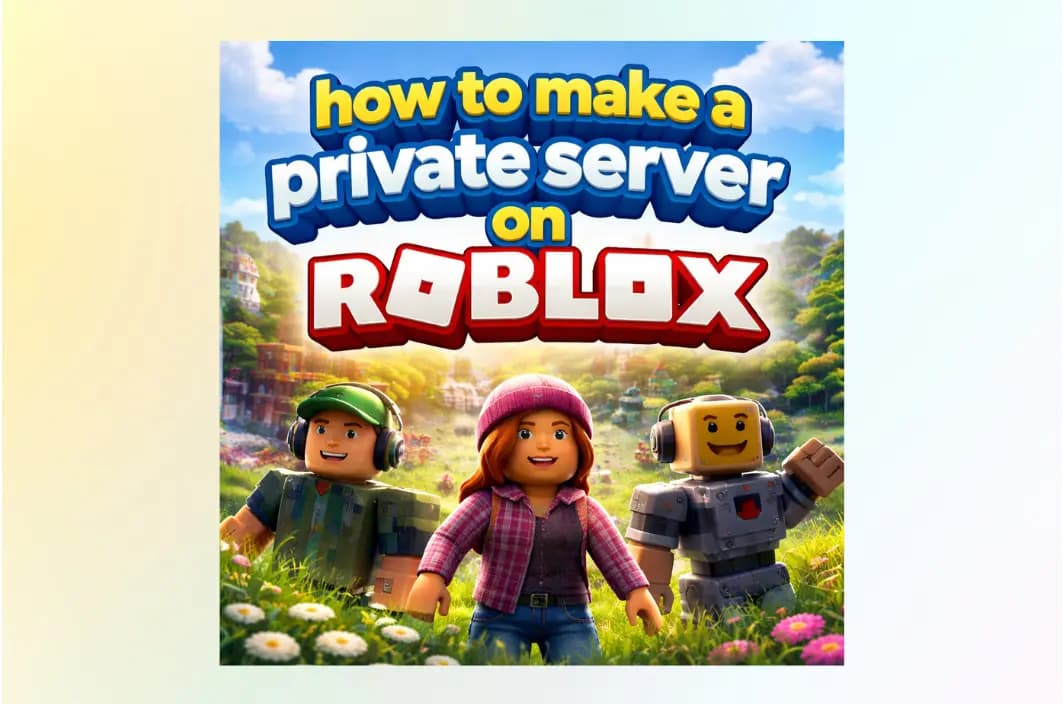
A private server is a restricted game instance that only invited players can join. Unlike public servers, private servers don’t appear in the general server list and are completely controlled by the owner.
How Private Servers Differ from Public Servers
- Public Servers: Anyone can join, often overcrowded, unpredictable behavior
- Private Servers: Invitation-only, controlled player list, stable gameplay
Common Use Cases
- Playing with friends without interruptions
- Grinding or farming efficiently
- Hosting events or tournaments
- Testing gameplay mechanics
- Recording videos or streaming content
Why You Need a Private Server on Roblox
While public servers are the heart of the Roblox community, they aren’t always ideal for serious gameplay. Here is why high-level players are switching to private instances:
1. Escape the Chaos
Public servers are often filled with “griefers”—players whose only goal is to ruin the experience for others. In a private server, you choose exactly who joins, ensuring a friendly environment for your squad.
2. Significant Performance Boost
Every player on a server adds “overhead” to the game’s physics engine. In complex games like Royale High or Doors, 20+ players can cause severe frame drops. A private server with just 2–3 friends allows the game to run at its highest intended frame rate.
3. Safe Environment for Younger Players
For parents, private servers are the ultimate safety tool. By default, users under 13 can only join servers owned by their “Connections” (friends), and a private server ensures they never interact with strangers.
4. Content Creation & Streaming
If you are a YouTuber or streamer, you need a quiet space to record without random players jumping in front of your camera or spamming chat. Private servers are the only way to get “clean” footage.
How to Make a Private Server on Roblox (Step-by-Step)
⚠️ Important Note: Private servers must be created on PC or mobile (browser or Roblox app). Consoles like PlayStation and Xbox do not allow server creation, but you can join a private server on console after it’s set up.
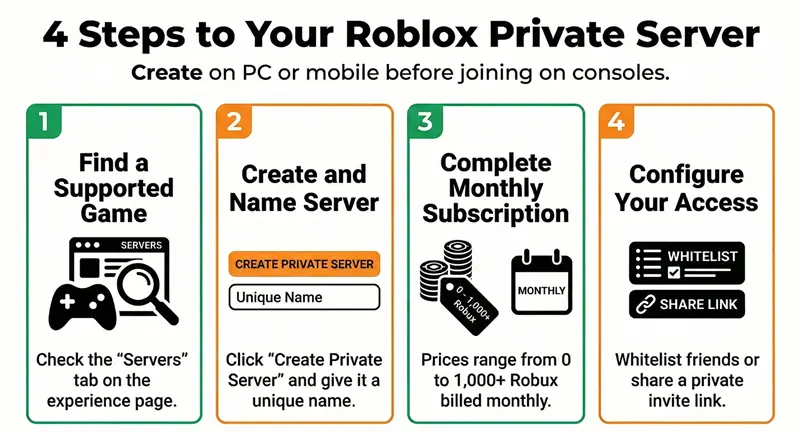
Step 1: Choose a Game That Supports Private Servers
Not every Roblox experience offers private servers, because this feature is enabled or disabled by the game developer.
To check:
- Open the game’s experience page on Roblox
- Scroll down below the description
- Click the Servers tab
If private servers are supported, you’ll see a section labeled Private Servers.
If you don’t see it, that game does not currently allow private servers.
Tip: Popular games are more likely to support private servers, while smaller or older experiences may not.
Step 2: Create and Name Your Server
Once private servers are available:
- Click Create Private Server
- Enter a server name (this is just for identification)
Good naming examples:
- “Lag-Free Squad”
- “Friends Only”
- “Recording Session”
Your server name does not affect performance — it’s purely for organization.
Step 3: Complete the Purchase
Private servers operate on a monthly subscription model.
Pricing is set by the game developer, not Roblox:
- Some games offer free private servers (0 Robux)
- Others charge anywhere from 50 to 1,000+ Robux per month
Important things to know:
- The fee renews automatically every month
- If you don’t have enough Robux on renewal day, the server will deactivate
- You can cancel anytime and keep access until the billing cycle ends
💡 Even free servers still require clicking through the “purchase” flow.
Step 4: Configure Access and Permissions
After purchase, click the three dots (⋯) next to your server and select Configure.
From here, you can:
- Allow Friends Automatically: Any player on your friends list can join without approval.
- Add Specific Users (Whitelist): Manually add up to 50 usernames who can access the server.
- Generate a Shareable Invite Link: A direct URL that lets invited players join instantly (best for PC/mobile users).
If privacy matters, avoid enabling both “friends allowed” and public link sharing at the same time.
Managing and Customizing Your Private Server
Once your server is active, you maintain full control at all times.
You can:
- Rename the server whenever you want
- Add or remove players instantly
- Disable access if someone causes issues
- Cancel or restart the subscription at any time
These controls are especially useful for:
- Parents managing children’s access
- Streamers recording sessions
- Groups running scheduled events
Optimize Your Connection Beyond Private Servers
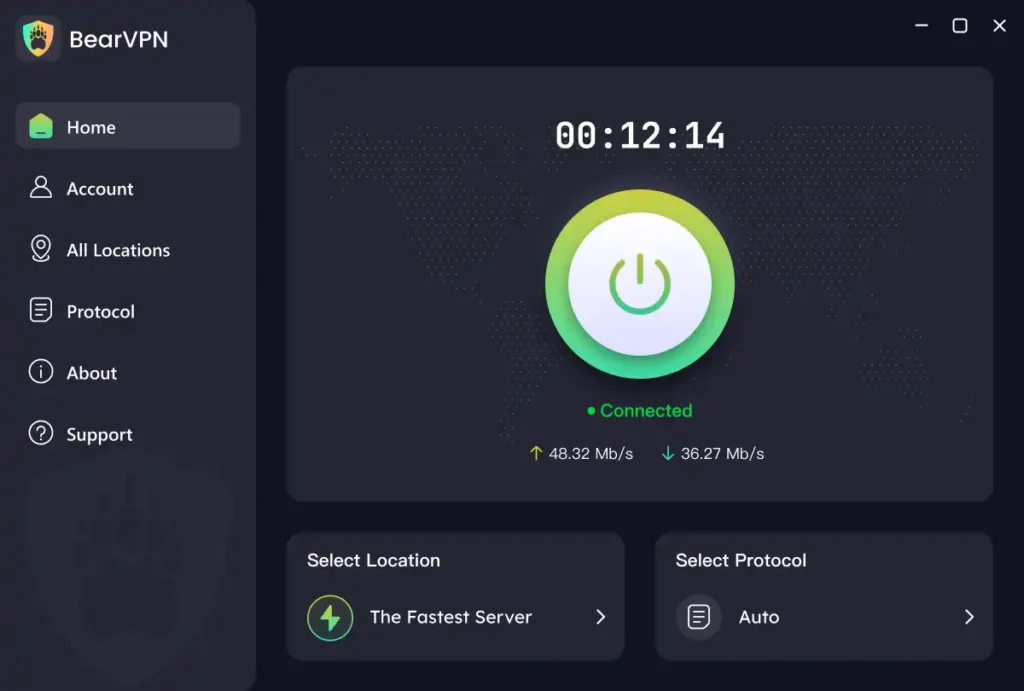
Private servers eliminate player-induced lag, but they can’t fix problems caused by your internet connection. If you’re still experiencing high ping (150ms+), rubberbanding, packet loss, or “Connection Timed Out” errors, the issue usually isn’t Roblox—it’s how your ISP routes traffic to Roblox’s data centers. This is where BearVPN makes a real difference for Roblox players in 2026.
Bypass ISP Throttling During Peak Hours
Many ISPs detect gaming traffic and slow it down during busy hours. BearVPN uses advanced SLProxy and SCProxy protocols to mask gaming traffic, preventing throttling and keeping your connection stable—even at night or on weekends.
Shorter, Smarter Routing to Roblox Servers
With 2,000+ global servers, BearVPN lets you connect to a location closest to the Roblox server region (for example, US-West nodes near San Jose or Japan nodes for Southeast Asia). Shorter routes mean:
- Lower ping
- Faster response times
- Fewer lag spikes
Built-In DDoS Protection
Public lobbies and competitive play can expose your IP address. BearVPN hides your real IP, protecting you from DDoS attacks and preventing others from forcibly disconnecting you from your own private server.
Affordable Gaming-Focused Pricing
In 2026, premium network protection shouldn’t be expensive. BearVPN plans start as low as $1.67/month, making it accessible for casual players, families, and creators alike.
Why BearVPN Works Especially Well for Roblox
Multi-Device Coverage
Roblox isn’t limited to one platform. One BearVPN account supports up to 10 simultaneous devices, so you can protect:
- PC or laptop
- Mobile phone or tablet
- Console via router setup
Perfect for households with multiple Roblox players.
Split Tunneling for Maximum Performance
Don’t want everything routed through a VPN? BearVPN’s Split Tunneling lets you send only Roblox traffic through optimized gaming servers, while apps like Discord, Chrome, or YouTube stay on your normal connection.
Bypass School or Regional Restrictions
If Roblox is blocked at school, work, or while traveling, BearVPN’s stealth protocols help bypass restrictive firewalls and regional blocks—without triggering detection systems.
When to Use BearVPN (and When You Don’t Need It)
Use BearVPN if you experience:
- Consistently high ping despite a private server
- Lag spikes during peak hours
- Frequent disconnects or routing issues
- Network restrictions or regional blocks
You may not need it if:
- Your ping is already stable and low
- You play casually during off-peak hours
Common Private Server Problems (and How to Fix Them)
Even when everything is set up correctly, private servers can still run into issues. Below are the most common problems Roblox players face in 2026—and exactly how to fix them.
Problem 1: Private Server Won’t Launch or Disappeared
Your Robux balance was empty on the monthly renewal date, causing the subscription to cancel automatically. How to Fix It:
- Re-purchase the private server from the game’s Servers tab
- Ensure you have enough Robux for the next billing cycle to prevent future interruptions
Tip: Set a reminder for renewal day if you rely on the server for events or recording.
Problem 2: Friends Can’t Join the Private Server
Account privacy settings—especially common for accounts under 13—are blocking access.
- Go to Account Settings → Privacy
- Find “Who can join me in experiences”
- Make sure it’s not set to No one
Also Double-Check
- The username is spelled correctly
- The player is either on your friends list or manually whitelisted
Problem 3: Private Server Link Doesn’t Work on Console (PlayStation / Xbox)
Private server invite links often don’t open properly on consoles due to platform limitations.
Best Workaround
- Have the server owner join the private server first
- Join them directly through the Friends tab in the Roblox console app
This is a known console limitation—not a setup error on your part.
Problem 4: Lag or High Ping in a Private Server
Private servers reduce player-related lag, but they can’t fix network-level issues. Common Symptoms
- High ping (150ms or higher)
- Rubberbanding or delayed movement
- Random disconnections or timeouts
Most Common Causes
- ISP throttling during peak hours
- Inefficient routing to Roblox data centers
- Unstable or congested Wi-Fi connections
This is why many players combine private servers with network optimization tools, which are covered later in this guide.
Why Can’t I Join My Private Server?
If you’ve followed the steps but your server isn’t working, check these common 2026 issues:
- Insufficient Robux: If your balance is empty on the renewal date, the subscription cancels automatically. You’ll need to “re-purchase” the server to bring it back online.
- Privacy Settings: If you or your friends are under 13, check your Account Settings > Privacy. If “Who can join me in experiences” is set to “No one,” the private server link will fail.
- Link Failure on Console: Private server links often don’t work on Xbox or PlayStation. Instead, have your friends join you directly through the “Friends” list in the Roblox app.
- Bad Network Routing: Even in a private server, you might see “High Latency” warnings. This is often caused by your ISP’s inefficient routing. Switch to a BearVPN server located near the game’s region (e.g., Japan nodes for Southeast Asian players) to stabilize the signal.
Conclusion: Take Back Your Gaming Experience
Creating a private server is the first step toward reclaiming your favorite games from the chaos of public lobbies. But don’t let a “private” server be ruined by “public” internet problems.
By combining a Roblox VIP server with the security and speed of BearVPN, you ensure your gameplay is not just private, but lightning-fast and unhackable.
Ready to experience lag-free Roblox? Download BearVPN now and get premium gaming protection starting at just $1.67/month.
FAQ: Everything You Need to Know
Is it legal to use a VPN with Roblox?
Yes. Using BearVPN for privacy and security is completely legal. However, the Roblox Terms of Service (ToS) prohibit using a VPN to gain “unauthorized access” or bypass an existing ban. For normal gameplay and lag reduction, millions of players use VPNs daily.
Can I make a private server for free?
Yes! Many popular games (like Adopt Me! or Doors) offer private servers for 0 Robux. You still have to go through the “Purchase” flow, but the cost will be listed as free.
Does BearVPN slow down my game?
Quite the opposite. While cheap VPNs can add latency, BearVPN uses high-speed bandwidth reserves and optimized routing. By preventing ISP throttling, many players actually see a decrease in ping.
How many people can join my private server?
This depends on the game developer, but it usually matches the public server limit (typically 10 to 50 players).
Will my private server stay forever?
It stays active as long as the monthly subscription is paid. If you cancel the subscription, you will still have access until the end of the current billing cycle.