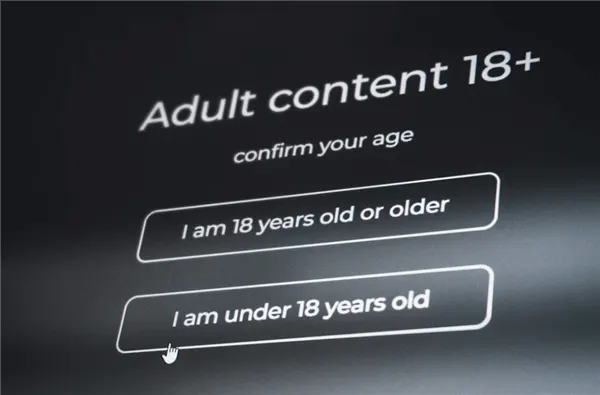
Assume you tried to log into Flingster recently. In that scenario, you’ve most likely encountered an irritating new stumbling block: a forced age verification pop-up requiring you to upload a government-issued ID or do a facial scan.
For years, Flingster was a popular site for anonymous, spontaneous video conversations. The appeal was simple: click “Start,” allow your camera, and interact with people all across the world. No sign-ups, no data collection, just an instant connection. However, the digital scene is shifting. Because of a wave of new digital safety legislation sweeping across the United States and Europe, accessing pornographic services has become a nightmare for users who value their anonymity.
You are now faced with a difficult choice: Hand over your driver’s license to a third-party verification system—risking data leaks and linking your real-world identity to your adult browsing habits—or lose access to the platform entirely.
Fortunately, there is a third option.
In this guide, we will explain exactly why Flingster has introduced these blocks, the severe privacy risks of complying with them, and how you can use BearVPN to bypass Flingster age verification safely, legally, and instantly—keeping your private life private.
Disclaimer: BearVPN does not condone the use of our software by minors to access age-restricted content. This tool is intended for consenting adults who wish to protect their data privacy.
Why Is Flingster Asking for My ID Now?
To solve the problem, you first need to understand it. Flingster hasn’t changed its rules because it wants to annoy you; it is being forced to by local governments.
Over the last 18 months, a domino effect of “Age Verification Laws” has passed through various state legislatures in the U.S. and parliaments abroad. These laws hold adult content platforms legally liable if a minor accesses their site. To avoid massive lawsuits and fines, platforms like Flingster have implemented “geo-blocking.”
They look at your IP address (your digital location). If your IP address originates from a region with these laws, you get the age gate. If your IP comes from a “free” region, you browse anonymously as usual.
The Regions Most Affected
If you are seeing the verification screen, you are likely connecting from one of these locations:
- Strict U.S. States:
- Texas (HB 1181): One of the strictest laws in the country, requiring robust ID verification.
- Virginia: The state that kicked off the trend.
- Utah, Louisiana, Arkansas, Mississippi, Montana, and North Carolina: All have active or pending legislation requiring digital ID checks.
- The United Kingdom: The Online Safety Act has pushed many platforms to gate content for UK IP addresses.
- France & Germany: strict EU protections often trigger similar compliance checks.
The problem isn’t you; it’s your location. And since your location is determined by your IP address, changing your IP address is the most effective solution.
Why You Should Never Upload Your ID
You might be tempted to just snap a photo of your license and get it over with. Don’t do it.
Privacy experts and cybersecurity professionals strongly advise against sharing government-issued identification with adult entertainment sites or the third-party processors they use. Here is why this is a massive risk to your personal security:
- The Risk of Data Breaches
Adult sites are high-value targets for hackers. We have seen it happen before—most famously with the Ashley Madison leak, where millions of users had their private activities exposed to the public. If a verification database is hacked, and your driver’s license is linked to your Flingster usage, that information could be used for blackmail, doxxing, or identity theft.
- Third-Party Data Handling
Flingster doesn’t verify your ID itself; they use third-party API services (like Yoti, Veriff, or others). When you upload your ID, you are trusting a chain of companies with your most sensitive document. You have no control over how long that data is stored or who has access to it.
- The “Digital Paper Trail”
The entire point of using a site like Flingster is anonymity. By verifying your age with a credit card or ID, you create a permanent, traceable link between your real-world identity and your online sexual preferences. In an era where data privacy is scarce, maintaining this separation is critical.
How to Bypass Flingster Age Verification with BearVPN
The safest, easiest, and most reliable way to restore your access to Flingster is to change your digital location to a region that respects internet privacy.
BearVPN allows you to mask your real IP address and connect to one of its servers in an unrestricted region, such as New York, California, or Switzerland. With over 2,000 high-speed servers covering 50+ regions, BearVPN successfully tricks the website into thinking you are browsing from an unblocked location, completely bypassing the mandatory ID verification while enhancing your online privacy and security.

Step 1: Download and Install BearVPN
First, you need a VPN that is fast enough for video streaming. Many free VPNs cap your speed, which results in pixelated video or dropped calls on Flingster. BearVPN is optimized for high-bandwidth activities like live cam chatting.
Download the BearVPN app for your device (Windows, Mac, iOS, or Android).
Step 2: Choose a “Safe” Server Location
This is the most critical step. You cannot just connect to any server; you must connect to a server in a jurisdiction without age verification laws.
- Recommended U.S. Locations:New York, California, Florida (status varies, but often works), and Illinois.
- Recommended International Locations: Switzerland, Netherlands, Canada, Sweden.
- Tip: If you are in the US, choose a US server in a different state (like New York) to ensure you get the fastest connection speeds with low latency.
Step 3: Clear Your Browser Cache
Even if you change your IP, your browser might still be holding onto “cookies” that remember you were just in a restricted region.
- Chrome/Edge: Press Ctrl + Shift + Delete and clear “Cached images and files” and “Cookies”.
- Mobile: Go to your browser settings and clear site data.
- Pro Tip: The easiest way to handle this is to simply open an Incognito or Private window after turning on BearVPN.
Step 4: Access Flingster
Navigate to [suspicious link removed]. The age verification pop-up should be gone, replaced by the standard “I am over 18” button that requires no ID upload. You can now chat freely, privately, and anonymously.
Best VPN for Flingster: BearVPN vs. Free Proxies & Tor
You might be wondering, “Can’t I just use a free browser extension?” or “What about Tor?” Let’s look at why those alternatives often fail for Flingster specifically.
1. Free Proxy Extensions
The Problem: Most free Chrome/Firefox extensions are just proxies, not full VPNs. They mask your IP for loading the webpage, but they often fail to tunnel the video traffic. Flingster is smart; it sees the page request coming from the proxy but the video data coming from your real IP (Virginia/Texas/UK).
2. The Tor Browser
The Problem: Tor is fantastic for extreme anonymity (whistleblowers, journalists), but it routes your traffic through three different volunteer “nodes” around the world.
It is excruciatingly slow. Attempting to run a live video cam on Tor is virtually impossible. You will experience constant buffering and freezing.
3. Competitor VPNs (Nord/Express)
The Problem: These are great tools, but they are often the first to be targeted by anti-VPN blocklists because they are so popular. Flingster sometimes flags IP addresses known to belong to massive VPN data centers.
The BearVPN Edge: BearVPN rotates its IP addresses frequently and utilizes obfuscated servers that look like regular residential traffic. This makes it much harder for Flingster to detect that you are using a VPN, reducing the “captcha” checks and blocks you might encounter with bigger providers.
Troubleshooting: “I’m Using a VPN but Still Blocked!”
If you have turned on BearVPN and are still seeing the “Verify Your Age” screen, don’t panic. This is a common cache issue. Follow these advanced troubleshooting steps:
1. The GPS Leak (Mobile Users)
If you are trying to access Flingster on a smartphone (iPhone or Android), the site might be using your GPS location data, not just your IP address.
Go to your phone’s settings > Privacy > Location Services. Deny location access to your browser (Safari/Chrome). Restart the browser and try again.
2. The WebRTC Leak
As mentioned earlier, your browser’s video chat feature can sometimes reveal your true location.
Ensure “WebRTC Protection” is enabled in your BearVPN settings. Alternatively, use a browser like Firefox, which allows you to disable WebRTC easily (type about: config in the address bar, search for media.peerconnection.enabled, and set it to false).
Note: Disabling WebRTC entirely might break the video chat, so using a VPN that handles it correctly is the better option.
3. IPv6 Leaks
Most VPNs only mask your IPv4 address (the standard IP). If your internet provider uses IPv6, Flingster might see your real location through that back door.
BearVPN disables IPv6 traffic inside the tunnel to prevent this leak. Ensure this setting is active in your dashboard.
FAQ on Flingster Age Verification
- Is it illegal to use a VPN to bypass age verification?
No. Using a VPN to protect your privacy and mask your location is legal in most countries, including the US and UK. The laws in places like Texas or Virginia place the burden on the website (Flingster) to verify users, not on the user to provide ID. As a user, you have the right to digital privacy.
- Does Flingster ban VPN users?
Flingster does not ban accounts for using VPNs, but they do try to block VPN IP addresses to remain compliant with the law. If you encounter a connection error, it simply means that specific server IP has been flagged. The solution is simple: open BearVPN, disconnect, and choose a different city or server (e.g., switch from New York to Los Angeles).
- Can I use a fake ID generator for Flingster?
Absolutely not. Verification systems use AI to detect “liveness” and document authenticity. They scan the barcodes and holographic features of IDs. Using a fake ID is not only likely to fail, but it could also constitute fraud depending on your jurisdiction. A VPN is a much safer, legal workaround.
- Which country is best for Flingster?
The Netherlands and Switzerland are excellent choices because they have strong privacy laws and generally do not enforce strict age verification on adult sites. Within the US, New York and California are currently the most reliable options for high-speed connections without the ID block.
- Why is my Flingster screen black when using a VPN?
This is usually caused by a slow connection or a blocked port.
- Try a different VPN protocol in your BearVPN settings (e.g., switch from OpenVPN to WireGuard).
- Switch to a server that is physically closer to you (but still in a safe state).
- Ensure your browser has permission to access your camera and microphone.
Conclusion
The internet was built on the promise of open, anonymous communication. The recent wave of age verification laws, while well-intentioned for child safety, has created a surveillance net that captures consenting adults and forces them to surrender sensitive personal data.
You shouldn’t have to choose between your privacy and your access to content.
By using BearVPN, you aren’t just bypassing a pop-up; you are taking a stand for your digital privacy. You are ensuring that your personal identity remains safe from hackers, data brokers, and prying eyes.
Ready to get back to chatting?
Don’t let a digital border stop you. Download BearVPN today, connect to a high-speed secure server, and experience the internet without boundaries.