If you are an aspiring music producer, video editor, or graphic designer, you know the struggle: the “Industry Standard” toolkit—Ableton Live, Xfer Serum, FabFilter, and Omnisphere—costs upwards of $2,500.
This raises a common question for many creators: is 4download safe? In this guide, we take a forensic cybersecurity approach to answer that question and introduce a simple Traffic-Light Safety Protocol to help you keep your projects, files, and devices secure.
Disclaimer: This guide is for educational and cybersecurity awareness purposes only. It does not endorse, encourage, or support the downloading of copyrighted software, “cracked” programs, or any activity that violates local or international law. All information in this article is intended to help readers recognize online risks, protect their devices, and make informed, lawful decisions.
Critical Alert: Don’t Confuse the “4s”
Before we dive into the malware analysis, we must clear up a massive source of confusion in the search results.
4Download.net is NOT 4kdownload.com.
- 4kdownload.com: This is a legitimate, safe company that makes tools for downloading YouTube videos and TikToks. It has a Trustpilot score of 4.5 and is completely legal.
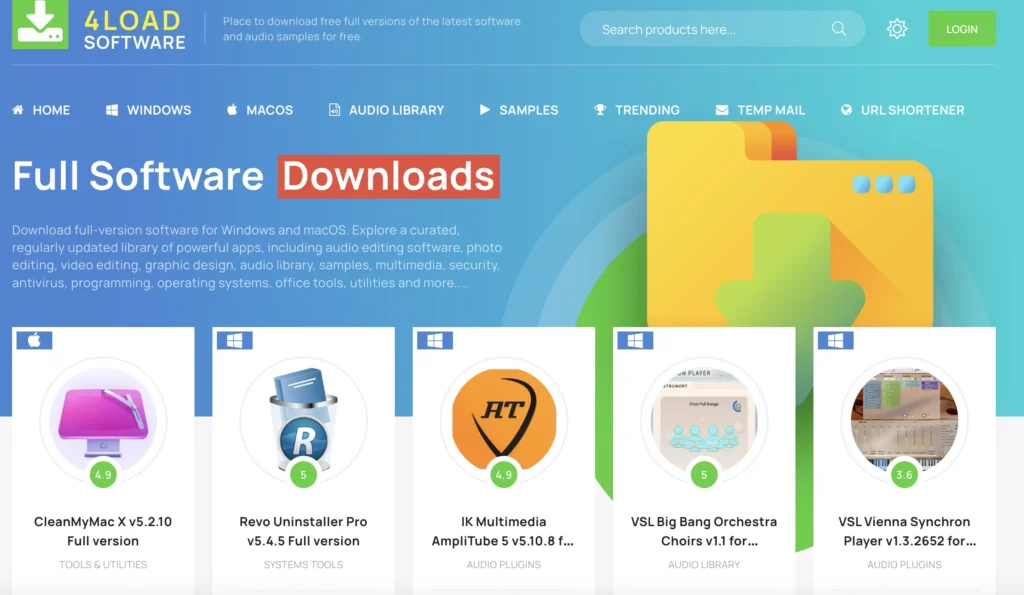
- 4download.net (The subject of this guide): This is a “Warez” or “Crack” repository hosting copyright-infringing software (VSTs, DAWs, Kontakt Libraries).
If you are here for the video downloader, you are safe. If you are here for the cracked plugins, keep reading.
The “Traffic Light” Safety Assessment
To answer is 4download trustworthy, we cannot give a simple yes or no. The reality of piracy is nuanced.
- GREEN LIGHT (100% Safe): Legal Free Alternatives. There is zero risk of malware or legal trouble. Tools like Vital and TDR Nova are now just as powerful as their paid counterparts.
- YELLOW LIGHT (Use with Extreme Caution): 4Download.net / AudioZ. These are “community-vetted” sites, but they are high-risk. They require forensic safety protocols (Sandboxing, VirusTotal checks) to use “safely.”
- RED LIGHT (Danger Zone): YouTube Description Links & Random Torrents. Never click these. They are the primary source of ransomware and credential stealers.
How to Download Files Safely and Privately
Before you even visit a site like 4Download or AudioZ, you must address the “Digital Fingerprint” you leave behind.
When you access these repositories, your Internet Service Provider (ISP) logs your activity. In many countries, repeated visits to direct download (DDL) sites can lead to “Copyright Strikes,” bandwidth throttling, or even service termination. Furthermore, malicious mirror sites often log your IP address to target you for future phishing attacks.
To mitigate this, you need a “Tunnel” that encrypts your traffic and masks your identity.
The Recommended Tool: BearVPN
For users who need to download files from the internet while protect their privacy, BearVPN is the recommended tool for this specific use case. While many VPNs charge high monthly fees, BearVPN offers a robust free tier that doesn’t compromise on the essential security features needed for safe browsing.
Why BearVPN helps:
- Military-Grade Encryption: BearVPN uses AES-256 encryption. This is the same standard used by banks and governments. It ensures that even if your ISP intercepts your data, it looks like scrambled noise rather than a file download.
- Strict No-Logs Policy: Unlike some free proxies that sell your data, BearVPN adheres to a strict no-logs policy. They do not record your browsing history, meaning there is no paper trail of your visit to the file downloading sites.
- Obfuscation Technology: BearVPN disguises its VPN traffic as regular internet activity. This is crucial if you are browsing from a college campus or a network that blocks piracy sites, as it helps slip past firewalls undetected.
How to Use BearVPN for Private Downloading
Follow this exact sequence before you open your browser:
Step 1. Download & Install: Get the BearVPN app for your device.
Step 2. Select a Server: Open the app. Do not connect to a server in your own country. Choose a location with strong privacy laws (e.g., Switzerland or Panama) to further anonymize your traffic.
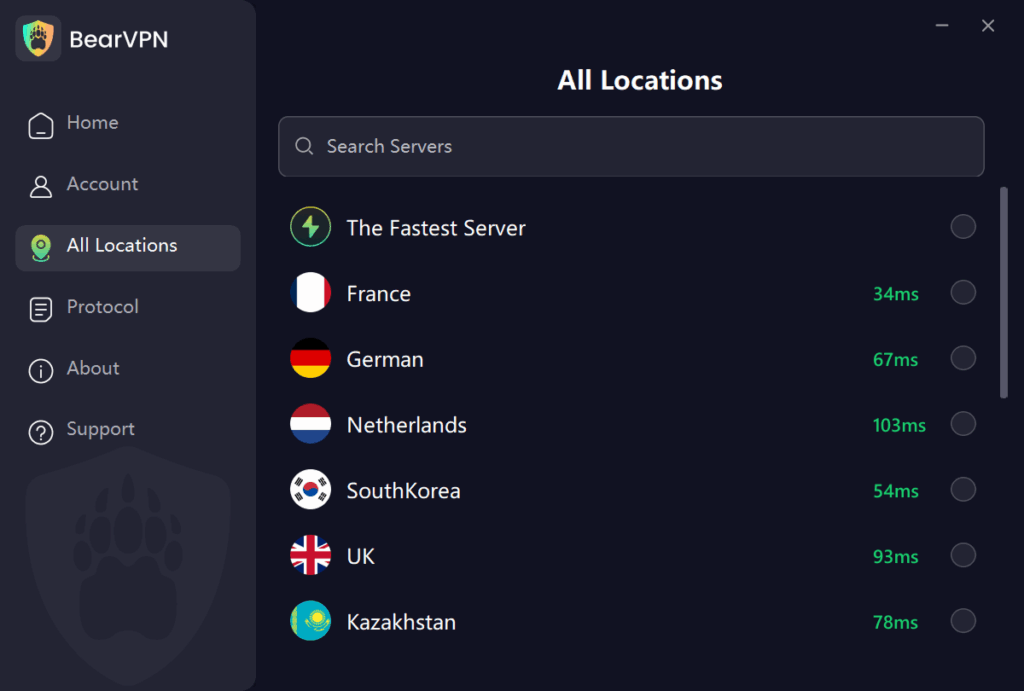
Step 3. Activate the Tunnel: Click “Connect” and wait for the status to turn green.
Step 4. Verify: Before browsing, use the online tool to check your IP address. Ensure the location shown matches your VPN server, not your actual house.
Once BearVPN is active, your connection is encrypted, and your real IP is hidden. You can now proceed to the site with a significantly lower risk of tracking or interception.
What Is 4Download.net?
4Download (often accessible via mirrors like bezlink or 4sharedlink) is a Direct Download (DDL) site. Unlike torrent sites where you connect to peers, DDL sites host files on servers like Google Drive, MediaFire, or Mega.
Is 4download.net safe compared to other sites? In the piracy hierarchy, it sits in the middle. It is generally considered “safer” than random torrents because it doesn’t require P2P software (which exposes your IP address). However, unlike private trackers or highly moderated forums like AudioZ or RuTracker, 4Download has less transparency regarding who is uploading the files.
The Domain Hopping Risk
You might notice the site redirecting you to bezlink.com or other strange domains. This is a survival tactic to evade DMCA takedowns. However, this creates a “Chain of Custody” problem. If a hacker creates a clone site that looks like 4Download but hosts infected files, you wouldn’t know the difference.
The Danger Zone: Malware, Miners, and “False Positives”
When users ask what is 4download safe from, they are usually worried about three things:
- Ransomware: Encrypting your project files (.als, .flp, .psd).
- Cryptojacking: Using your GPU to mine crypto, causing audio latency and glitches.
- Trojan Horses: Stealing your saved browser passwords.
The “False Positive” Paradox
If you download a crack from 4Download and scan it, your antivirus will likely scream. This is the “Pirate’s Dilemma.”
- The Crack: To bypass copy protection, cracking groups (like R2R) must modify the software’s code (DLL injection). Antivirus heuristics flag this behavior as malicious, often labeling it HackTool: Win32/Keygen or PUP.Gen (Potentially Unwanted Program).
- The Threat: Malware authors know you expect these flags. They hide real viruses (Trojans) inside files that look like false positives.
The “Fake Download Button” Trap
Often, the virus isn’t in the file you wanted; it’s in the file you clicked. 4Download relies on aggressive ad networks. These ads generate massive, realistic “DOWNLOAD” buttons.
- How to spot a fake: Hover your mouse over the button. If the URL goes to an ad network or an .exe file you didn’t ask for (e.g., DownloadManager.exe), DO NOT CLICK. The real link usually leads to a file host like Google Drive or Mega.
Forensic Safety Protocol: How to Check Files (Step-by-Step)
If you decide to proceed despite the risks, you must treat every file like a biological hazard. Do not install anything directly on your main OS.
Protocol 1: The VirusTotal Deep Dive
Don’t just scan the .rar file. Extract it and scan the .exe and .dll files inside.
- Go to https://www.google.com/search?q=VirusTotal.com.
- Upload the installer and the keygen.
- Analyze the Results:
- 0-5 Flags: Likely a false positive (heuristic detection of the crack).
- 20+ Flags: DELETE IMMEDIATELY.
- Behavior Tab: Check the “Behavior” tab. Does the file try to connect to strange IP addresses? If a simple offline keygen is trying to phone home to a server in a foreign country, it is likely a botnet installer.
Protocol 2: The Sandbox Strategy
Never install cracked software on your main production machine without testing it first.
- Windows Sandbox: If you have Windows 10/11 Pro, use this. It creates a temporary, isolated desktop. You can install the software, see if it triggers any weird processes or CPU spikes, and then close it. Everything is wiped instantly.
- Sandboxie Plus: This allows you to run the program in a persistent isolated folder. If the program contains ransomware, it can only “encrypt” the contents of the sandbox, not your actual hard drive .
Troubleshooting 4Download: Passwords and Errors
If you are searching for how safe is 4download, you might also be stuck on technical hurdles. Here are the fixes for the most common issues:
What is the 4Download RAR Password?
The vast majority of archives on the site are password-protected to prevent automated DMCA scanning.
- The Password: It is almost always www.4download.net (typed exactly like that).
- Note: Occasionally, it might be 4download.net or the name of the source site (check the text file included in the download) .
How to Fix “Error Code 4” or Installation Failures?
If the installation fails, it is usually because:
- Antivirus Interference: Your AV deleted the crack.dll file before you could install it. You may need to restore the file from “Quarantine” (only if you verified it via Protocol 1).
- Missing Runtimes: You are missing C++ Redistributables or.NET Frameworks required to run the patcher.
The “Green Light” Pivot: Why Risk It? (Legal Free Alternatives)
The landscape of music production has changed. In 2025, free software is often better than the cracked “industry standards” you are risking your computer for.
Here is why you should stop downloading apps from 4Download and start downloading these legal, 100% safe tools:
1. The Serum Killer: Vital
Why pirate Xfer Serum (Risk: High) when you can have Vital (Risk: Zero)?
- Comparison: Vital uses Spectral Warping Wavetables, which is actually newer tech than Serum. It allows you to turn text into wavetables, offers 3 oscillators, and has a visual interface that is arguably better than Serum’s.
- Cost: Free.
- Community: There are thousands of free preset packs for Vital on YouTube. It is the new standard.
2. The FabFilter Replacement: TDR Nova
Why pirate FabFilter Pro-Q 3?
- The Alternative: TDR Nova (Tokyo Dawn Records) is a parallel dynamic equalizer. It allows you to do specific surgical cuts, dynamic compression on specific frequencies, and precise mastering work.
- Safety: It is completely free and legal .
3. The Omnisphere Alternative: Surge XT & Spitfire LABS
- For Synth Power: Surge XT is an open-source powerhouse. It was once a paid plugin worth hundreds of dollars, now free. It handles complex modulation better than most paid synths.
- For Organic Sounds: Spitfire LABS offers world-class recorded pianos, strings, and textures for free. No crack required.
4. The Reverb King: Valhalla SuperMassive
Don’t pirate ValhallaRoom. The developer releases SuperMassive for free. It produces huge, ethereal reverbs and delays that are used on professional records worldwide.
Conclusion
So, is 4download.net safe?
If you treat it like a loaded weapon—using sandboxes, checking hashes, and verifying every file on VirusTotal—it is a “manageable risk.” It is safer than random torrents but significantly more dangerous than legitimate shops.
The Bottom Line: The “Resource-Ambition Gap” doesn’t have to force you into piracy anymore. With tools like Vital, TDR Nova, and Surge XT, you can produce professional-quality tracks without risking a ransomware attack that deletes your hard drive.
Your Action Plan:
- Download Vital and TDR Nova today (Green Light).
- If you must use 4Download (Yellow Light), install Windows Sandbox first.
- Never, ever click the big flashing “Download” buttons on the sidebar (Red Light).
FAQ
Q1: What is the password for 4Download RAR files?
Almost every file downloaded from 4Download is password-protected to prevent automated bots from scanning the files for copyright violations. The password is universally www.4download.net (typed exactly as shown). Occasionally, if that doesn’t work, try 4download.net or check the text file included inside the main folder.
Q2: Why does my antivirus flag the download as a Trojan?
This is often a “false positive” caused by the nature of cracked software. To bypass licensing, crackers inject code into the software (DLL injection), which antivirus heuristics identify as malicious behavior (e.g., HackTool:Win32/Keygen). However, real malware can be hidden inside these files. You must verify every file using VirusTotal and test it in a Sandbox before running it on your main computer.
Q3: Why does the 4Download domain keep changing?
You may notice the site redirecting to domains like bezlink.com or 4sharedlink. This is a technique called “Domain Hopping” used to evade DMCA takedowns and blocklists. Be extremely cautious, as this mechanism can sometimes be hijacked by “Clone Sites” that look identical to 4Download but serve infected files. Always verify you are on the correct landing page before clicking download.
Q4: Is 4Download safer than torrenting?
Generally, yes. 4Download is a Direct Download (DDL) site, meaning you download files directly from a server (like Google Drive). Torrenting connects you to a swarm of other users (P2P), exposing your IP address to everyone in that swarm. However, DDL sites like 4Download still carry significant risks of malware and require a VPN like BearVPN to prevent ISP tracking.
Q5: Can I get sued for using 4Download?
Yes, downloading copyrighted material is illegal in most jurisdictions. ISPs monitor traffic for specific signatures and may issue warnings, throttle your speed, or terminate your service. Using a VPN encrypts your traffic so your ISP cannot see what you are downloading, but it does not make the act legal.