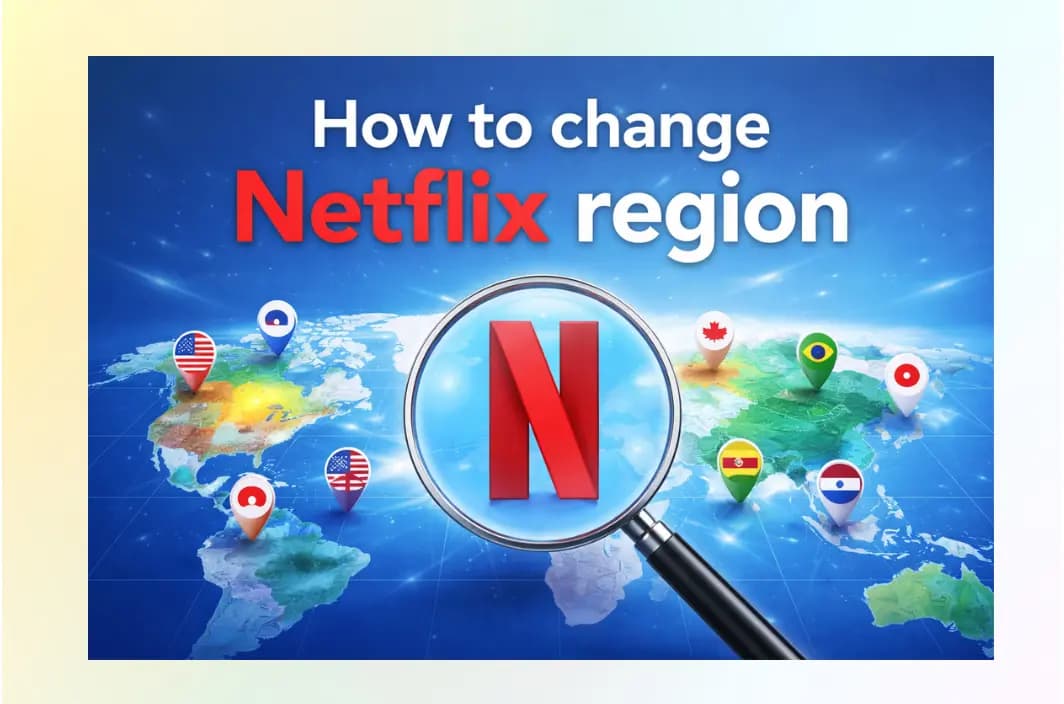
Key Takeaways: Change Your Netflix Country Instantly
- Quick Summary: You can change your Netflix region by using BearVPN to mask your IP address with one from a different country.
- The Goal: Connect to a server in a specific country (such as the US, UK, or Japan) to access that local content library.
- The Tool: Always use a VPN with “Streaming Optimized” nodes to bypass advanced 2026 detection systems.
- Top Benefit: Access the massive US library (over 5,000+ titles) or exclusive anime in Japan from anywhere in the world.
- Pro Tip: After connecting, clear your browser cache or restart the Netflix app to ensure the new location is recognized.
Ever sat down with your popcorn, ready to binge-watch that trending series your friends in the US are raving about, only to find it missing from your local library? You aren’t alone. In 2026, the “Traveler’s Dilemma” is more prominent than ever as streaming platforms tighten their digital borders. Fortunately, there is a simple, legal way to take back control of your subscription.
By using a high-quality VPN, you can virtually “teleport” your device to any country, instantly unlocking thousands of exclusive titles. This guide will show you exactly how to change your Netflix region in under five minutes using BearVPN.
Why Does Netflix Have Different Libraries?
It’s frustrating to pay the same subscription fee as someone in another country but get access to half the content. This disparity exists because of three core factors:
1. Licensing Agreements
Content owners like Disney, Warner Bros., and independent studios license their shows on a country-by-country basis. For example, a hit show might be licensed to Netflix in the US, but a local cable network might hold the exclusive rights in the UK.
2. Geo-blocking Technology
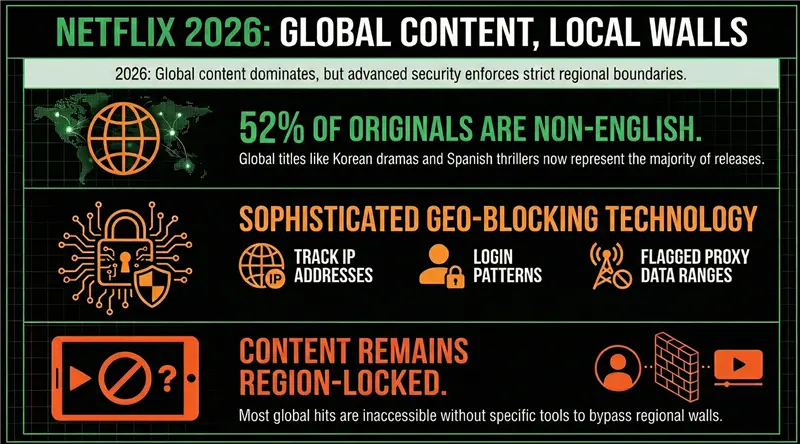
Netflix uses your IP address to determine your physical location the moment you open the app. In 2026, these systems have become highly sophisticated, checking not just your IP, but also looking for unusual login patterns and “flagged” data ranges associated with low-quality proxies.
3. The Rebound of “Peak TV”
As of 2026, the number of new premium scripted shows has risen again after a brief decline, with non-English language titles now making up 52% of Netflix’s original releases. This means there is more global content than ever—from Korean dramas like Squid Game to Spanish thrillers—but much of it remains locked behind regional walls unless you have the right tools to access it.
How Netflix Detects Your Location in 2026
Before changing your region, it helps to understand why Netflix blocks so many attempts.
Netflix doesn’t ask “Are you using a VPN?”
It asks: “Does this connection behave like a normal user in this country?” Key detection signals include:
- IP Reputation: Data‑center IPs are scrutinized heavily
- DNS Mismatch: US IP + foreign DNS = instant red flag
- App Cache & Cookies: Old location data can override your VPN
- Device Sensors: On mobile, GPS can contradict your IP address
- Behavioral Patterns: Rapid country switching looks suspicious
A VPN must handle all of these, not just IP masking.
How to Change Netflix Region with BearVPN (Step-by-Step)
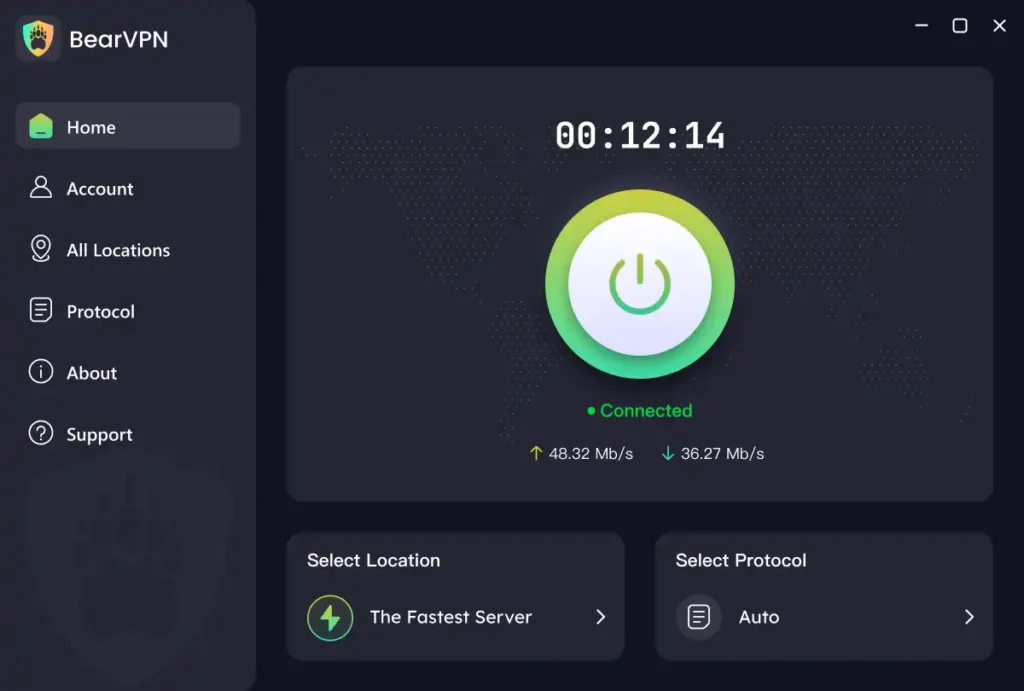
Changing your region is no longer a technical headache. Follow these steps to unlock global content on any device:
Step 1: Download and Install BearVPN
First, download BearVPN for your preferred device—whether it’s Windows, macOS, iOS, Android, or even your Smart TV. BearVPN allows up to 10 simultaneous connections, so your whole family can stream different regions at once.
Step 2: Log in and Select a Region
Open the BearVPN client and log in. You will see a list of over 2,000+ servers. Choose a server in the country whose library you want to explore.
- For Hollywood Blockbusters: Choose a USA server.
- For Anime: Choose a Japan server.
- For British Dramas: Choose a UK server.
Step 3: Enable Smart Protocols
For the best results against Netflix’s 2026 detection, ensure that either SLProxy or SCProxy is active in your settings. These proprietary protocols are designed to make your VPN traffic look like standard web traffic, making it nearly invisible to geo-blocking filters.
Step 4: Restart Netflix
This is a crucial step many users miss. Close your Netflix app or browser tab completely. If you are on a browser, it is highly recommended to open a new Incognito/Private window before navigating back to the Netflix site.
Step 5: Start Streaming
Log in to Netflix. You should now see the trending list and categories for your chosen country. Search for a region-exclusive title; if it appears, you’ve successfully changed your region!
Why BearVPN is the Best Choice for Netflix Streaming
While many VPNs claim to work with Netflix, few can keep up with the rigorous blocks of 2026. Here is why BearVPN stands out:
- 4K-Ready Speeds: Streaming in Ultra HD requires massive bandwidth. BearVPN’s network is optimized for 4K playback, ensuring you don’t face the “buffering wheel of death” halfway through a movie.
- Advanced Stealth (SLProxy/SCProxy): Most basic VPNs are instantly flagged. BearVPN uses advanced obfuscation to hide the fact that you are using a VPN at all.
- Global Reach: With 2,000+ servers, you can hop from the US to Australia or France in seconds.
- Budget-Friendly Privacy: You shouldn’t have to pay a fortune for internet freedom. BearVPN offers premium features for as low as $1.67/month.
- Strict No-Logs Policy: Your privacy is paramount. BearVPN never records your streaming history, IP logs, or browsing habits, ensuring your “digital footprint” remains invisible.
Can You Change Netflix Region Without a VPN?
Technically, yes — but in practice, these methods are unreliable, short‑lived, or introduce new risks.
Over the years, users have explored alternatives to VPNs to access different Netflix libraries. While some approaches may work under very specific conditions, none offer the consistency or long‑term stability most users expect in 2026.
Below is a realistic evaluation of the most commonly discussed non‑VPN options.
Smart DNS Services
Smart DNS services work by redirecting only your DNS queries rather than encrypting or rerouting all of your internet traffic. Because there is no encryption layer, Smart DNS can feel faster than a VPN and is often easier to configure on devices like smart TVs or game consoles.
However, this speed advantage is also its biggest weakness. Smart DNS does not change your IP address, which means Netflix can easily compare your IP location with your DNS region. In 2026, this mismatch is one of the fastest ways to trigger a proxy error. As a result, Smart DNS services are frequently blocked, often without warning, and usually support only one or two regions such as the US. What works today may stop working tomorrow.
Residential Proxies
Residential proxies route your connection through IP addresses assigned to real household internet users, which makes them appear more “legitimate” than standard data‑center IPs. On paper, this makes them harder for Netflix to detect.
In reality, residential proxies are expensive, unstable, and often ethically questionable. Speeds can fluctuate wildly, connections may drop mid‑stream, and privacy risks are significantly higher because traffic is routed through third‑party networks. For casual streaming, this method introduces far more complexity and risk than most users are prepared to accept.
Account Relocation Through Travel
Netflix does allow temporary access to foreign libraries when you physically travel to another country. During short trips, users may see local content from their destination without changing any settings.
The limitation is that this access is neither complete nor permanent. Certain titles remain unavailable due to licensing conflicts, and once you return home, Netflix quickly reverts your library back to your original region. In some cases, the billing country on your account can also restrict what you’re allowed to watch abroad.
The Practical Reality
All non‑VPN methods suffer from the same fundamental problem: they only solve part of the location equation. Netflix evaluates IP address, DNS behavior, device signals, and long‑term consistency. Partial solutions tend to fail sooner rather than later.
For most users, a high‑quality VPN remains the most practical and stable option because it aligns all of these signals at once. That is why, despite years of workarounds and experiments, VPNs continue to be the most reliable way to change Netflix regions in 2026.
Troubleshooting: What to Do if Netflix Still Blocks You
If you see the dreaded “Proxy Error” (pointing out that you’re using an unblocker), don’t panic. Try these quick fixes:
- Clear Browser Cache & Cookies: Netflix often stores “snippets” of your real location in your browser data. Clearing this data forces the site to look at your new VPN IP.
- Switch Servers: Netflix occasionally identifies and blocks specific IP ranges. If one US server isn’t working, simply disconnect and try another US node within BearVPN.
- Check for DNS Leaks: Use BearVPN’s built-in DNS Leak Protection. If your real DNS is “leaking,” Netflix will see your true location regardless of your IP address.
- Disable Location Services: On mobile devices, ensure that GPS and system-level location services are turned off, as these can override your VPN location.
Conclusion: Unlock the Full Potential of Your Subscription
Netflix is more global than ever — yet paradoxically more fragmented.
In 2026, changing your Netflix region isn’t about “beating the system.”
It’s about accessing content you already pay for, regardless of where you live or travel.
While Netflix’s detection systems are more advanced, the right tools still work. A VPN like BearVPN, built with streaming and obfuscation in mind, offers a practical way to explore global libraries without sacrificing speed or privacy.
If you’re tired of regional walls deciding what you can watch, the solution is no longer experimental — it’s well‑established.
Connect, restart, and press play.
FAQs about Changing Netflix Region
Is it legal to use a VPN for Netflix?
Yes. Using a VPN is legal in the vast majority of countries, including the US, UK, Canada, and most of Europe. While accessing different libraries may violate Netflix’s Terms of Service, it is not a criminal offense. Netflix enforces its rules through technical blocks, not legal action. If you are in a high‑restriction region, always check local VPN laws first.
Will my Netflix account get banned for using a VPN?
No. There are no verified cases of Netflix banning user accounts solely for VPN usage. The typical response is a proxy or unblocker error that temporarily prevents playback. Once you disconnect the VPN or switch to a working server, access is restored.
Can I use a free VPN to change my Netflix region?
In almost all cases, no. Free VPNs use a very small pool of shared IP addresses that were blacklisted years ago. They also impose bandwidth limits, speed throttling, and data caps that make HD or 4K streaming impractical. Some free VPNs may also log user activity, which introduces privacy risks.
Does a VPN slow down Netflix streaming?
All VPNs add encryption, which can slightly reduce speed. However, the impact depends on server quality and protocol efficiency. Streaming‑optimized VPNs typically maintain enough bandwidth for smooth HD and 4K playback. If buffering occurs, switching servers usually resolves the issue.
How many devices can I use with BearVPN?
A single BearVPN account supports up to 10 simultaneous connections. This allows you to stream Netflix on multiple devices at the same time, including phones, laptops, tablets, and smart TVs.
Why does Netflix work on my browser but not on my smart TV?
Smart TVs and streaming devices use stricter network checks and often cache location data longer than browsers. Browsers allow faster resets through private windows and cookie clearing, while smart TVs may require a full restart or router‑level VPN connection.
Why did Netflix stop working even though my VPN worked before?
Netflix regularly updates its detection systems and blocks known IP ranges. A VPN that works today may stop working tomorrow if an IP becomes flagged. Switching to a different server in the same country usually fixes the problem.
Do I need to clear cache or cookies every time I change regions?
Not every time, but it helps when Netflix shows the wrong library or a proxy error. Clearing cookies or restarting the Netflix app forces the service to re‑check your location using your current IP address.
Can I change the Netflix region on mobile devices?
Yes. You can change Netflix regions on iOS and Android devices using a VPN app. Make sure to disable GPS and system‑level location services, as these can override your VPN location and cause mismatches.
Can I change Netflix region without logging out of my account?
In most cases, yes. Logging out is not required, but fully closing and reopening the app or browser is recommended. Logging out may help if Netflix continues to show your old region after switching servers.
Does my Netflix subscription plan affect region access?
No. All Netflix plans show region‑specific libraries based on location, not subscription tier. However, video quality (HD or 4K) still depends on your plan and connection speed.
Is changing Netflix region the same as accessing pirated content?
No. You are still using a paid Netflix subscription. Changing regions only affects which licensed content library you can access, not the legality of the content itself.